一分钟制作爆火的3D手办照片,并且动态展示
最近用Nano Banana生成手办的图片爆火网络,大模型的厂商们也是迅速跟进,我最近也尝试用了几种不同的大模型生成手办,对比下来发现豆包就已经很强大了,豆包刚刚上线了seedream4.0,能够生成高清图,效果非常不错!
直接上图,大家感受一下,我从网上找了皮卡丘的2D图片,下面第一个手办图片是通过一个lora微调后的模型生成的(不是豆包的),还不能达到高清效果,第二个手办是豆包生成的,可以看出明显的光线反射效果,以及豆包模型对手办包装盒的推理。

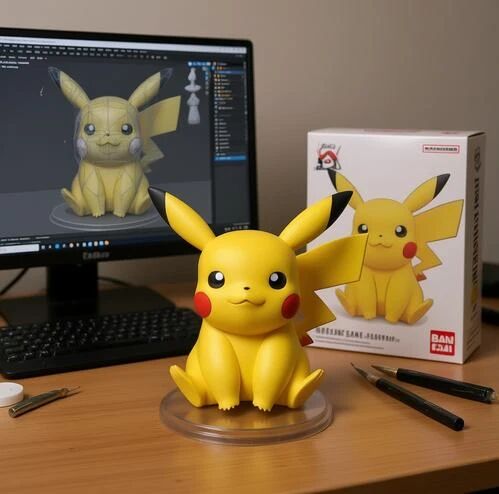
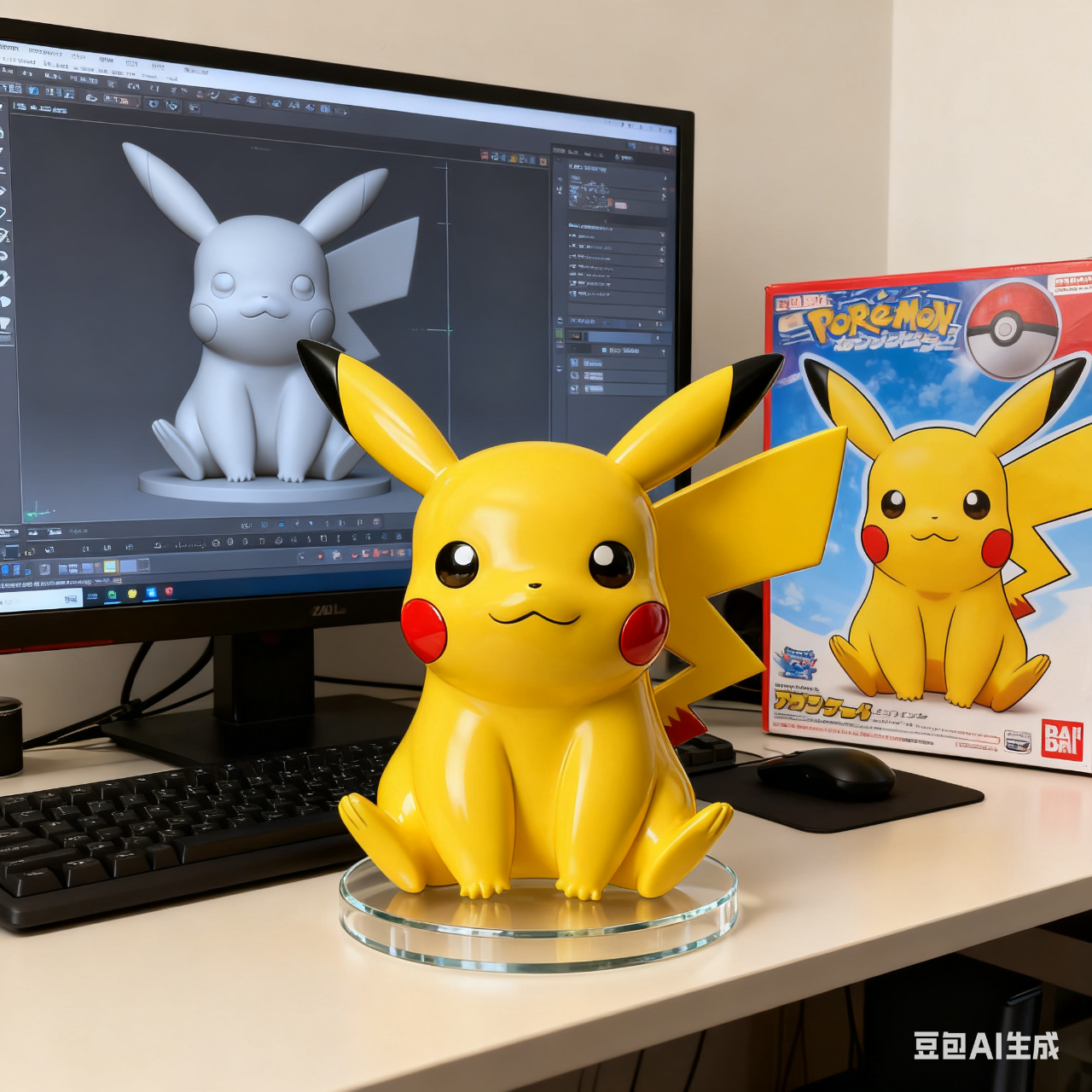
那么本篇文章就教你做自己的手办
1.快速体验
打开豆包,点击豆包创意,上传一张人物照片,然后在对话框中输入提示词,国外的模型就用英文提示词,国内的模型就用中文的提示词。
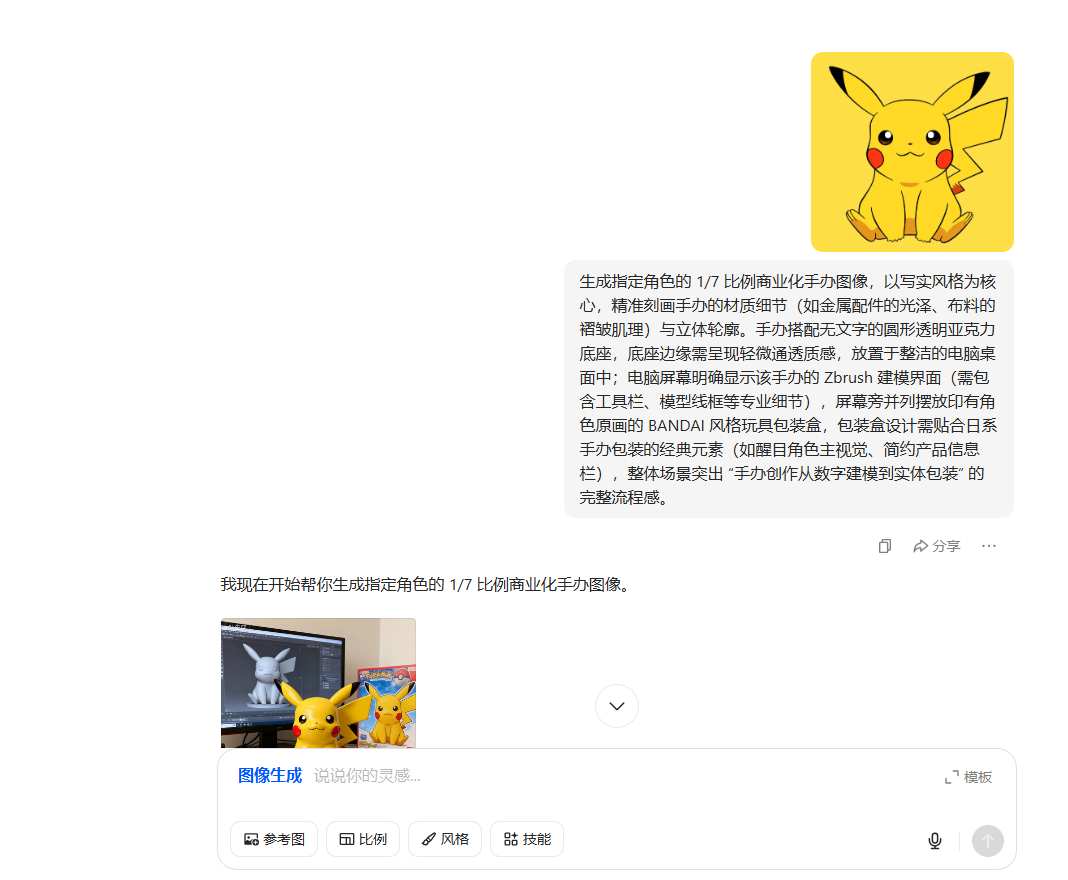
一、生成手办的提示词模板,直接复制到豆包聊天框
Generate a 1/7 scale commercial figure of the designated character, focusing on a realistic style, accurately depicting the figure's material details (such as the sheen of metal fittings and the wrinkles of fabric) and three-dimensional contours. The figure is paired with a round, transparent acrylic stand with no text, and a slightly translucent edge. The stand should be placed on a neat computer desktop. The computer screen should clearly display the figure's Zbrush modeling interface (including professional details such as toolbars and model wireframes). Next to the screen, a BANDAI-style toy box featuring the character's original artwork should be placed. The box design should incorporate classic elements of Japanese figure packaging (such as a prominent character key visual and a simple product information panel). The overall scene should highlight the complete process of figure creation, from digital modeling to physical packaging.
对应中文提示词:
生成指定角色的 1/7 比例商业化手办图像,以写实风格为核心,精准刻画手办的材质细节(如金属配件的光泽、布料的褶皱肌理)与立体轮廓。手办搭配无文字的圆形透明亚克力底座,底座边缘需呈现轻微通透质感,放置于整洁的电脑桌面中;电脑屏幕明确显示该手办的 Zbrush 建模界面(需包含工具栏、模型线框等专业细节),屏幕旁并列摆放印有角色原画的 BANDAI 风格玩具包装盒,包装盒设计需贴合日系手办包装的经典元素(如醒目角色主视觉、简约产品信息栏),整体场景突出 “手办创作从数字建模到实体包装” 的完整流程感。
二、Prompt 提示词2:
Transform this photo into a character figure. Behind it, place a box with the character`s image and name printed on it, along with a computer displaying the Blender modeling process on a screen. In front of the box, add a round plastic base with the character standing on it. This small figurine is made of PVC and sets the scene indoors.
对应中文提示词:
将这张照片转换成一个人物模型。在模型后面放置一个印有人物图像和名字的盒子,以及一台显示 Blender 建模过程的电脑。在盒子前面,放置一个圆形塑料底座,人物站在底座上。这个小模型由 PVC 制成,用于室内场景的布置。
ok通过以上步骤就生成属于自己的3D手办啦!
下一步,我们来用视频展示手办
1.视频生成提示词模板
From a first-person perspective, I reach out and pick up the 3D figure, not the box in the picture. Don`t magnify the background image or the perspective, using the interior background of the picture as the background. Then, I bring the figure up close and slowly rotate it left and right, observing it gently. My face isn`t visible, only my hands and arms, giving it a real, dynamic feel.
对应中文提示词:
帮我生成视频:第一视角,我伸出一只手,拿起 3d 人物手办,不是拿起图片盒子,背景画面大小和远景不要进行放大,以该图片的室内背景为背景。然后拿近将手办慢慢左右轻微旋转,不需要转一整圈,轻轻观察,不露出我的脸,只有手和手臂,真实动态的感觉。
通过以上指令大家可以制作自己的手办了,
来看看我的创作,我用豆包做了一个卡通孙悟空的2d图片,通过提示词转为3d手办,再通过豆包视频生成做出展示手办的视频。
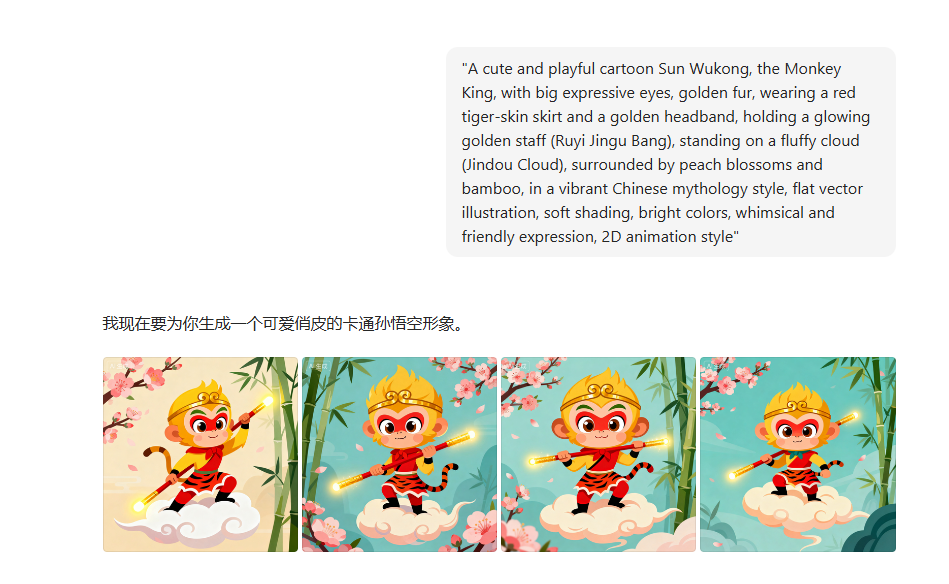
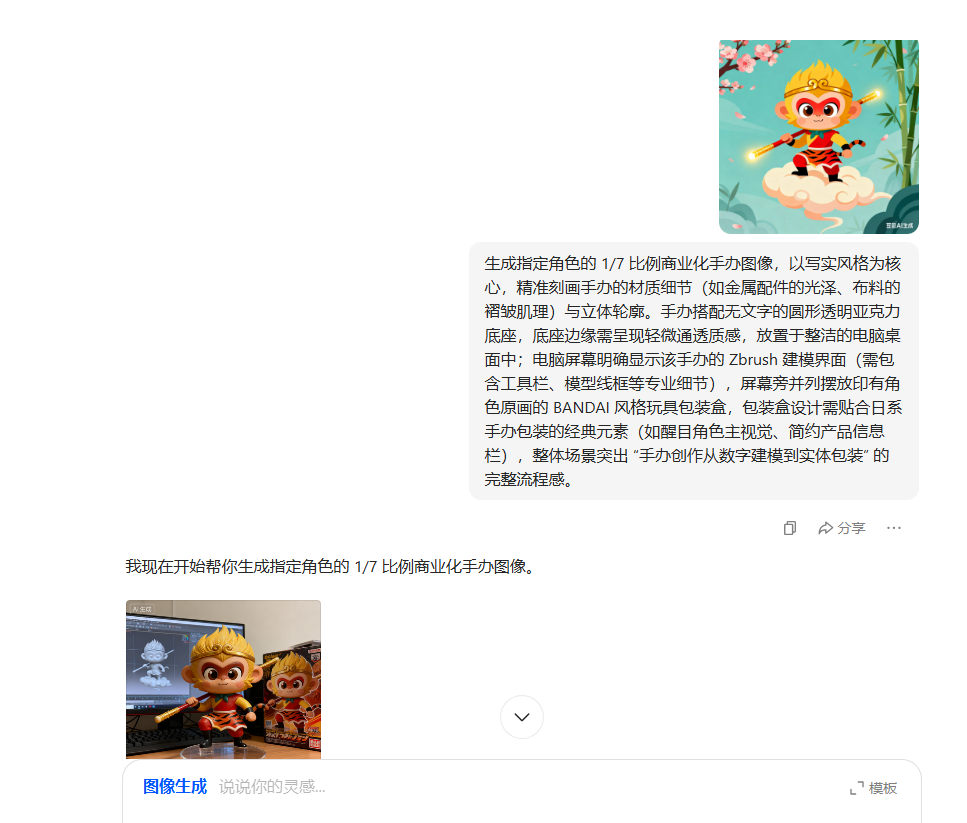
看看最终成品效果
豆包生成手办展示视频
效果very good👍,大家快去尝试做自己的手办吧!!
(本文图源均来自网络,若涉权益,立删致歉)
喜欢可以支持作者!期待跟您共同进步!

有“AI”的1024 = 2048,欢迎大家加入2048 AI社区
更多推荐
 13
13 0
0- 0


 已为社区贡献1条内容

所有评论(0)