AI时代重学Elasticsearch(二):ik分词器改造
假设我们要做一个地址搜索功能,只有一个字段地址字段address,在用ik分词器时,一些博客和编程助手都是这么推荐的:“analyzer使用使用ik_smart但这样真的好用吗?如果没安装相关软件的,可以根据我写的这篇博客AI时代重学Elasticsearch(一):压缩包安装安装kibana和ikPOST _bulk{"address":"兴宁区共和路149号"}{"address":"兴宁区共
问题介绍
假设我们要做一个地址搜索功能,只有一个字段地址字段address,在用ik分词器时,一些博客和编程助手都是这么推荐的:“analyzer使用ik_max_word,search_analysis使用ik_smart”,即“建表语句”是这样的:
PUT /location
{
  "mappings": {
    "properties": {
      "address": {
        "type": "text",
        "analyzer": "ik_max_word",
        "search_analyzer": "ik_smart"
      }
    }
  }
}
但这样真的好用吗?如果没安装相关软件的,可以根据我写的这篇博客 AI时代重学Elasticsearch(一):压缩包安装 安装elasticsearch,kibana和ik分词插件, 然后插入几条测试数据:
POST _bulk
{"index":{"_index":"location","_id":"1"}}
{"address":"兴宁区共和路149号"}
{"index":{"_index":"location","_id":"2"}}
{"address":"兴宁区共和路150号"}
{"index":{"_index":"location","_id":"3"}}
{"address":"兴宁区民主路18-20号"}
{"index":{"_index":"location","_id":"4"}}
{"address":"民主北宁路口"}
{"index":{"_index":"location","_id":"5"}}
{"address":"兴宁区共和路155号"}
{"index":{"_index":"location","_id":"6"}}
{"address":"兴宁区共和路157号对面"}
{"index":{"_index":"location","_id":"7"}}
{"address":"民主校区西南侧约157米"}
{"index":{"_index":"location","_id":"8"}}
{"address":"兴宁区共和路143号"}
{"index":{"_index":"location","_id":"9"}}
{"address":"兴宁区共和路141号"}
{"index":{"_index":"location","_id":"10"}}
{"address":"兴宁区共和路139号"}
{"index":{"_index":"location","_id":"11"}}
{"address":"兴宁区共和路139号(对内经营)"}
{"index":{"_index":"location","_id":"12"}}
{"address":"兴宁区共和路111号"}
{"index":{"_index":"location","_id":"13"}}
{"address":"兴宁区共和路122号"}
{"index":{"_index":"location","_id":"14"}}
{"address":"兴宁区共和路125号"}
{"index":{"_index":"location","_id":"15"}}
{"address":"兴宁区共和路1号"}
{"index":{"_index":"location","_id":"16"}}
{"address":"兴宁区共和路5号"}
然后是查询:
GET /location/_search
{
  "query": {
    "bool": {
      "should": [
        {
          "match": {
            "address": {
              "query": "兴宁区共和路155号"
            }
          }
        }
      ],
      "minimum_should_match": 1
    }
  },
  "highlight": {
    "fields": {
      "address": {
        "pre_tags": ["<em>"],
        "post_tags": ["</em>"]
      }
    }
  }
}
结果如下:
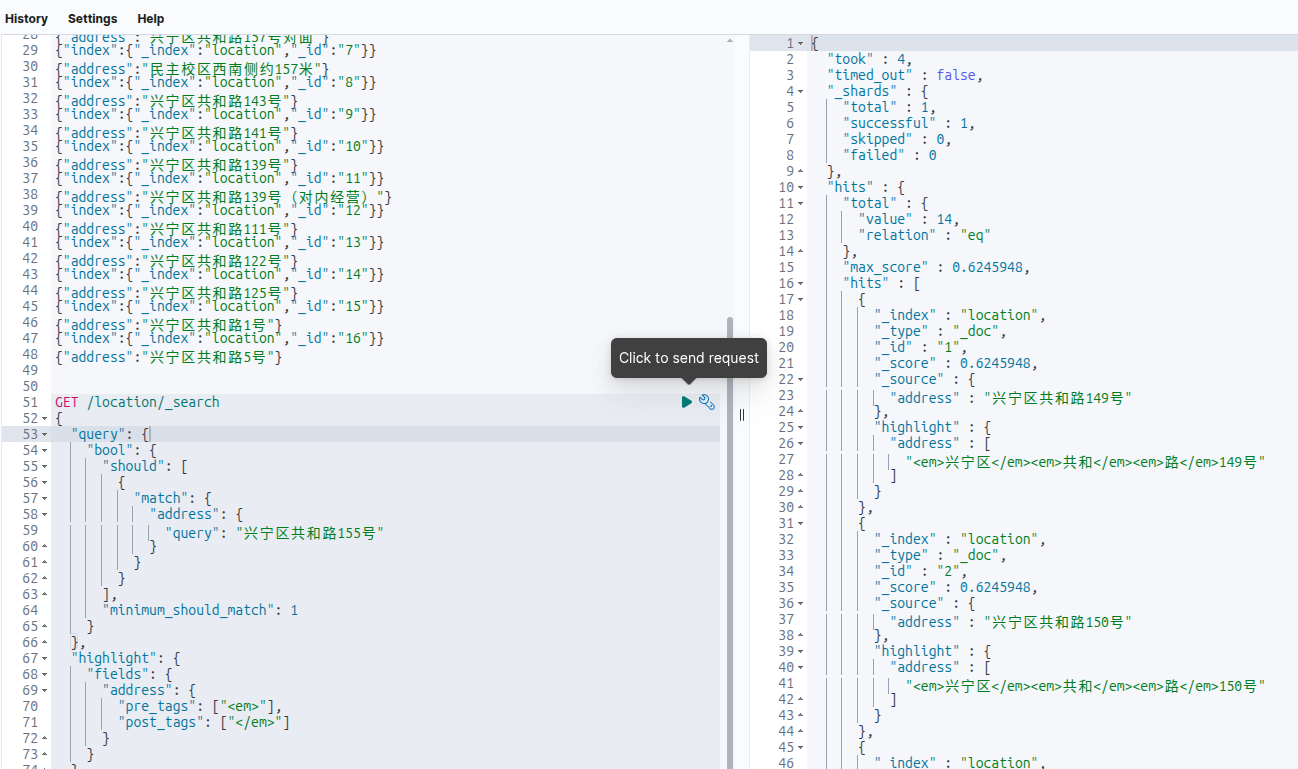
第一条居然不是155号,是149号。然后把查询条件最后一个字“号”去掉,
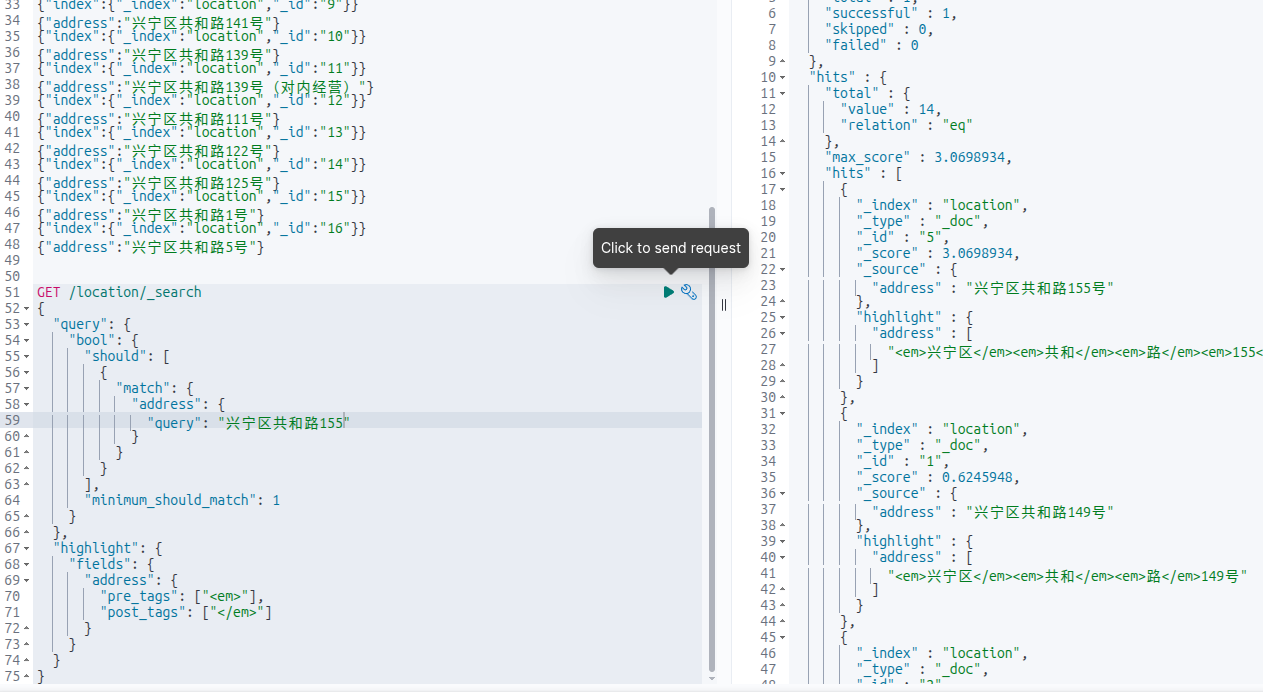
结果符合我们的预期。
问题原因
对查询条件进行分词:
GET _analyze
{
"analyzer": "ik_smart",
"text": "兴宁区共和路155号"
}

GET _analyze
{
"analyzer": "ik_max_word",
"text": "兴宁区共和路155号"
}
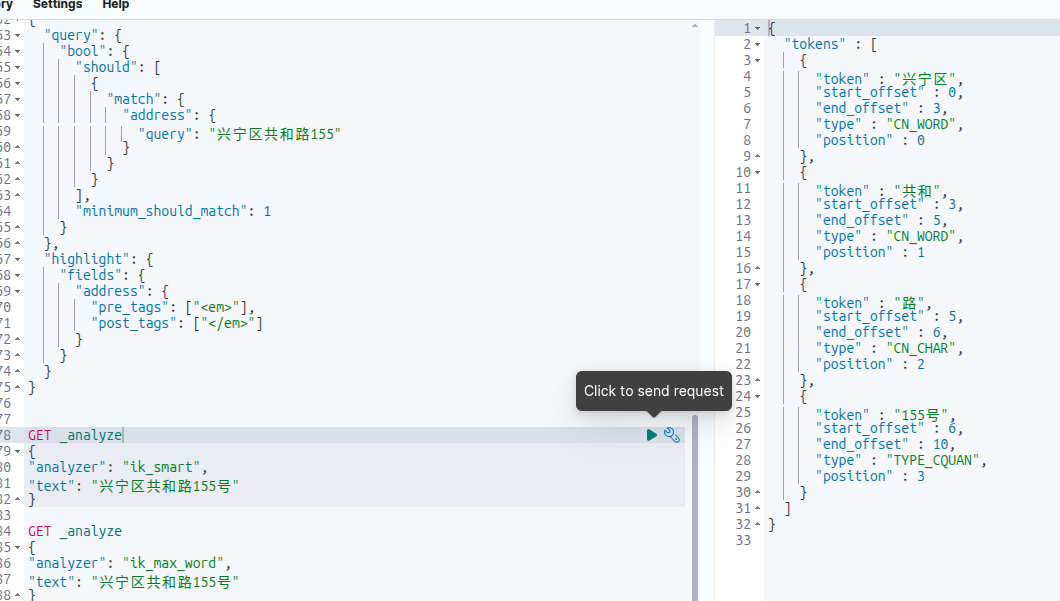
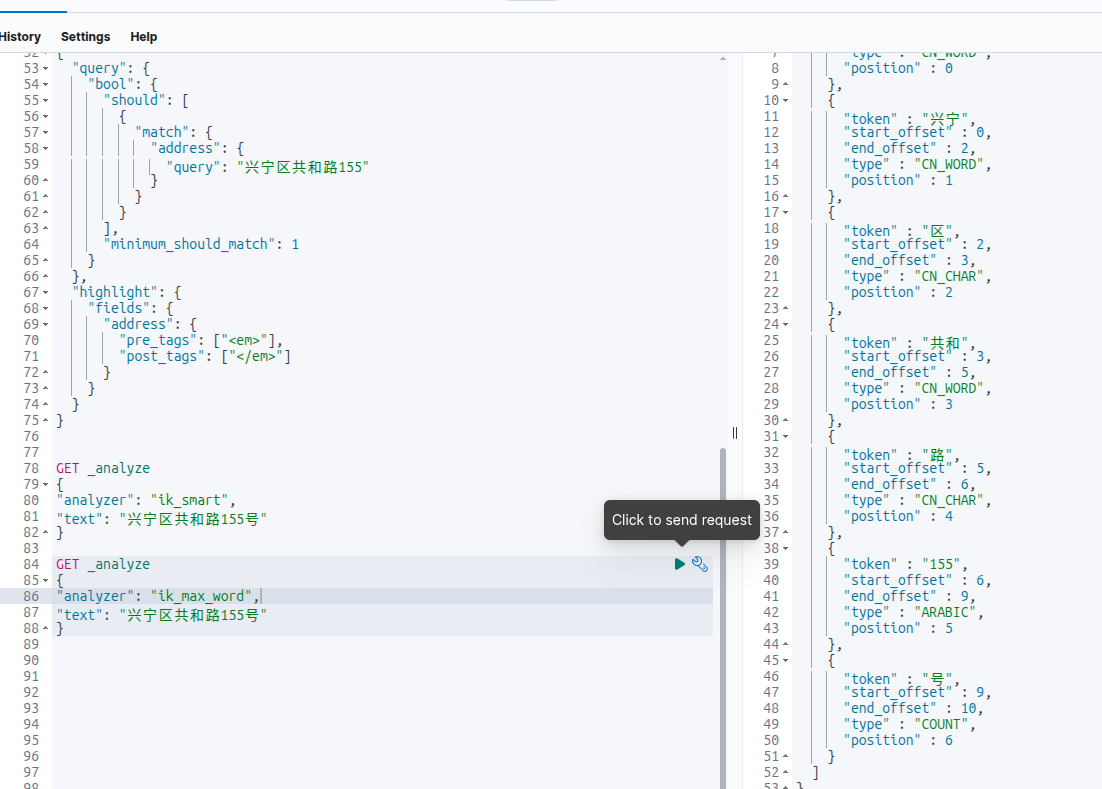
发现ik_smart居然有ik_max_word没有的词!即ik_smart有“155号”,ik_max_word没有“155号”。按照道理来说ik_smart应该是ik_max_word的子集。然后去github上看到也有人提出类似的issue:https://github.com/infinilabs/analysis-ik/issues/992,但并没说怎么解决,只好自己动手了。
源码下载
很多博客介绍ik分词器的时候给出的github链接都是https://github.com/medcl/elasticsearch-analysis-ik,现在点进去后发现跳转到了https://github.com/infinilabs/analysis-ik。一开始我还以为是换维护者了,出于好奇搜索了一下medcl发现: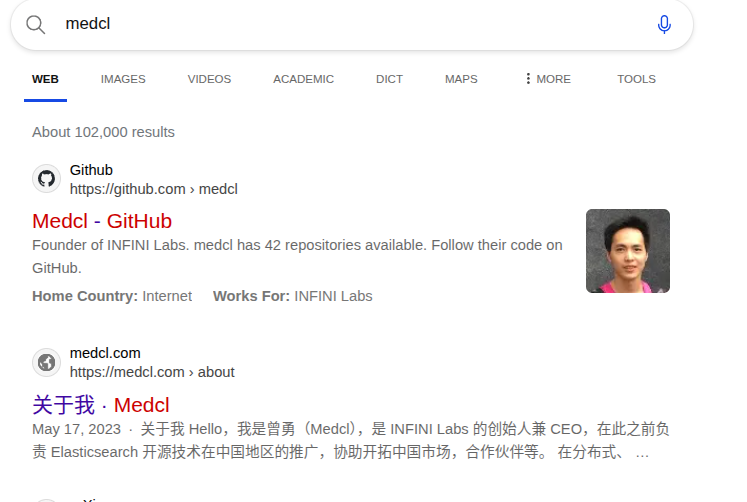
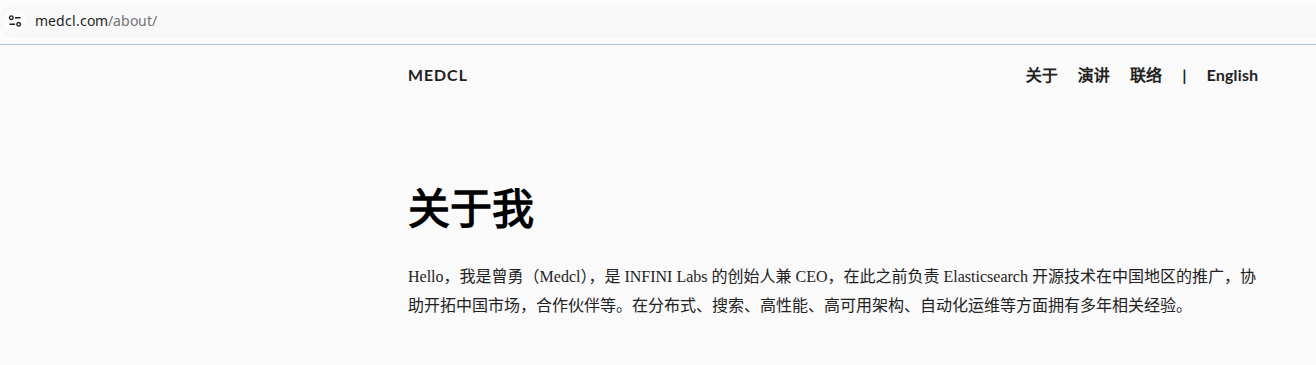
原来是自己去创业还开发了个类似的产品。怪不得ik分词器这个项目好久不更新了。
下载好这个项目后,发现tag没有7.x.x版本的,但他官网又有很多7.x.x版本的release,估计是删了这些tag?但他的分支里有7.x,最后通过对比提交记录,选择从7.x分支开始修改,其实各个小版本7.x分支打包后都是一样的,改plugin-descriptor.properties里的elasticsearch.version就行。
修改源码
把ik_smart改成ik_max_word的子集这个改动需要有NLP相关的知识吗?其实不用,这个改动其实特别简单,只要把ik_max_word的结果加上ik_smart的结果就行了。
只用修改org.wltea.analyzer.lucene.IKTokenizer 这个类,
这个类的工作原理大概是,elasticsearch先会调用他的reset()方法,会把要分词的句子给他。然后每次会调用incrementToken()方法拿到分词。那么只要在reset()方法里把两个分词器的结果合并存起来,调用incrementToken()的时候再把刚才的结果一一返回即可。修改后的代码仓库地址:https://gitcode.com/dfgdsghjfd/analysis-ik-7x,感兴趣的可以看下。
打包&测试
把修改后的代码下载下来,运行mvn clean package之后在target/release目录下会有一个zip包,安装方式和从官网下的一样。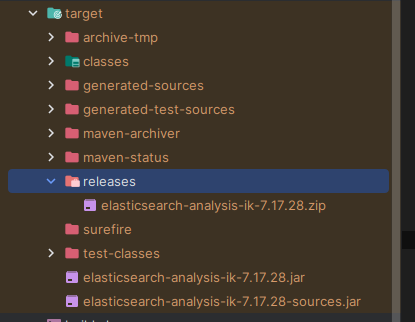
重新装好插件后,要重新“建表”,先删除索引:
DELETE /location
然后再执行一次PUT /location,POST _bulk,执行查询,发现正常了: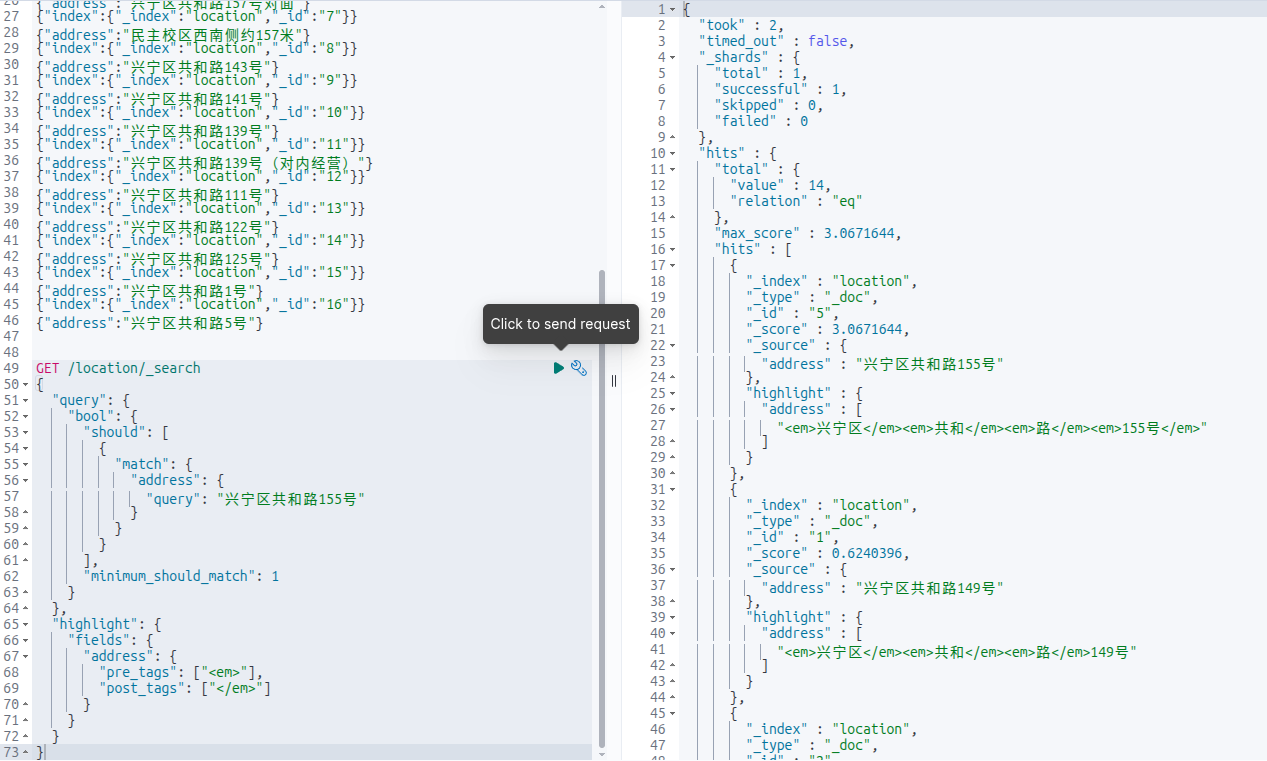
分词结果: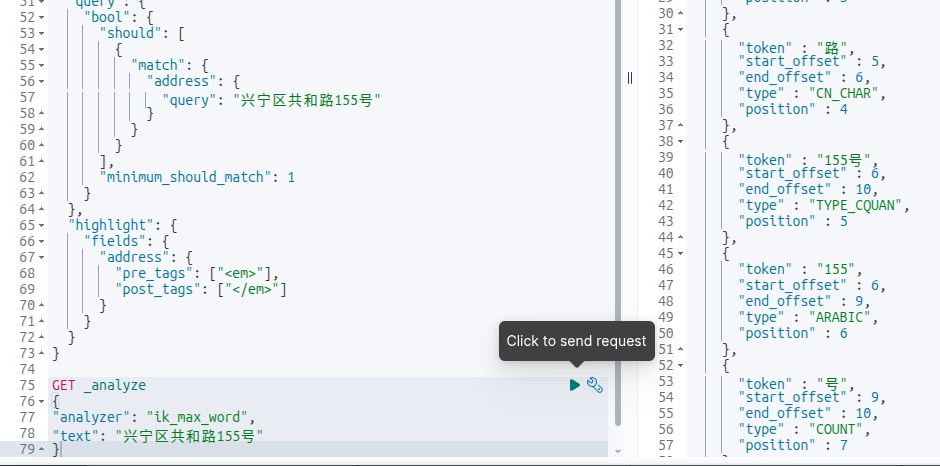
也有155号了。

有“AI”的1024 = 2048,欢迎大家加入2048 AI社区
更多推荐


 11
11 0
0- 0


 已为社区贡献3条内容

所有评论(0)