微信小程序图片下载保存全攻略
核心代码如下,巨大的坑点是:
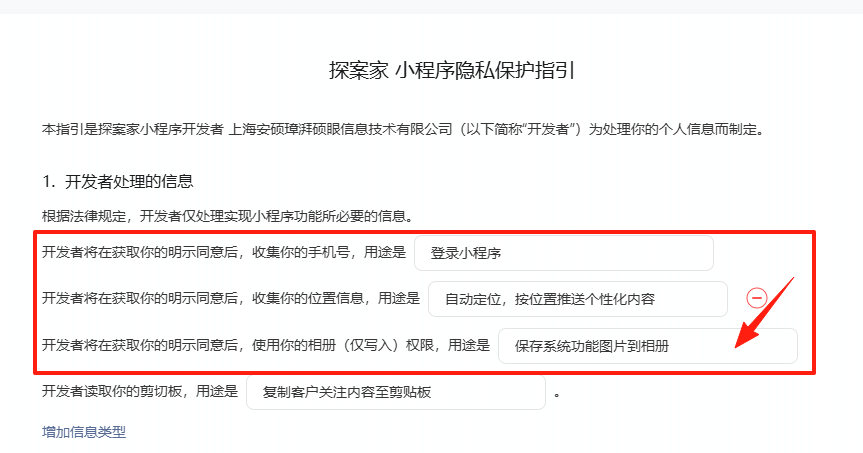
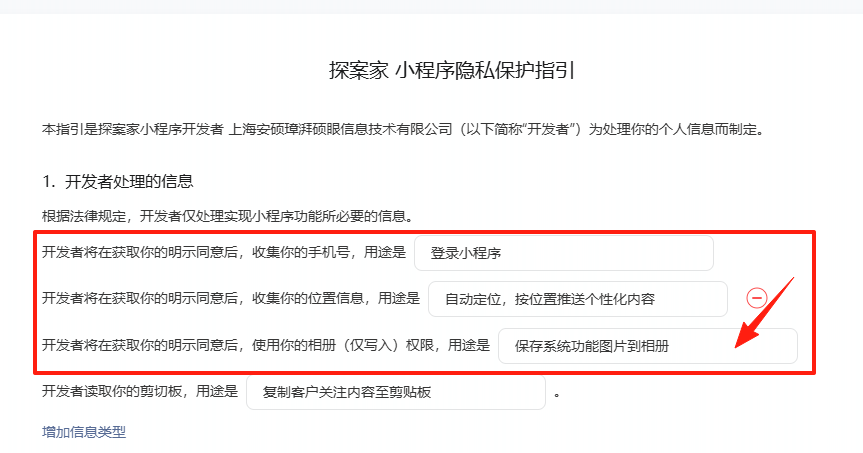
测试、体验版 不需要强行相册授权,但是线上如果未设置"用户隐私保护指引"的关联明细,
则会异常报错~
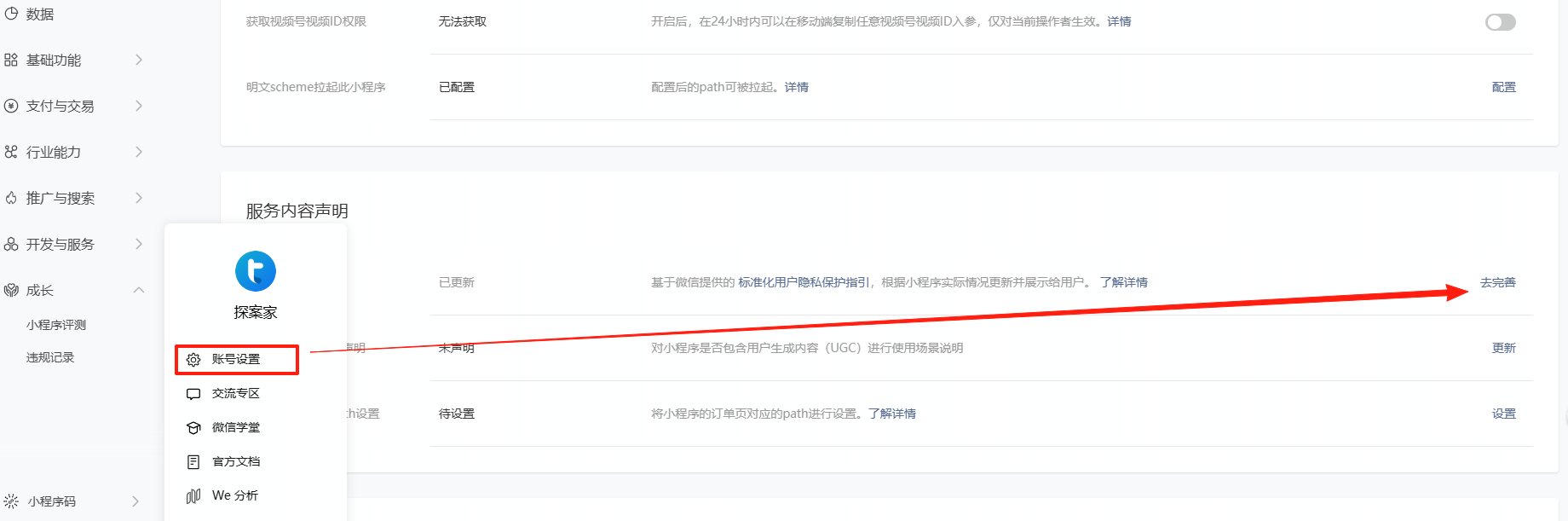
核心代码
wx.downloadFile({
url: 'https://your-domain.com/path/to/image.jpg', // 你的图片地址
success(res) {
if (res.statusCode === 200) {
// 下载成功,得到临时路径 res.tempFilePath
const tempFilePath = res.tempFilePath;
// 调用保存到相册
wx.saveImageToPhotosAlbum({
filePath: tempFilePath,
success() {
wx.showToast({ title: '保存成功', icon: 'success' });
},
fail(err) {
console.error('保存失败', err);
if (err.errCode === 1025) {
wx.showToast({ title: '图片不合法或来源受限', icon: 'none' });
} else if (err.errCode === -12001) {
// 用户拒绝了保存到相册的授权
wx.showModal({
title: '提示',
content: '需要您授权保存图片到相册',
confirmText: '去设置',
success(modalRes) {
if (modalRes.confirm) {
wx.openSetting(); // 跳转到授权设置页
}
}
});
} else {
wx.showToast({ title: '保存失败', icon: 'none' });
}
}
});
} else {
wx.showToast({ title: '图片下载失败', icon: 'none' });
}
},
fail(err) {
console.error('下载失败', err);
wx.showToast({ title: '图片下载失败', icon: 'none' });
}
});
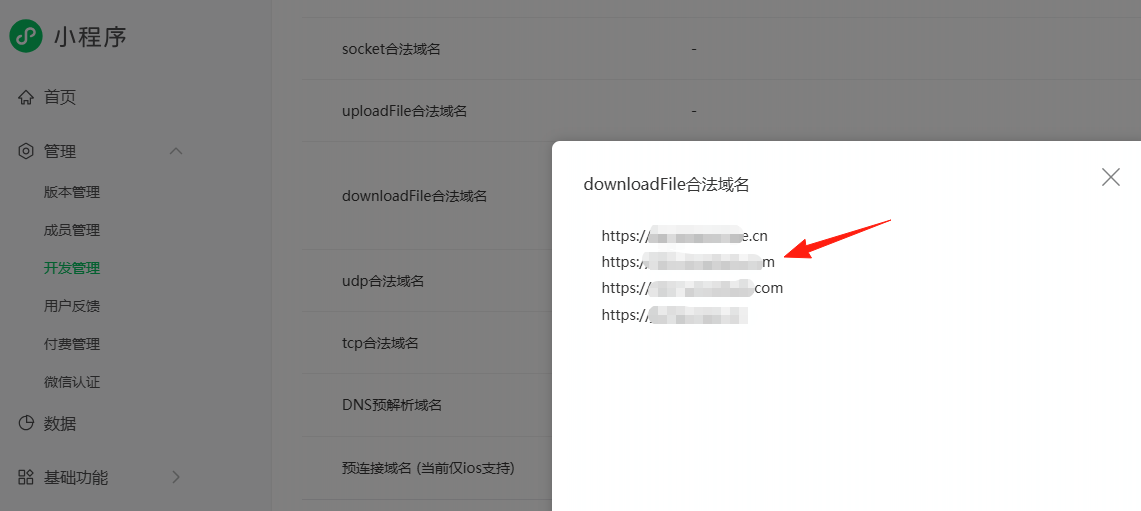
1、downloadFiles配置
2、用户引导协议扩展选项
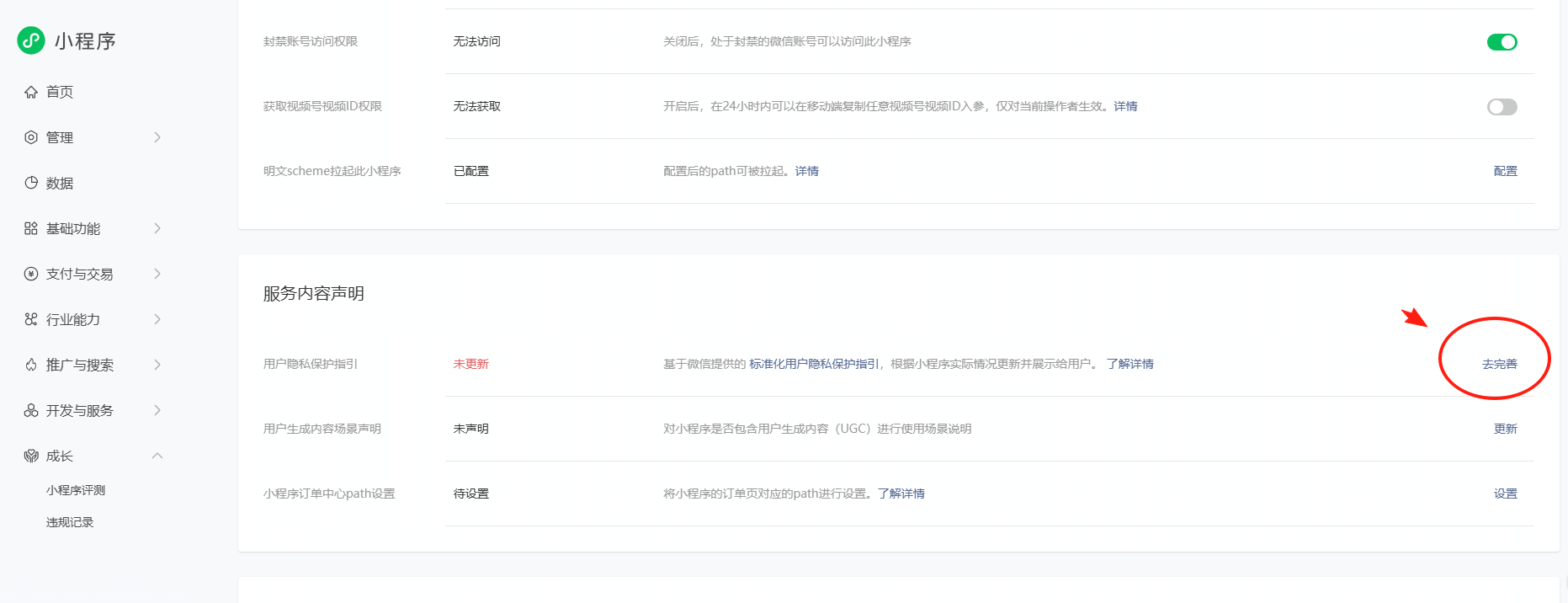
完善补充协议,并提交 审核,一般当天会审核完毕。

有“AI”的1024 = 2048,欢迎大家加入2048 AI社区
更多推荐

 4
4 0
0- 0


 已为社区贡献1条内容

所有评论(0)