Two_Aura_P2_P78
·
P2 Common Ability & Career Abililty
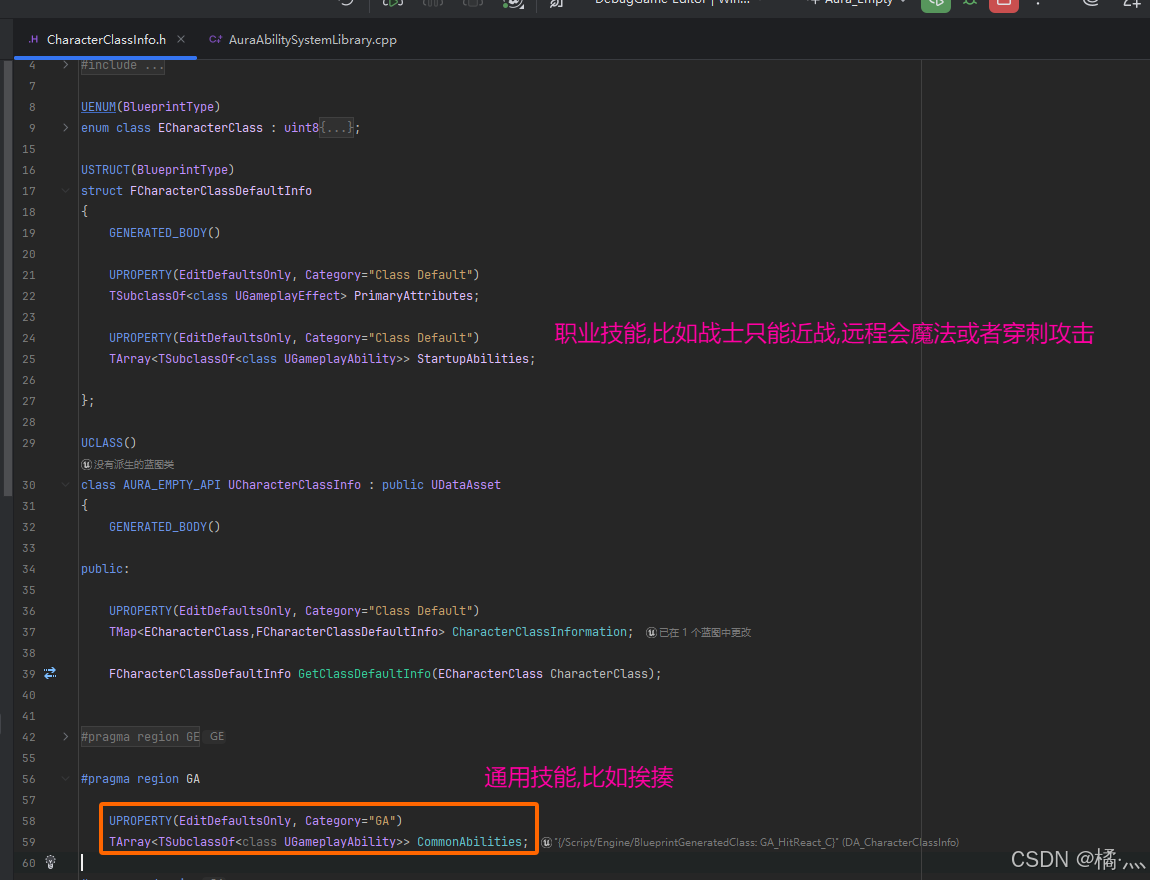
P2_1 CharacterClassInfo.h
- 调整一下全局信息表 , 让技能分为通用技能和职业技能.
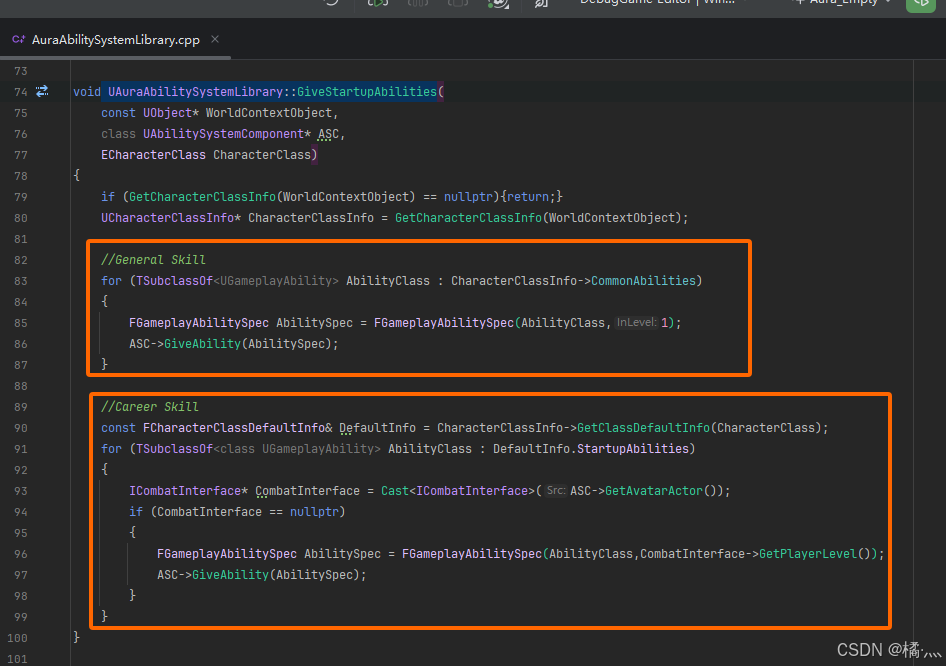
P2_2 UAuraAbilitySystemLibrary::GiveStartupAbilities
- 分别学习技能.
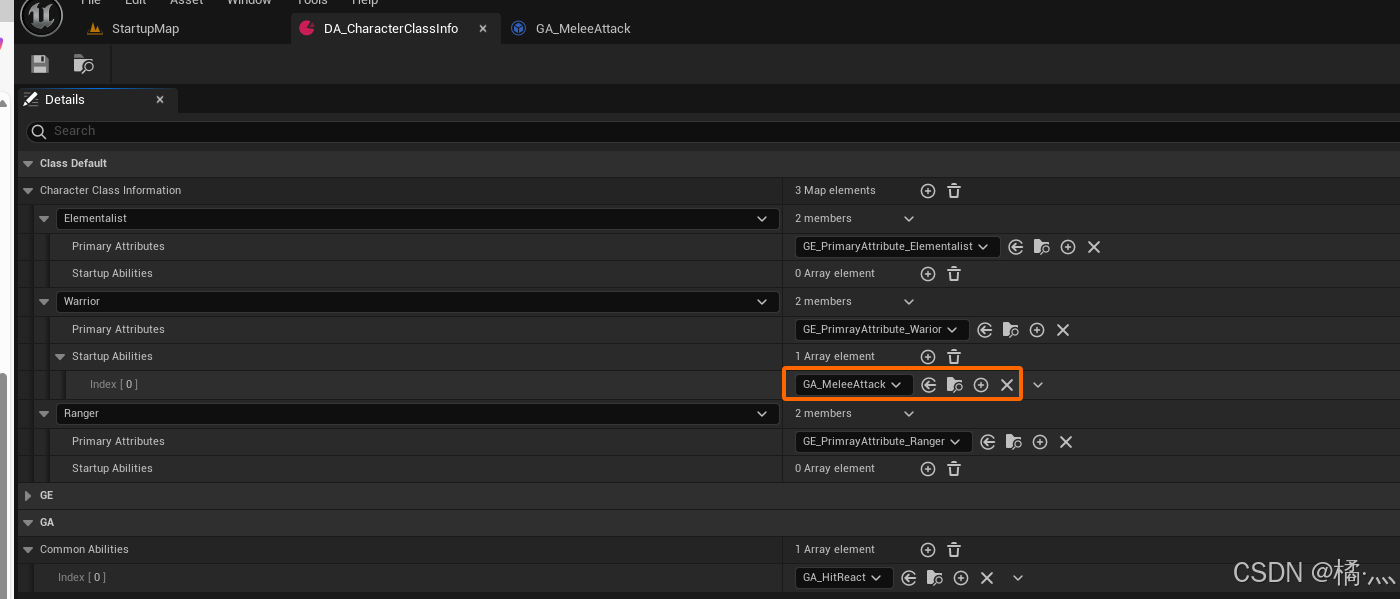
P2_3 DA_CharacterClassInfo
- 配表 , 目前Enemy只有一个战士的近战攻击技能.
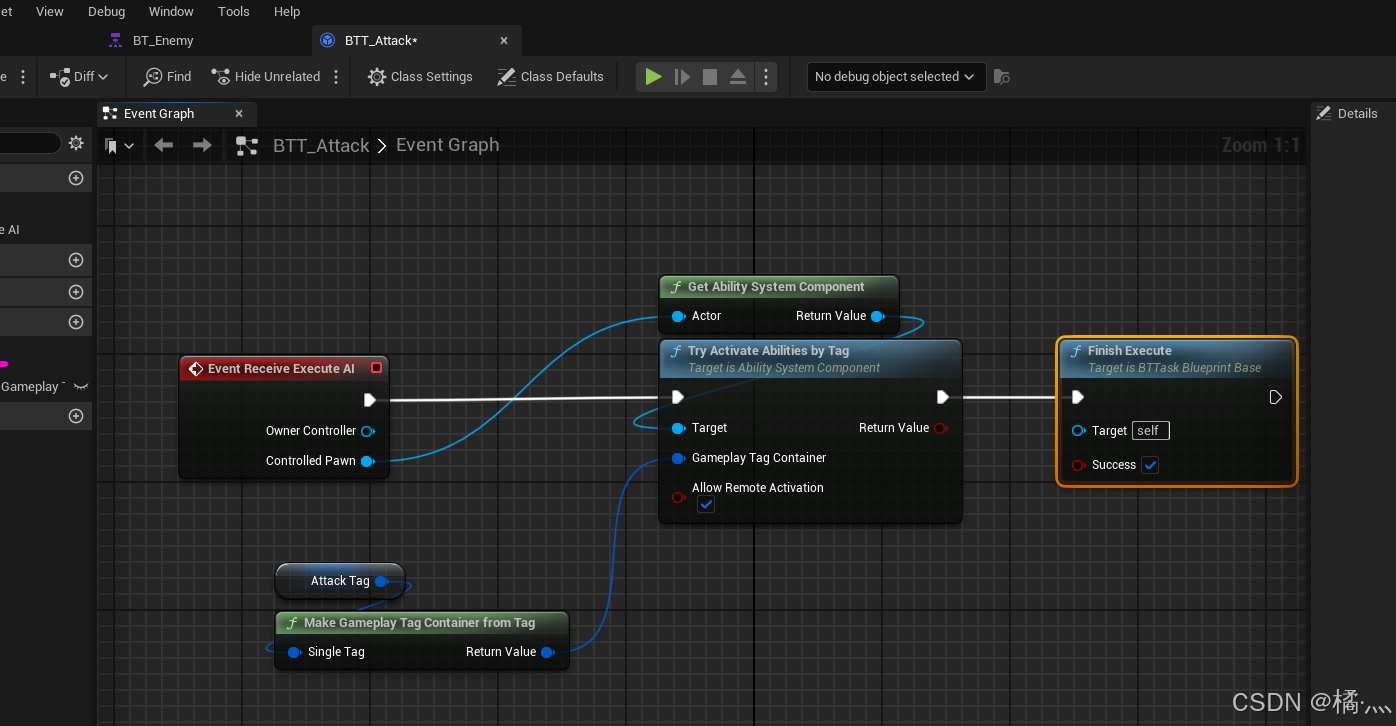
P2_4 BTTask Activate Melee Attack Ability
P3_Attack Montage
P3_1 Attack Motion Warping
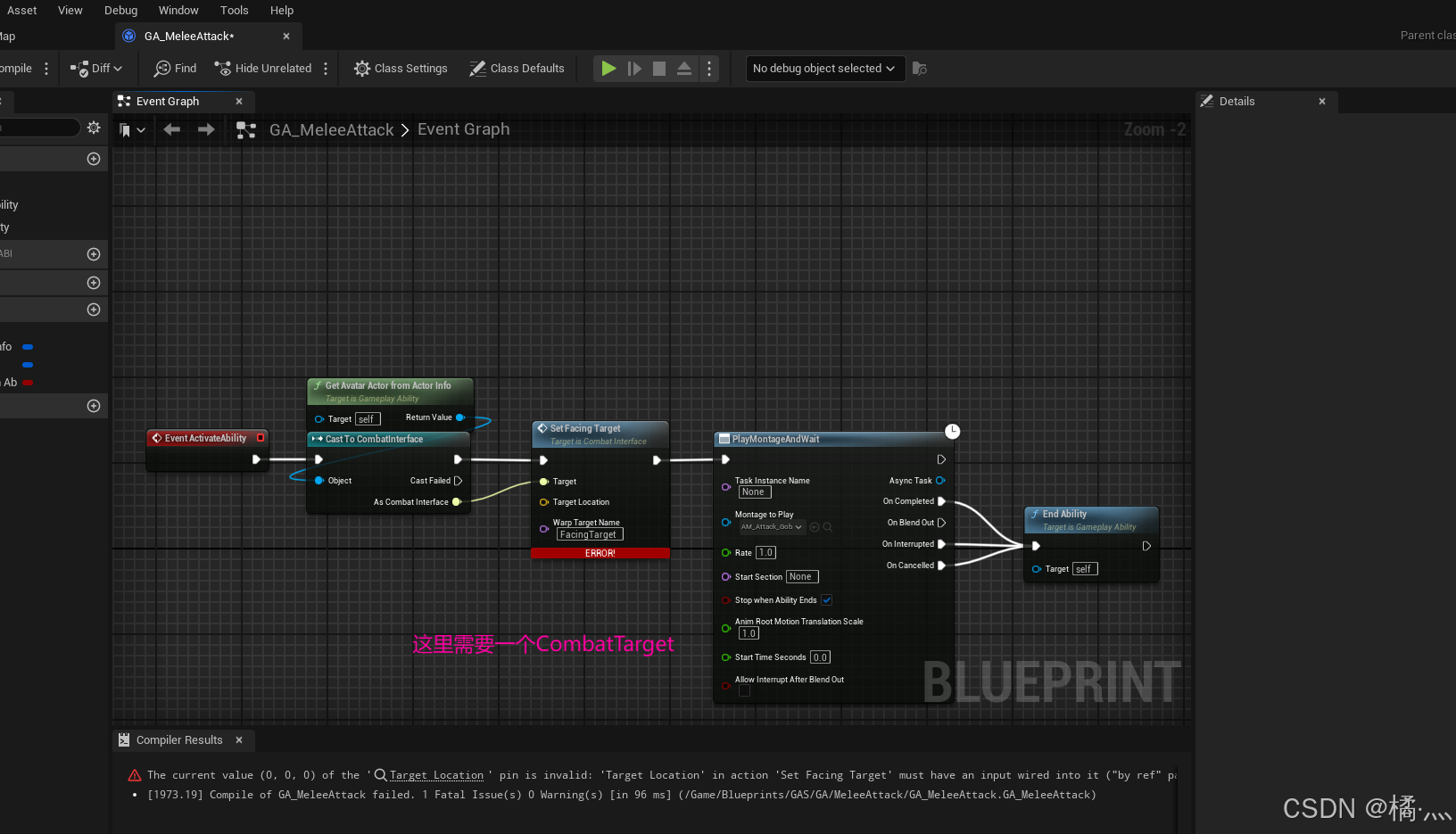
P4_Combat Target
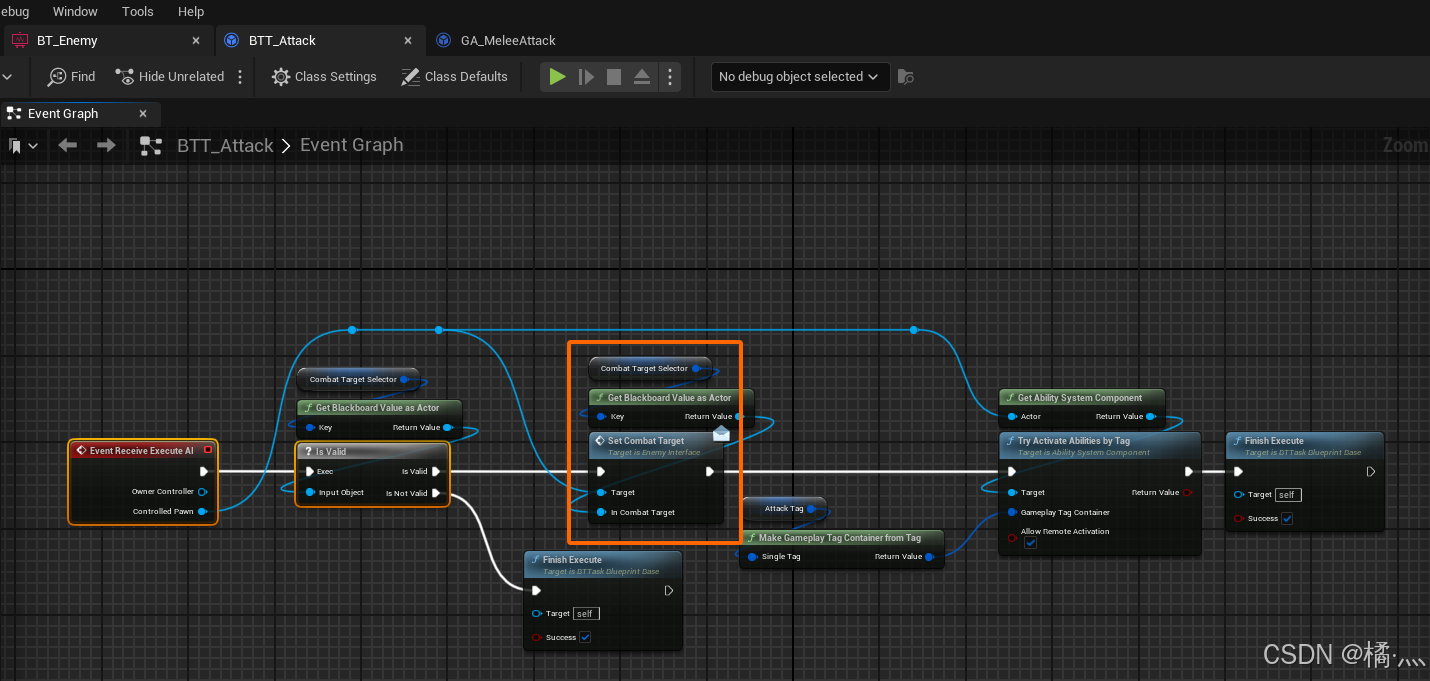
P4_1 Set Combat Target
- 从 BlackboardKeySelctor中获取黑板值 , TargetToFollow.
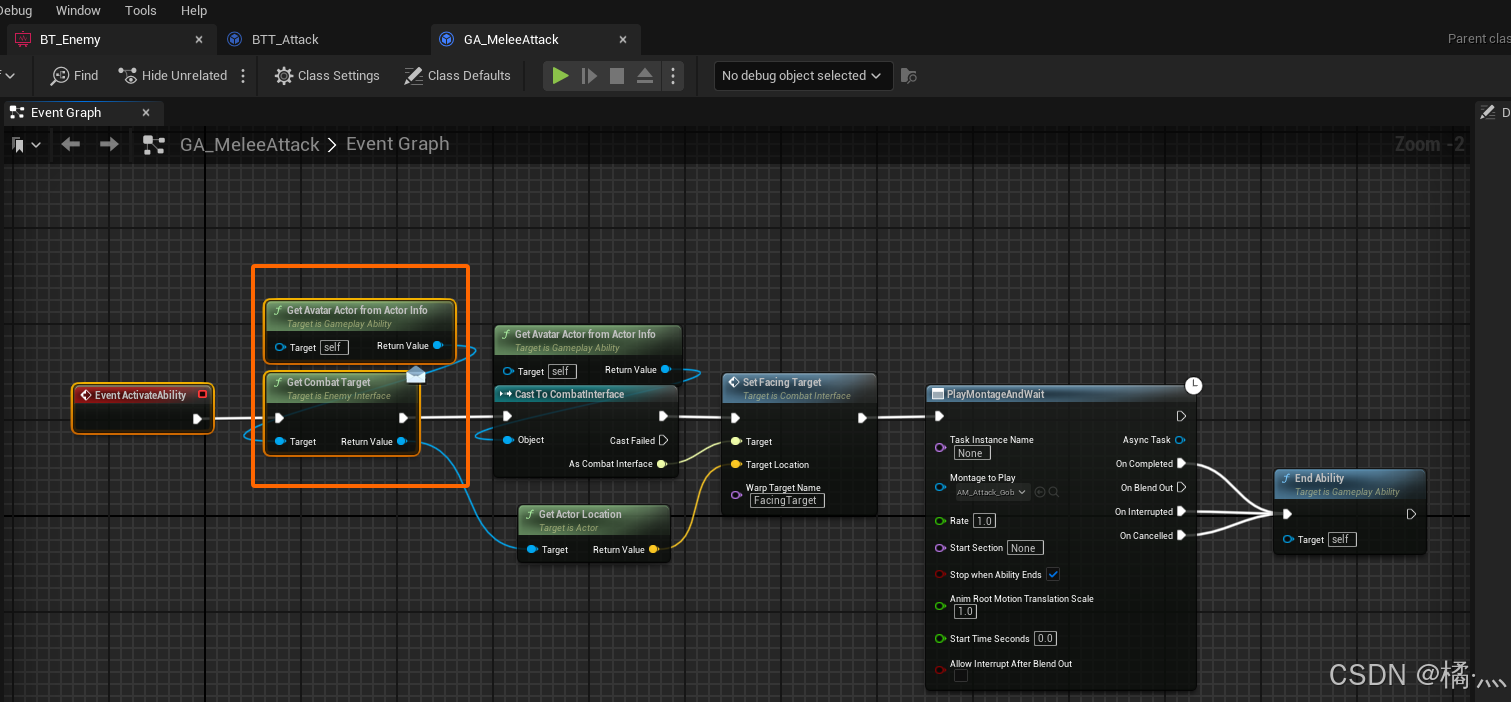
P4_2 Get Combat Target For Motion Warping
- 从 EmeyInterface 中获取.
P5_Melee Attack Gameplay Event
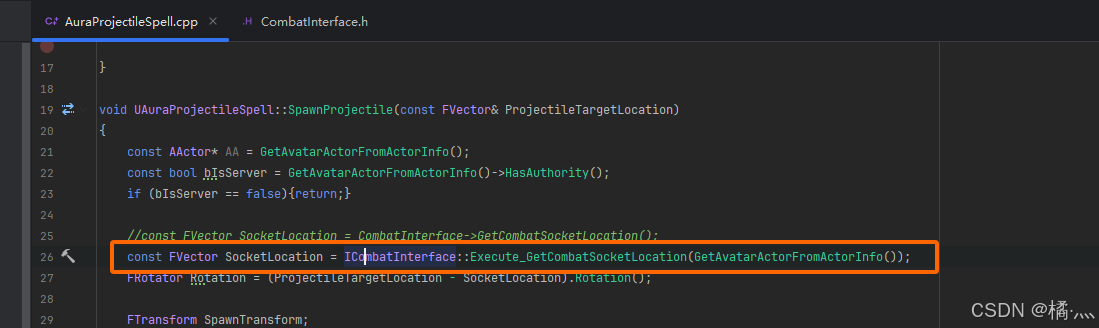
P5_1 C++ Call BlueprintNativeEvent
- C++ 不能直接调用 UFUNCTION(BlueprintNativeEvent)
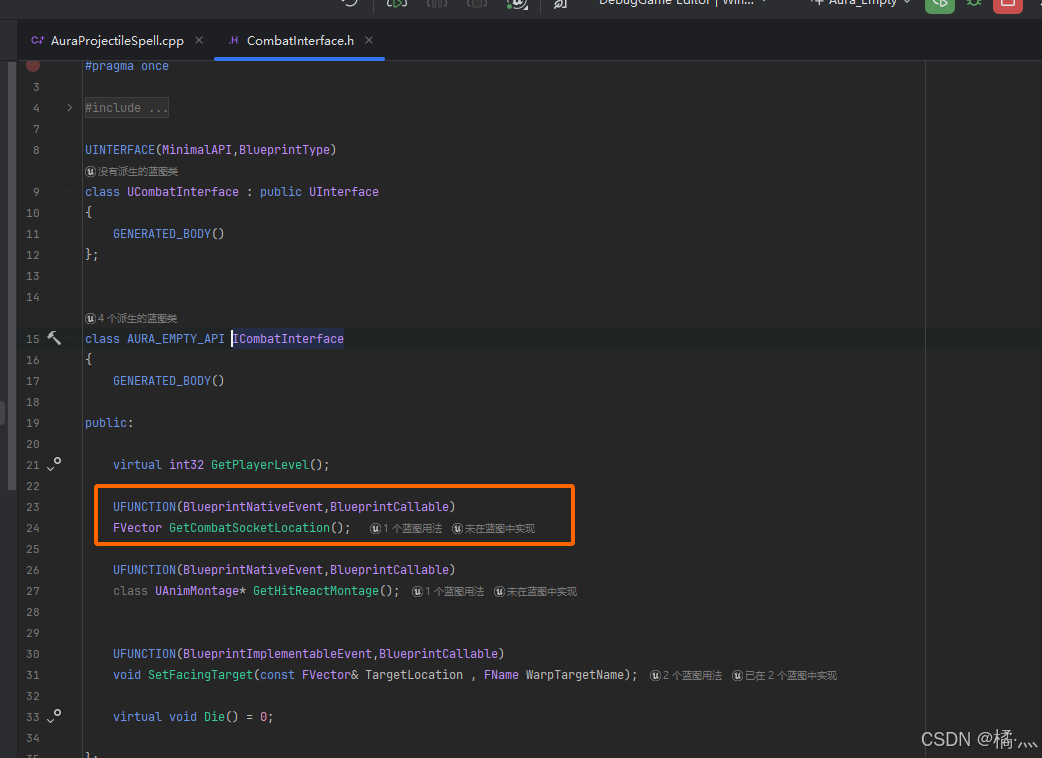
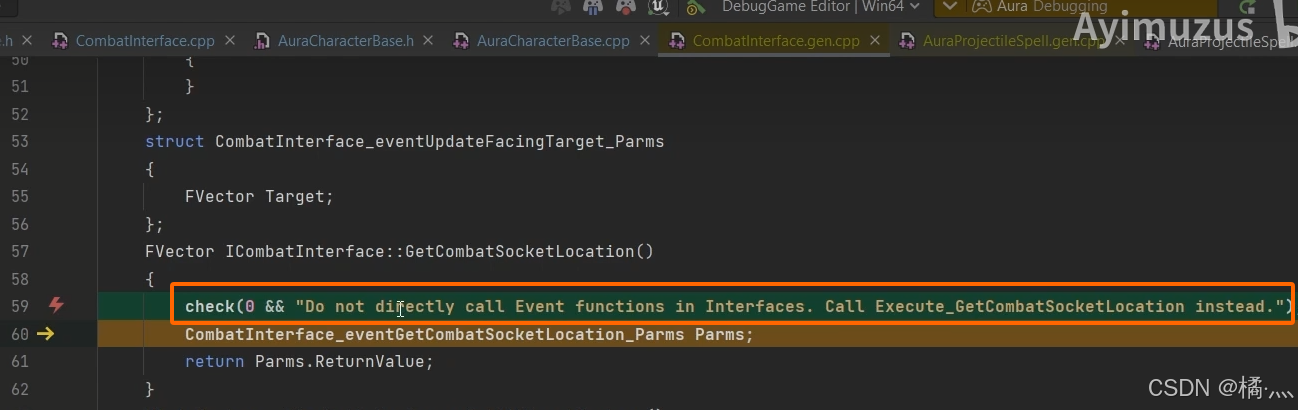
- Call Execite_XX instead.
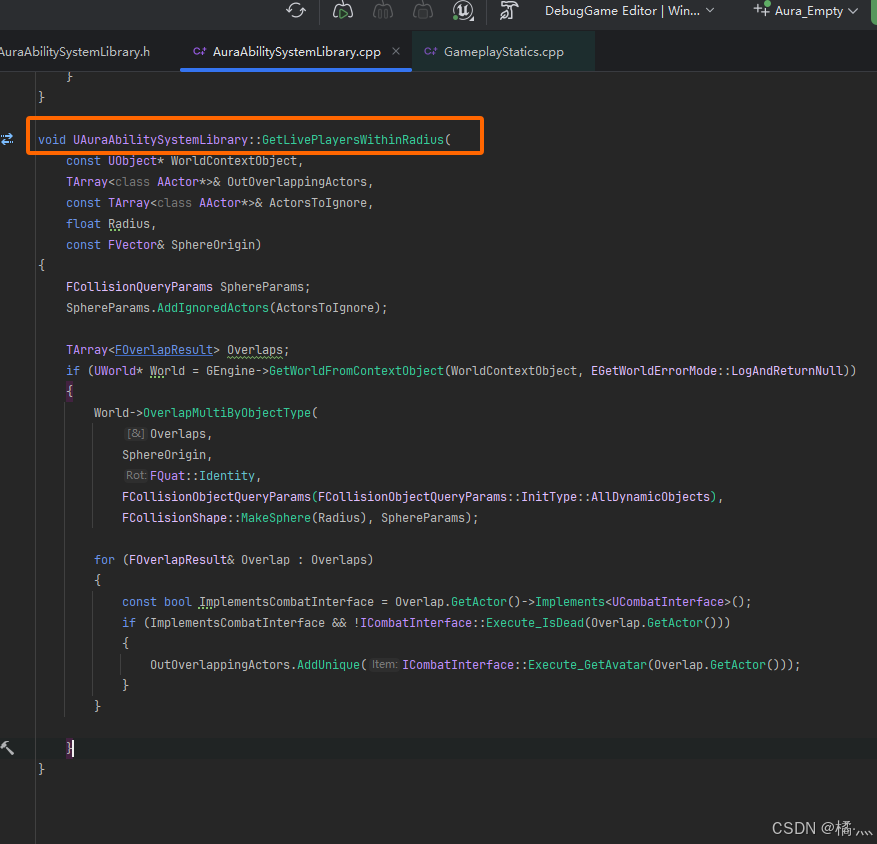
P6_Get Live Players Within Radius
P6_1 UAuraAbilitySystemLibrary::GetLivePlayersWithinRadius
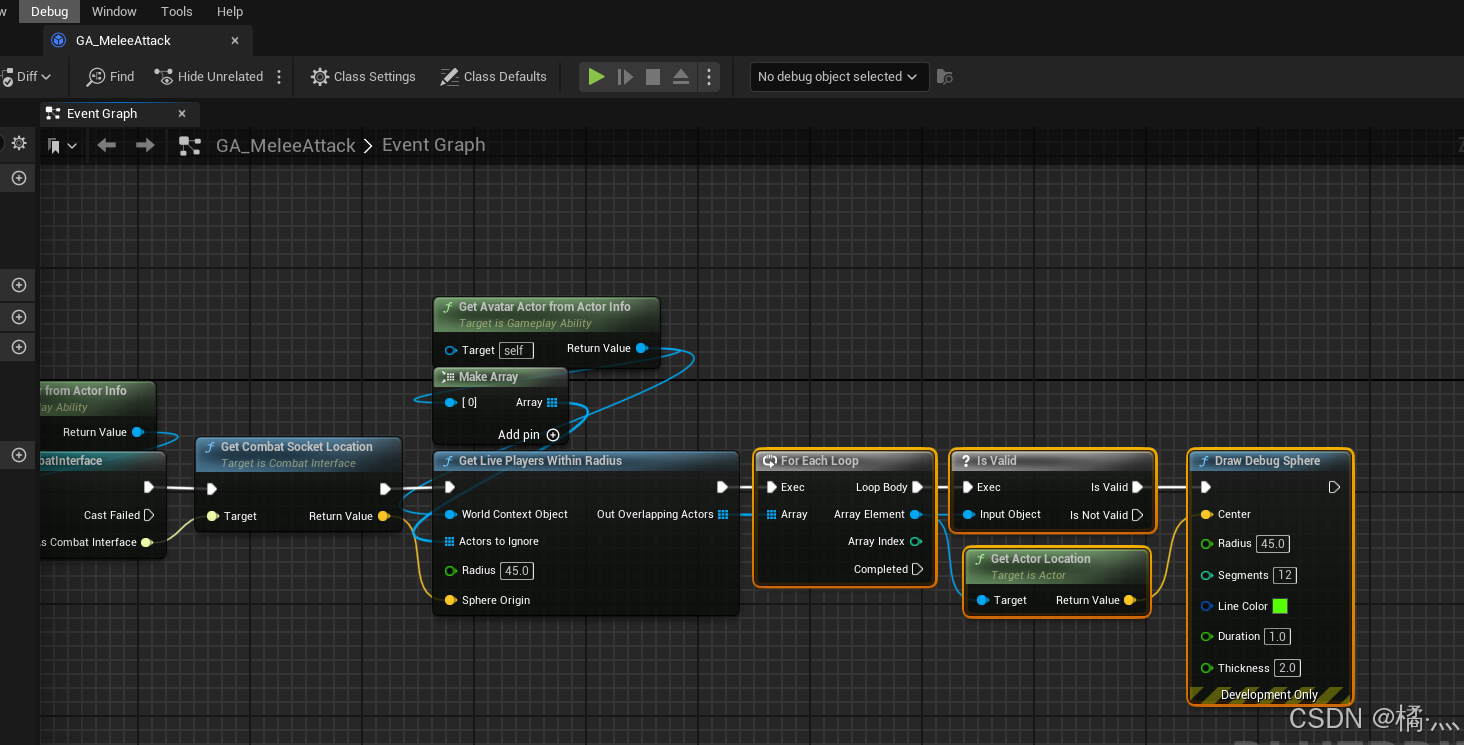
P6_2 GA_MeleeAttack SphereTrace
P7_ Causing Melee Damage
P7_1 UAuraDamageGameplayAbility::CauseDamage
- 之前是在 UAuraProjectileSpel 中给 GE_Damage 赋予标签的(SetByCaller).
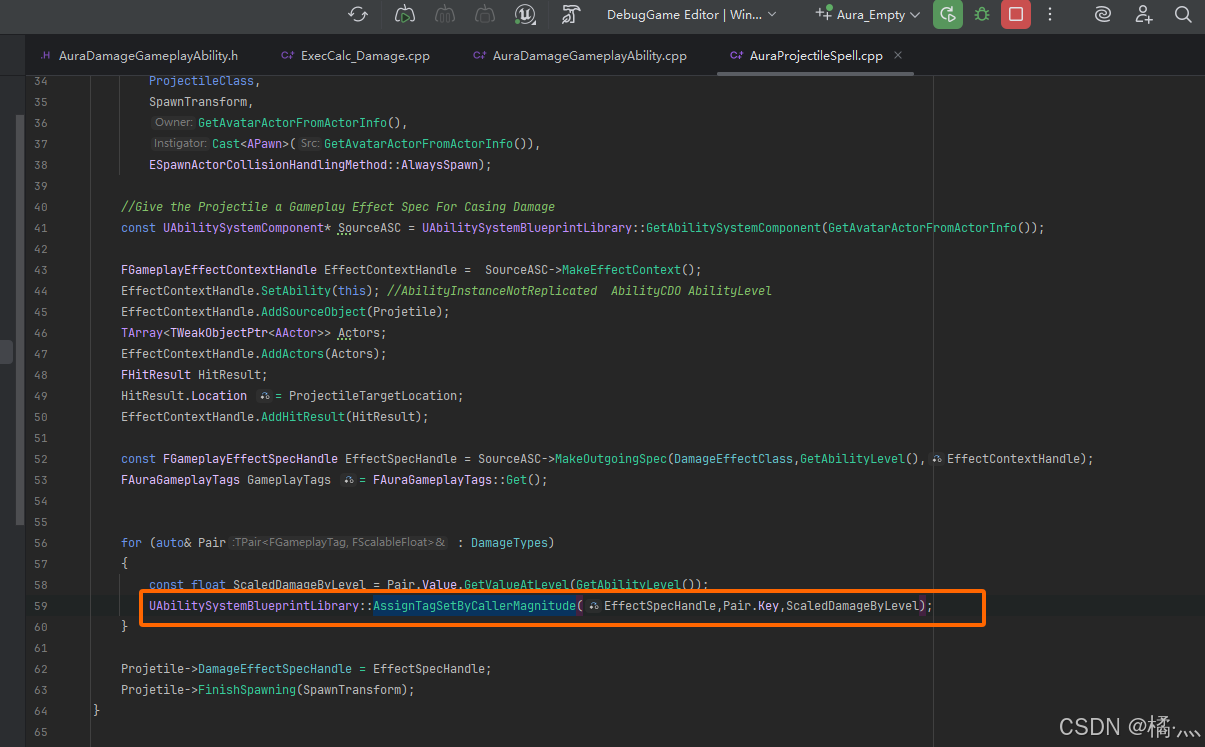
- 现在我们想在蓝图中 应用 GE_Damage , 就必须 指定 SetByCaller 标签 , 才能统计伤害类型叠加值.(BPCallable)
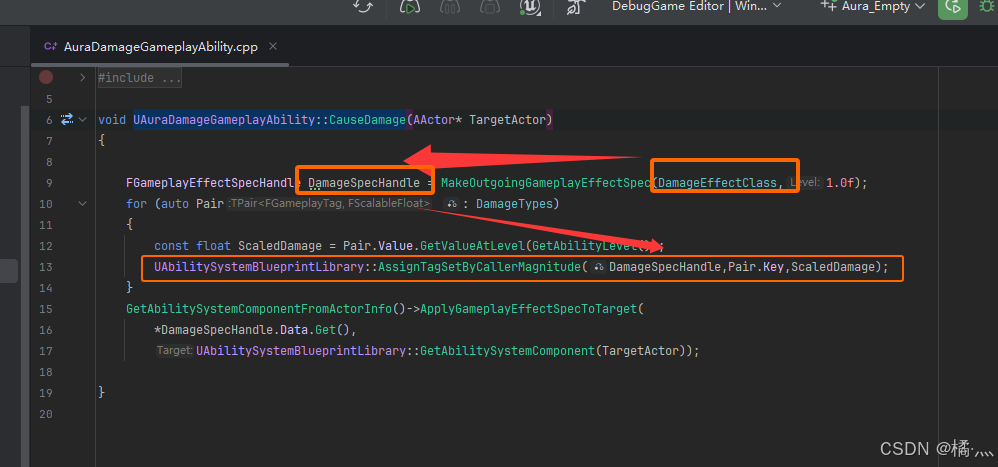
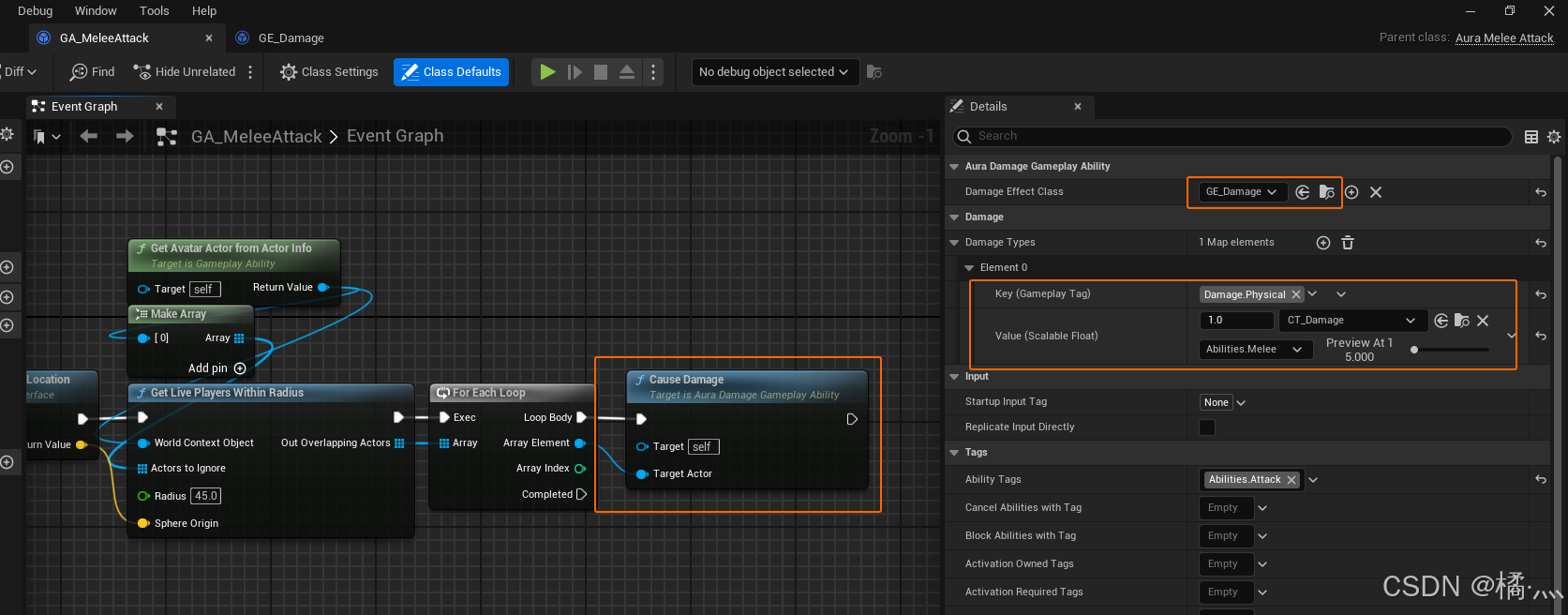
P7_2 Casue Damage In GA_MeleeAttack
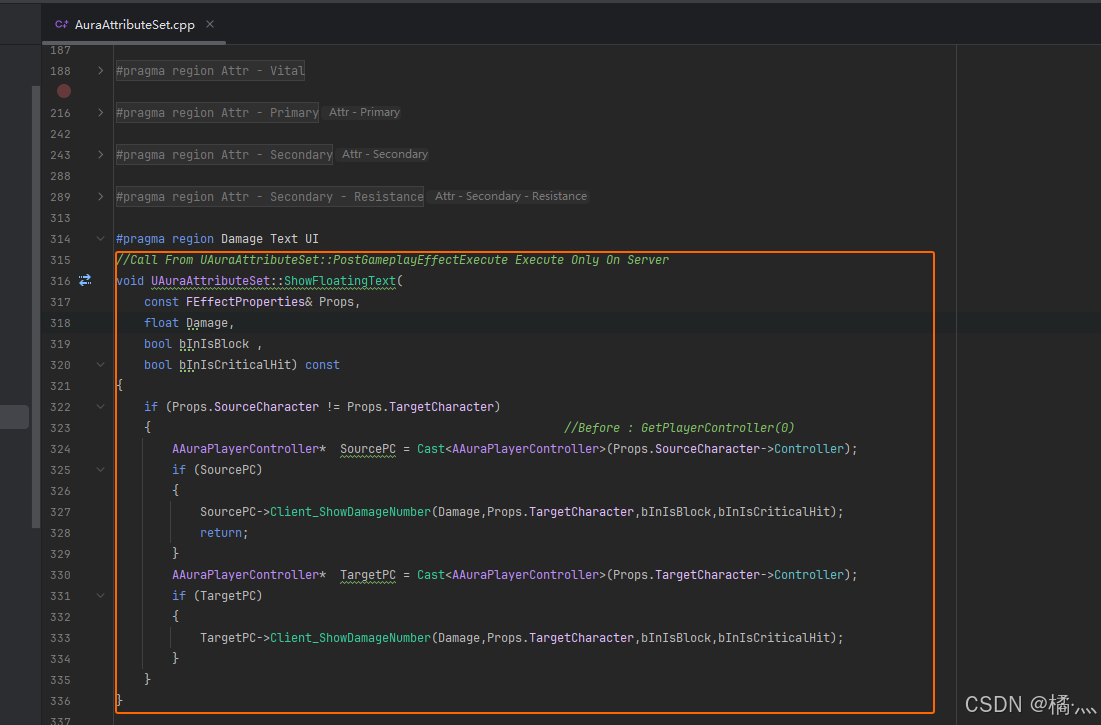
P7_3 Show Floating Text
- Enemy 攻击 AuraPlayer 也应该显示伤害文本.
P8_Multiplayer Test
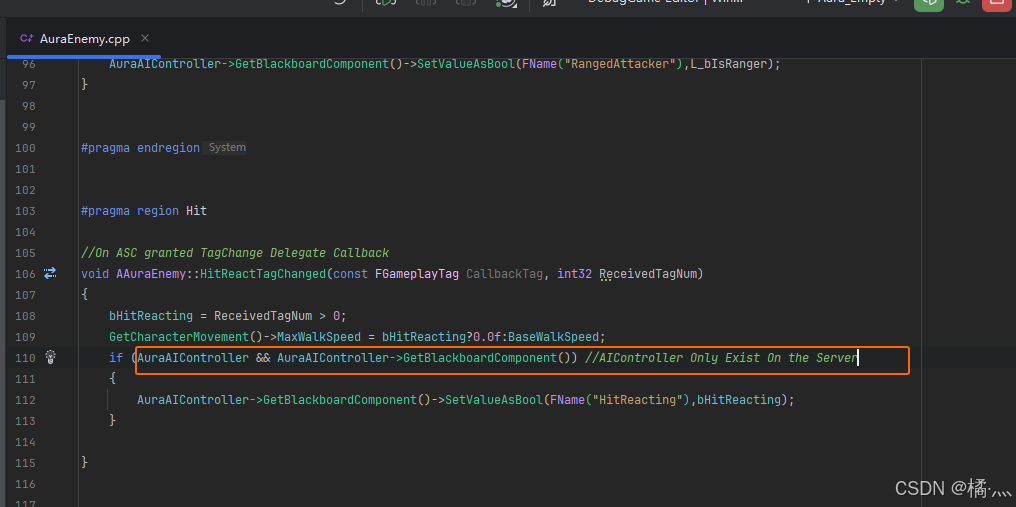
- 对于 AIController 来说 , 它们仅存在于 Server上.
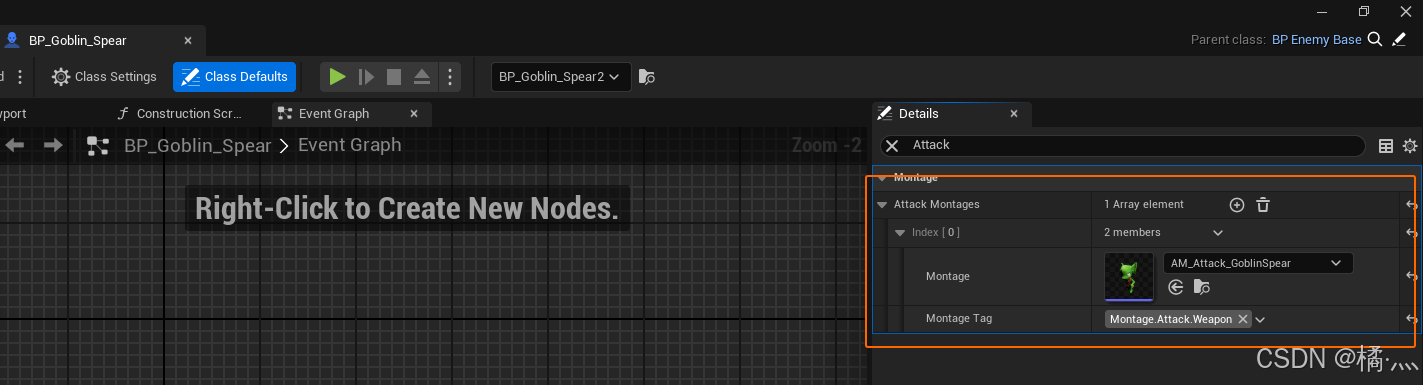
P9_ Montage Gameplay Tags
P9_1 Config Tag To Montage
- 创建相应的 结构体 , 建立 标签和蒙太奇的对应关系.
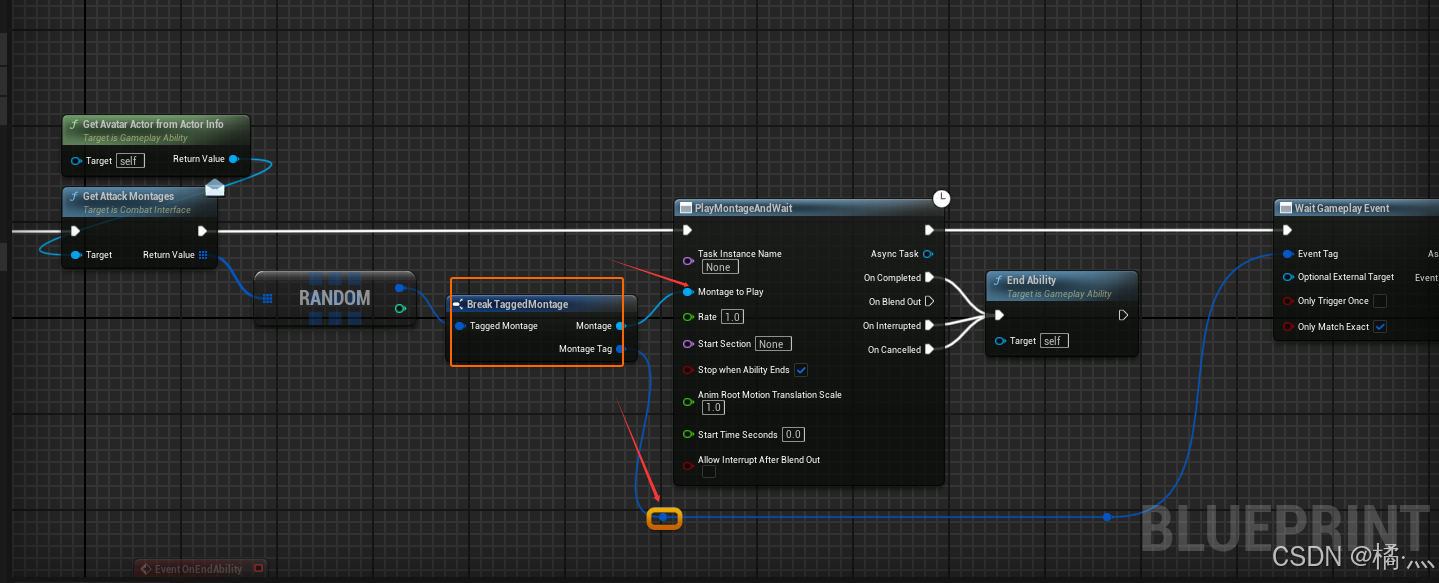
P9_2 Random One From Array
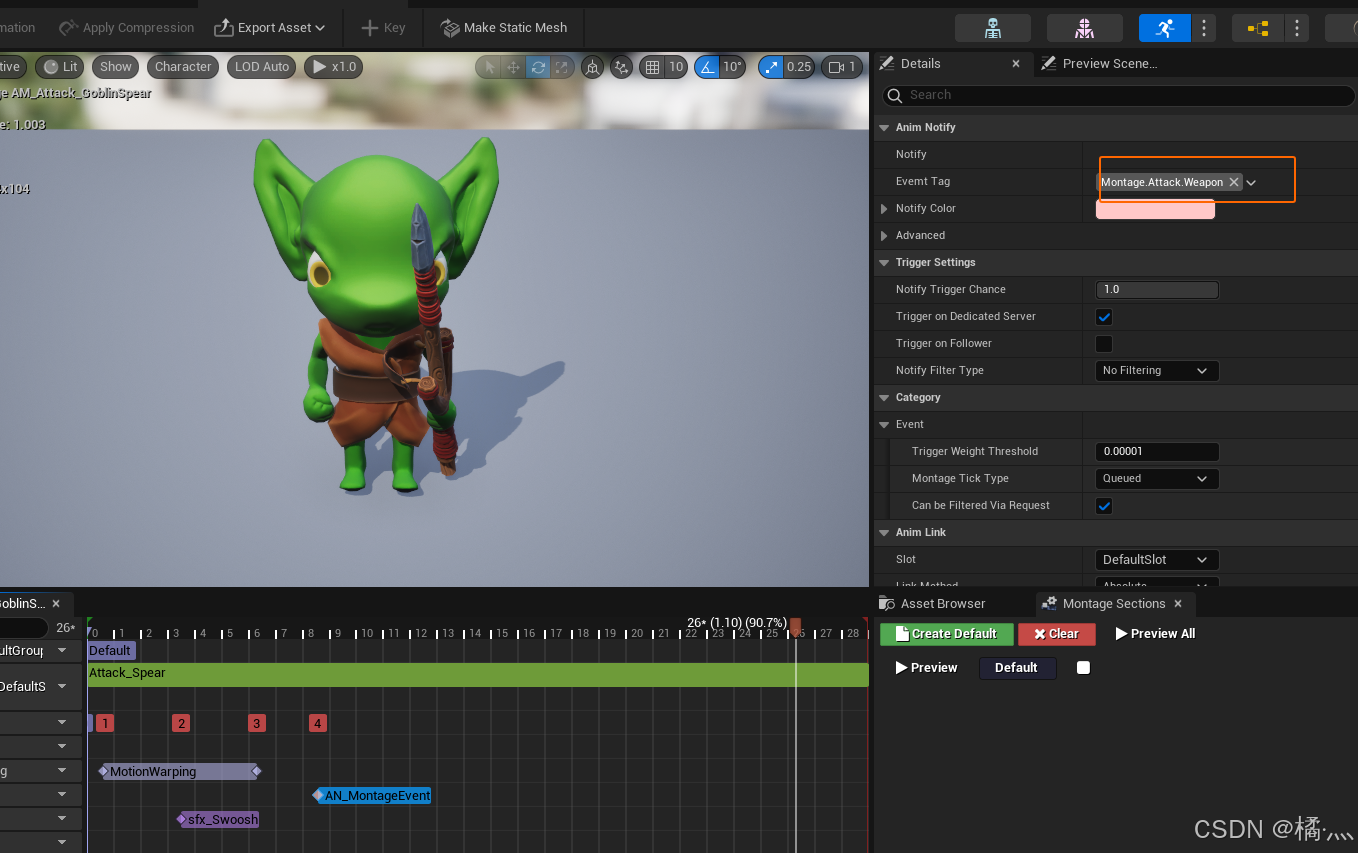
P9_3 Config Tag In Montage
- 指定标签 , 示意蒙太奇的类型 , 武器 , 左手, 右手啥的.
P10_ Attack Socket
P10_1 Select SocketLocation by Tag
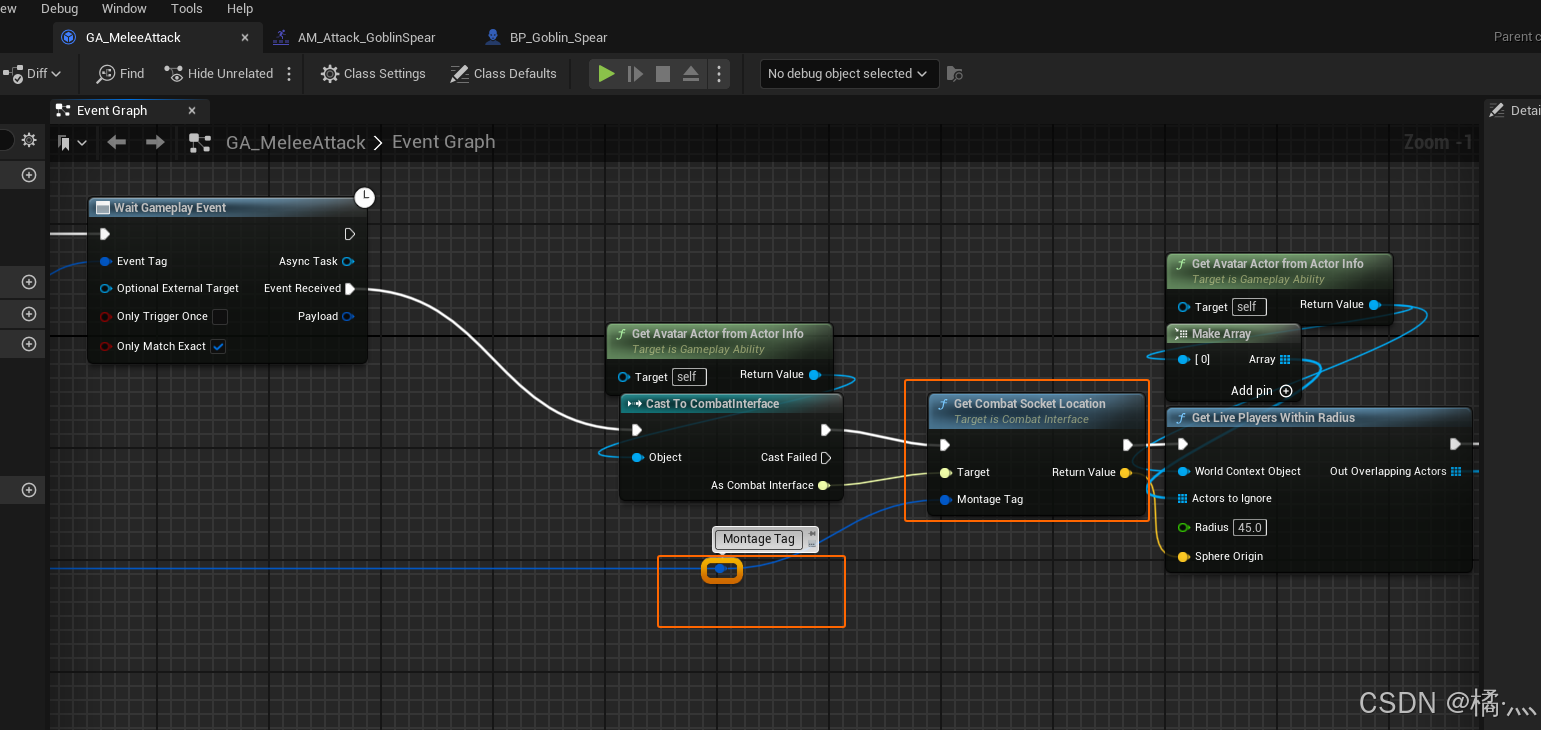
- 存在食尸鬼没有武器进行攻击 , 需要指定攻击检测的原点 , 也就是 SocketLocation.
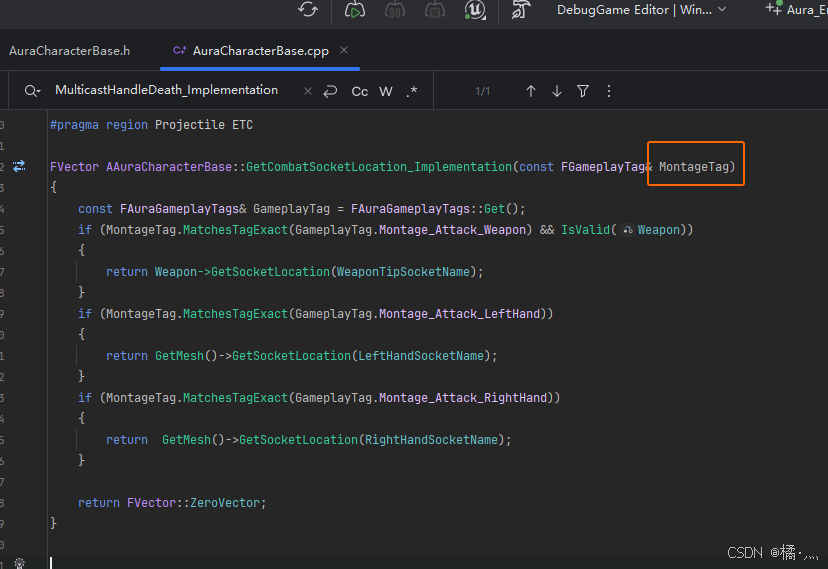
P10_2 GA_MeleeAttack
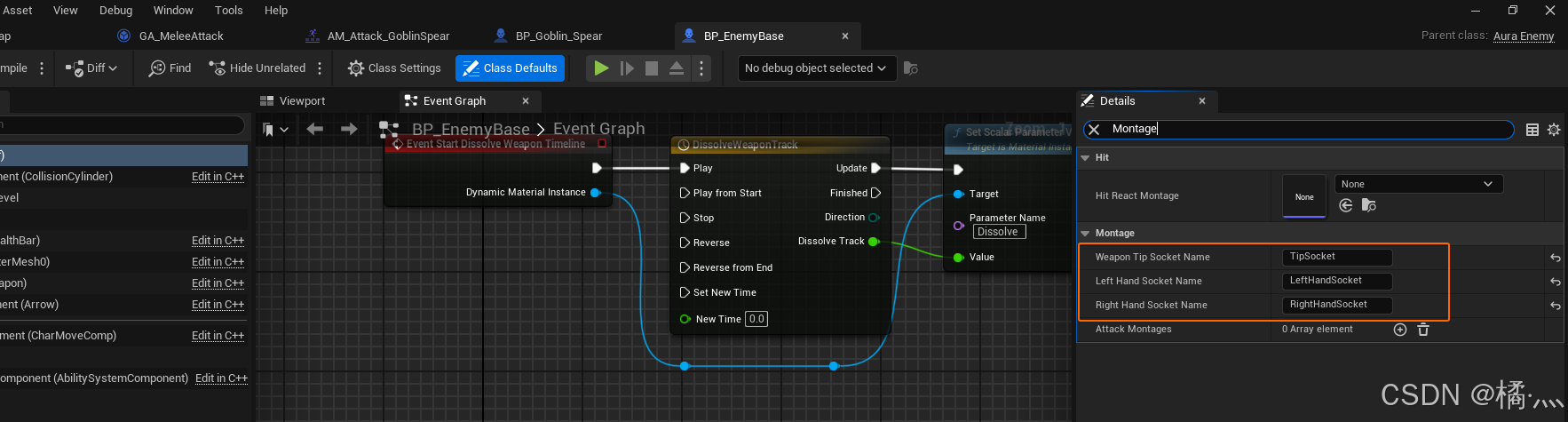
P10_3 Assign SocketName
P11_GA Montage Conflict
- 下面的例子
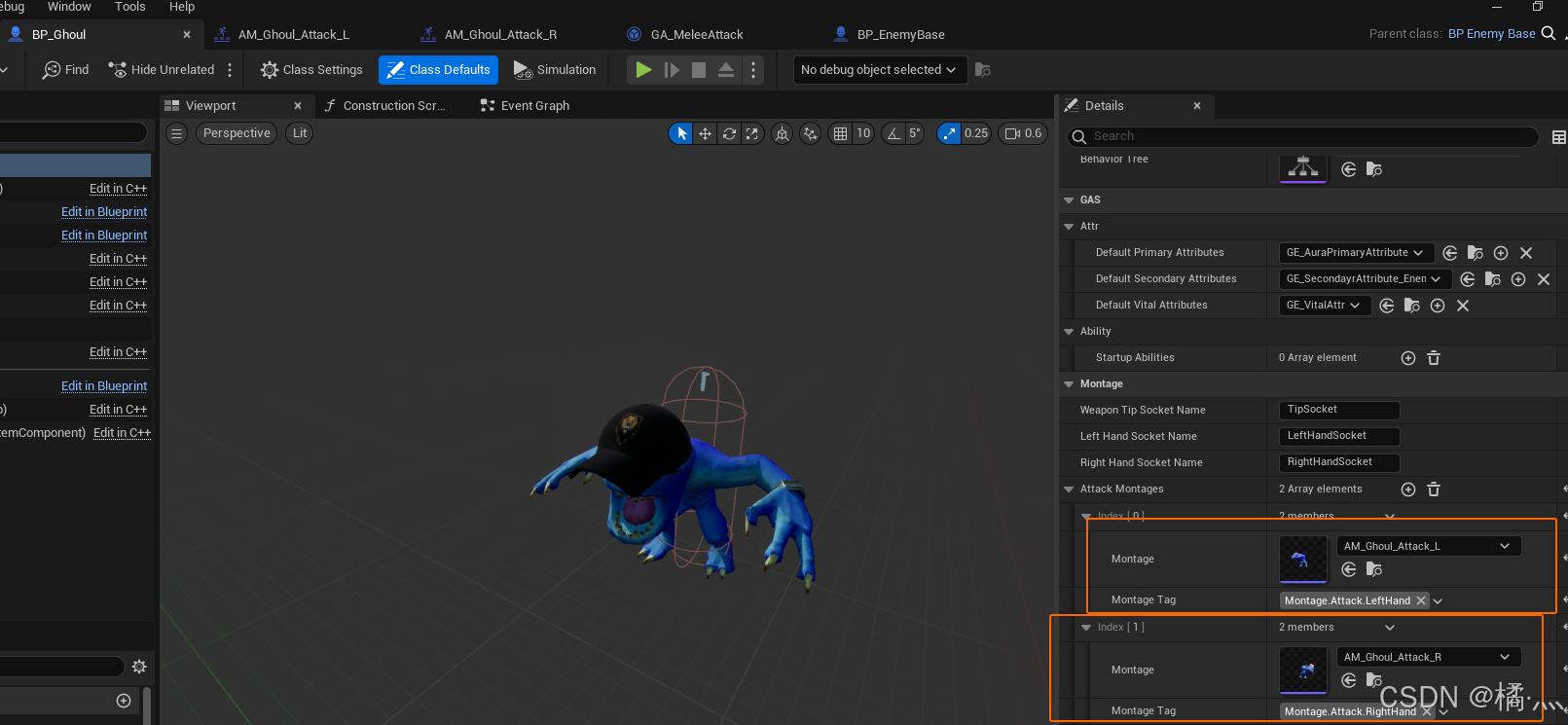
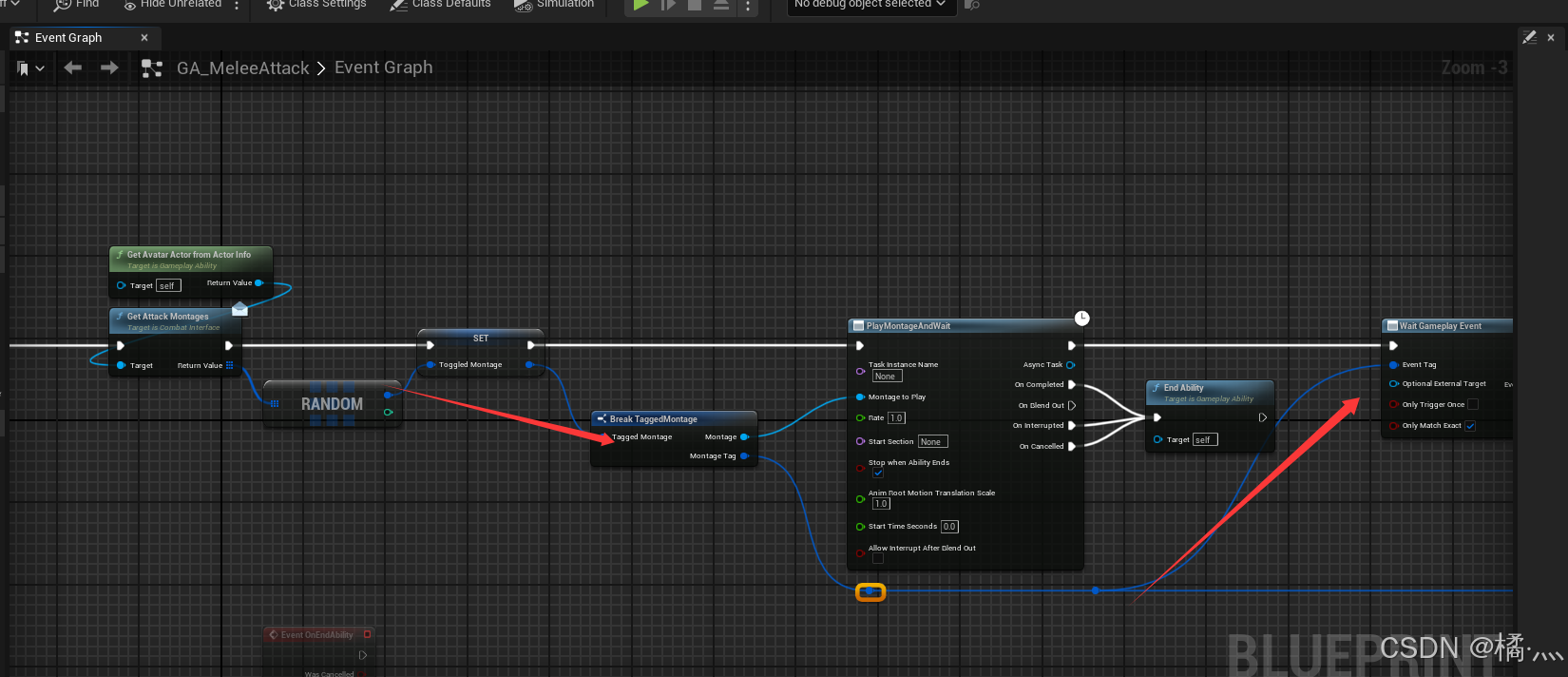
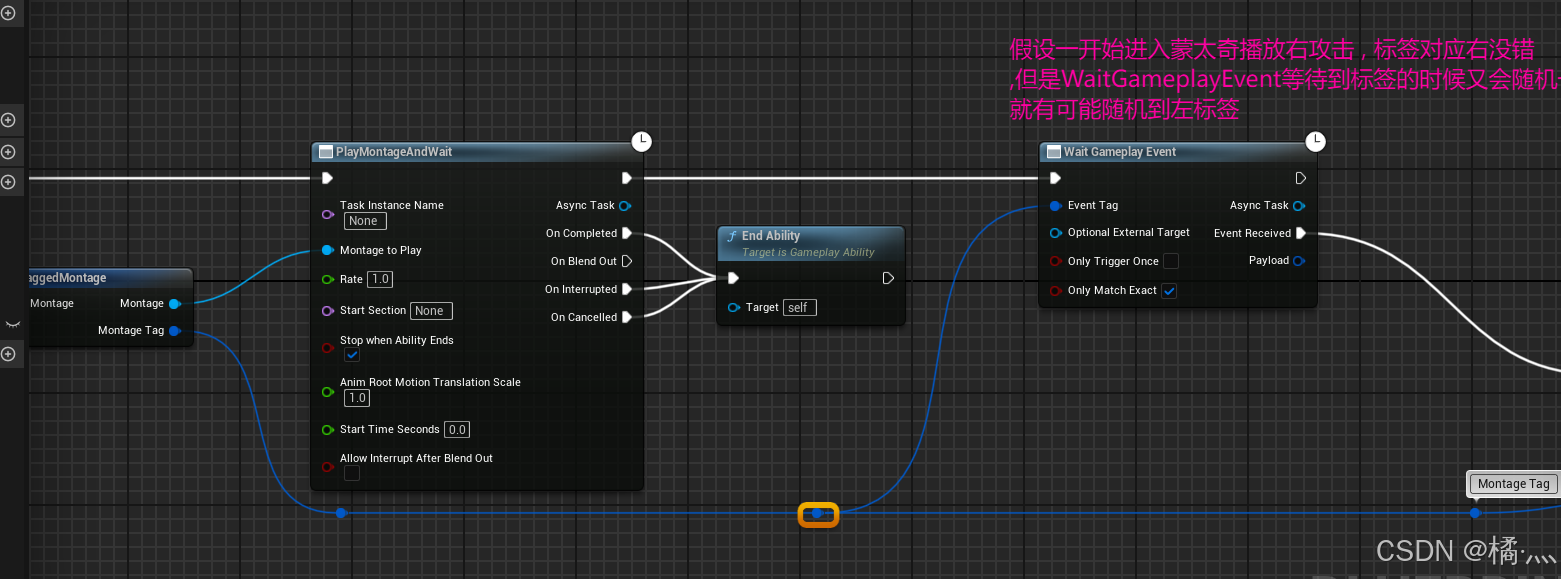
- Ghoul 有两个攻击蒙太奇,会随机选取一个 , 有一种情况就是播放.
- 当执行到 WaitGameplayEvent 的时候会再次执行随机 , 如果随机结果正确就会 ApplyDamgeGE , 反之就不行了.
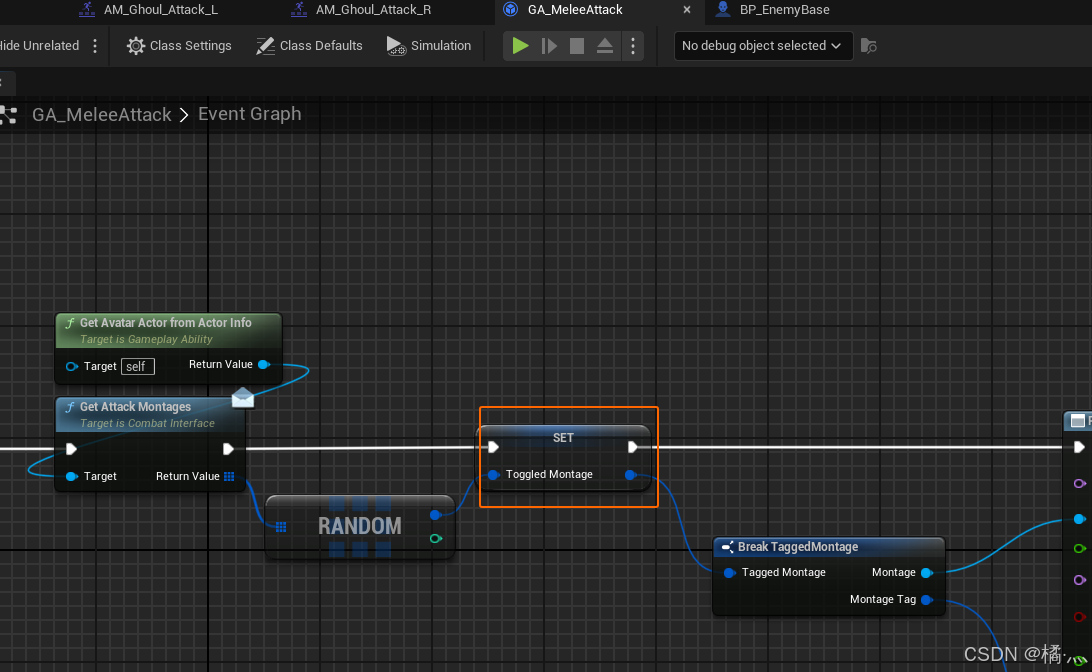
P11_1 Store As Var
- 将随机出来的结果存储为成员变量.
- 这样就不会再执行一次随机逻辑了.
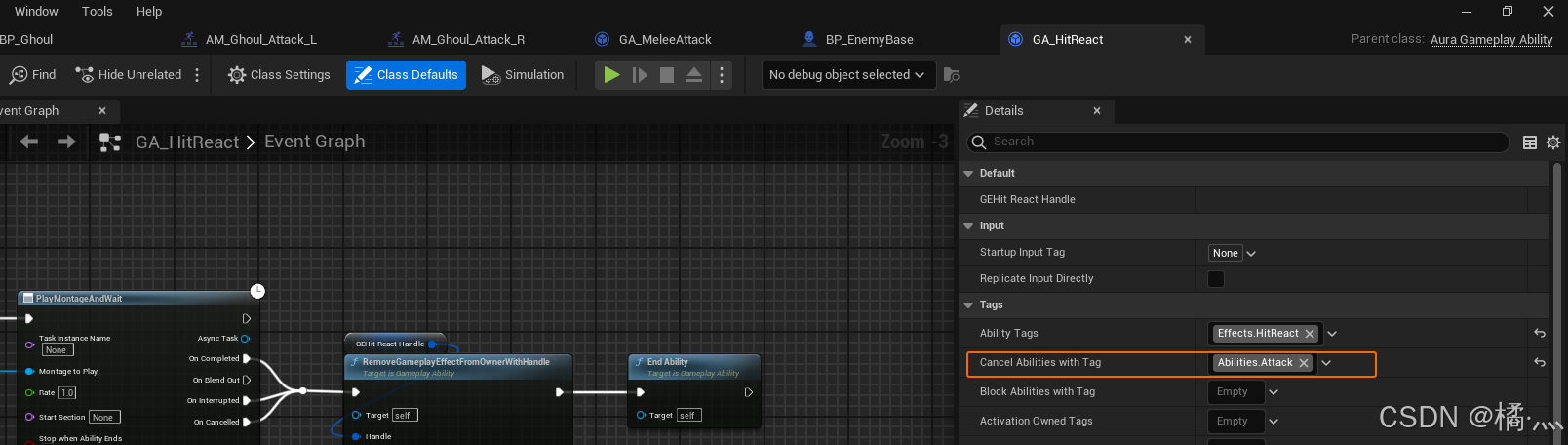
P12_Cannel Attack Ability
- 挨揍时 , 取消 Attack Ability
P34_Melee Impact Gameplay Cue
P34_1 Performace In EnemyGA
- Enemy 在 GA 中播放声音和特效在客户端时看不见的 , 虽然GA自带复制 , 但是只复制给 OwningClient , 我们的AI Enemy 的所有权必然不属于 Client 端 Machine.所以这时候 Gameplay Cue 登场了.
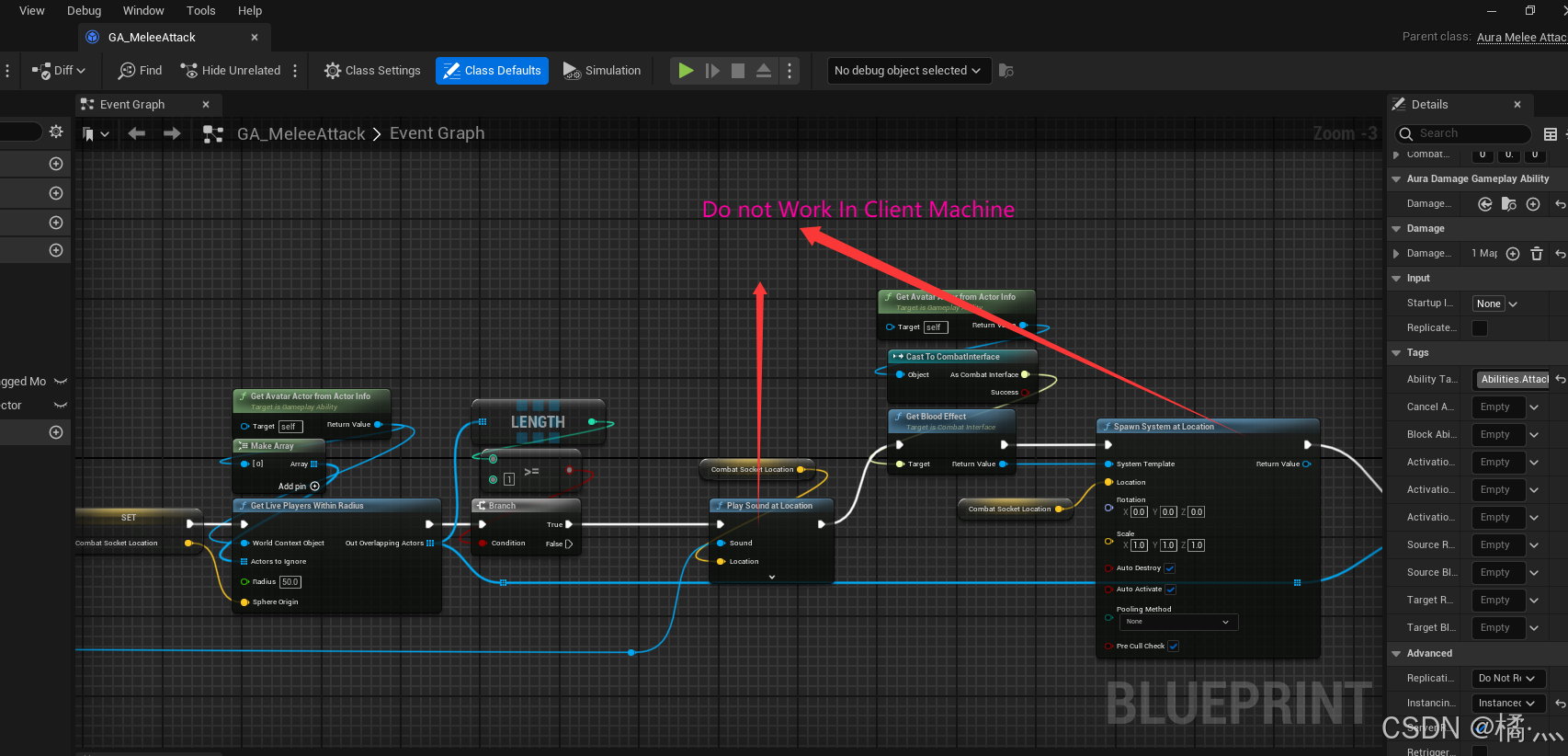
P35_ Gameplay Cue Demo
P35_1 GA_MeleeAttack : Execute GC
- GC 的行为就会复制到所有端了.
- 需要传入标签选定执行的GC.
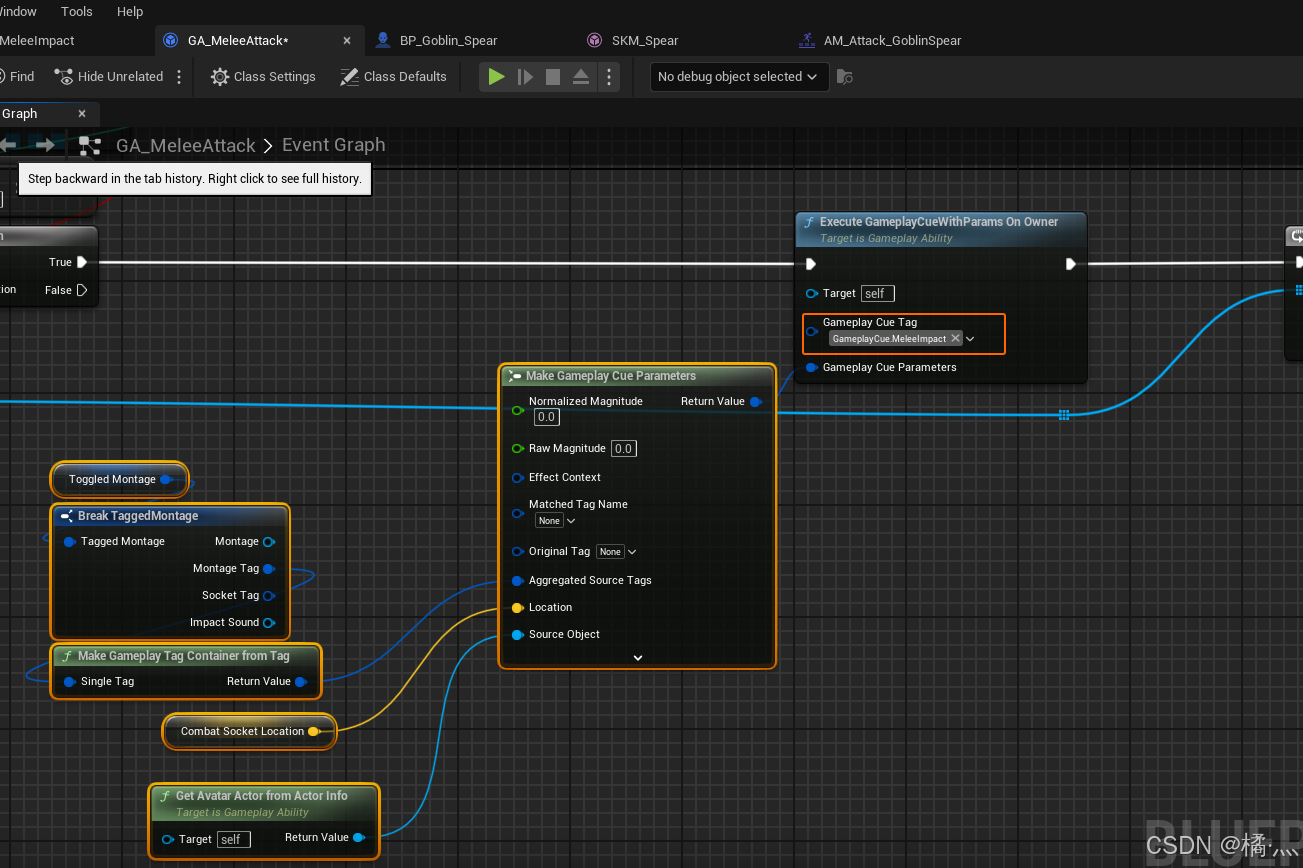
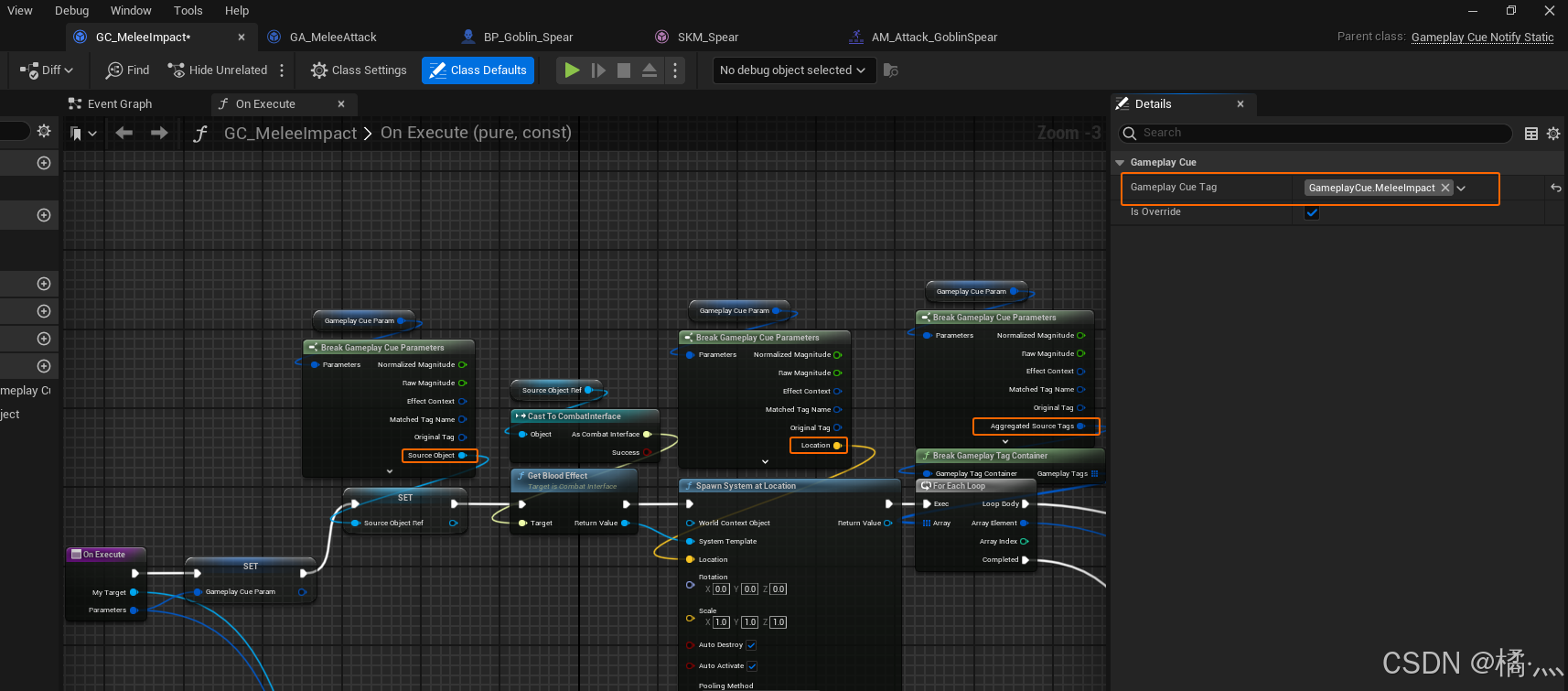
P35_2 GC_MeleeImpact
- 一定要配置标签.
- 可以获取 传入的 PayLoad.
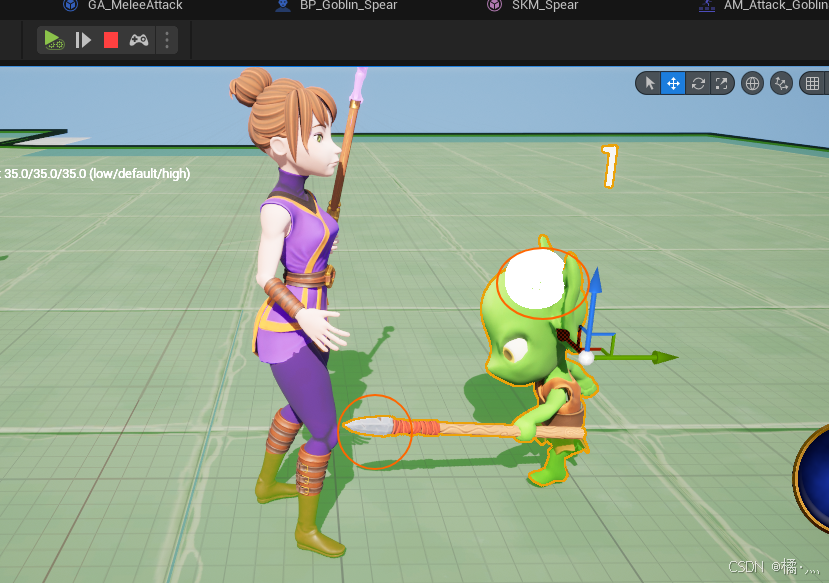
P35_3 问题
- 使用 Play As Client 总是无法准确获取 WeaponTipSocket的位置 , 原因未知.
- 本来在武器尖处,缺在头顶位置检测了.
P47_ FanShape Random Location Algorithm
- 在角色前方扇形范围内随机点位算法.
TArray<FVector> UAuraSummonAbility::GetSpawnLocations()
{

	const FVector Forward = GetAvatarActorFromActorInfo()->GetActorForwardVector();
	const FVector Location = GetAvatarActorFromActorInfo()->GetActorLocation();
	const float DeltaSpread = SpawnSpread / NumMinions;


	const FVector LeftOfSpread= Forward.RotateAngleAxis(-SpawnSpread / 2.0f , FVector::UpVector);
	TArray<FVector> SpawnLocations;
	for (int32 i = 0; i < NumMinions; i++)
	{
		const FVector Direction = LeftOfSpread.RotateAngleAxis(DeltaSpread * i , FVector::UpVector);
		const FVector ChosenSpawnLocation = Location + Direction * FMath::FRandRange(MinSpawnDistance, MaxSpawnDistance);
		SpawnLocations.Add(ChosenSpawnLocation);
	}

	return SpawnLocations;
}
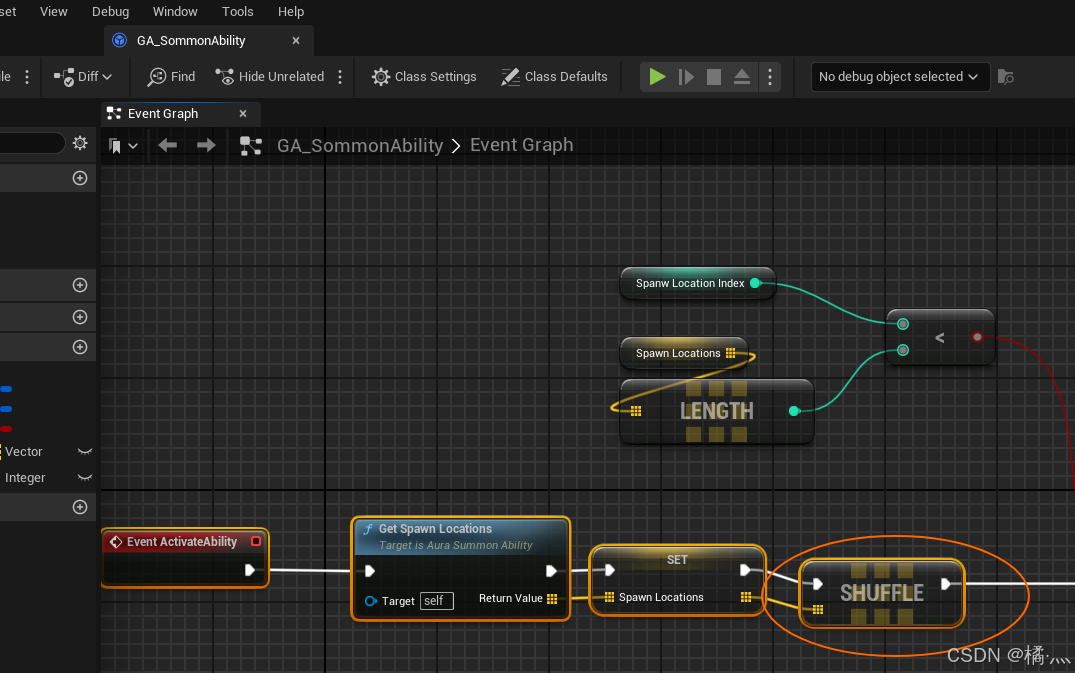
P48_Array Shuffle
- 打乱数组顺序非复制直接改引用.
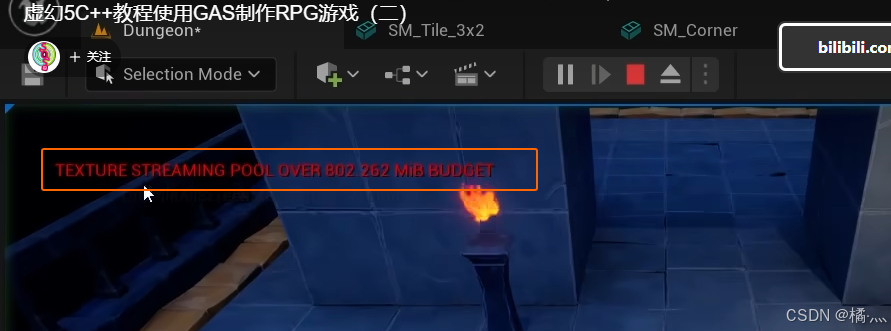
P60_Texture Streaming Pool Over Budget
- Too Many Textures which is too large all on the Screen At the same time.
- what we want to do is compress them.
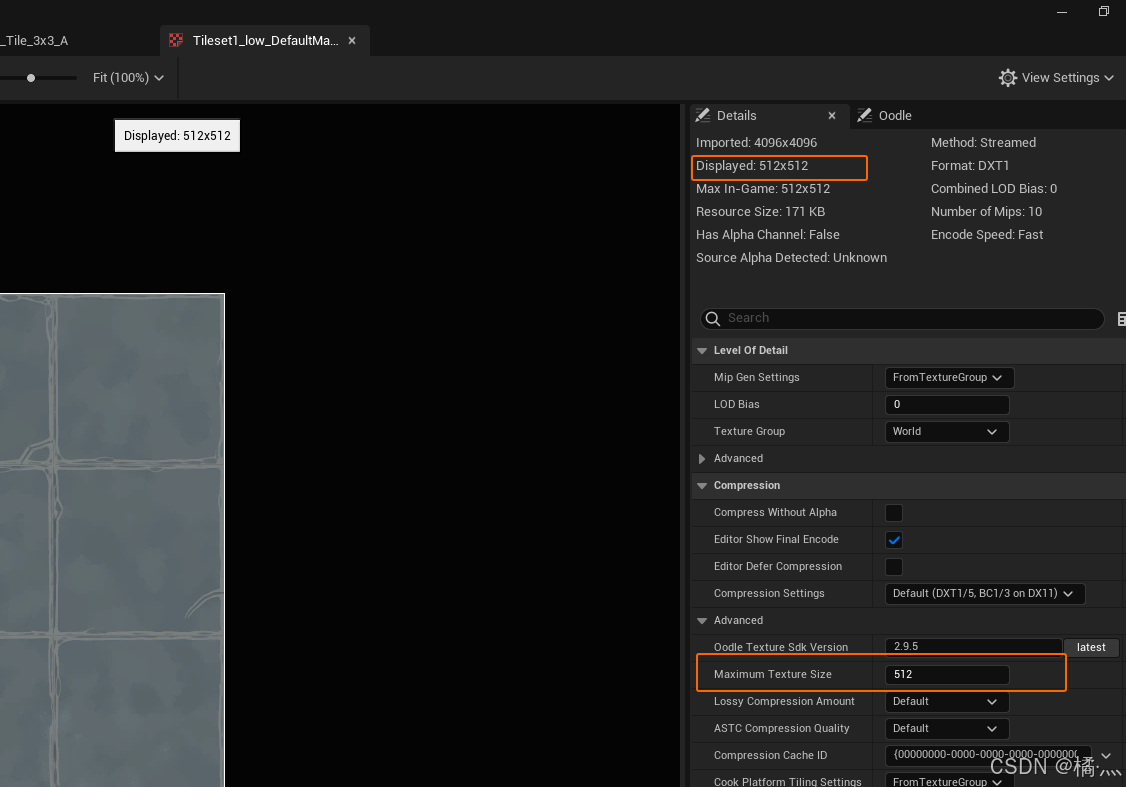
P60_1 Compress the texture
- 调整纹理的 MaximumTextureSize.
- 用于表面的纹理可以去批量处理.
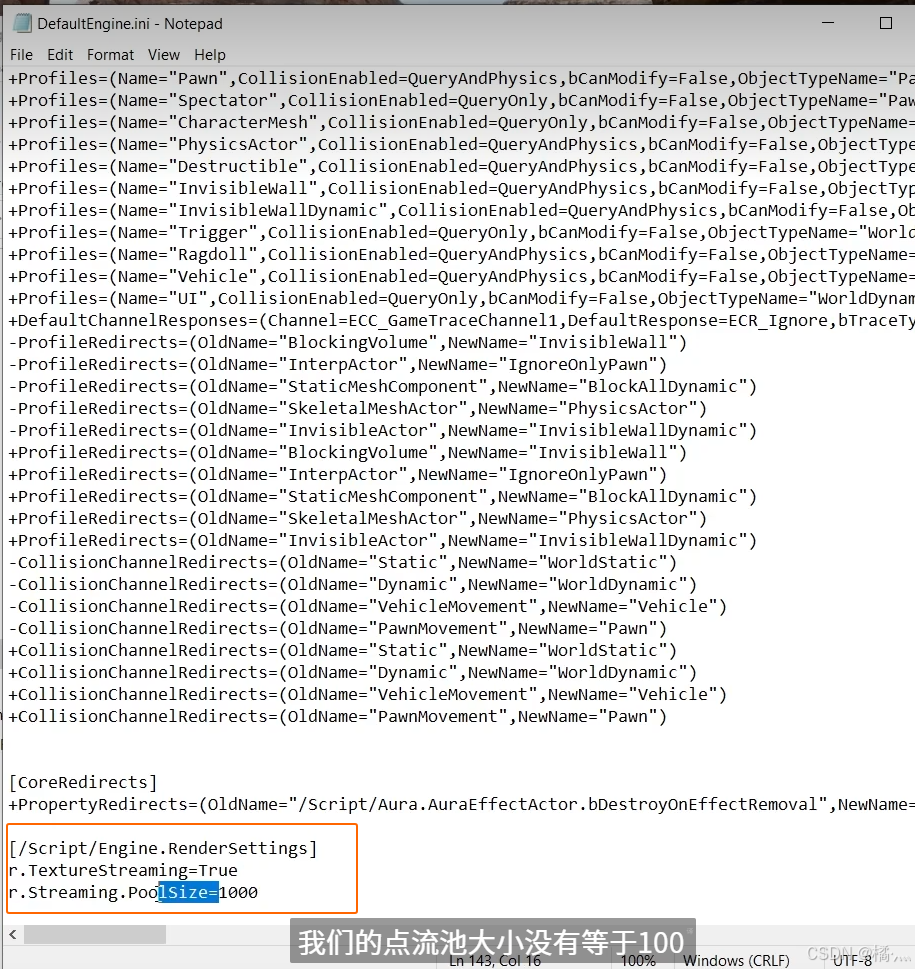
P60_2 Change Budget Limit
- DefaultEngine.ini
P62_Fade Actor
P62_1 Fade Actor Material
- BlendMode = Masked
- 连接带有 Dither TemporalAA 节点.
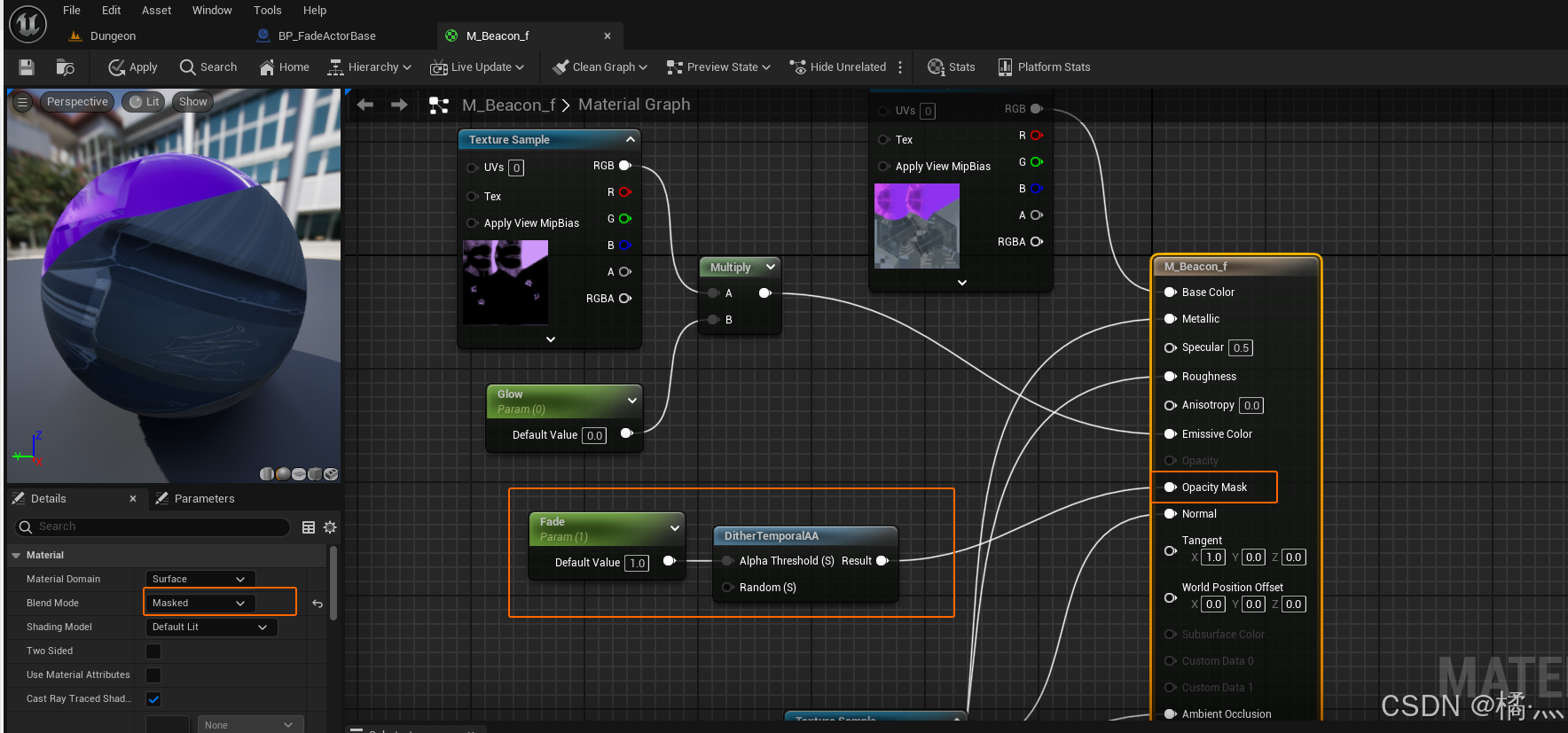
- 修改 Fade 参数值来改变透明程度.
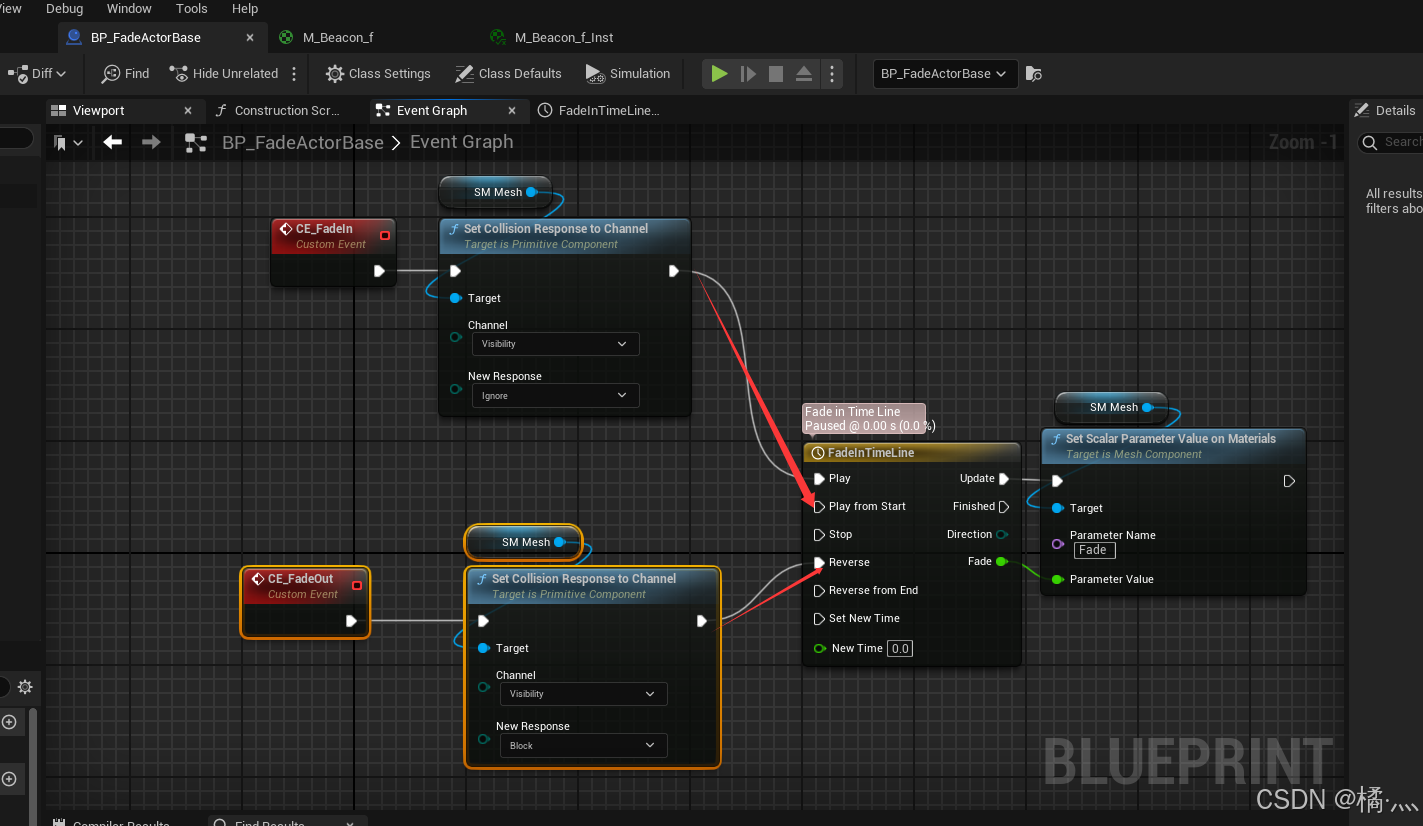
P62_1 Dynamic Recover
- 从当前透明度回复到初始透明度时,需要利用一下 Timeline的技巧 , 就是进入从Play进入 , 一定不能从 PlayFromStart 进入 , 这样才能利用 Reverse 从当前值进行恢复.
P69_ Ability Info Data Asset
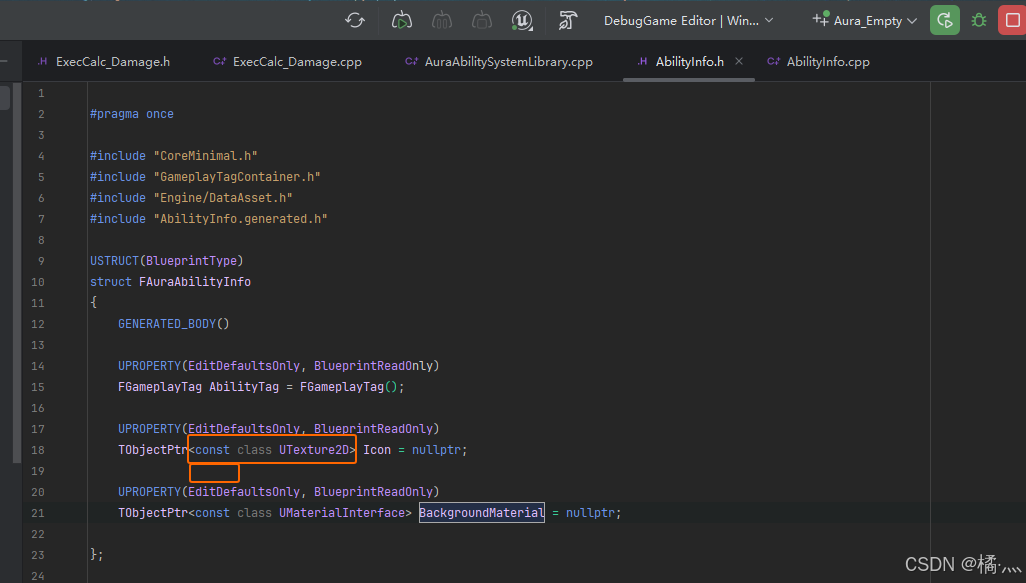
P69_1 const member variable
- const 修饰成员变量 表示在运行中不能修改.
P69_2 Custom LogType
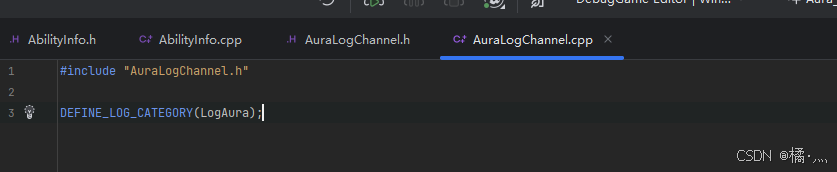
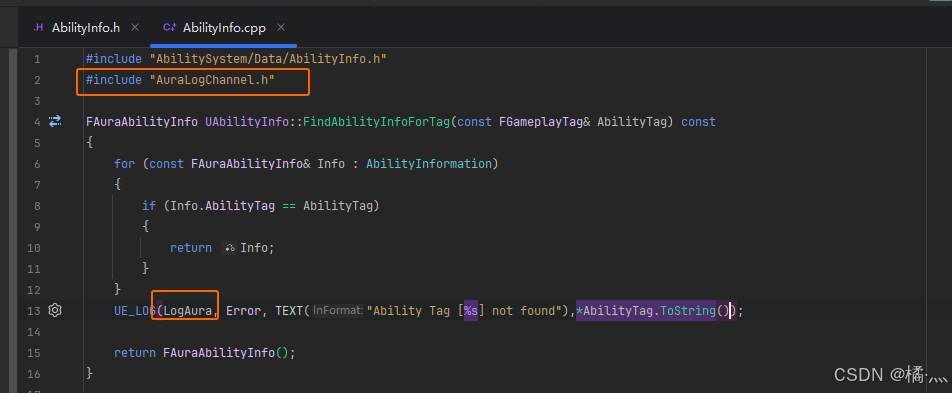
- 自定义 Log类型.
P69_2_1 AuraLogChannel
- .h
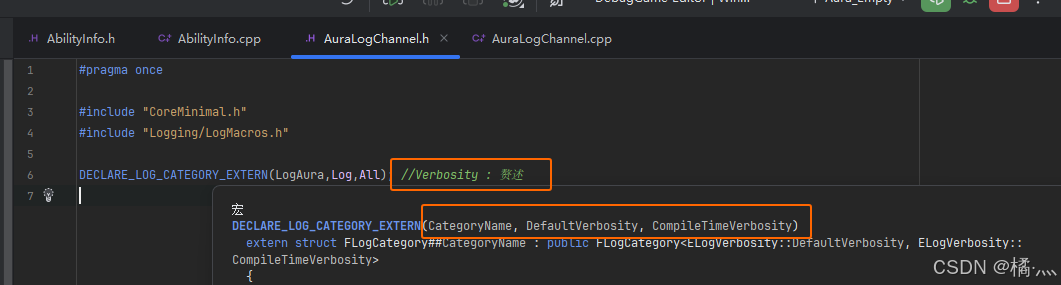
- .cpp
P69_2_2 Use Custom LogType
P70_ Handle Broacast Before BindDelegate
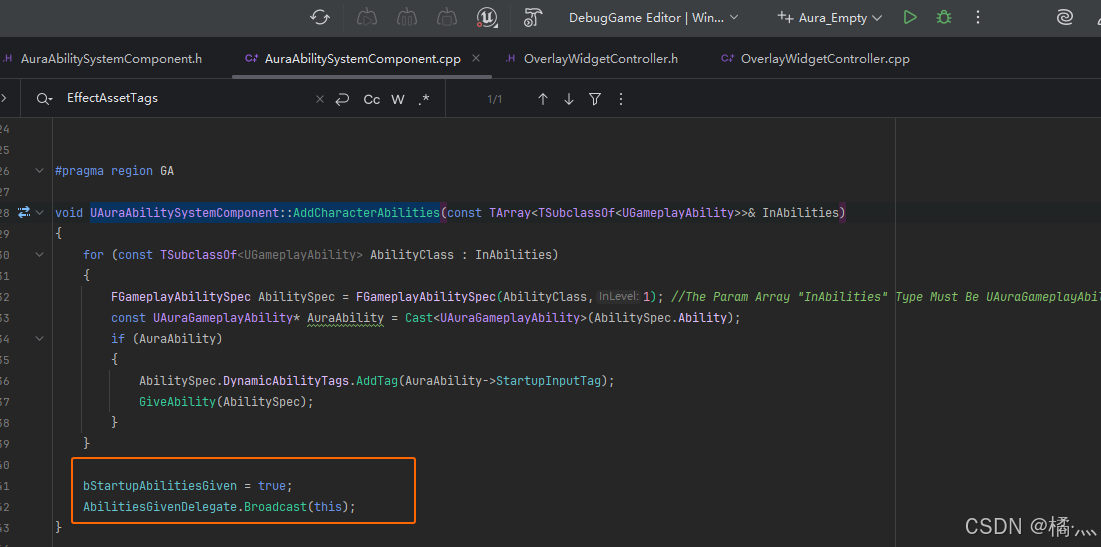
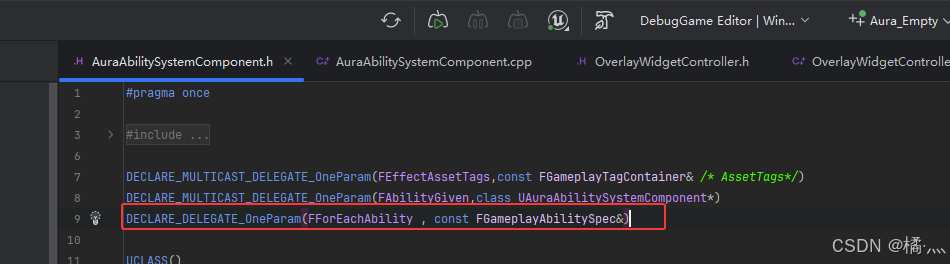
- 学习技能的时候进行广播给 OverlayWidgetController , WidgetController 绑定代理.
- 可能出现先广播再绑定的情况 ,需要特殊处理一下.
P70_1 UAuraAbilitySystemComponent::AddCharacterAbilities
- 设置 bStartupAbilitiesGive = false by defalut , 当学习进成功的时候设置 Flag , 并且广播.
P70_2 UOverlayWidgetController::BindCallbacksToDependencies
- 先 Broadcast 了 , 我们就绑定不了 , 所以我们直接调用方法.
- 正常的执行顺序 , 先 Bind , 再 Broadcast , 我们就可以绑定代理了.
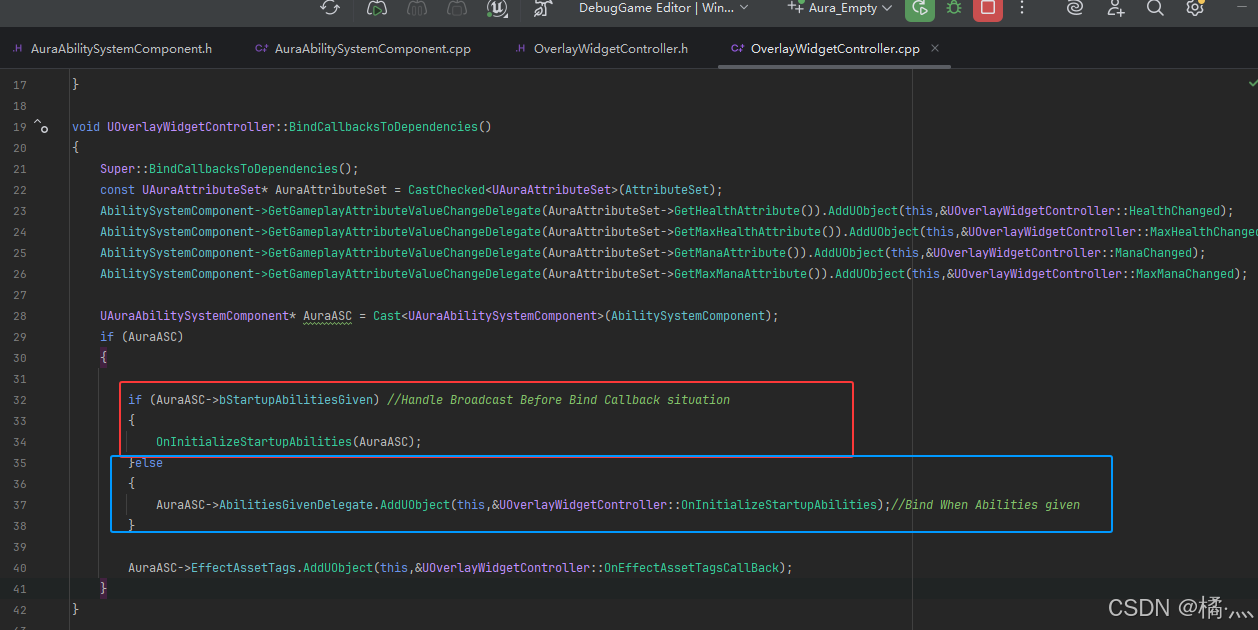
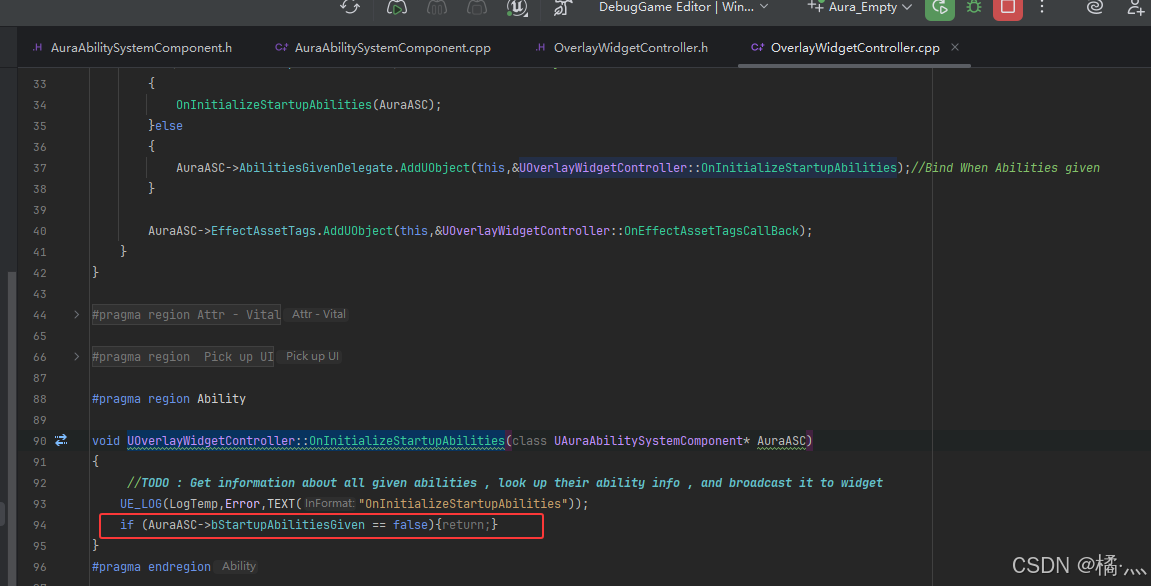
P70_3 UOverlayWidgetController::OnInitializeStartupAbilities
- 加个判断条件保证一定要先学习了技能.
P71_For Each Ability Delegate
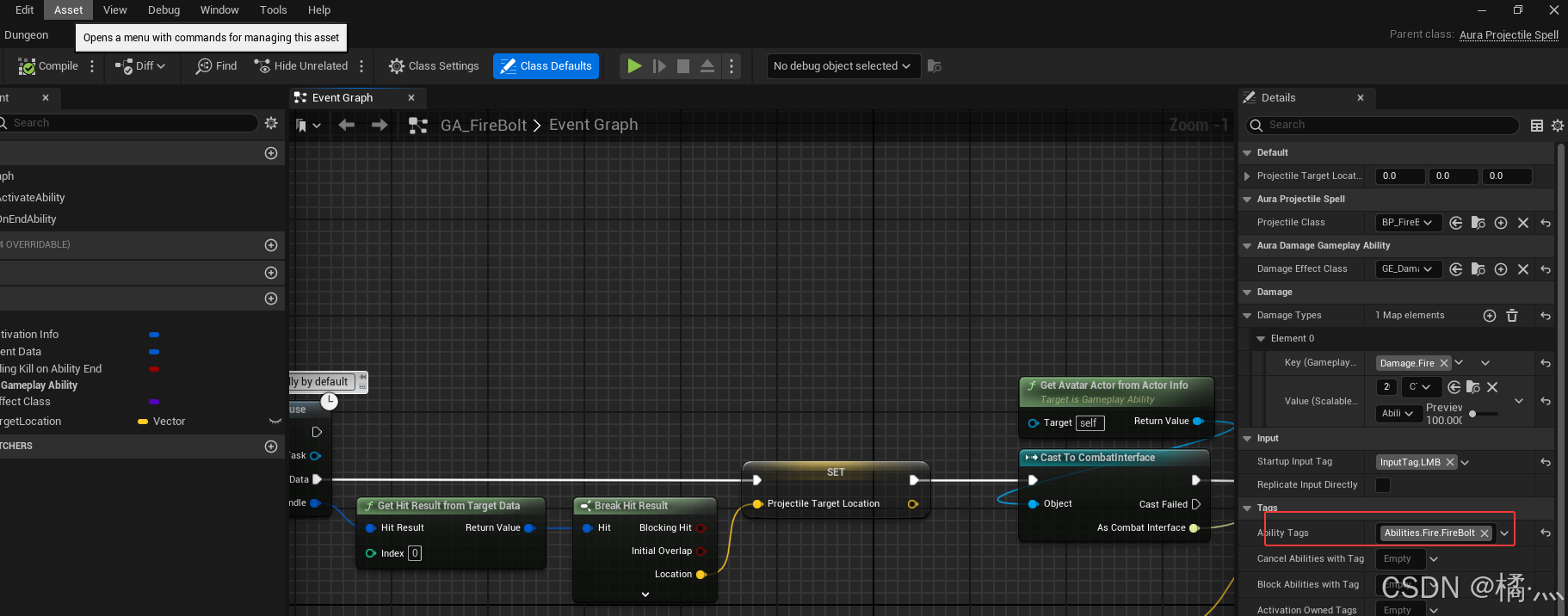
P71_1 Assign AbilityTag To GA_FireBolt
- 这里是我提前加的啊 , 为了演示我就提前加了.
- 需要注意的是,只有玩家的技能加了标签,Enemy的技能比如 MeleeAttack并没有.
- 所以下文提到的 GetActivatableAbilities() 会获取 当前 ASC Owner 的所有 GivenAbility
- 到这里我们得主角只会一个火球术.
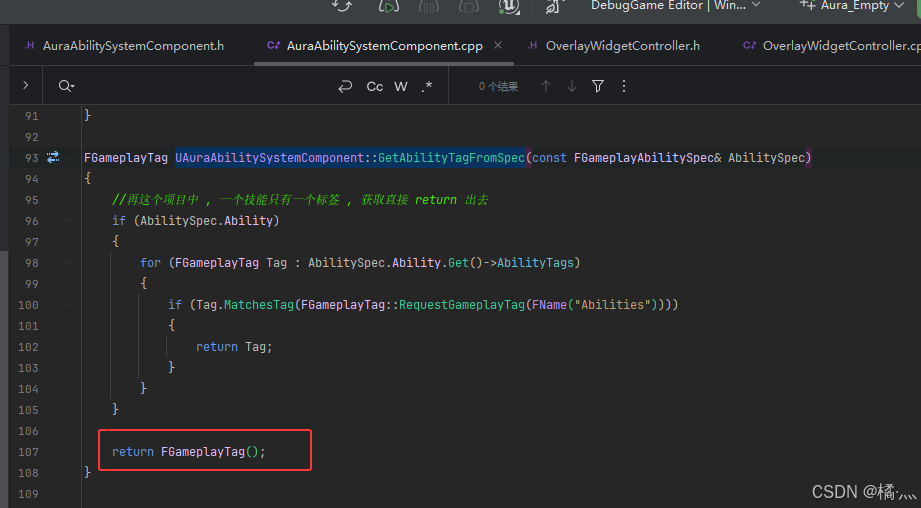
P71_2 UAuraAbilitySystemComponent::GetAbilityTagFromSpec
- 传入技能获取以获取标签.
- 标签以 Ability 为第一层,这个项目中每个技能只有一个标签,所以找到就直接返回了.
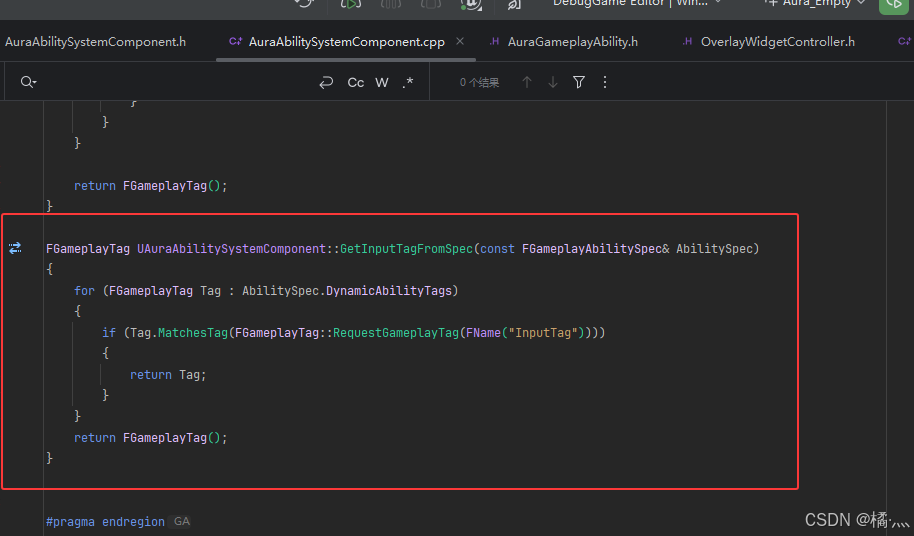
P71_3 UAuraAbilitySystemComponent::GetInputTagFromSpec
- 获取技能的 Input 标签 , 这个标签我们在运行时自动分配了.在这里分配的.
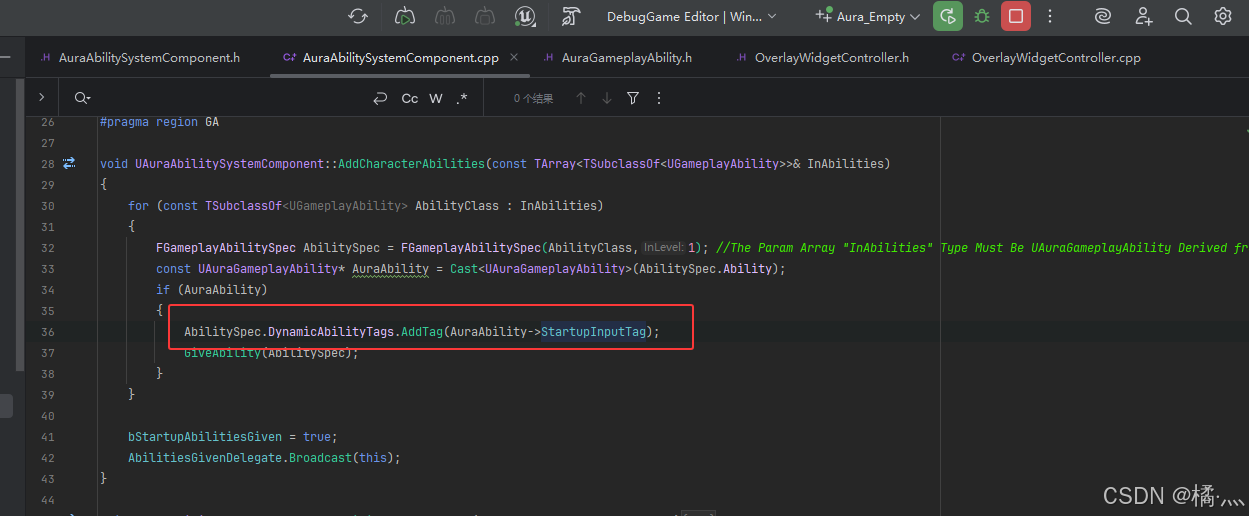
- 获取技能的 InputTag ,没有就返回空的构造函数.
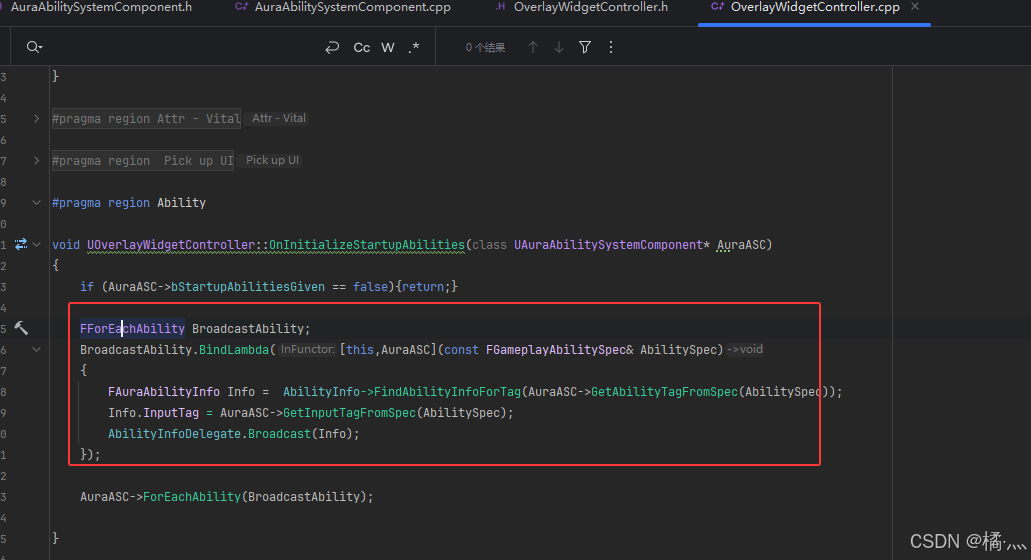
P71_4 UOverlayWidgetController::OnInitializeStartupAbilities
- 这个方法就相对于在学习技能时调用.
- 这里的代码逻辑十分特殊 , 可以理解为这段代理相当于一个方法,只不过定义在方法里了.
- AuraASC->ForEachAbility会多次循环传入 AbilitySpec 多次调用 Lambda.
P71_5 UOverlayWidgetController::OnInitializeStartupAbilities
- GetActivatableAbilities() 会获取 当前 ASC Owner 的所有 GivenAbility
- 到这里我们得主角只会一个火球术.
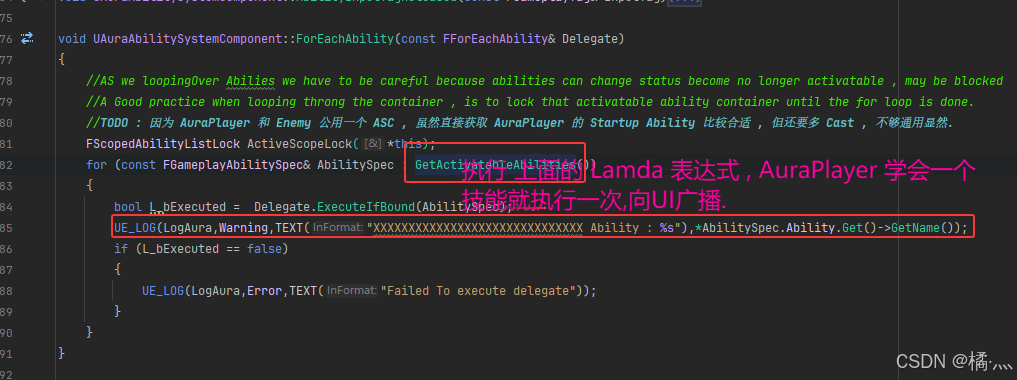
P71_5_1 FScopedAbilityListLock ActiveScopeLock(*this);
- AS we loopingOver Abilies we have to be careful because abilities can change status become no longer activatable , may be blocked.
- A Good practice when looping throng the container , is to lock that activatable ability container until the for loop is done.
- 解释一下上锁的原因.
P71_6 Final Test
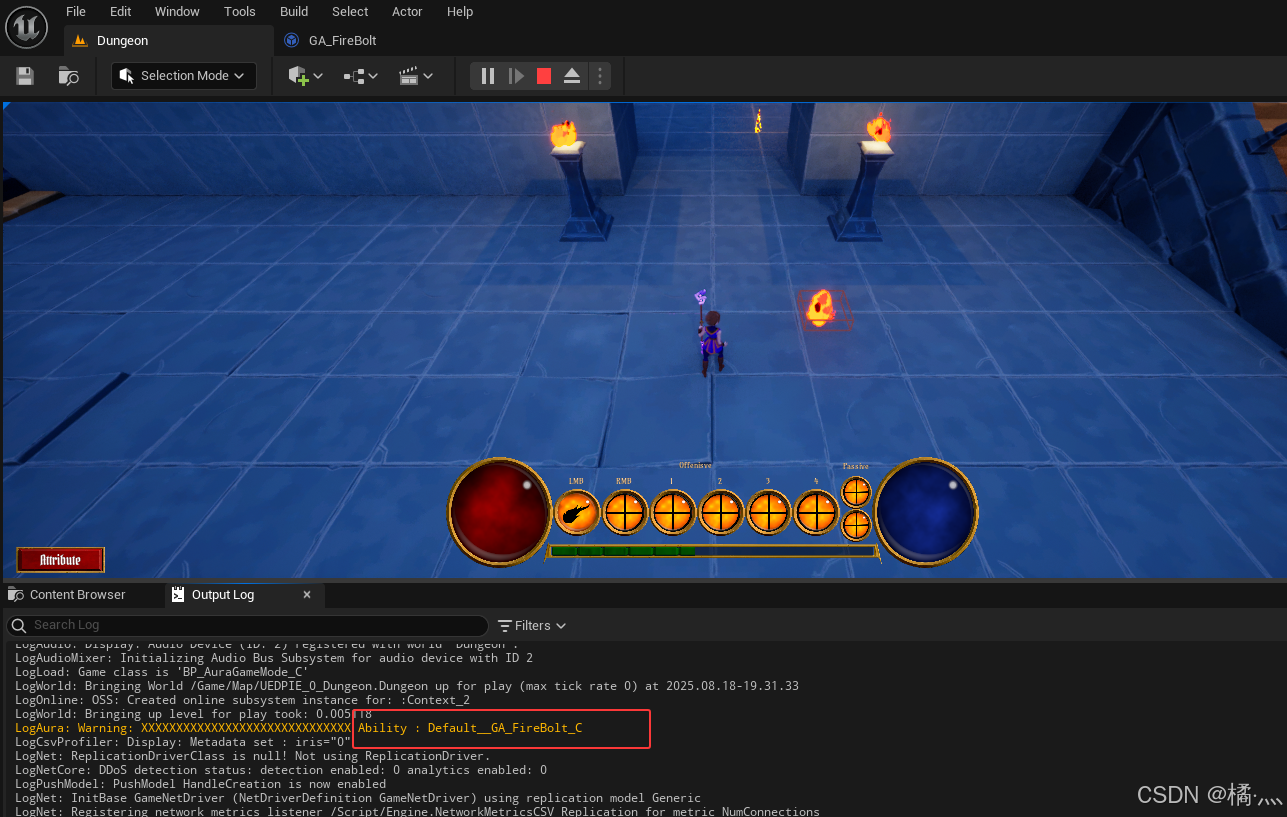
P72_Binding Widget Events to the Ability Info Delegate
P72_1 Bind Call Back
- 别忘记设置 InputTag标签和WidgetController 这里就不赘述了.
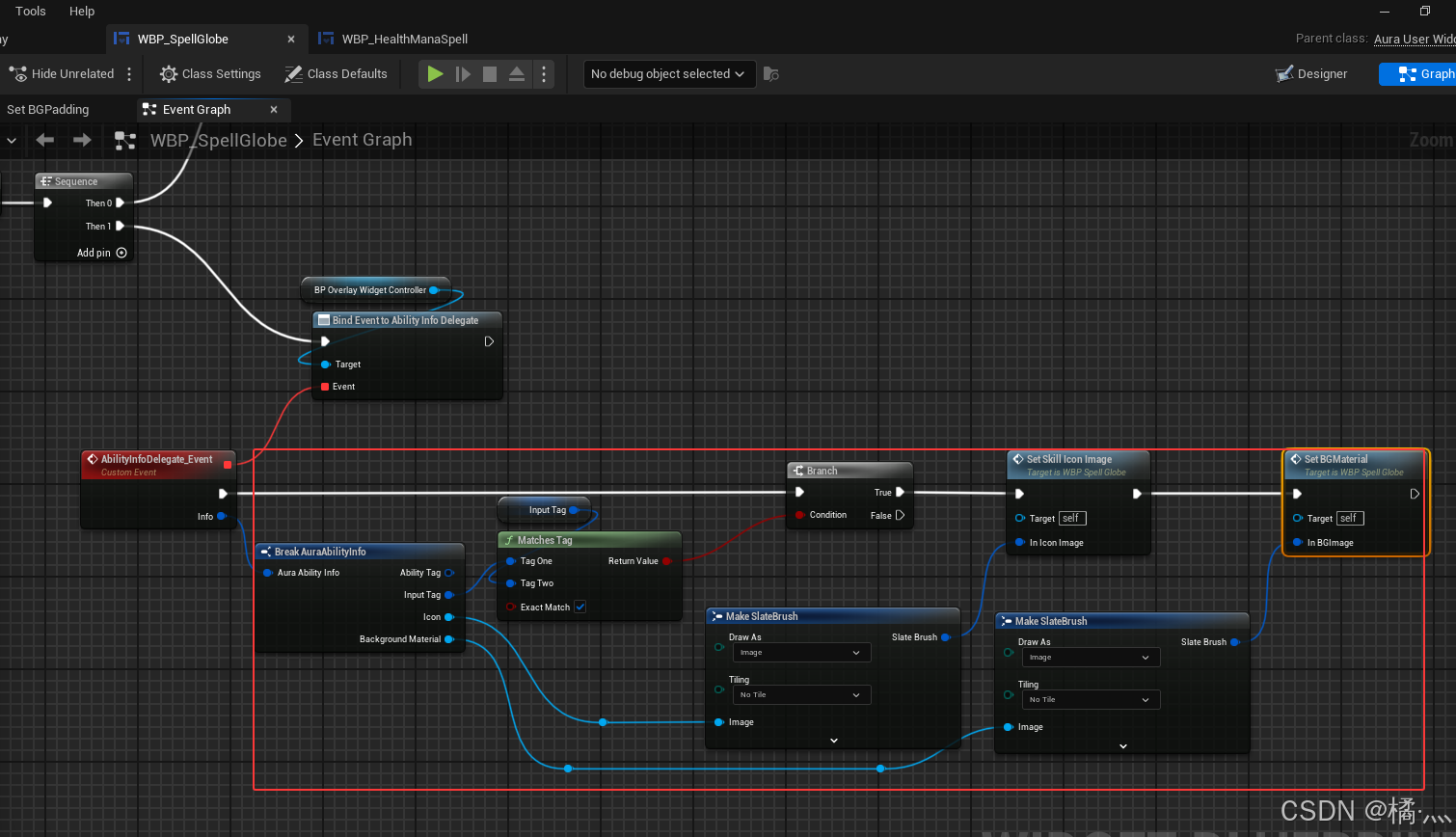
P72_2 OnRep_ActivaterAbilites
- 当 GiveAbility()时 , ActivateAbilities会变化 , 这个变量是复制的 , 利用其OnRep方法来让客户端也设置好技能图标.
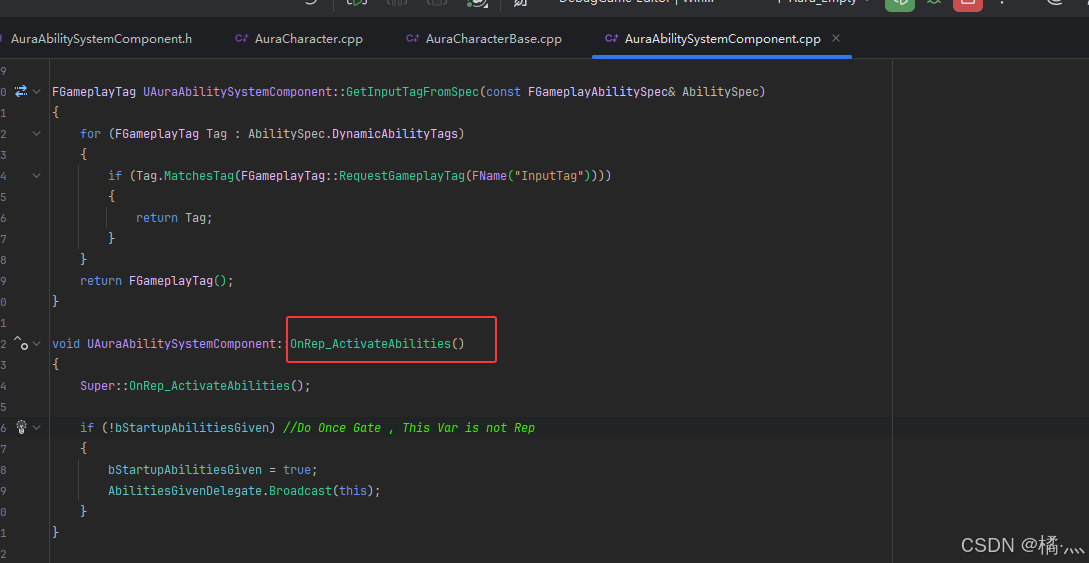
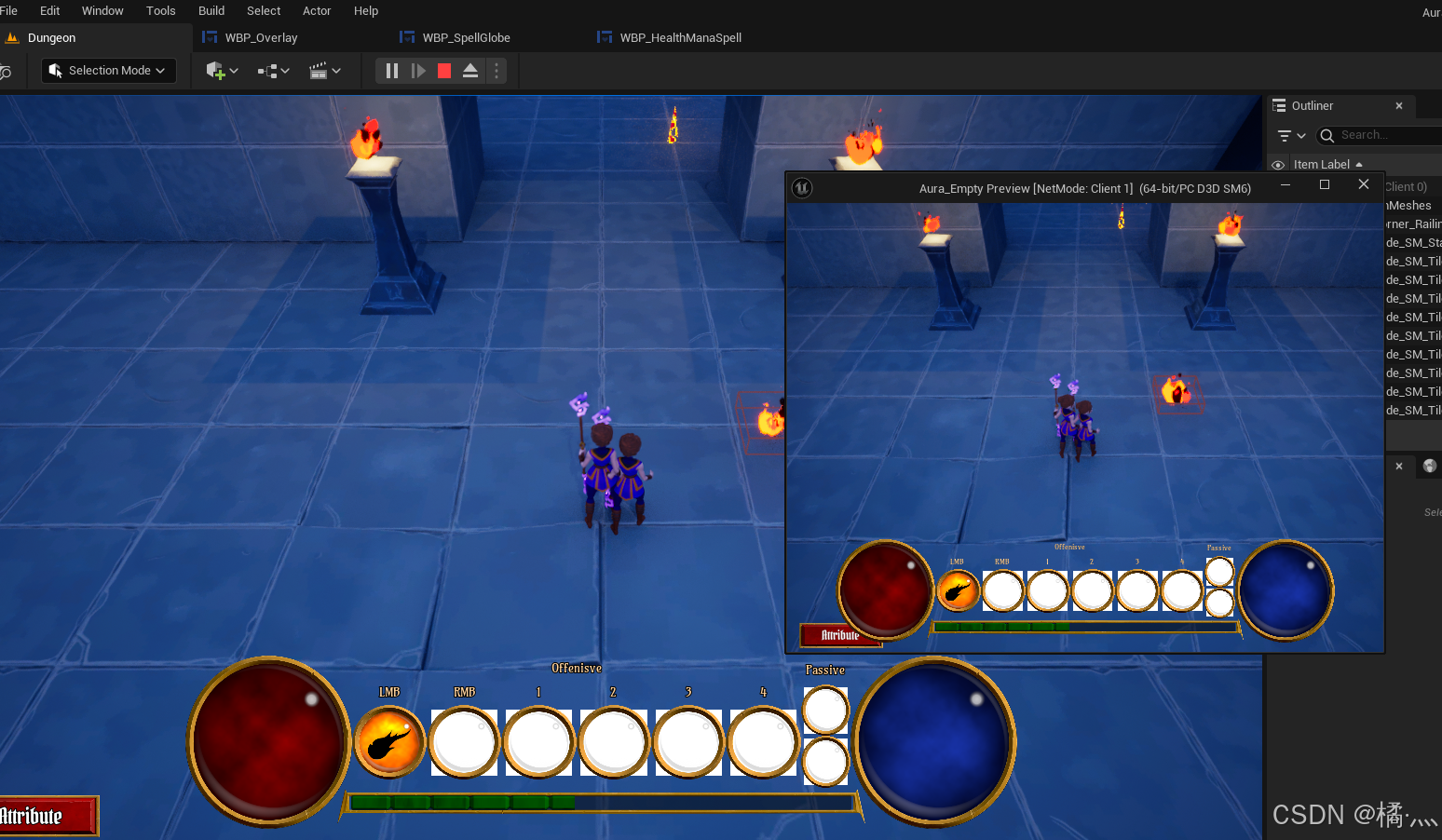
- 个人觉得不加改加入 DoOnceGate, 如果在游戏进行中学习技能,那么就不应该 DoOnce了, 当然我目前不知道他之后是怎么设计的.
P73_GA - Cost
P73_1 Create GE
- 没啥说的.
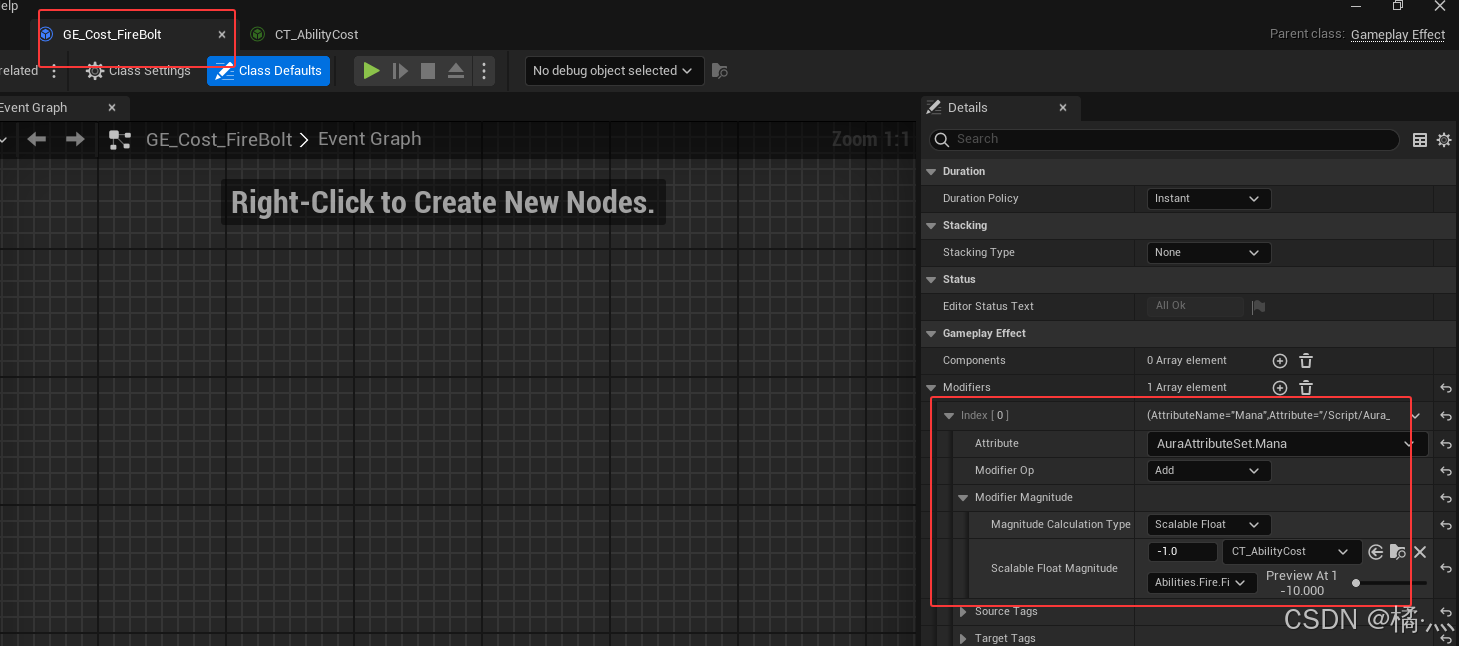
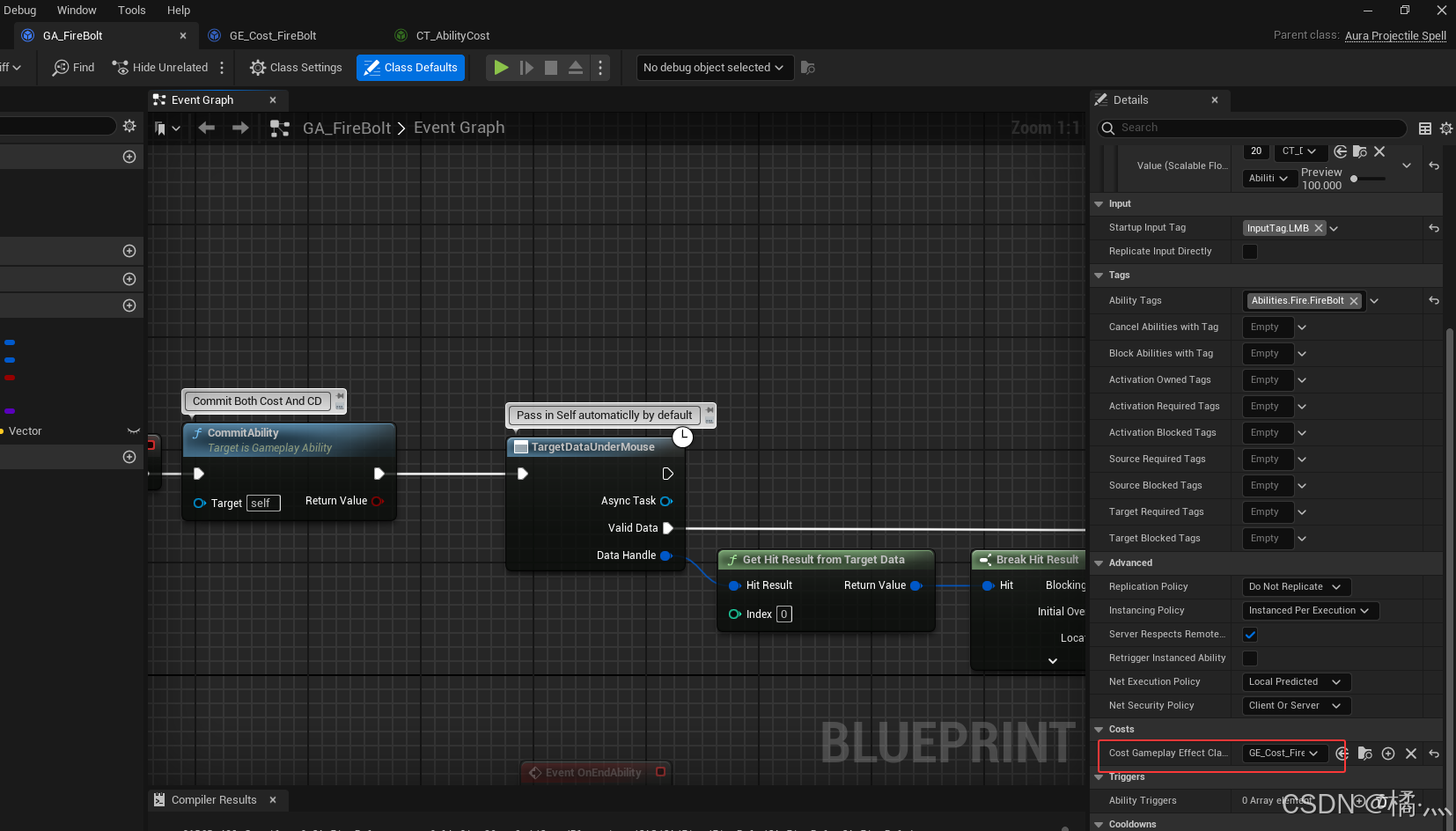
P73_2 Config Cost GE To GA
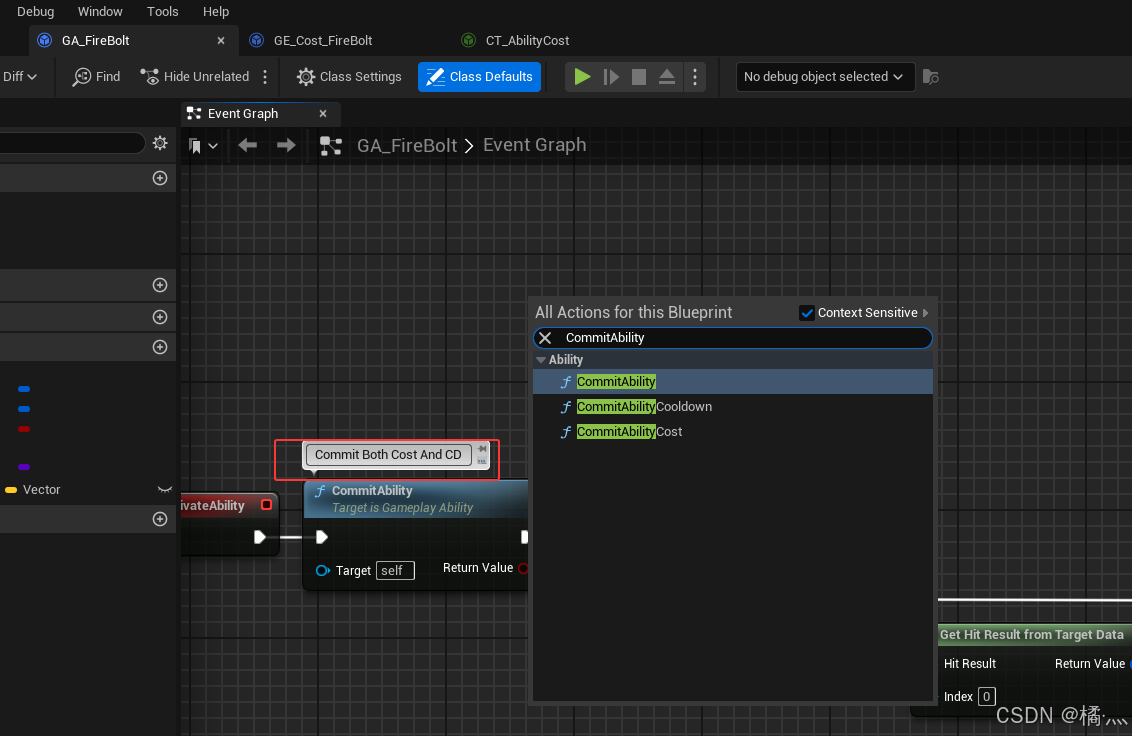
P73_3 Commit Ability
- 选择在合适的地方 Commit Ability.
- 一些技能比如剑魔和瑞文的Q是技能只要释放就 Commit Ability.
- 也有些技能持续时间解释才进入CD.
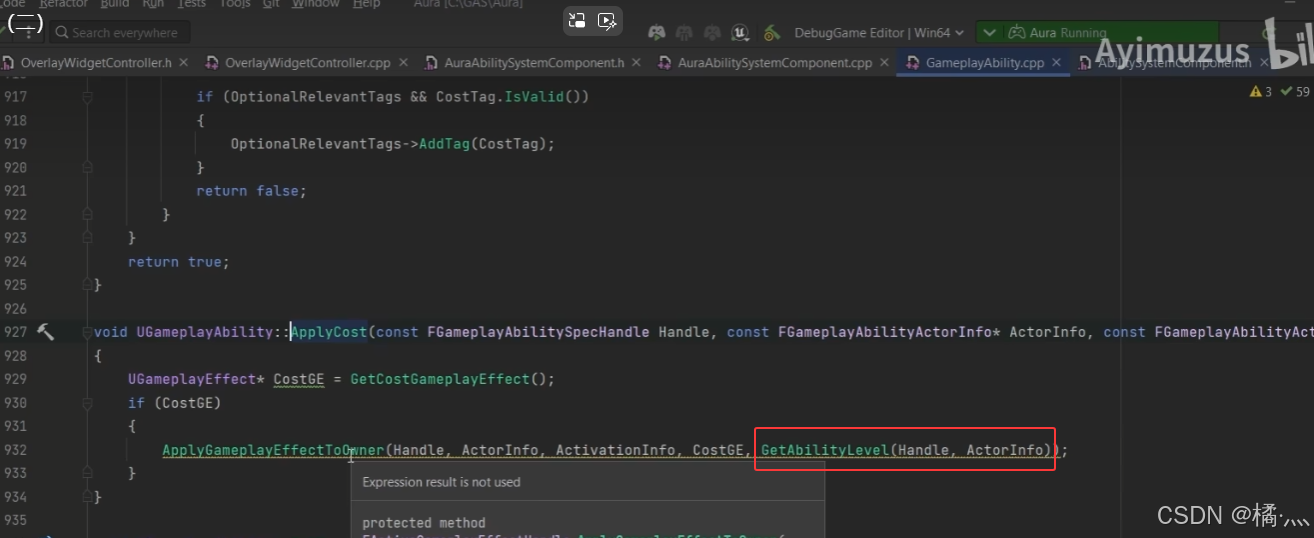
P73_4 Apply Cost Level
- 无需额外设置,技能消耗的等级就等于技能的等级.
P74_ GA - Cooldown
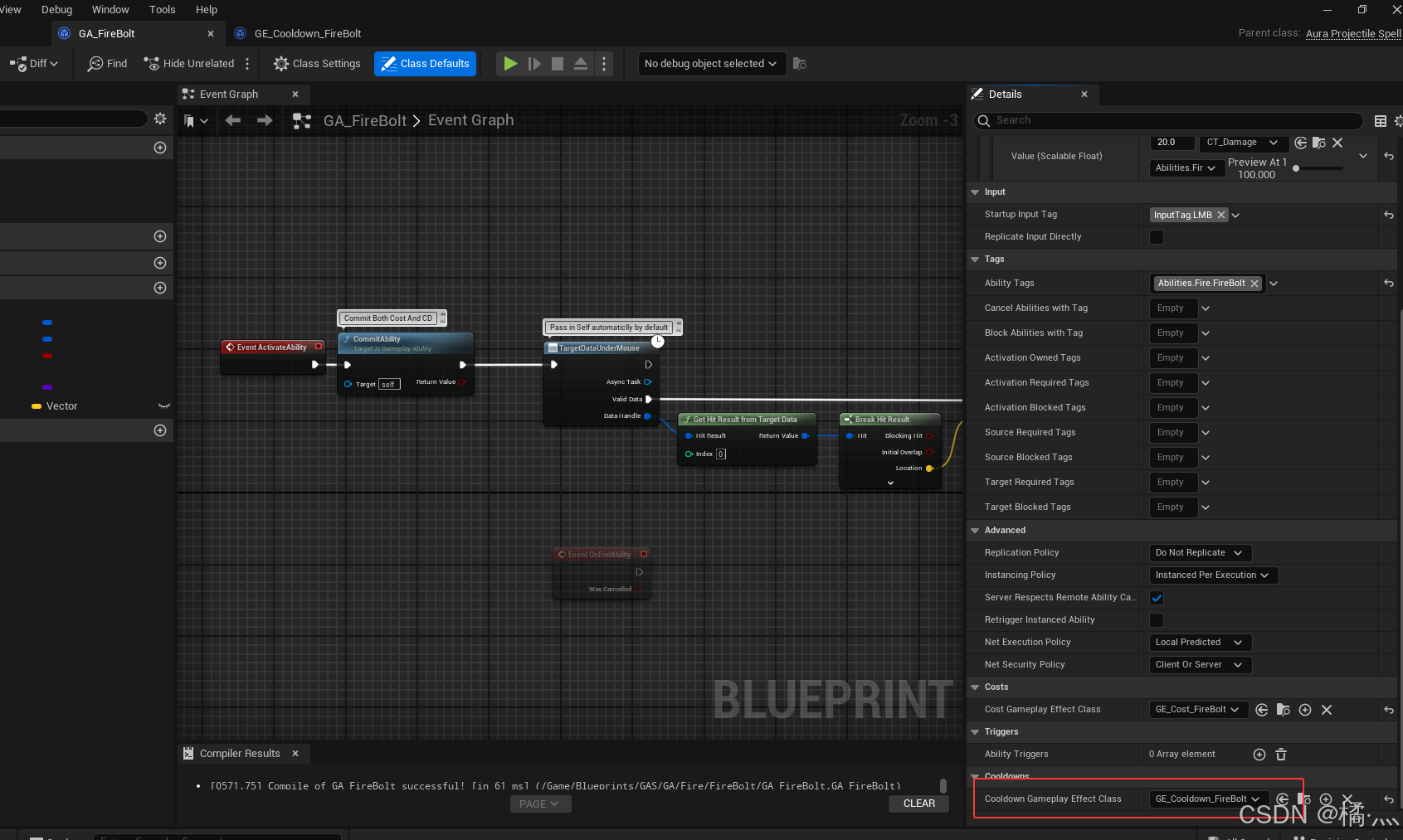
P74_1 Apply Cooldown Level
- 与 Cost 同理 , 技能冷却的等级就等于技能的等级.
P74_2 GE Cooldown
- 一定要 Grant Tags To Target Actor Component.
- 原理就是给 ASC 添加 Block标签 , 标签存在于 ASC 中时阻止技能释放 , 待GE 结束后失去 阻止标签 : Grant Tags To Target Actor.
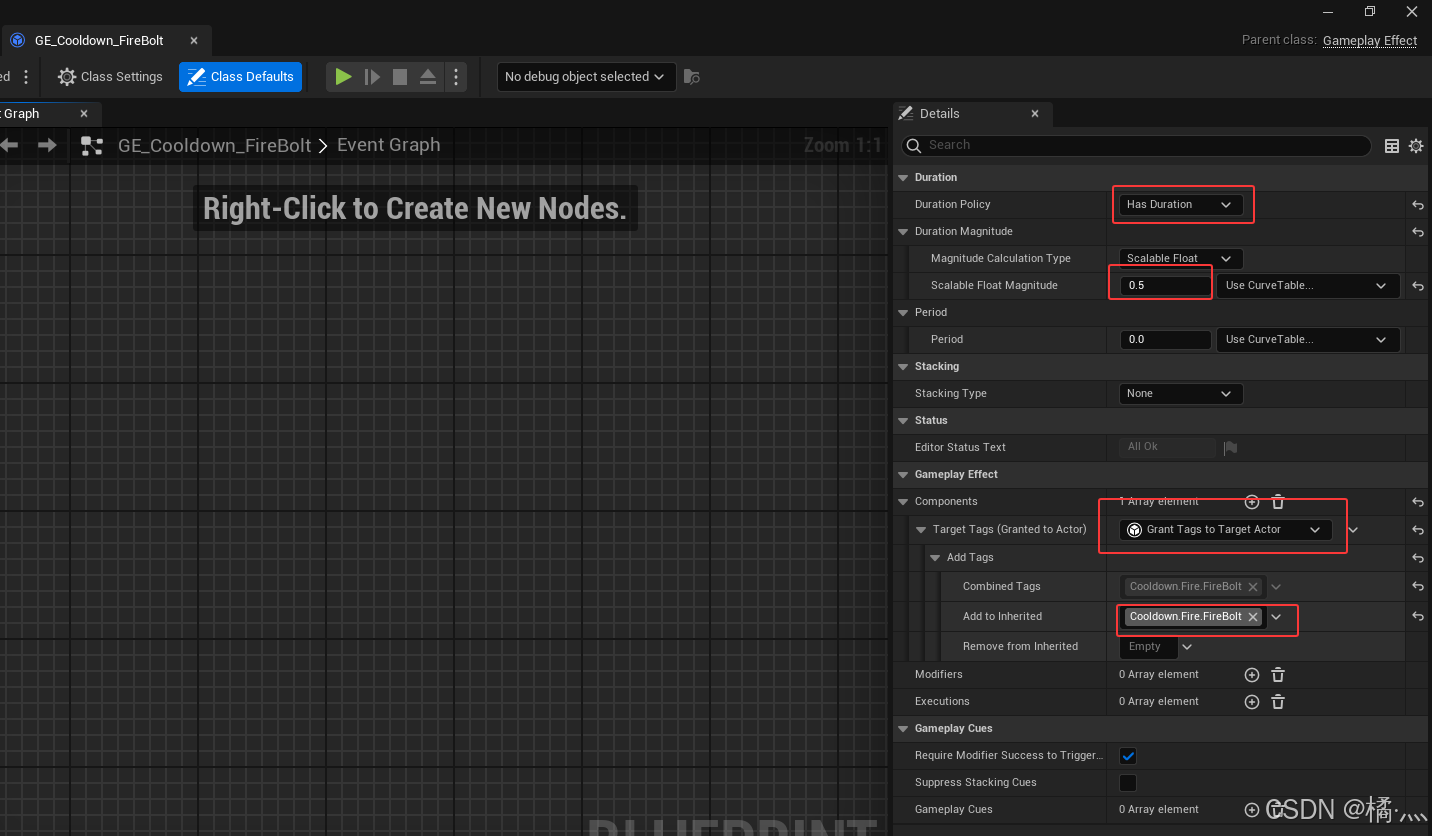
P74_3 Assign CD GE To GA
P75_ Cooldown AsyncTask
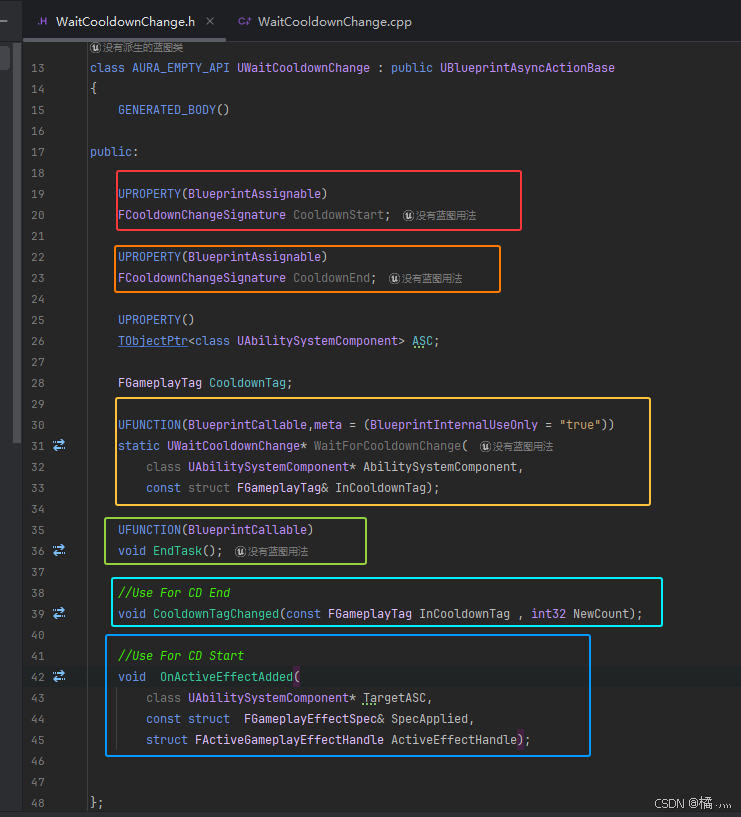
P75_1 WaitCooldownChange.h
- CooldownStart : CD 开始时的Broadcast.
- CooldownEnd : CD 结束时的Broadcast.
- WaitForCooldownChange() : 用于绑定 代理.
- EndTask : 用于结束技能事宜和Unbind代理.
- CooldownTagChaned() : CD 开始时的 Broadcast 绑定代理回调.
- 当 ASC 被 granted Cooldown 标签时.
- OnActiveEffectAdd() : CD 结束时的 Broadcast 绑定代理回调.
- 当 ASC 被应用 Cooldown GE 时.
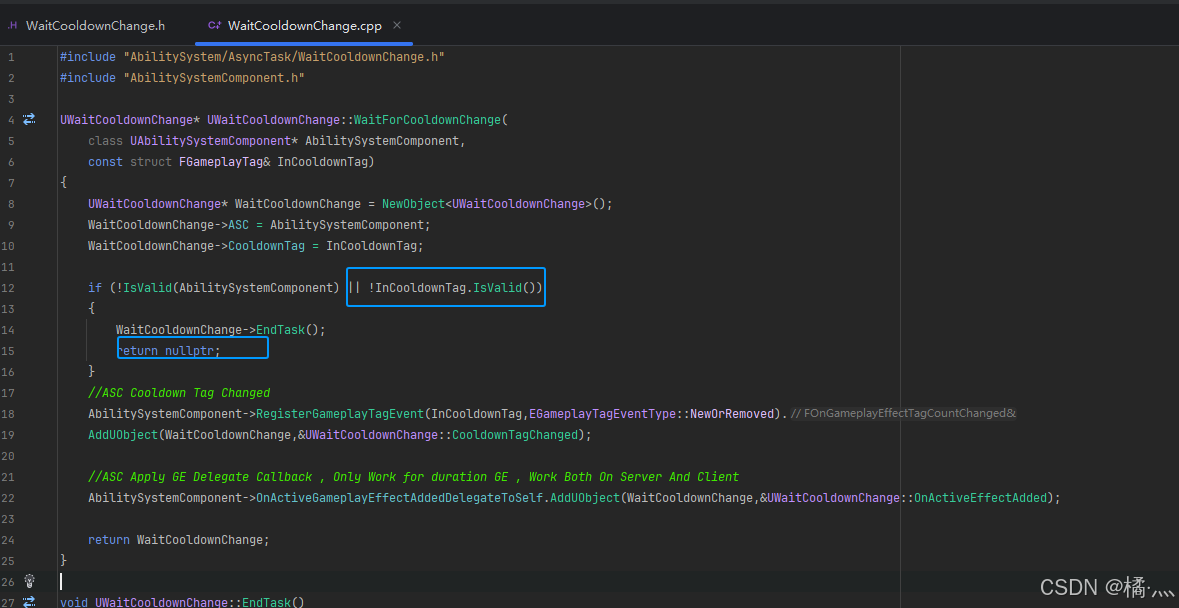
P75_2 WaitCooldownChange.cpp
UWaitCooldownChange* UWaitCooldownChange::WaitForCooldownChange(
	class UAbilitySystemComponent* AbilitySystemComponent,
	const struct FGameplayTag& InCooldownTag)
{
	UWaitCooldownChange* WaitCooldownChange = NewObject<UWaitCooldownChange>();
	WaitCooldownChange->ASC = AbilitySystemComponent;
	WaitCooldownChange->CooldownTag = InCooldownTag;

	if (!IsValid(AbilitySystemComponent) || !InCooldownTag.IsValid())
	{
		WaitCooldownChange->EndTask();
		return nullptr;
	}
	//ASC Cooldown Tag Changed
	AbilitySystemComponent->RegisterGameplayTagEvent(InCooldownTag,EGameplayTagEventType::NewOrRemoved).
	AddUObject(WaitCooldownChange,&UWaitCooldownChange::CooldownTagChanged);

	//ASC Apply GE Delegate Callback , Only Work for duration GE , Work Both On Server And Client
	AbilitySystemComponent->OnActiveGameplayEffectAddedDelegateToSelf.AddUObject(WaitCooldownChange,&UWaitCooldownChange::OnActiveEffectAdded);

	return WaitCooldownChange;
}

void UWaitCooldownChange::EndTask()
{
	if (!IsValid(ASC)){return;}
	ASC->RegisterGameplayTagEvent(CooldownTag,EGameplayTagEventType::NewOrRemoved).RemoveAll(this);

	SetReadyToDestroy(); //Call when the action is completely done, this makes the action free to delete , and will  unregister it with the game instance.
	MarkAsGarbage();
}

void UWaitCooldownChange::CooldownTagChanged(const FGameplayTag InCooldownTag, int32 NewCount)
{
	if (NewCount == 0) //Cooldown has been finished
	{
		CooldownEnd.Broadcast(0.0f);
	}
}

void UWaitCooldownChange::OnActiveEffectAdded(
	class UAbilitySystemComponent* TargetASC,
	const FGameplayEffectSpec& SpecApplied,
	struct FActiveGameplayEffectHandle ActiveEffectHandle)
{
	FGameplayTagContainer AssetTags;
	SpecApplied.GetAllAssetTags(AssetTags);

	FGameplayTagContainer GrantedTags;
	SpecApplied.GetAllGrantedTags(GrantedTags);

	if (AssetTags.HasTagExact(CooldownTag) || GrantedTags.HasTagExact(CooldownTag))
	{																				//Match Given Tag And GE's Owning Tags Exactly
		FGameplayEffectQuery GameplayEffectQuery = FGameplayEffectQuery::MakeQuery_MatchAnyOwningTags(CooldownTag.GetSingleTagContainer());
		//Return the CooldownTime(Duration Magnitude - Scalable float magnitude)
		//We Assign the Cooldown GE Only One GrantedTagToActor so it's only valid on Array[0]
		TArray<float> TimesRemaining = ASC->GetActiveEffectsTimeRemaining(GameplayEffectQuery);
		if (TimesRemaining.Num() > 0)
		{
			//ensure we find the longest time in the array
			float TimeRemaining = TimesRemaining[0];
			for (int32 i = 0 ; i < TimesRemaining.Num() ; i++)
			{
				if (TimesRemaining[i] > TimeRemaining)
				{
					TimeRemaining = TimesRemaining[i];
				}
			}
			CooldownStart.Broadcast(TimeRemaining);
		}
	}
}
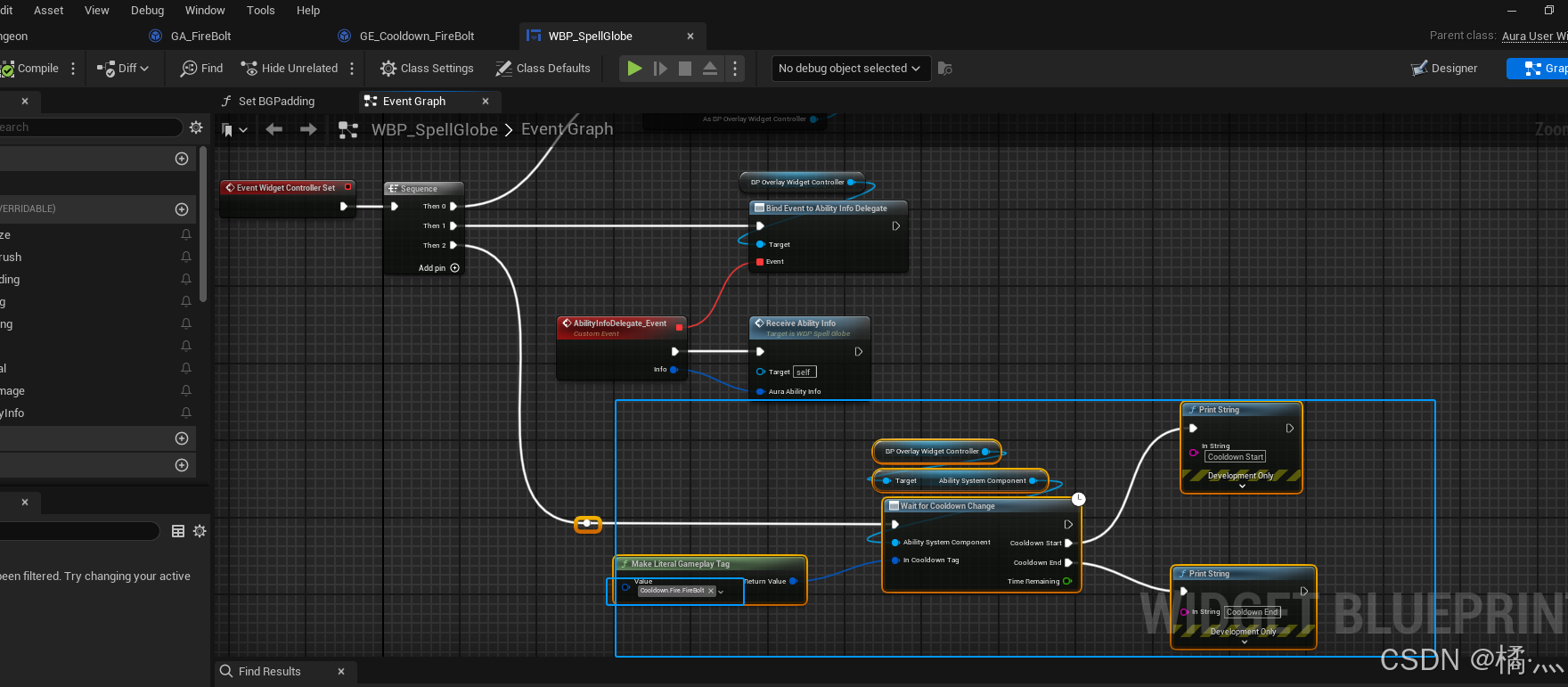
P75_3 WBP_SpellGlobe : Widget Controller Set
- 先硬编码一下标签.
P76_ Cooldown Tags in Ability Info
P76_1 Create New Item In AbilityInfo Struct
- 我们需要技能信息中包含冷却标签.
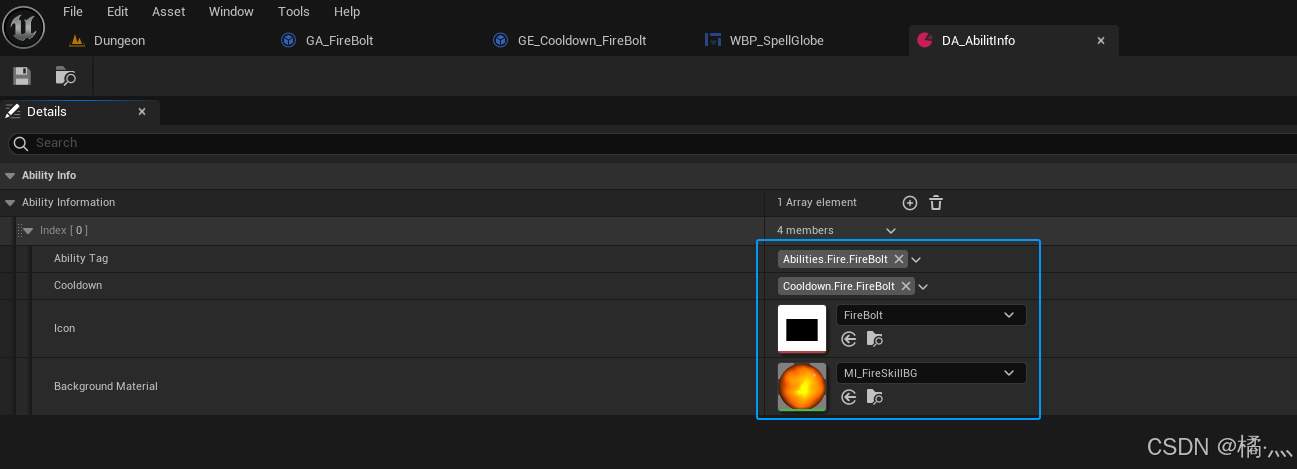
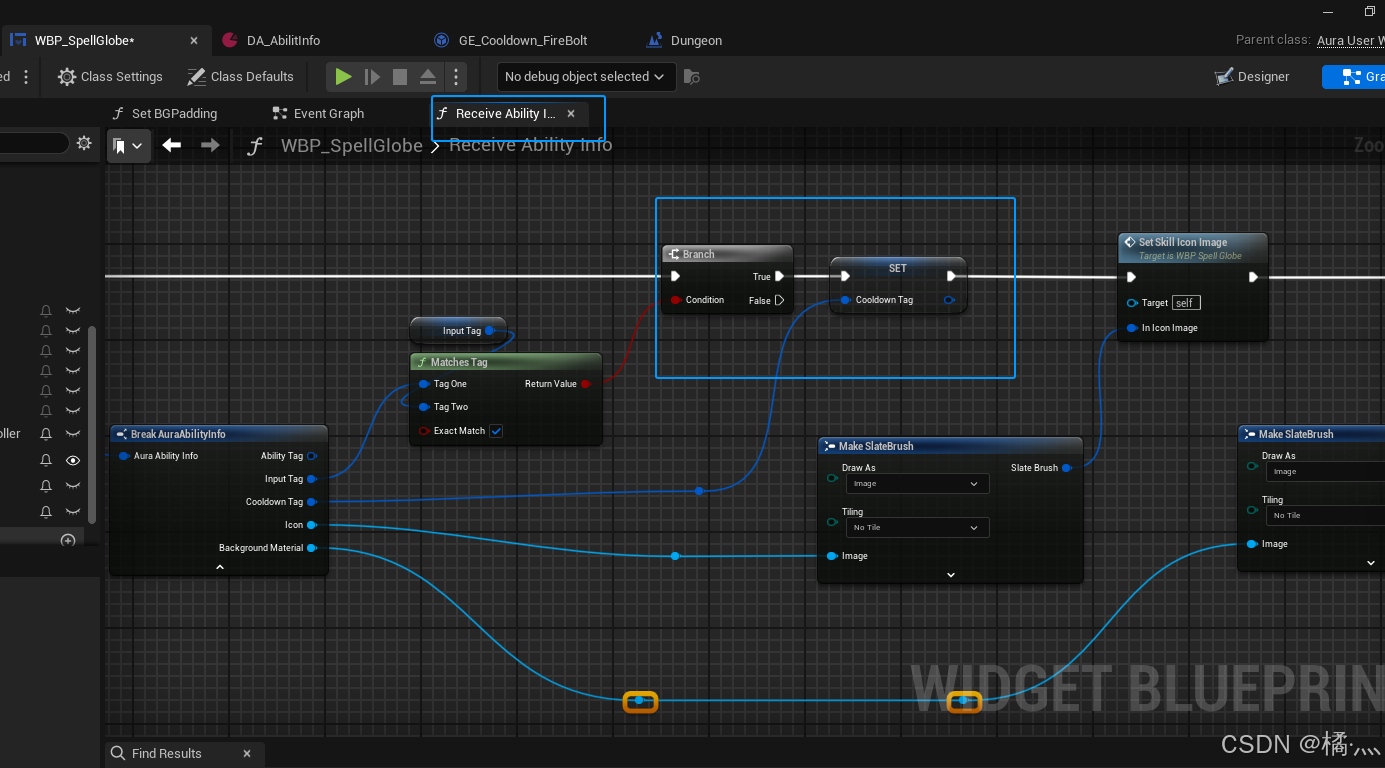
P76_2 WBP_SpellGlobe::ReceiveAbilitInfo
- Widget 的 InputTag 和 技能的 Input 需要一样 , 否则 CooldownTag = NotValid.下面有用.
P76_3 WBP_SpellGlobe::WaitforCooldownChange
- 一定要在 CooldownTag有值之后调用.
- 如果 CooldownTag == Valid , 那么 WaitForCooldownChange方法就会提前返回 , CooldownStart和CooldownEnd 出口则不会有行为.
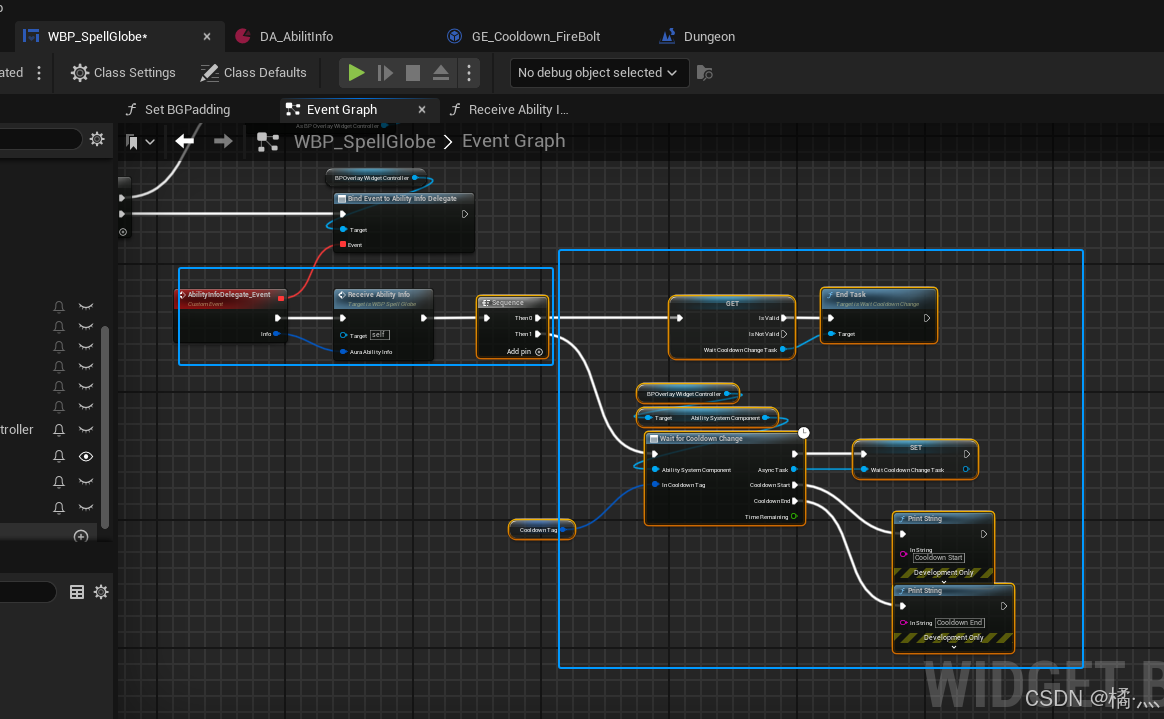
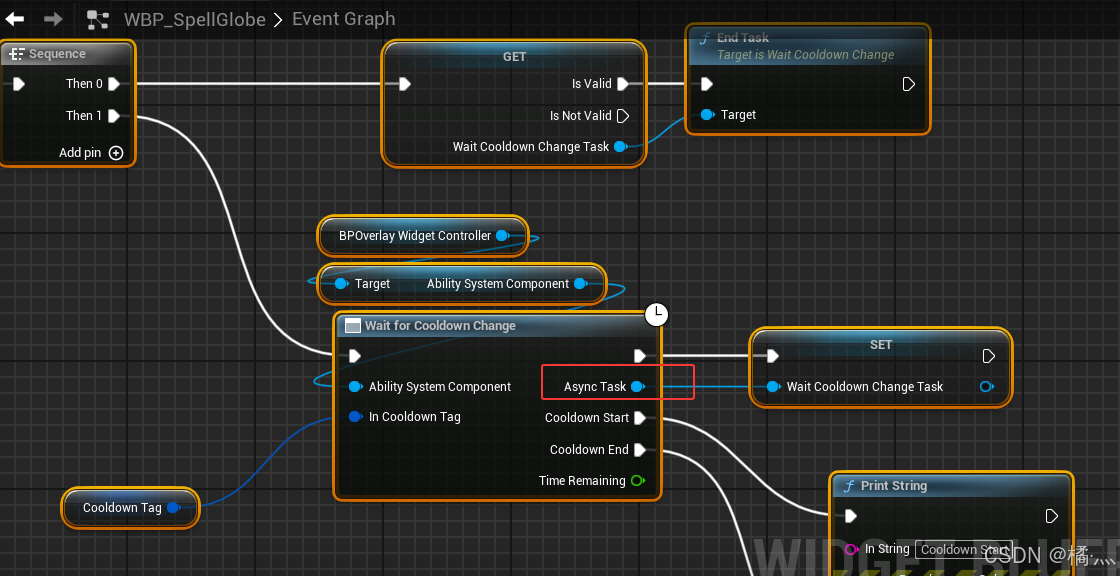
P76_4 meta = (ExposedAsyncProxy = "AsyncTask")
- 目前只知道其可以返回自身的一个 Instance.
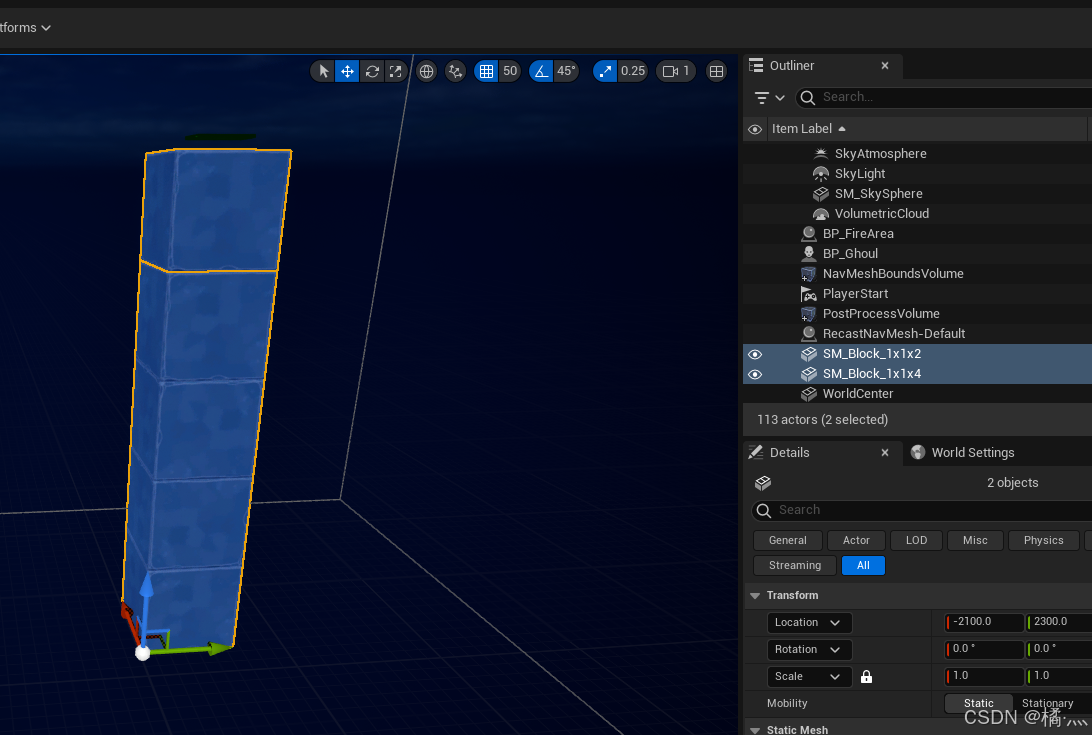
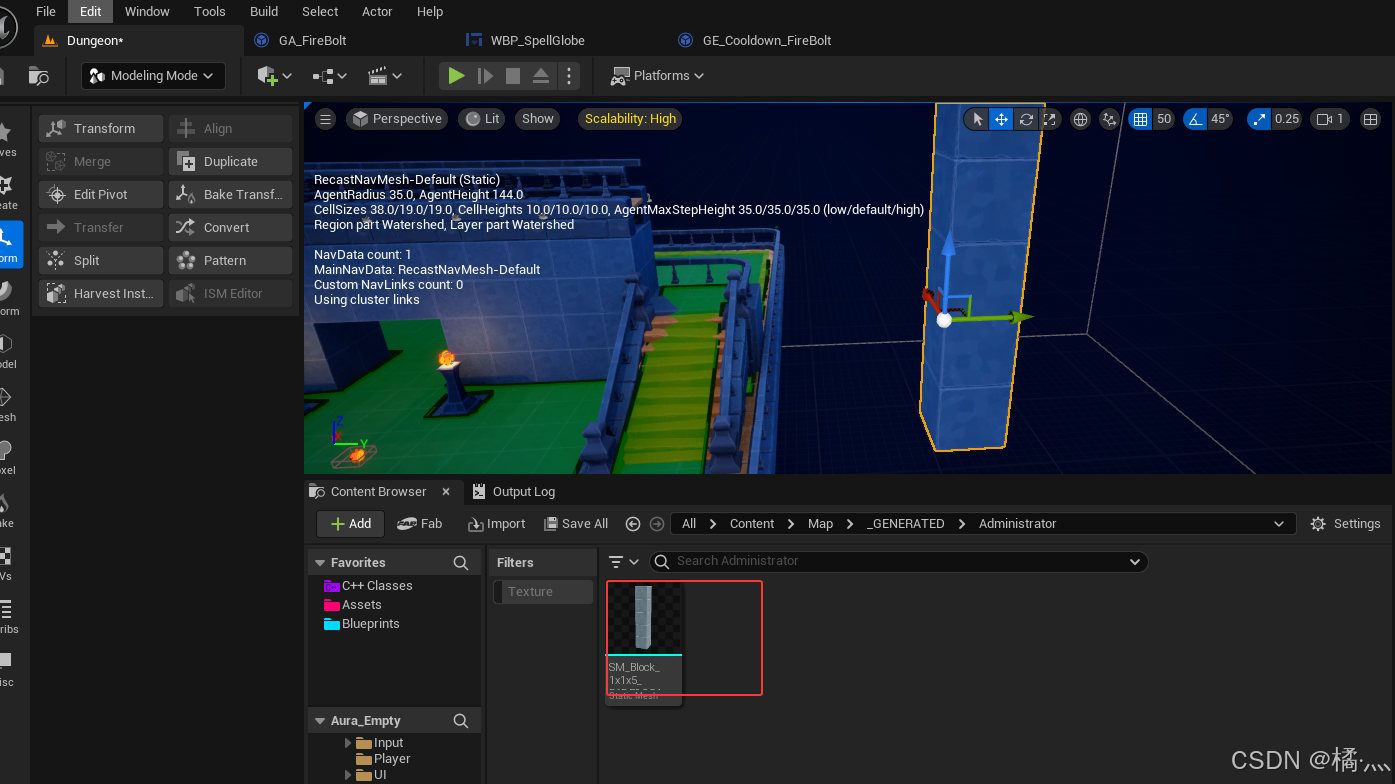
P78_ Modeling Mode
- 自制一个 1 x 1 x 4 + 1 x 1 x1 = 1 x 1 x 5 的 StaticMesh.
- 先摆放好.
- 进入 ModelingMode
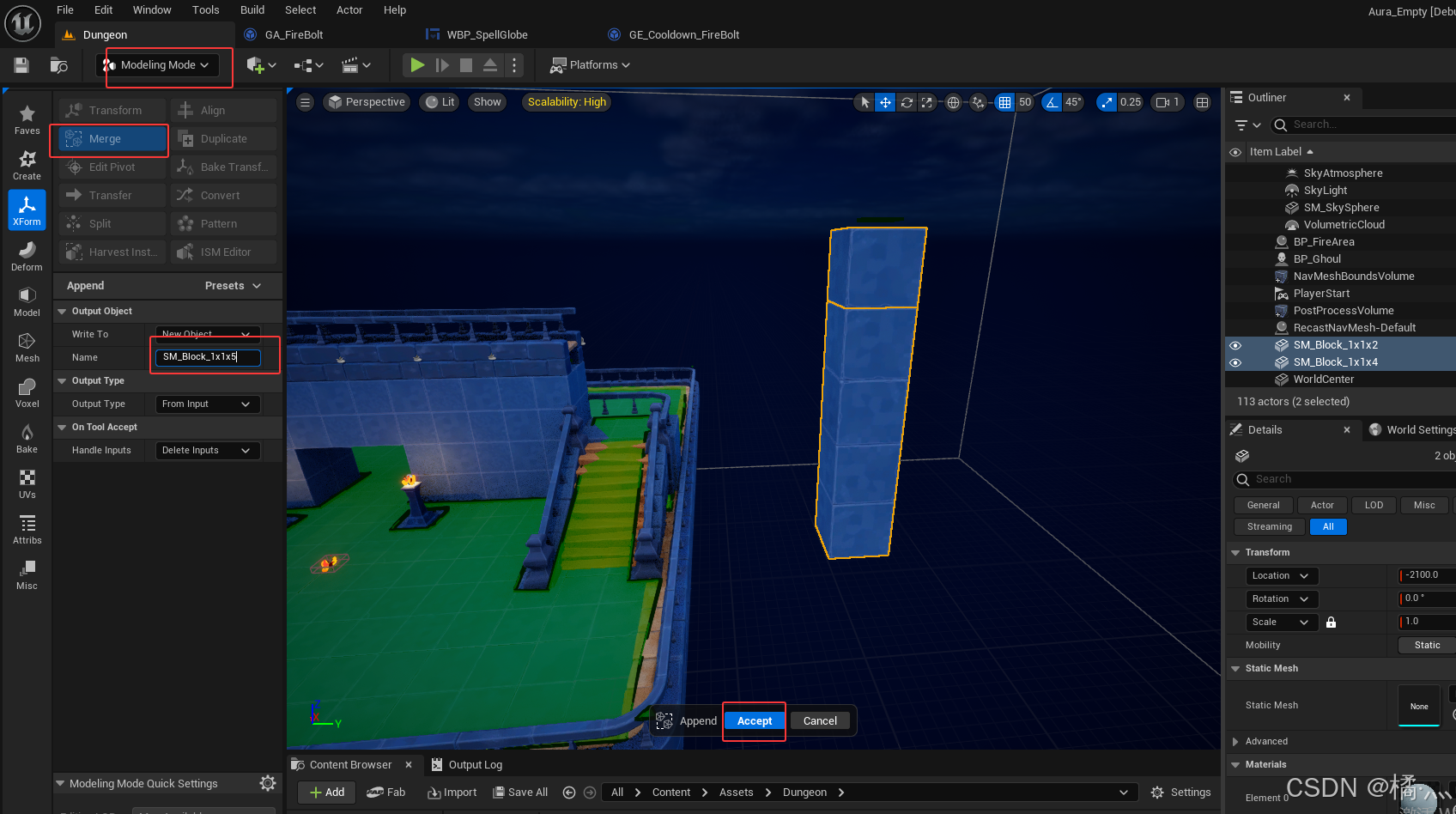
- Accept
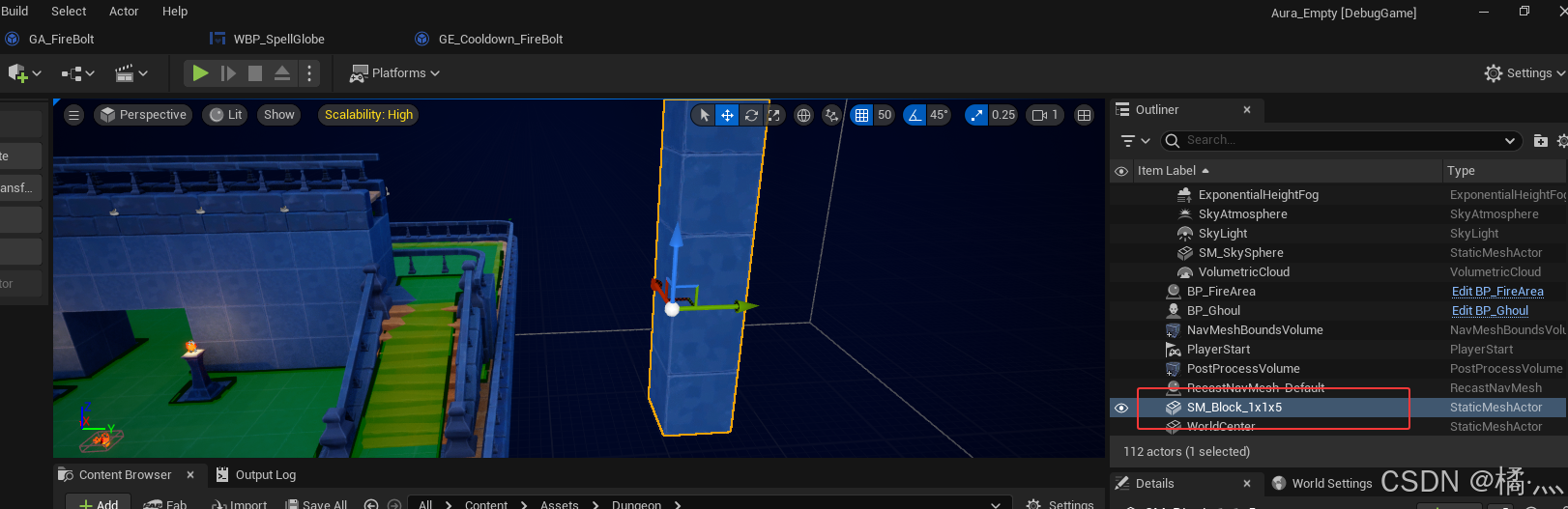
- Ctrl + B

有“AI”的1024 = 2048,欢迎大家加入2048 AI社区
更多推荐

 2
2 0
0- 0


 已为社区贡献1条内容

所有评论(0)