从零开始的Halo网站部署-2-idea开发环境部署
上集剧情传送门:从零开始的Halo网站部署_halo部署-CSDN博客
这次来试试从gitcode拉取到本地用idea跑起来。
gitcode地址从官网找到,或者直接在gitcode搜索出来也行。
官网地址:Halo - 强大易用的开源建站工具
官方开发文档:系统开发 | Halo 文档
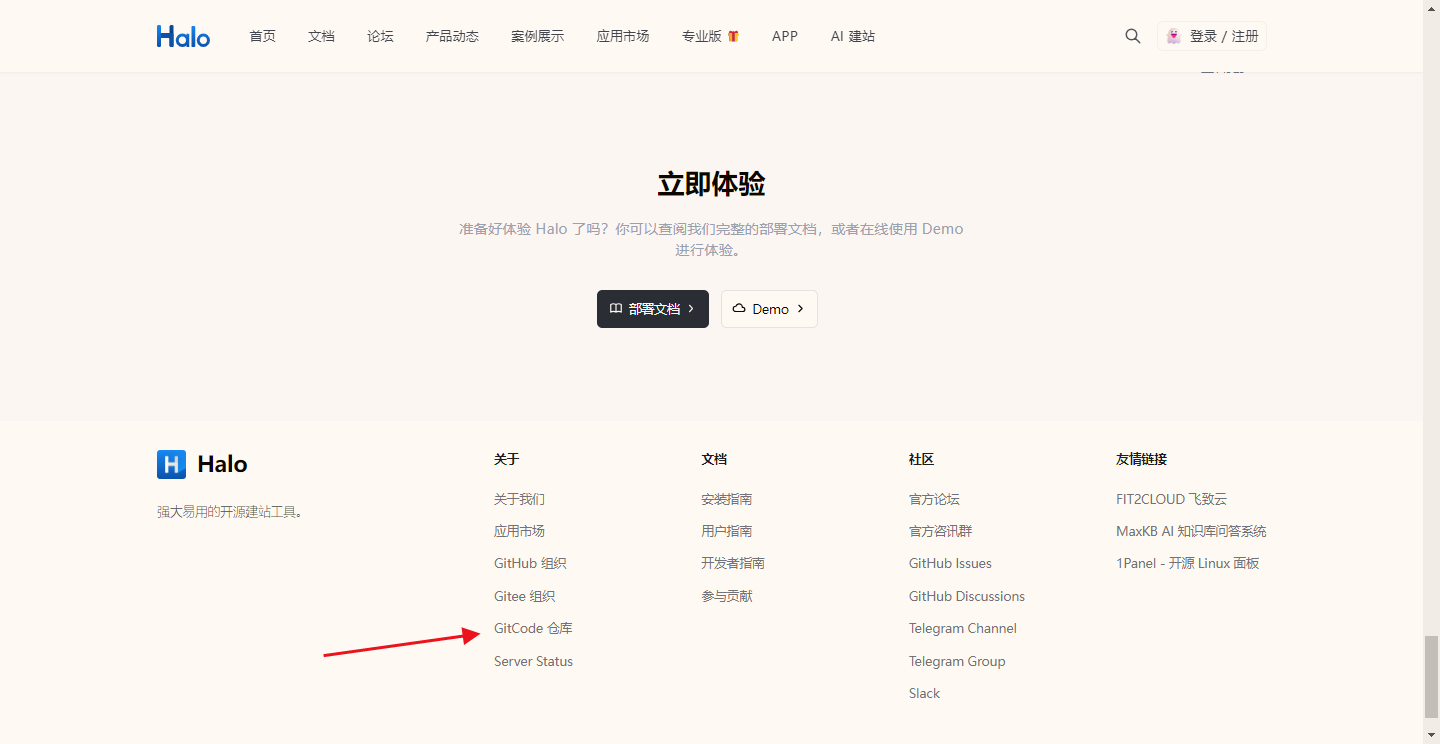
1,Fork项目
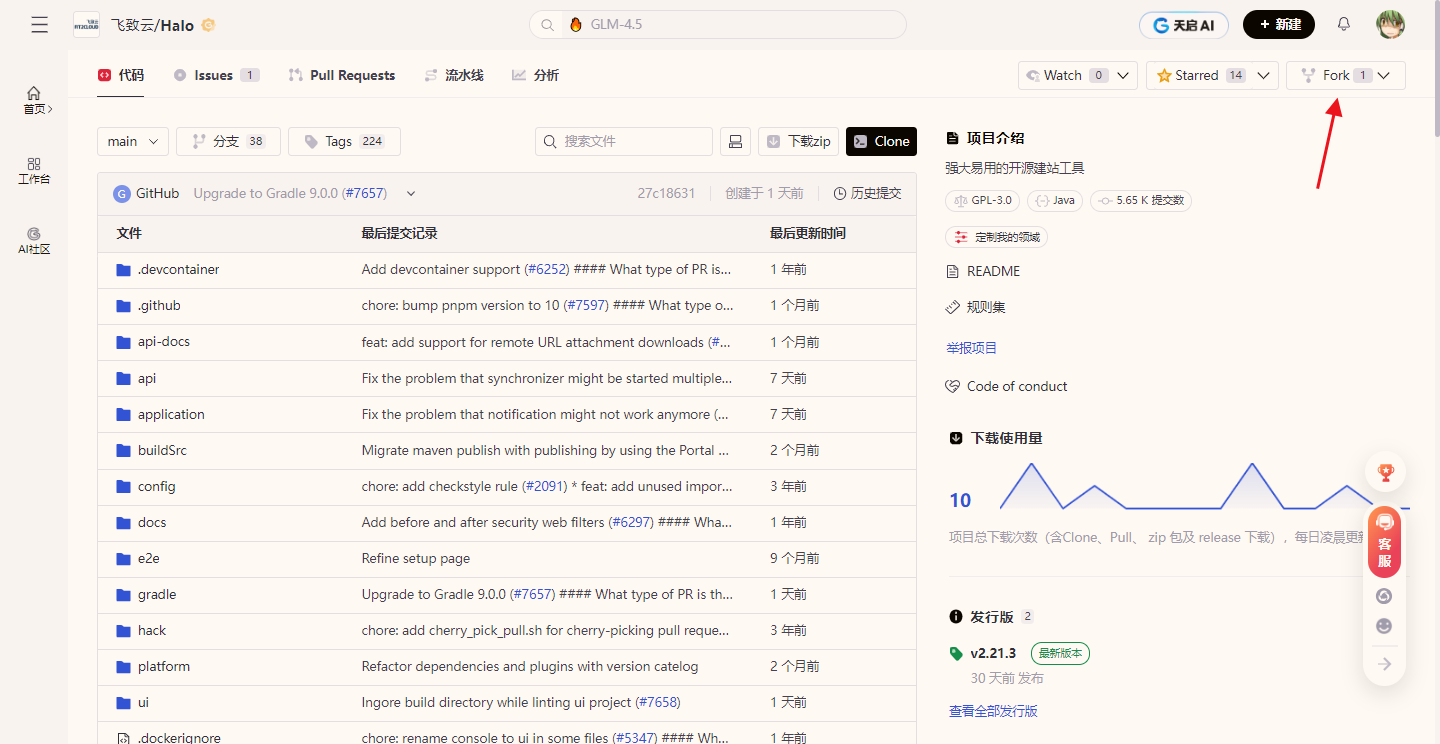
复制项目到自己的远程仓库里面,后面如果修改了什么内容可以自己控制版本。
进去gitcode,右上角点击fork
安装node.js
2,下载代码
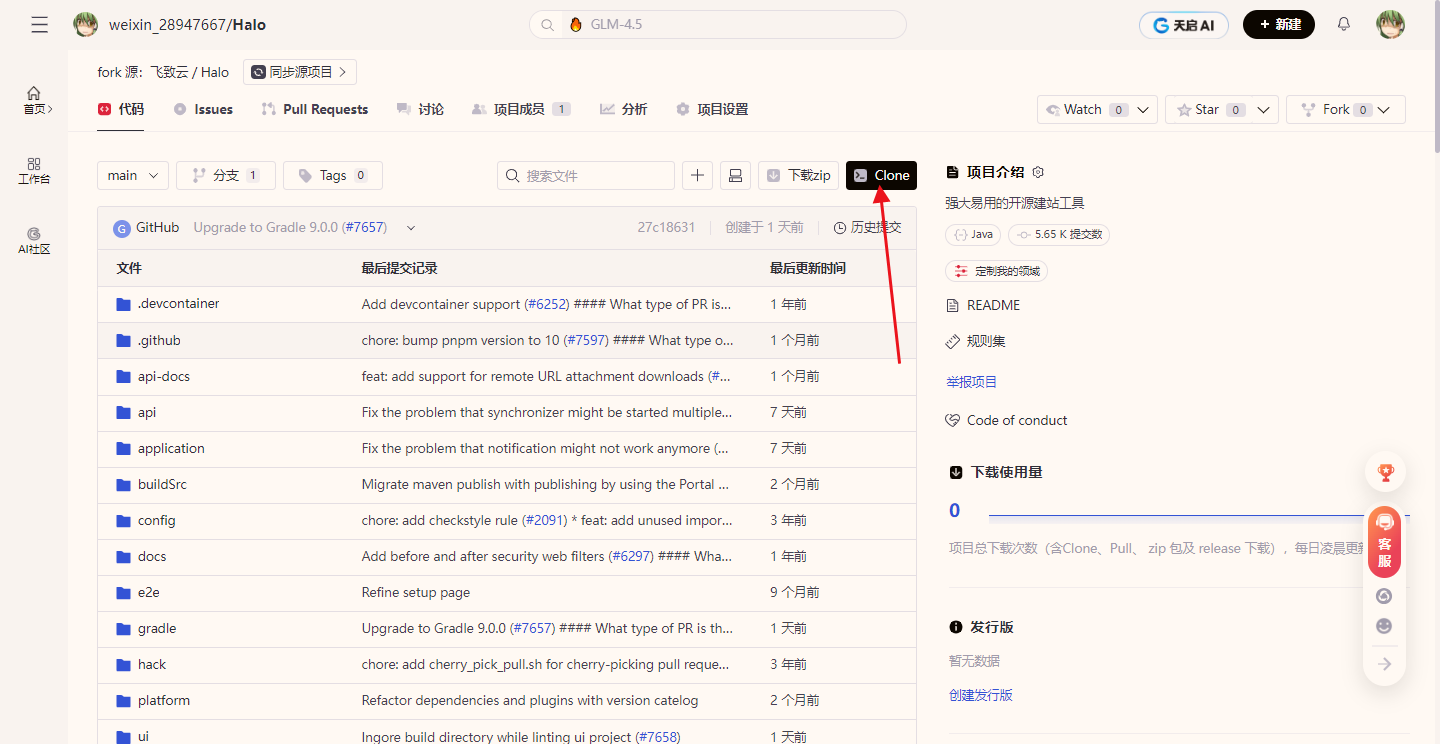
fork完复制SSH clone连接
本地找个地方,git bash here
我放在D:\halo
git clone git@gitcode.com:weixin_28947667/halo.git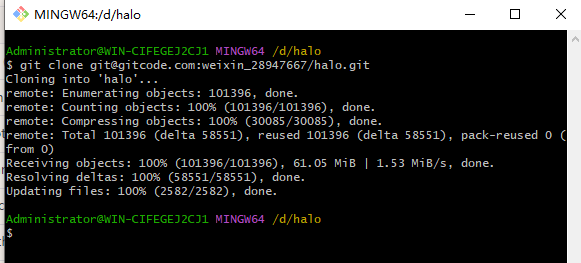
3,idea导入项目
导入项目,等右下角 Gradle 初始化和依赖下载完成。
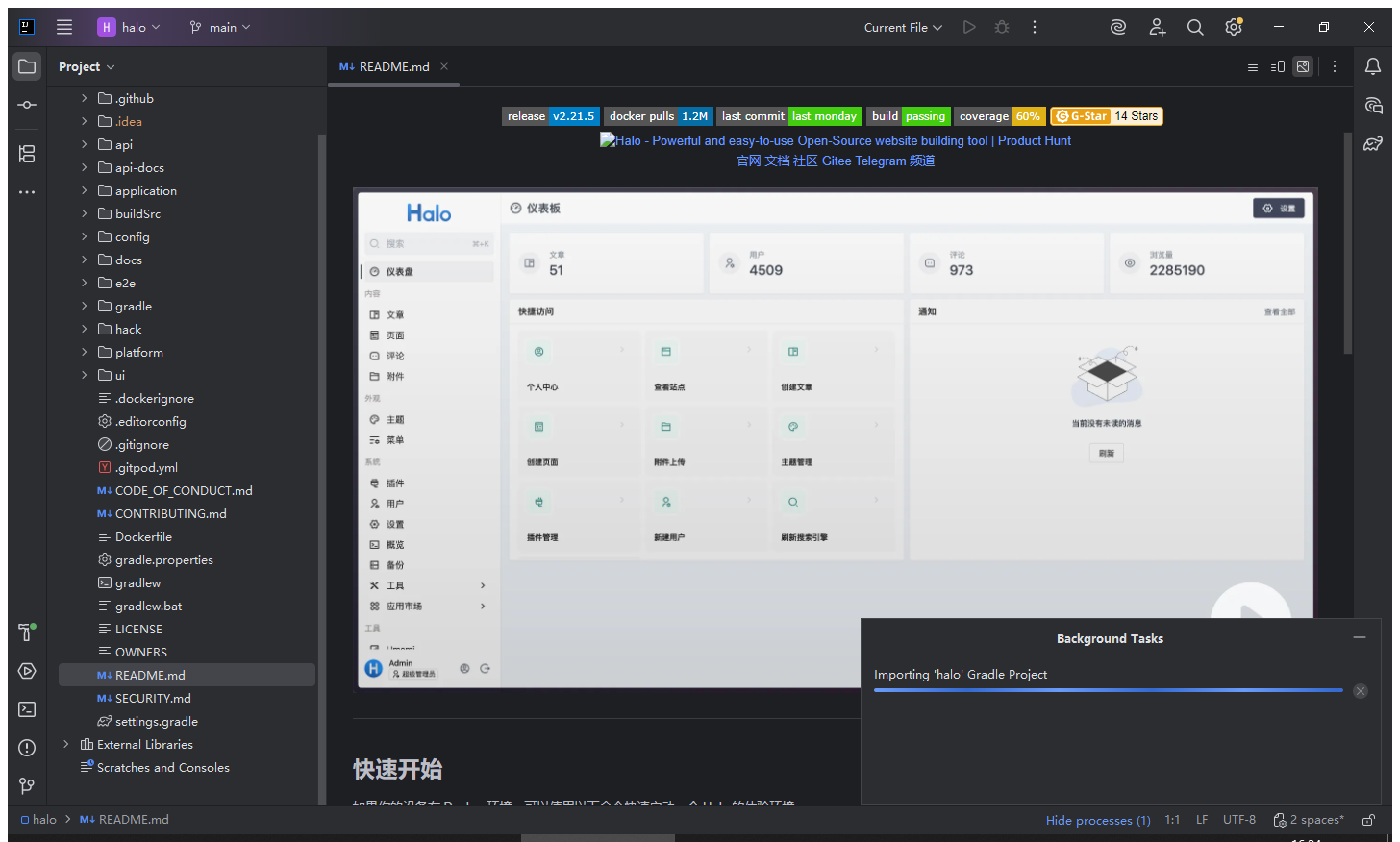
会存在网络不行,一直下载超时的问题,可以点击下载链接,用下载工具下载好了后再放进去。
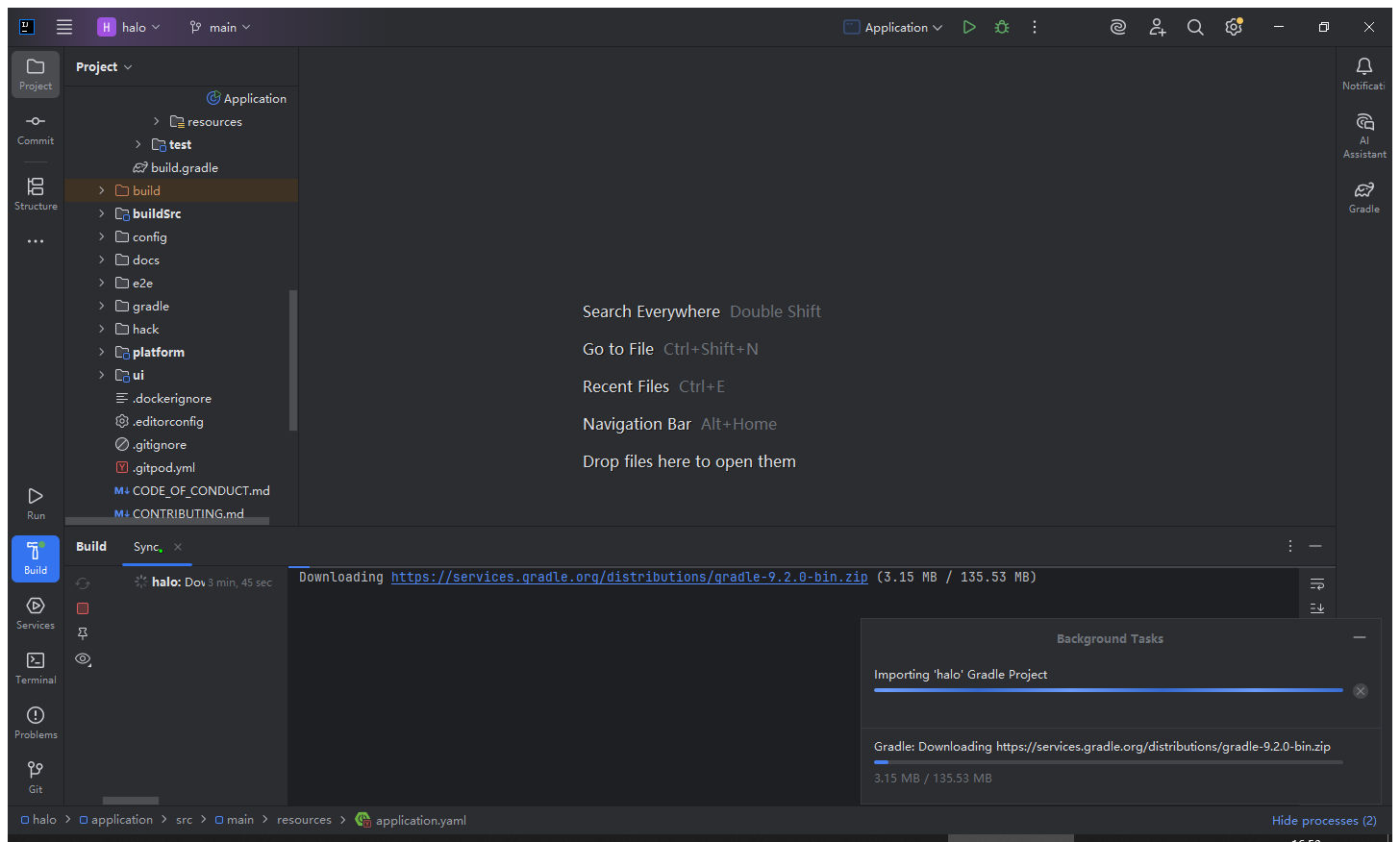
https://services.gradle.org/distributions/gradle-9.2.0-bin.zip
放入目录 \halo\gradle\wrapper
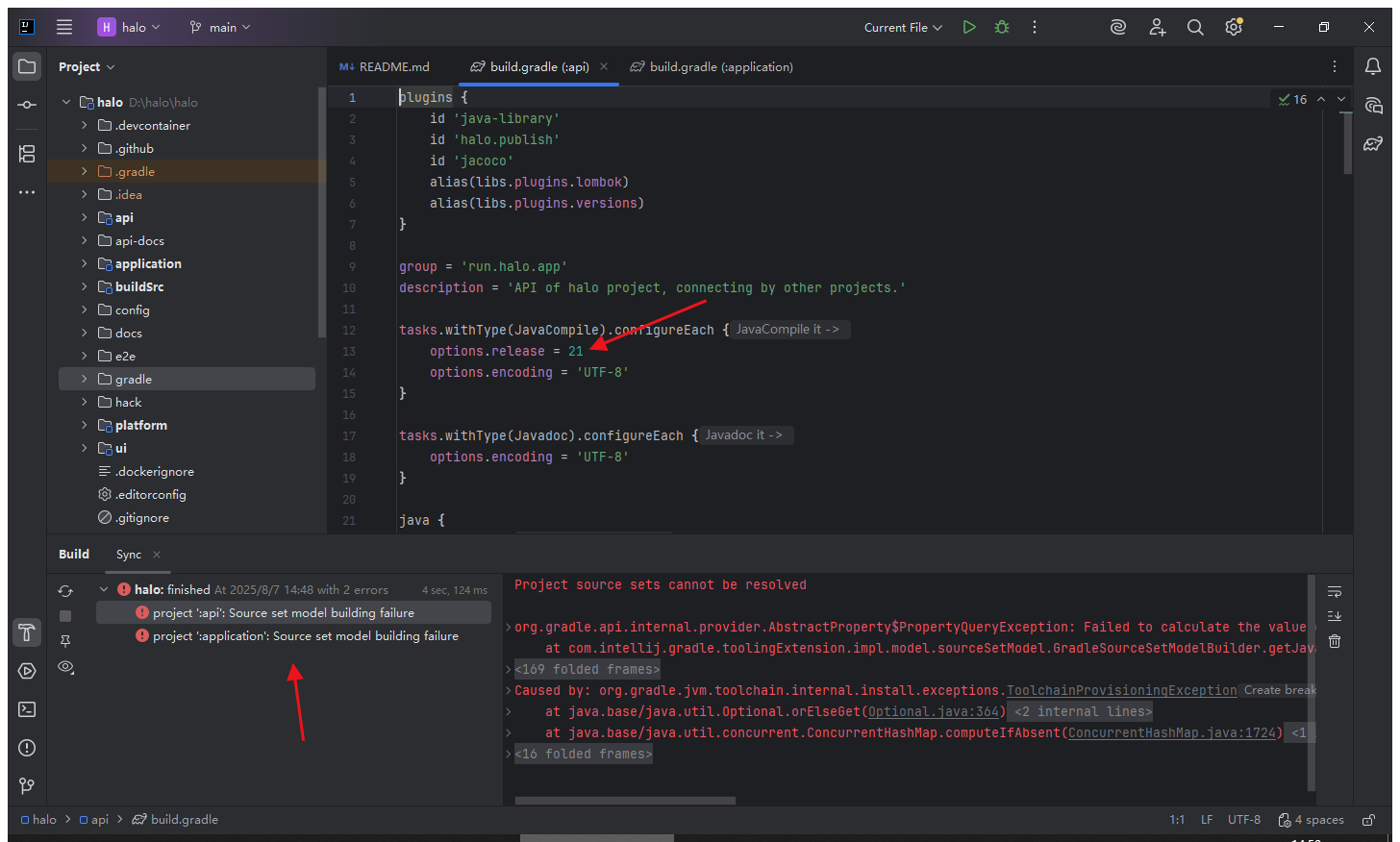
如果出现报错,提示XXXXsource set model building failure,双击错误会跳转到对应的文件,build.gradle尝试修改为本地环境一样的JDK版本,但是报错信息还是提示要21,应该有别的地方也要改,但是控制台报错看不出来哪里,那么得用JDK 21好了。
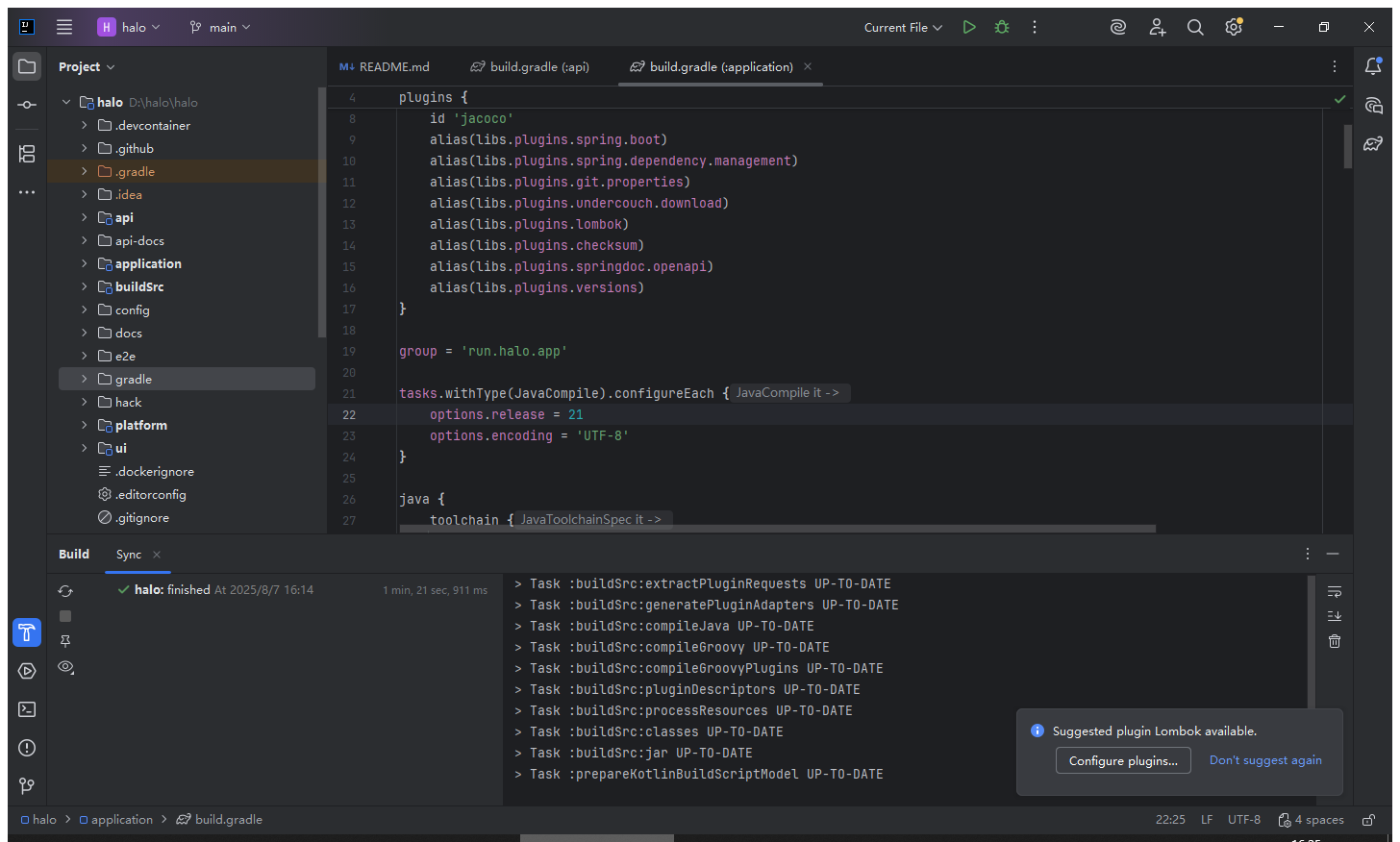
另外在官网文档也有提到要JDK 21 LTS,这里下载一下:
用上JDK 21就好了
4,启动项目
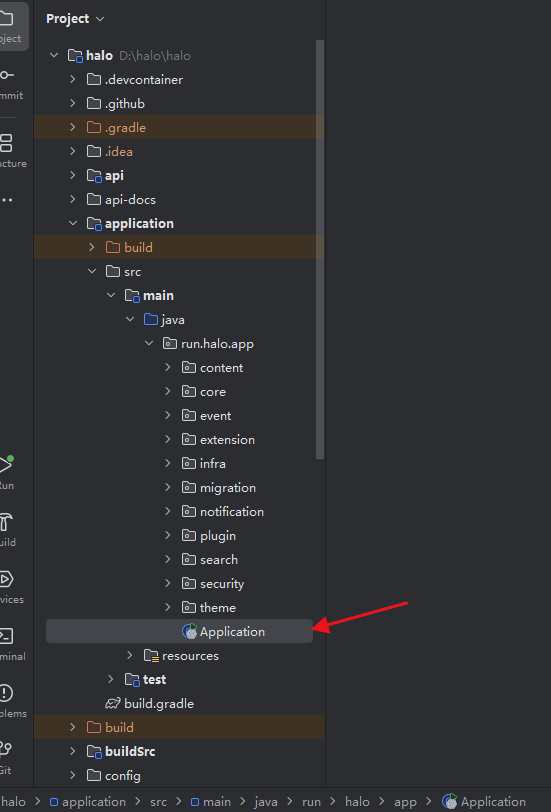
提示spring依赖注入异常
Caused by: org.springframework.beans.factory.UnsatisfiedDependencyException: Error creating bean with name 'delegateExtensionClient' defined in class path resource [run/halo/app/extension/DelegateExtensionClient.class]: Unsatisfied dependency expressed through constructor parameter 0: Error creating bean with name 'reactiveExtensionClientImpl' defined in class path resource [run/halo/app/extension/ReactiveExtensionClientImpl.class]: Unsatisfied dependency expressed through constructor parameter 0: Error creating bean with name 'reactiveExtensionStoreClientImpl' defined in class path resource [run/halo/app/extension/store/ReactiveExtensionStoreClientImpl.class]: Unsatisfied dependency expressed through constructor parameter 0: Error creating bean with name 'extensionStoreRepository' defined in run.halo.app.extension.store.ExtensionStoreRepository defined in @EnableR2dbcRepositories declared on R2dbcRepositoriesAutoConfigureRegistrar.EnableR2dbcRepositoriesConfiguration: Cannot resolve reference to bean 'r2dbcEntityTemplate' while setting bean property 'entityOperations'

-------------------------------------------------------------------------------------------------------------
idea都跑不起来,直接在halo文件夹内打开CMD,输入命令能跑起来,能访问。
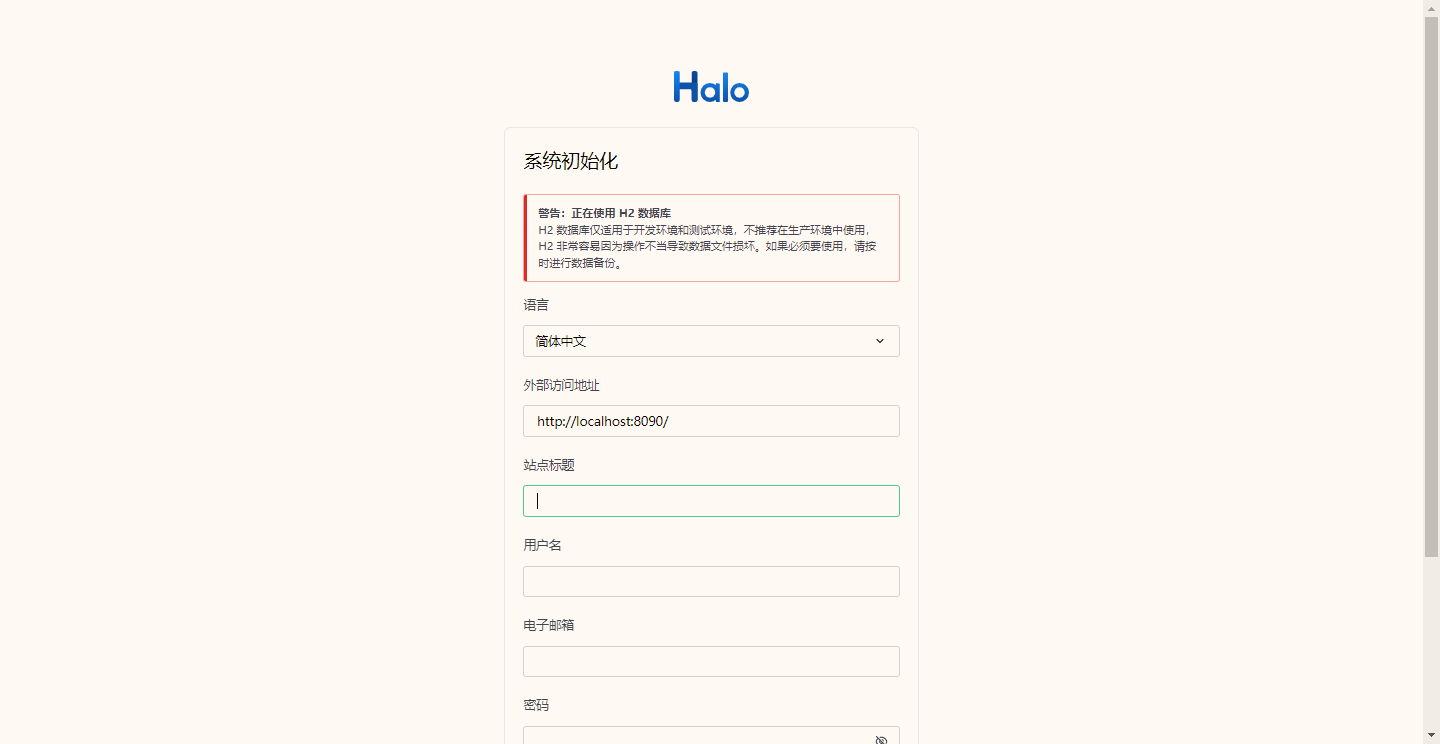
gradlew.bat bootRun --args="--spring.profiles.active=dev,win"http://localhost:8090/system/setup
----------------------------------------------------------------------------------------------------------------
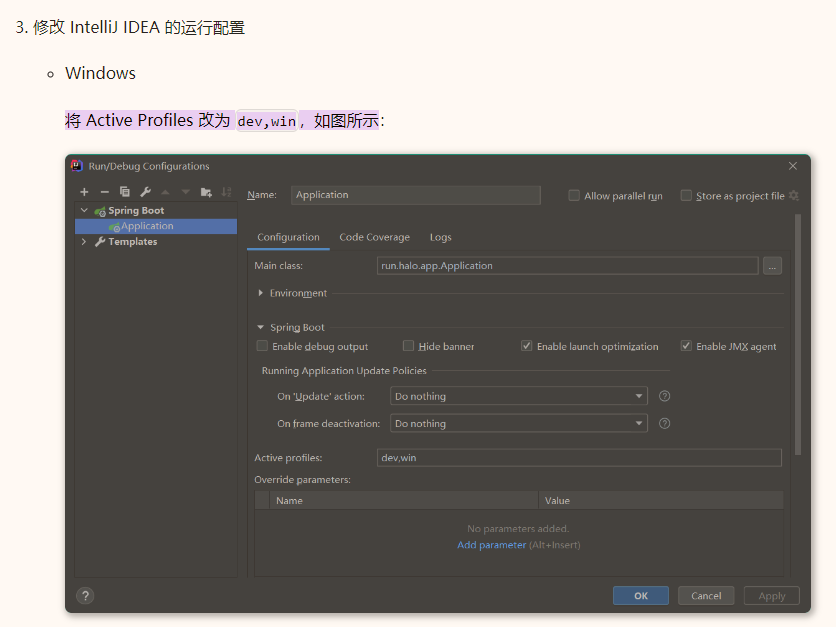
问题是新版idea没有 Active Profiles 的填写位置
本来要做的:
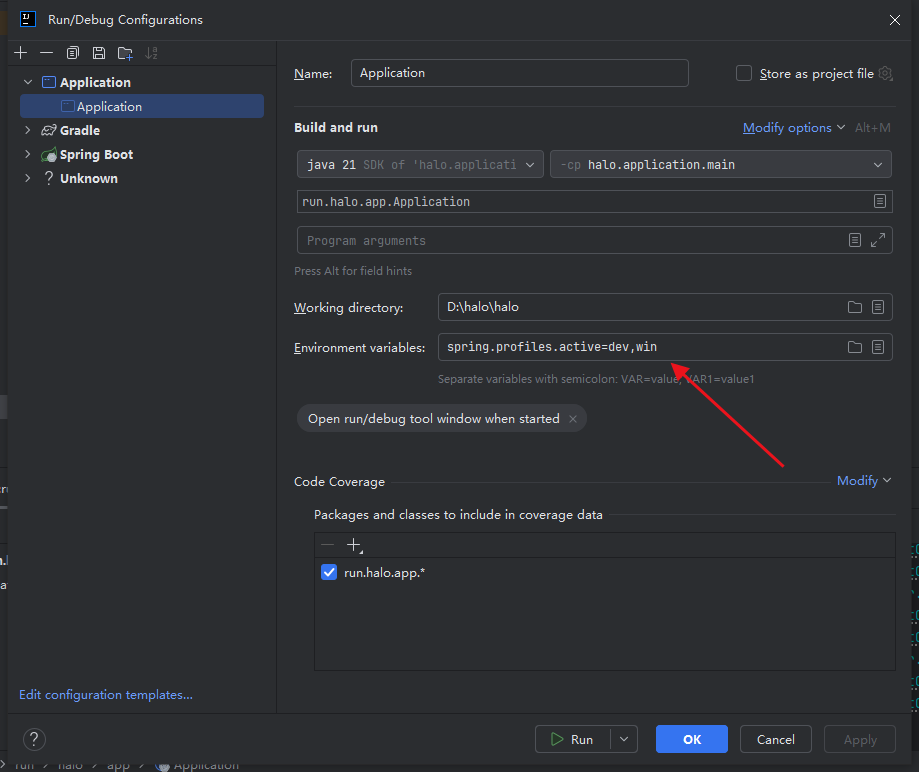
改成在Environment variables: 输入 spring.profiles.active=dev,win
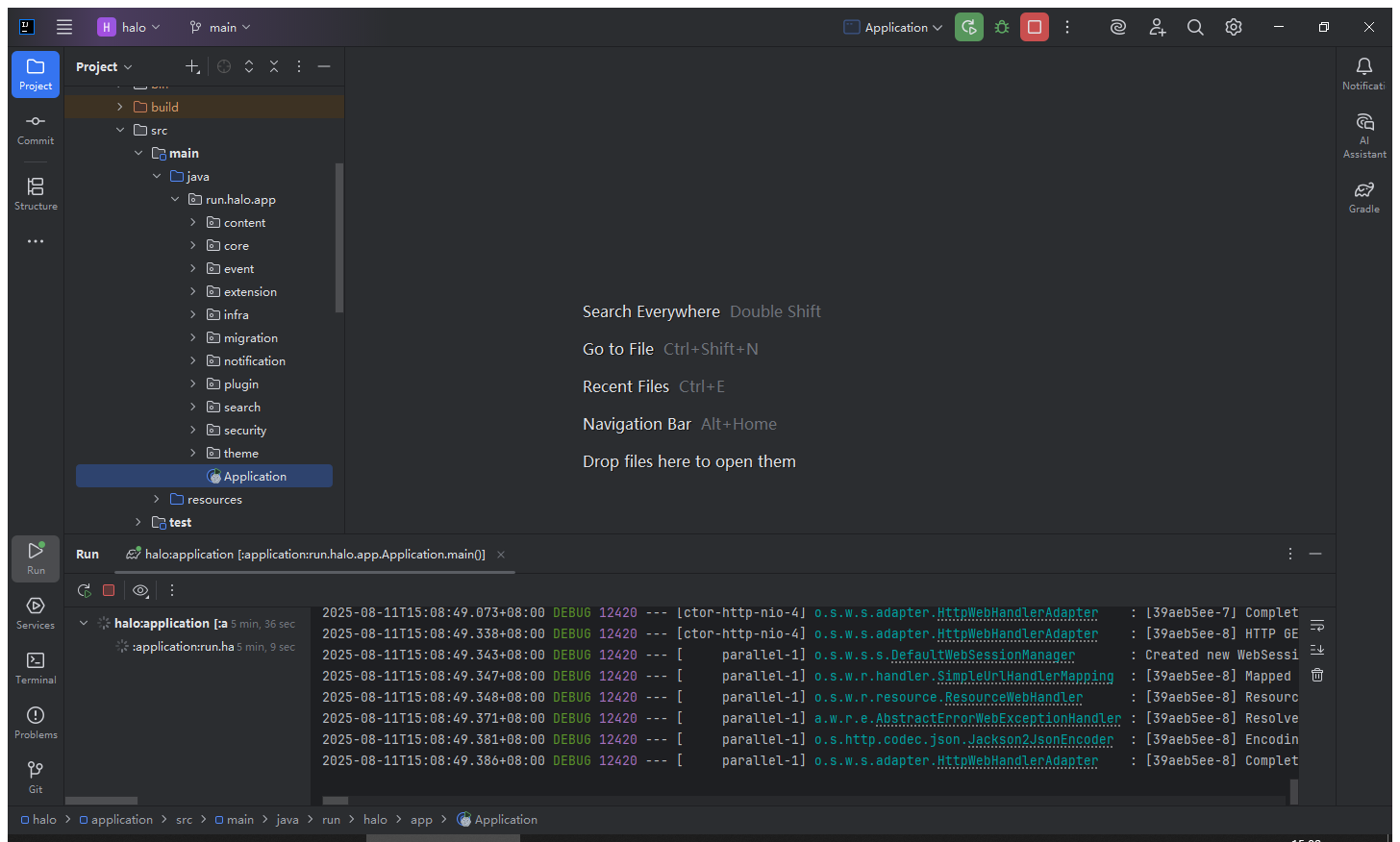
最后就启动成功了。

有“AI”的1024 = 2048,欢迎大家加入2048 AI社区
更多推荐

 29
29 0
0- 0


 已为社区贡献2条内容

所有评论(0)