打开OBS Studio时,系统提示Failed to initialize video: Required graphics API functionality not found... ...
尝试运行OBS Studio,系统提示Failed to initialize video : Required graphics API functionality not found. Your GPU may not be supported. 在OBS官方论坛中,同样有其他人遇到了这个问题... ...
在正常下载完成OBS之后,尝试运行,系统却弹出提示窗口
Failed to initialize video :
Required graphics API functionality not found. Your GPU may not be supported.
在OBS官方论坛中,同样有其他人遇到了这个问题. 其中名为war0blade的用户分享了自己的解决办法
I recently encountered this issue on my Dell XPS 17 after trying to boot OBS and fixed it in the following way. I’m not an expert on OBS or graphics displays but I wish to share how I fixed it for my case and hope it works for you as well.
I first searched “Device Manager” from the Search Bar and then found that I had 2 display adapters. I disabled the one I knew which was not being used by my laptop monitor (my case was NVIDIA) then when I tried OBS and it ran fine.
用户war0blade和提问者villhelm都使用的是DELL戴尔电脑,也就是说,本篇文章的解决办法可能仅适用于Windows系统. 当然,或许只有Windows系统才会遇到这个问题
根据用户war0blade的回答,先搜索找到设备管理器 Device Manager
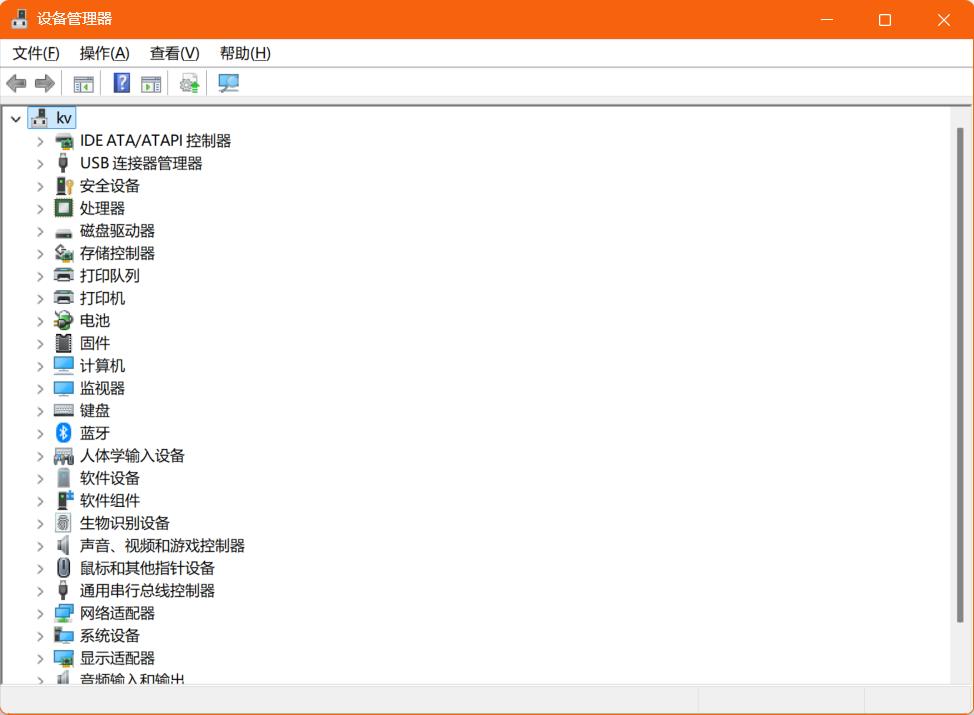
然后找到显示适配器 Display Adapter,和用户war0blade一样,点开之后发现同样有两个适配器,下一步对其中一个禁用即可
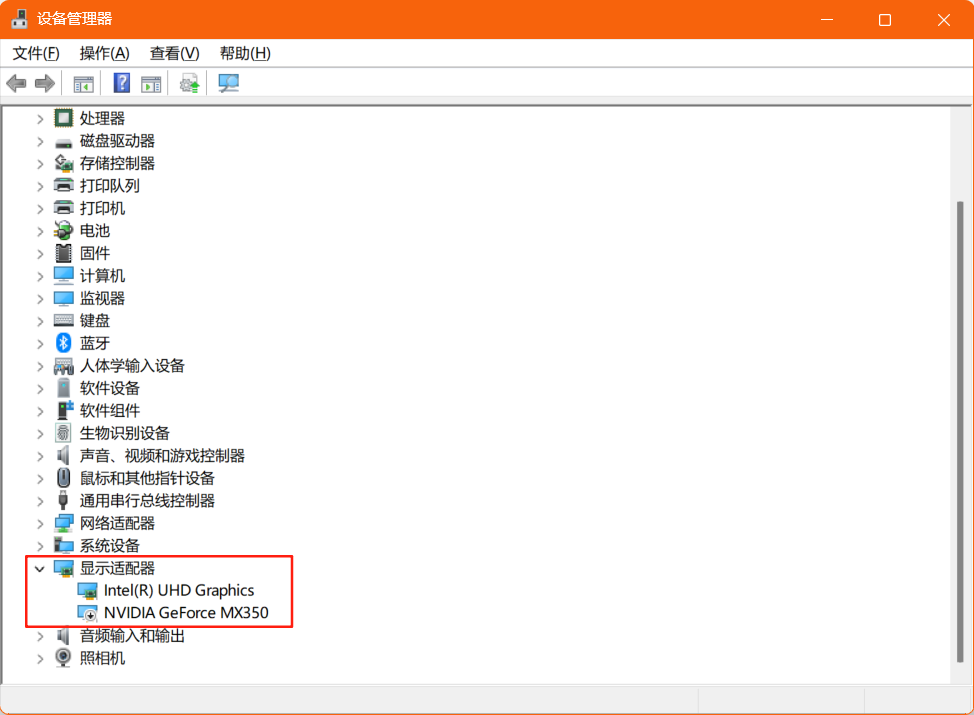
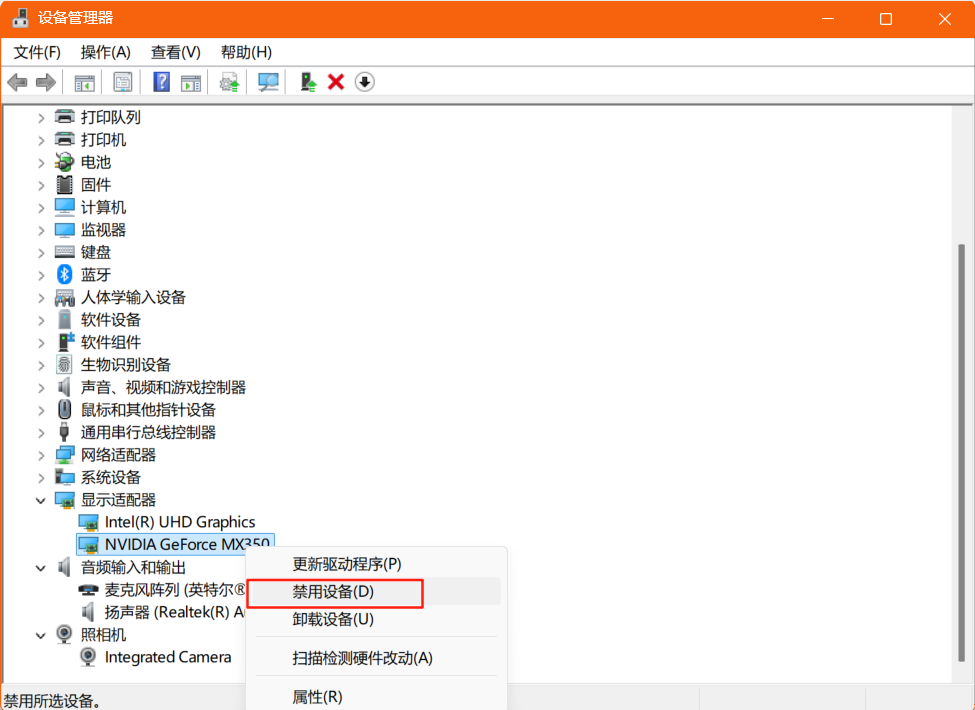
右击选择适配器NVIDIA GeForce MX350,在弹出的菜单中选择禁用设备
完成上述操作后,再次打开OBS Studio,此时可以正常运行
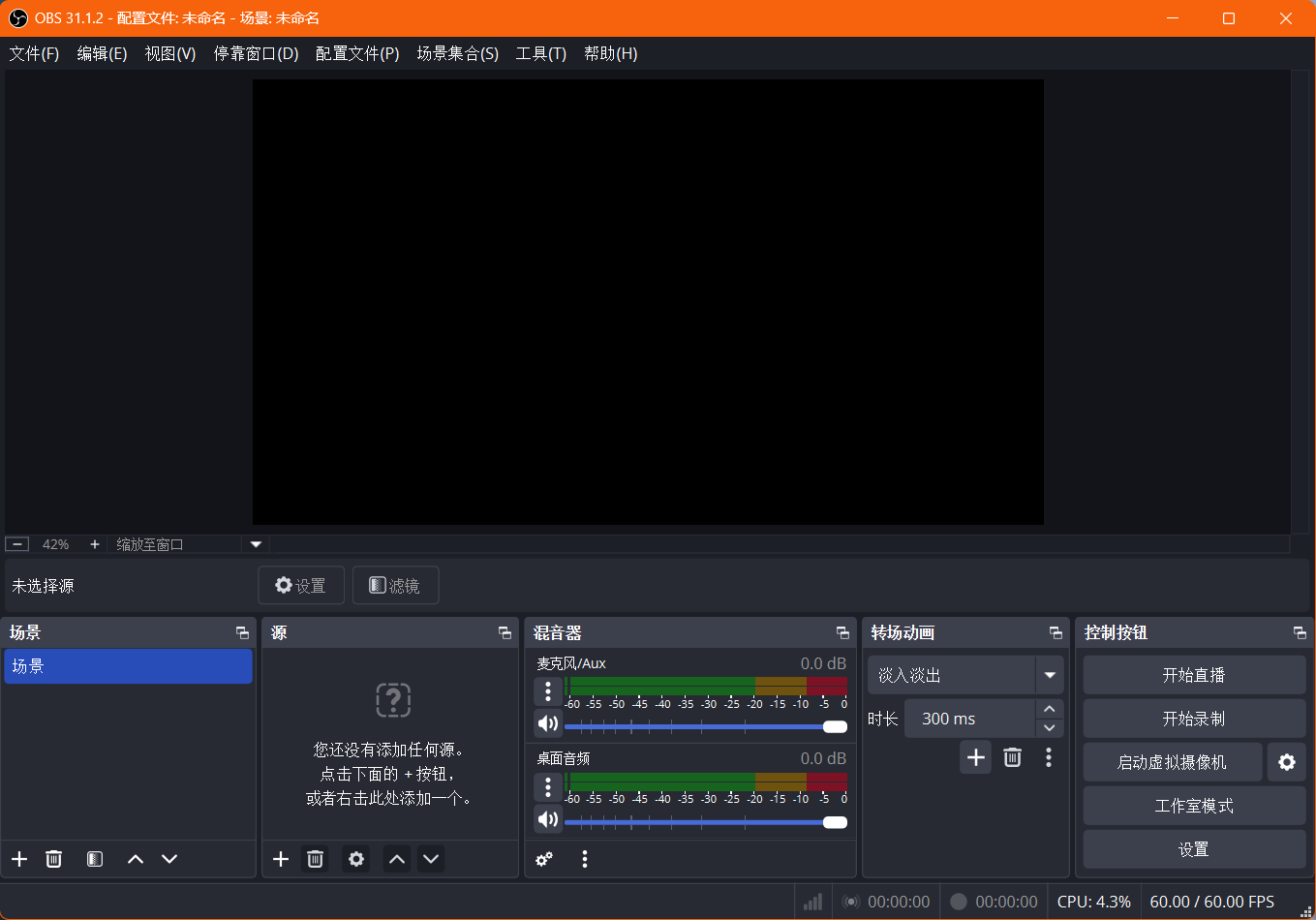
实际上,当OBS可以正常打开之后,我在设备管理器中再次启用适配器NVIDIA GeForce MX350,并重新打开OBS,同样可以正常运行… … 就像用户war0blade说的那样,“我并不是什么OBS或者图像显示器的专家”,但是上面的方法确实有效. 供大家参考

有“AI”的1024 = 2048,欢迎大家加入2048 AI社区
更多推荐



 5
5 0
0- 0


 已为社区贡献2条内容

所有评论(0)