AI:langchain4j使用
如果你只使用阿里百炼,只需要引入 langchain4j-community-bom 和对应的 langchain4j-community-dashscope-spring-boot-starter。百炼(DashScope)是阿里云提供的服务,由 LangChain4j 社区提供集成支持,因此放在 langchain4j-community-bom 中。OpenAI 是 LangChain4j
源码:https://github.com/gonggbb/langchain4j-x.git
langchain4j-open-ai
https://docs.langchain4j.dev/get-started
        <langchain4j.version>1.0.0-beta4</langchain4j.version>

 <!--<dependency>
            <groupId>dev.langchain4j</groupId>
            <artifactId>langchain4j-open-ai</artifactId>
        </dependency>-->

    <!--引入langchain4j依赖管理清单-->
            <dependency>
                <groupId>dev.langchain4j</groupId>
                <artifactId>langchain4j-bom</artifactId>
                <version>${langchain4j.version}</version>
                <type>pom</type>
                <scope>import</scope>
            </dependency>
  public void testGptDemo() {
        // 创建一个OpenAiChatModel对象,apiKey为demo,modelName为gpt-4o-mini
        OpenAiChatModel model = OpenAiChatModel.builder()
                .baseUrl("http://langchain4j.dev/demo/openai/v1")
                .apiKey("demo")
                .modelName("gpt-4o-mini")
                .build();

        // 调用chat方法,传入参数为"你好",获取返回值
        String answer = model.chat("你好");
        // 打印返回值
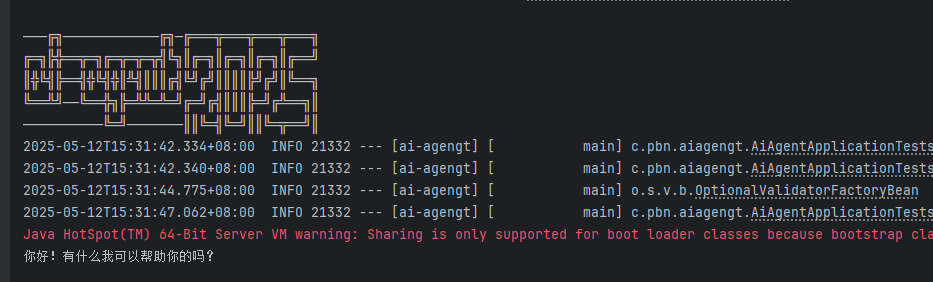
        System.out.println(answer);

    }
langchain4j-open-ai-spring-boot-starter
<!--        jakarta.validation.NoProviderFoundException: Unable to create a Configuration, because no Jakarta Bean Validation provider could be found. Add a provider like Hibernate Validator (RI) to your classpath. at jakarta.validation.Validation$GenericBootstrapImpl.configure-->
        <dependency>
            <groupId>org.springframework.boot</groupId>
            <artifactId>spring-boot-starter-validation</artifactId>
        </dependency>

        <dependency>
            <groupId>dev.langchain4j</groupId>
            <artifactId>langchain4j-open-ai-spring-boot-starter</artifactId>
        </dependency>
#langchain4j测试模型
# https://docs.langchain4j.dev/integrations/language-models/open-ai#spring-boot-1
langchain4j.open-ai.chat-model.base-url=http://langchain4j.dev/demo/openai/v1
langchain4j.open-ai.chat-model.api-key=demo
#langchain4j.open-ai.chat-model.model-name=gpt-4o
langchain4j.open-ai.chat-model.model-name=gpt-4o-mini
#请求和响应日志
langchain4j.open-ai.chat-model.log-requests=true
langchain4j.open-ai.chat-model.log-responses=true
#启用日志debug级别
logging.level.root=debug
open ai;
deepseek 使用和openai 一样
2025-05-12T17:06:43.556+08:00 DEBUG 2356 --- [ai-agengt] [           main] d.l.http.client.log.LoggingHttpClient    : HTTP request:
- method: POST
- url: http://langchain4j.dev/demo/openai/v1/chat/completions
- headers: [Authorization: Beare...mo], [User-Agent: langchain4j-openai], [Content-Type: application/json]
- body: {
  "model" : "gpt-4o-mini",
  "messages" : [ {
    "role" : "user",
    "content" : "你好"
  } ],
  "stream" : false
}


2025-05-12T17:06:46.022+08:00 DEBUG 2356 --- [ai-agengt] [           main] d.l.http.client.log.LoggingHttpClient    : HTTP response:
- status code: 200
- headers: [Date: Mon, 12 May 2025 09:06:44 GMT], [Content-Type: text/html;charset=utf-8], [Transfer-Encoding: chunked], [Server: Jetty(9.4.48.v20220622)]
- body: {"id":"chatcmpl-BWJPRCuHSuAGq46K69eaFzDLSk2rC","created":1747040805,"model":"gpt-4o-mini-2024-07-18","choices":[{"index":0,"message":{"role":"assistant","content":"你好!有什么我可以帮助你的吗?"},"finish_reason":"stop"}],"usage":{"prompt_tokens":8,"completion_tokens":10,"total_tokens":18},"system_fingerprint":"fp_dbaca60df0"}
llama3.1
  <dependency>
            <groupId>dev.langchain4j</groupId>
            <artifactId>langchain4j-community-dashscope-spring-boot-starter</artifactId>
        </dependency>
2025-05-13T14:48:03.327+08:00 DEBUG 18504 --- [ai-agengt] [           main] d.l.http.client.log.LoggingHttpClient    : HTTP response:
- status code: 200
- headers: [Content-Type: application/json; charset=utf-8], [Date: Tue, 13 May 2025 06:48:03 GMT], [Content-Length: 366]
- body: {"model":"llama3.1","created_at":"2025-05-13T06:48:03.3109954Z","message":{"role":"assistant","content":"您好!我可以帮助您问任何问题或者讨论任何话题。"},"done_reason":"stop","done":true,"total_duration":31981449100,"load_duration":110147400,"prompt_eval_count":12,"prompt_eval_duration":8802192000,"eval_count":18,"eval_duration":23046146000}

您好!我可以帮助您问任何问题或者讨论任何话题。
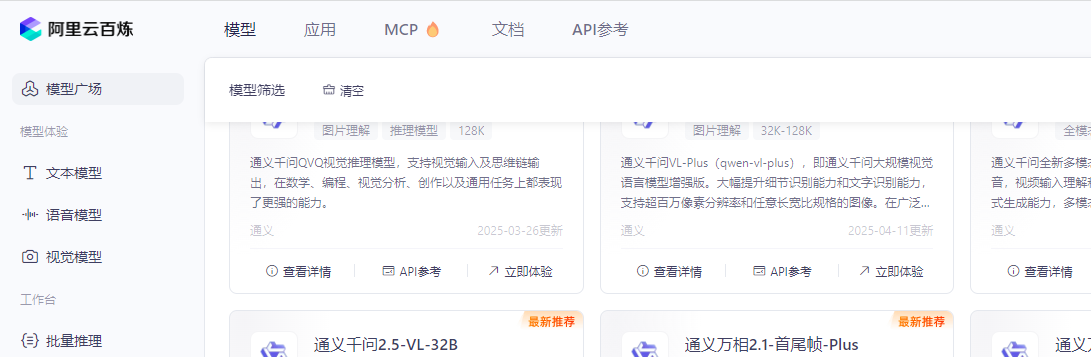
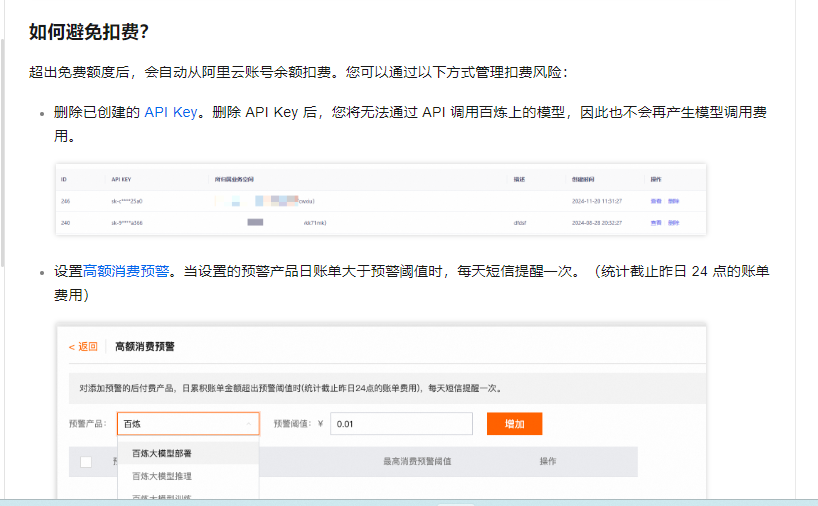
阿里百炼
百炼(DashScope)是阿里云提供的服务,由 LangChain4j 社区提供集成支持,因此放在 langchain4j-community-bom 中。
OpenAI 是 LangChain4j 官方原生支持的模型,因此放在官方 BOM langchain4j-bom 中。
-
模块结构不同:
官方模块命名一般为 langchain4j-xxx。
社区模块则为 langchain4j-community-xxx。 -
使用场景不同:
如果你只使用阿里百炼,只需要引入 langchain4j-community-bom 和对应的 langchain4j-community-dashscope-spring-boot-starter。
如果你要用 OpenAI,则需引入官方 BOM 和对应的 OpenAI 模块
    <!-- 接入阿里云百炼平台 -->
        <dependency>
            <groupId>dev.langchain4j</groupId>
            <artifactId>langchain4j-community-dashscope-spring-boot-starter</artifactId>
        </dependency>

         <!--LangChain4j 社区提供集成支持 引入百炼依赖管理清单-->
            <dependency>
                <groupId>dev.langchain4j</groupId>
                <artifactId>langchain4j-community-bom</artifactId>
                <version>${langchain4j.version}</version>
                <type>pom</type>
                <scope>import</scope>
            </dependency>
依赖问题
org.jetbrains.kotlin:kotlin-stdlib:jar:1.9.25 failed to transfer from https://repo.maven.apache.org/maven2 during a previous attempt. This failure was cached in the local repository and resolution is not reattempted until the update interval of central has elapsed or updates are forced. Original error: Could not transfer artifact org.jetbrains.kotlin:kotlin-stdlib:jar:1.9.25 from/to central (https://repo.maven.apache.org/maven2): Read timed out
尝试使用 -U 标记(强制更新快照)运行 Maven 导入
org.jetbrains.kotlin:kotlin-stdlib:jar:1.9.25 在尝试从中央仓库(https://repo.maven.apache.org/maven2)下载时出现了 Read timed out 的错误。这意味着在之前的尝试中,由于读取超时导致下载失败,并且 Maven 将这个失败记录在本地仓库中,因此在默认情况下不会重新尝试下载,直到更新间隔时间过去或者强制更新。
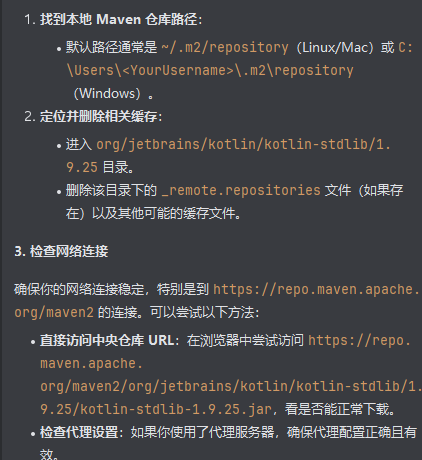
- 配置镜像站点
如果直接从中央仓库下载仍然有问题,可以尝试配置 Maven 使用国内的镜像站点,如阿里云镜像。在 settings.xml 文件中添加以下配置:
401 com.alibaba.dashscope.exception.ApiException
API-Key 正确但问题依旧存在,可以通过 DashScope 官方渠道寻求技术支持,并提供 requestId 以便快速定位问题。
https://help.aliyun.com/zh/model-studio/obtain-api-key-app-id-and-workspace-id
错误类型:com.alibaba.dashscope.exception.ApiException
HTTP 状态码:401
错误描述:Invalid API-key provided.
错误代码:InvalidApiKey
请求唯一ID:850412c0-2a4f-9dd6-aedc-01e11b1ae08f

deepseek-v3
2025-05-14T17:27:53.572+08:00 DEBUG 9488 --- [ai-agengt] [           main] o.s.web.client.DefaultRestClient         : Writing [{
  "model" : "deepseek-v3",
  "messages" : [ {
    "role" : "user",
    "content" : "你好"
  } ],
  "temperature" : 0.9,
  "stream" : false
}] as "application/json" with org.springframework.http.converter.StringHttpMessageConverter
ai-services
https://docs.langchain4j.dev/tutorials/ai-services
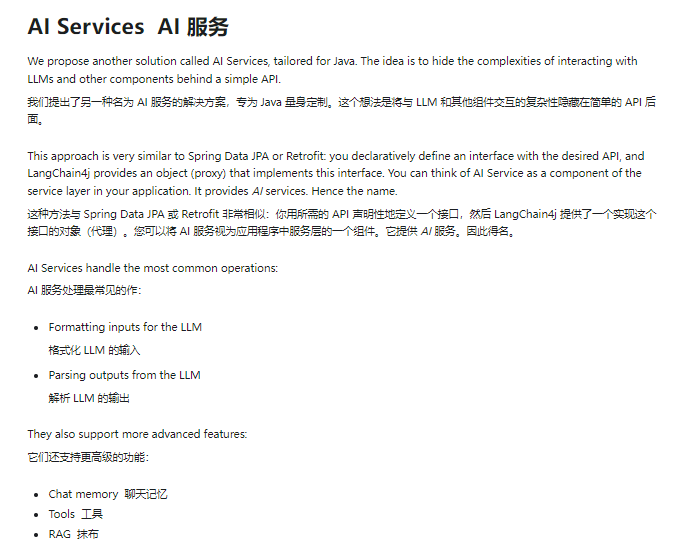
识别不了AiServices,@AiService;导入langchain4j-spring-boot-starter
<dependency>
    <groupId>dev.langchain4j</groupId>
    <artifactId>langchain4j-spring-boot-starter</artifactId>
</dependency>
@Service
@Target({ElementType.TYPE})
@Retention(RetentionPolicy.RUNTIME)
public @interface AiService {
    AiServiceWiringMode wiringMode() default AiServiceWiringMode.AUTOMATIC;
    }
配置类
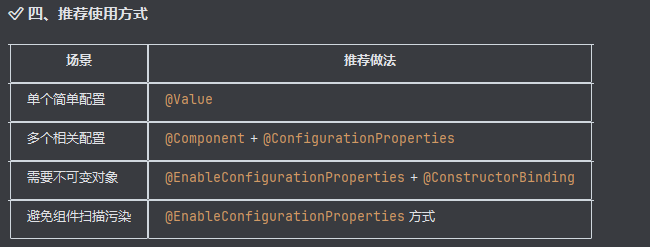
@AiService(
        wiringMode = EXPLICIT,
        chatModel = "qwenChatModel",
        chatMemory = "chatMemory",
        chatMemoryProvider = "chatMemoryProvider"
)
public interface Assistant {
    String ask(String prompt);

    /*
    * 不同用户
    * */
    String ask(@MemoryId int memoryId, @UserMessage String prompt);
}

你好!很高兴见到你。请问“
jjb”是你的昵称吗?有什么我可以帮助你的吗?如果你有任何问题或需要讨论的话题,请告诉我。
你刚刚提到你是“jjb”。如果你是在用这个昵称来介绍自己,那么你就是“jjb”。如果你有其他名字或者身份,或者你想了解更多关于自己的信息,请告诉我,我会尽力帮助你。
您好!在这样的对话中,我无法直接知道您的身份。您可以告诉我更多关于您自己的信息吗?这样我或许能更好地帮助您。如果您是在寻找自我认知方面的帮助,可能需要从您的兴趣、职业、或者生活经历等方面来探索。希望我的回答对您有所帮助!如果有更具体的问题或领域想要探讨,也欢迎随时告诉我。
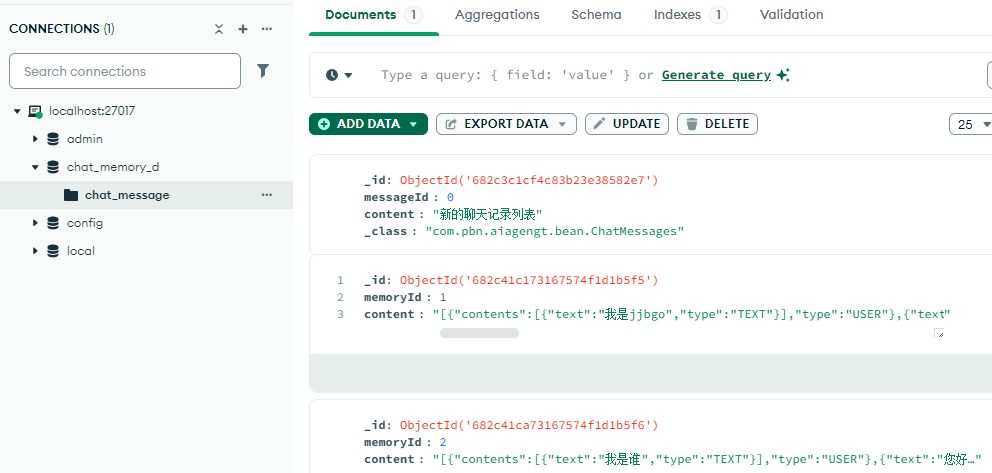
Persistence 持久化
mongodb
        <dependency>
            <groupId>org.springframework.boot</groupId>
            <artifactId>spring-boot-starter-data-mongodb</artifactId>
        </dependency>
提示词 Prompt
    @UserMessage("你是我的好朋友,请用广西话回答问题,并且添加一些表情符号。 {{it}}") //{{it}}表示这里
    String chatUserMessage(String message);

    @UserMessage("你是我的好朋友,请用上海话回答问题,并且添加一些表情符号。{{message}}")
    String chatUserMessageV(@V("message") String userMessage);


    @UserMessage("你是我的好朋友,请用粤语回答问题。{{message}}")
    String chatUserMessageV2(@MemoryId int memoryId, @V("message") String userMessage);

    @SystemMessage(fromResource = "prompt-template.txt")
    String chatSystemMessageV2(
            @MemoryId int memoryId,
            @UserMessage String userMessage,
            @V("username") String username,
            @V("age") int age
    );

## 获取文件可能会出现异常
    public void testResourceLoading() throws Exception {
        ClassPathResource resource = new ClassPathResource("/prompt-template.txt");
        try (InputStream is = resource.getInputStream()) {
            System.out.println("资源存在,读取成功!");
        } catch (Exception e) {
            System.err.println("资源不存在,请检查路径或构建输出。");
        }
    }
tools

有“AI”的1024 = 2048,欢迎大家加入2048 AI社区
更多推荐

 17
17 0
0- 0


 已为社区贡献8条内容

所有评论(0)