Dify接入第三方平台
base-url:Dify Service API 的地址,默认是 https://api.dify.ai/v1(因为我本地docker部署,所以写的是: https://host.docker.internal:/v1)借助LangBot,即可在短时间内将Dify接入到QQ,微信,飞书,钉钉,Telegram,Discorf等平台提供服务。base-url :Dify ervice API 的地
借助LangBot,即可在短时间内将Dify接入到QQ,微信,飞书,钉钉,Telegram,Discorf等平台提供服务。LangBot相当于桥梁,连接dify和第三方平台
官方文档
将 Dify 快速接入 QQ、微信、飞书、钉钉等平台 - Dify Docs
基于docker部署LangBot
1、下载LangBot源代码
https://github.com/langbot-app/LangBot
2、启动LangBot
在LangBot目录下,执行命令,需要科学上网
docker compose up -d3、配置飞书机器人
登录飞书开放平台开发者后台 - 飞书开放平台
创建企业自建应用
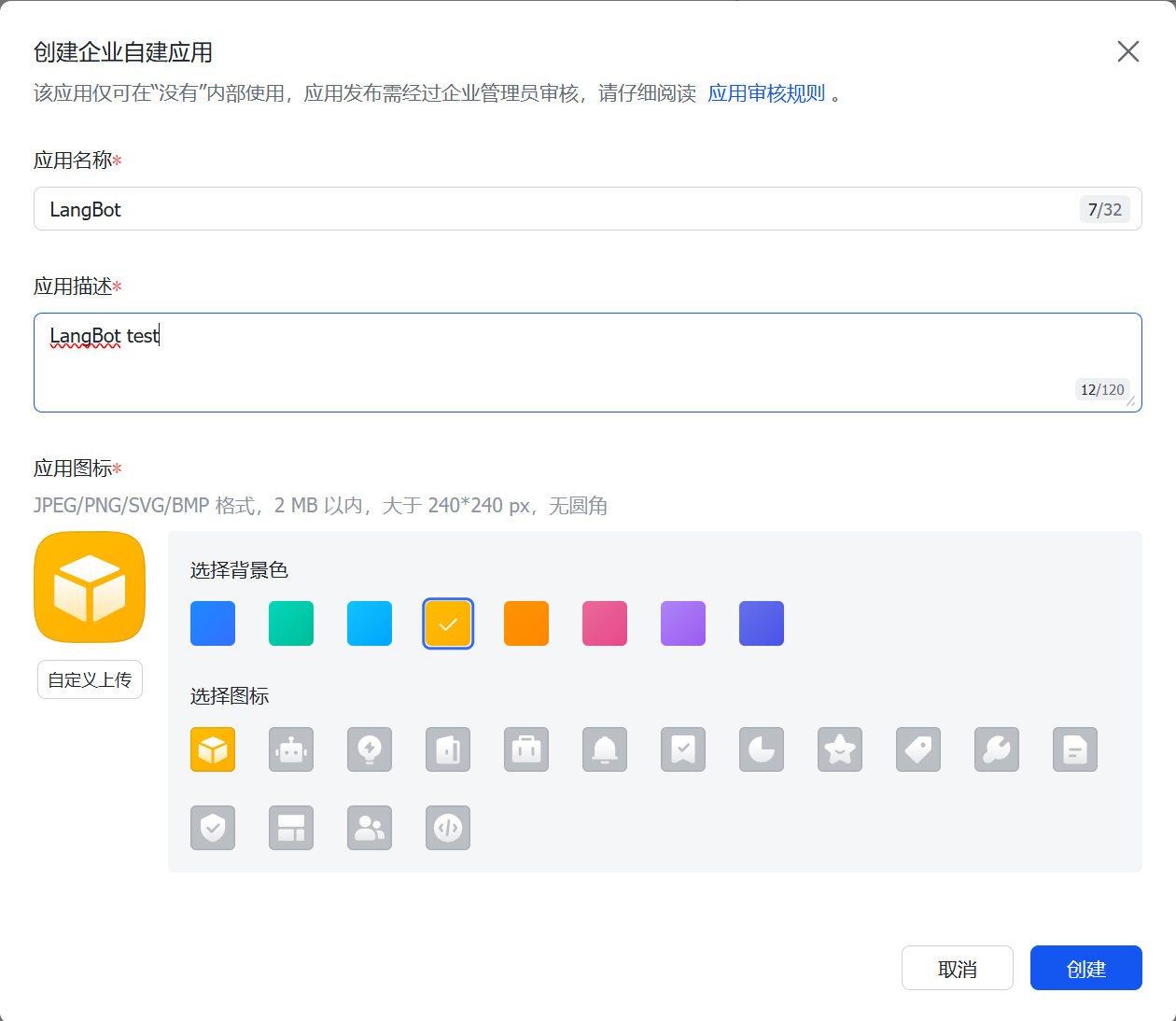
点击应用,进入配置页面
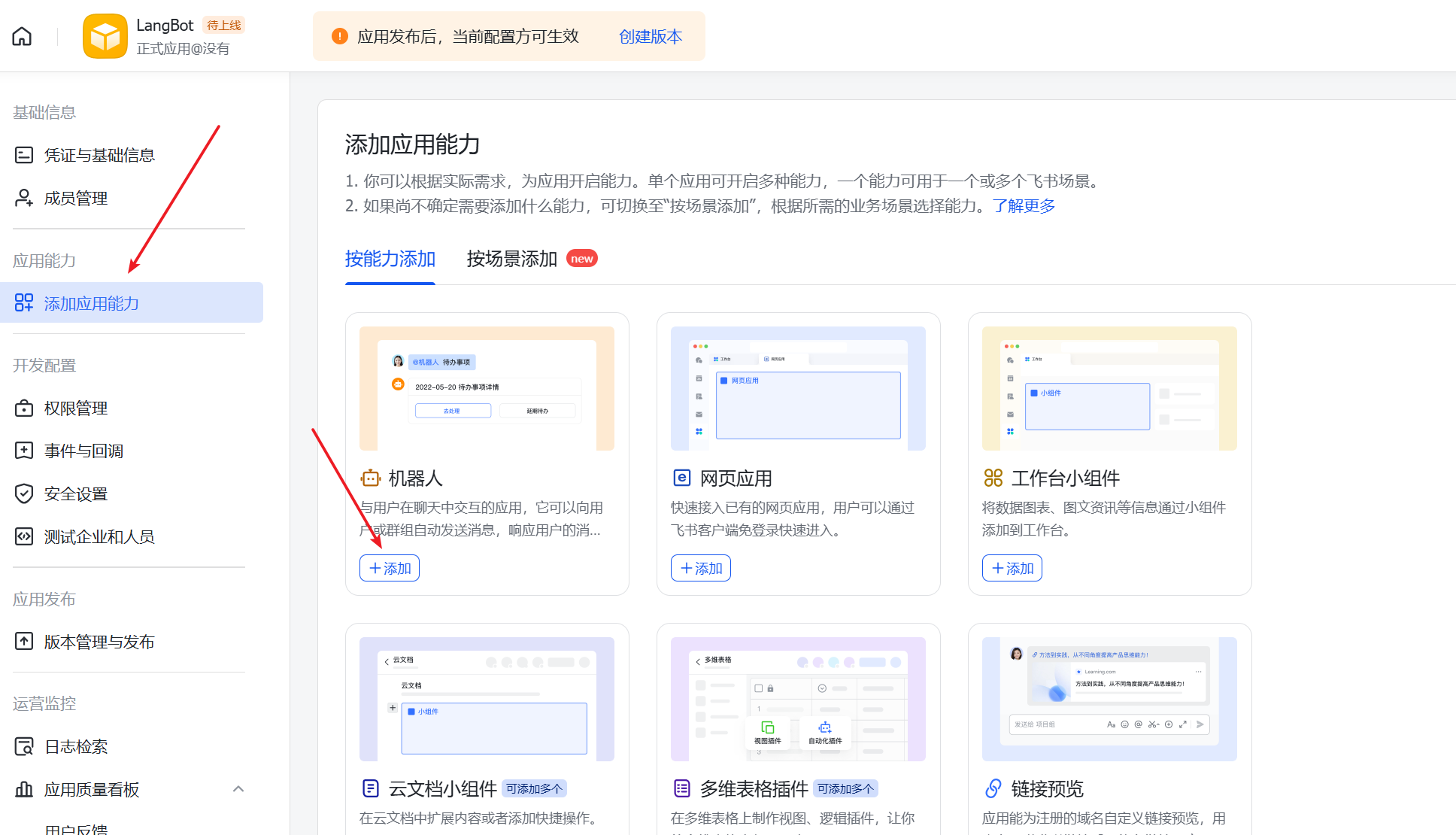
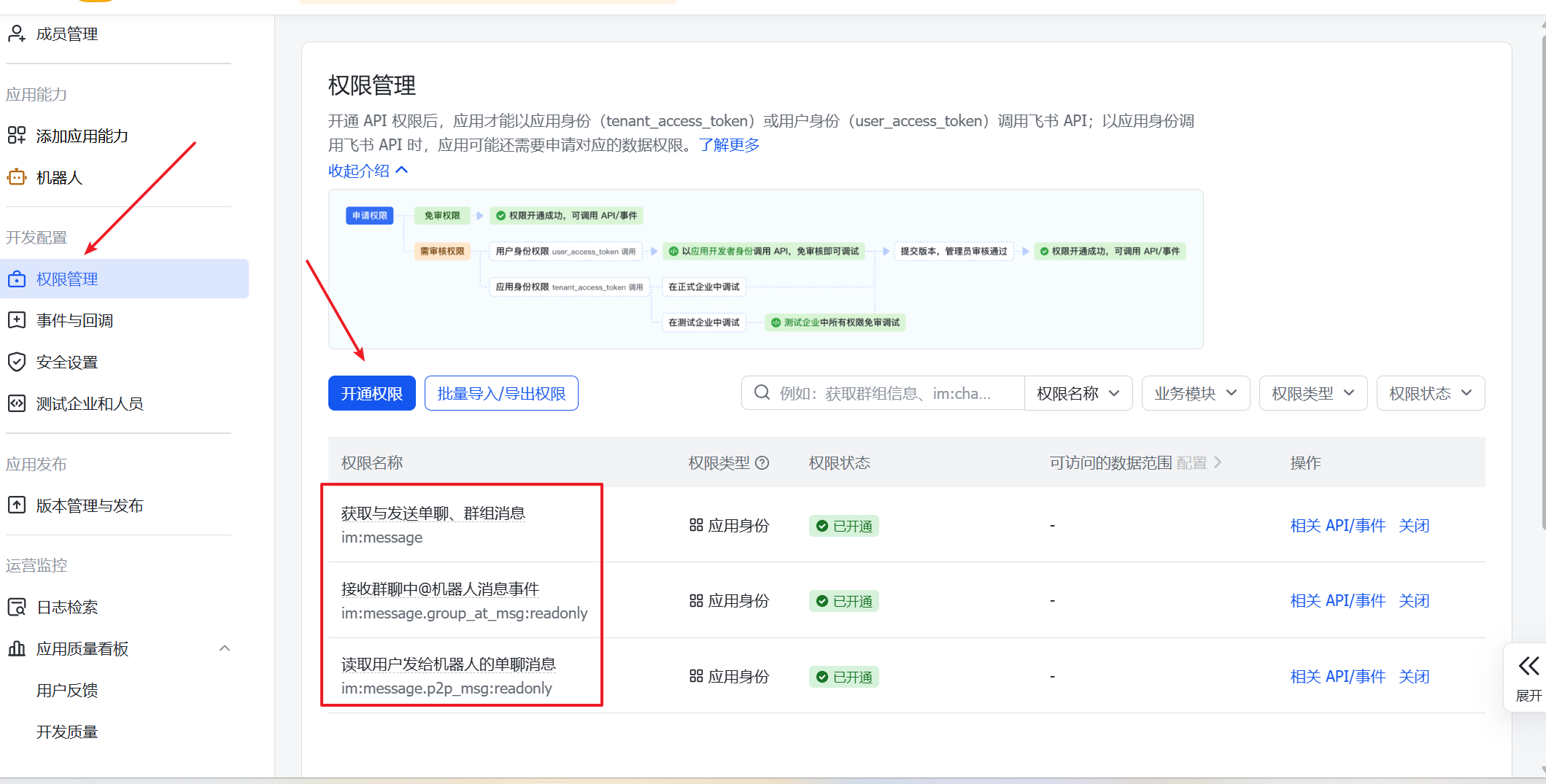
找到创建的应用的app_id,app_seret,encrypt-key
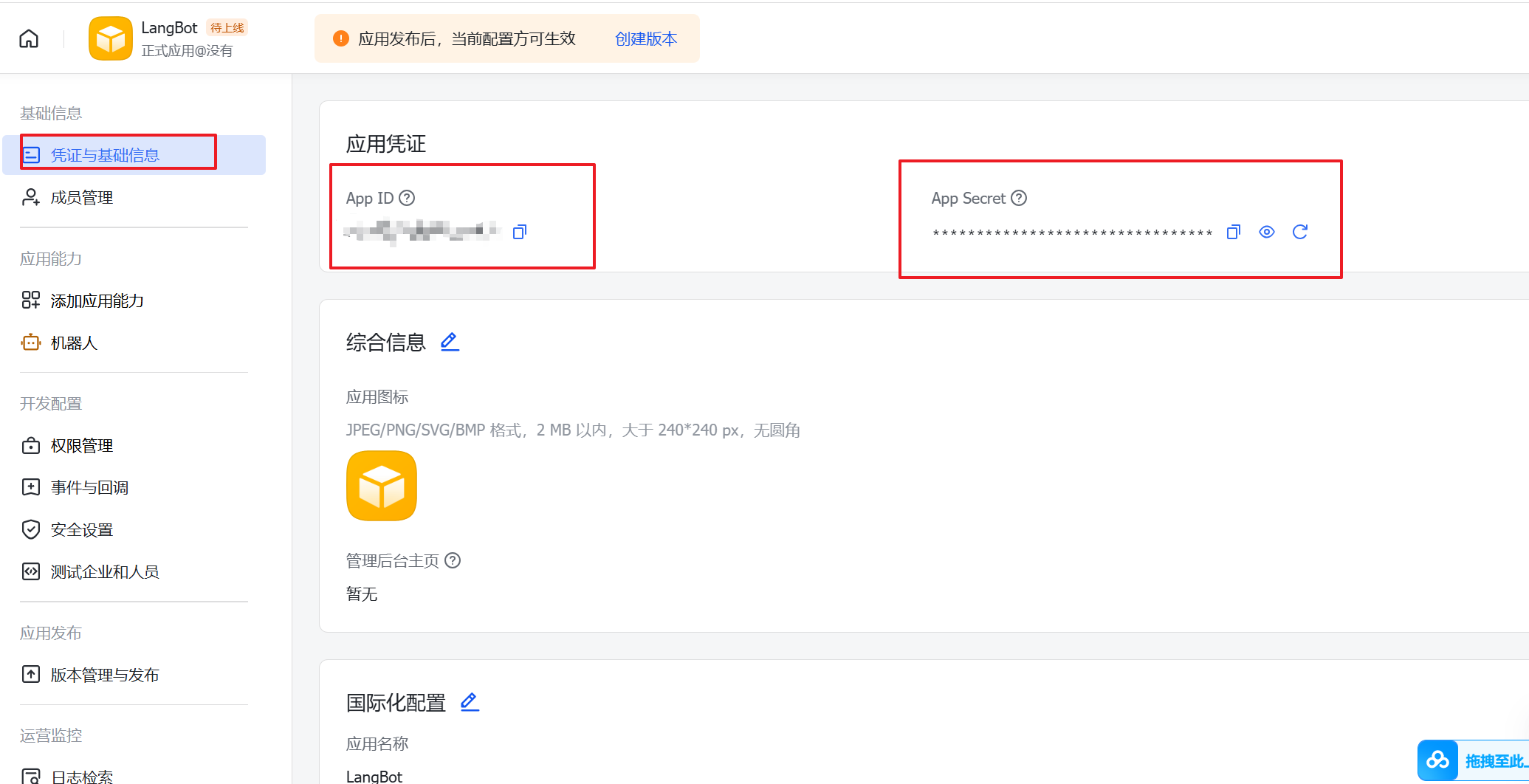
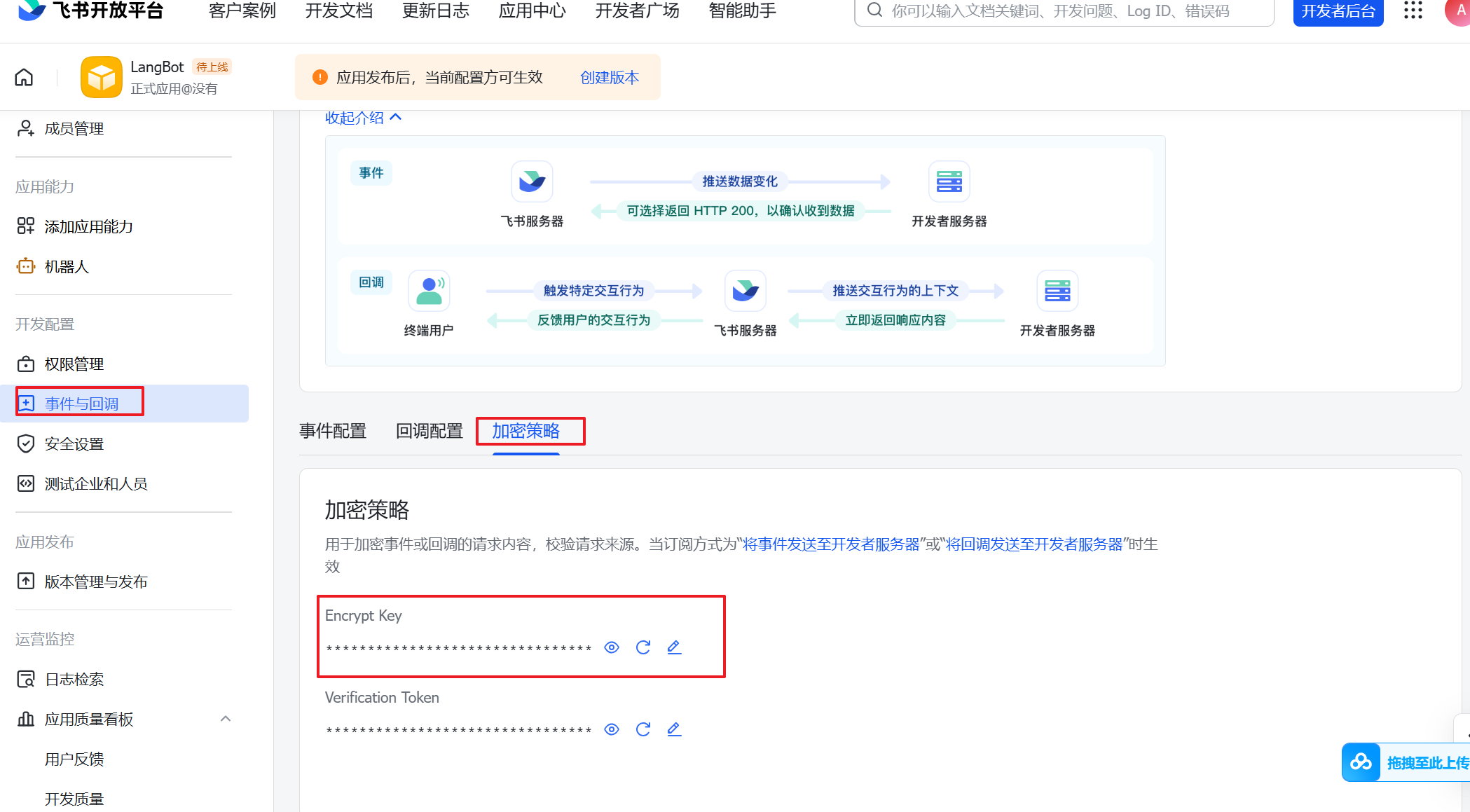
修改Langbot配置文件,打开LangBot-master\templates\legacy\platform.json
找到以下配置,安装上面的相关信息,进行相关配置修改
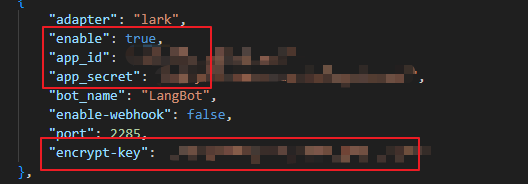
重启langbot容器
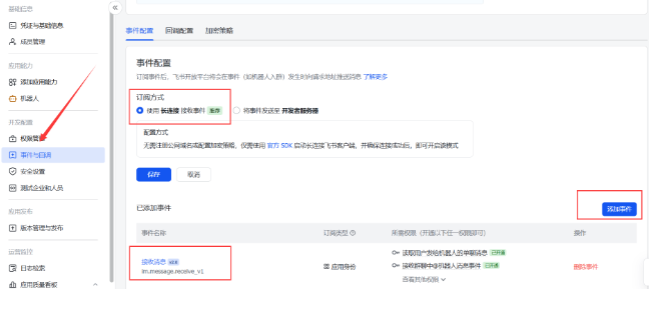
配置时间和回调,添加事件
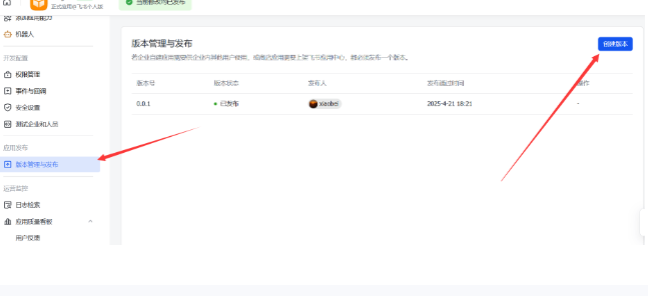
创建版本,发布机器人
Langbot接入dify
在首次运行LangBot后,会在LangBot目录下生成data文件夹,打开其中的config/provider.json文件,设置runner为dify-service-api
"runner": "dify-service-api",相应的,配置dify-service-api
"dify-service-api": {
"base-url": "http://host.docker.internal/v1",
"app-type": "chat",
"options": {
"convert-thinking-tips": "plain"
},
"chat": {
"api-key": "app-rdWU87OrIwgwURicL7MQm6xE",
"timeout": 120
},
"agent": {
"api-key": "app-1234567890",
"timeout": 120
},
"workflow": {
"api-key": "app-1234567890",
"output-key": "summary",
"timeout": 120
}
}
base-url :Dify ervice API 的地址,默认是 https://api.dify.ai/v1 ,这是 Dify 官⽅云
服务的地址,如果你使⽤的是自己部署的版本,请设置为你的自部署地址。
base-url:Dify Service API 的地址,默认是 https://api.dify.ai/v1(因为我本地docker部署,所以写的是: https://host.docker.internal:/v1)
- app-type:使用的dify应用类型,支持chat-聊天助手(含chatflow)、agent-Agent,workflow-工作流
- options:特殊选项配置
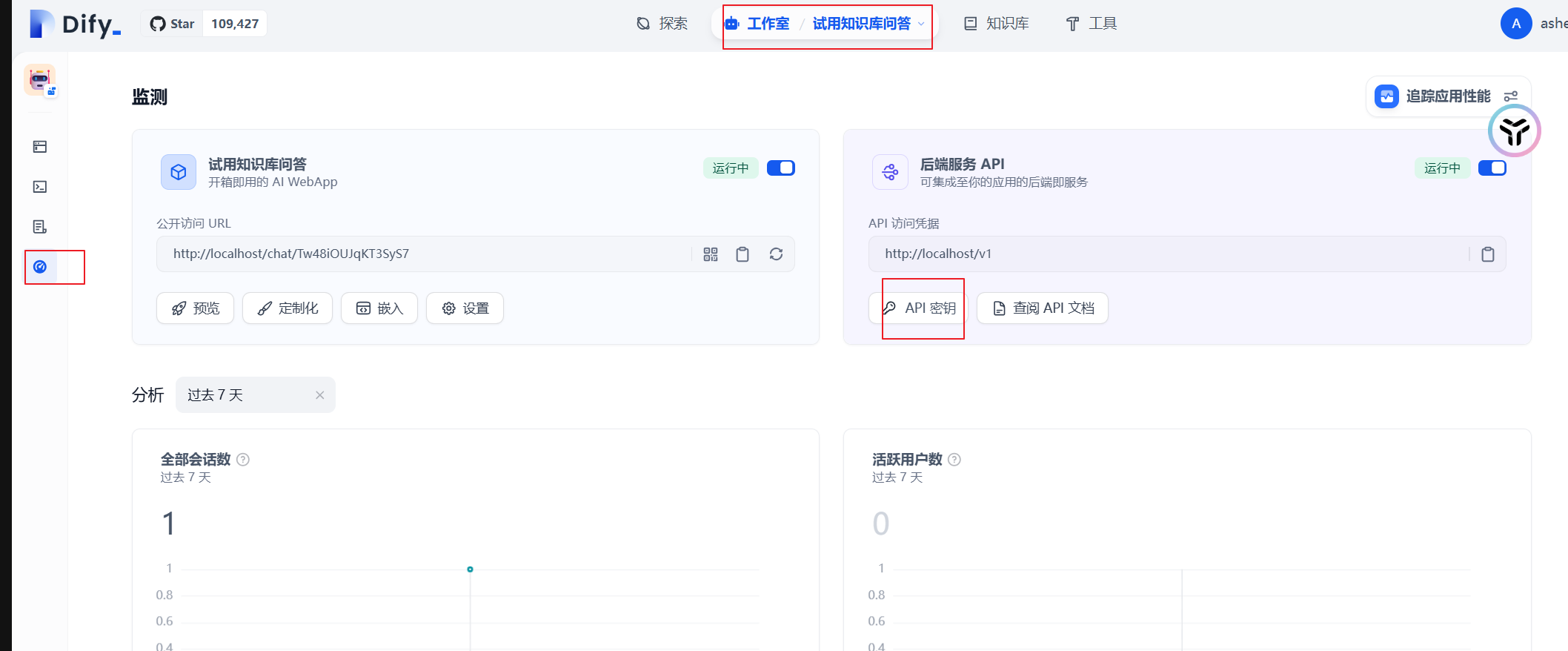
dify中的工作流、对话流、Agent,可以在这⾥找到api-key
在飞书中使用Langbot
打开飞书,会在聊天列表中看到Langbot机器人

有“AI”的1024 = 2048,欢迎大家加入2048 AI社区
更多推荐
 5
5 0
0- 0


 已为社区贡献2条内容

所有评论(0)