CentOS7下解决yum网络镜像无法访问和GPG验证检查不通过问题
·
文章目录
镜像网络无法访问
1.情况介绍
-
yum 报错:Could not retrieve mirrorlist http://mirrorlist.centos.org
-
不是网络问题,ping www.baidu.com可以通、DNS也设置了;
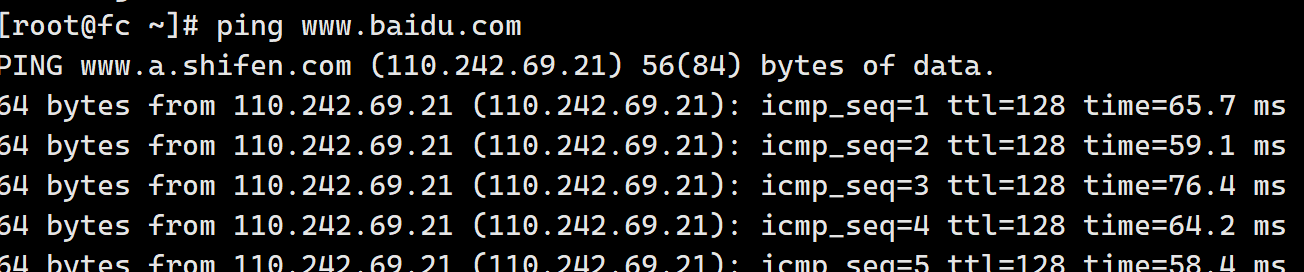
报错情况:
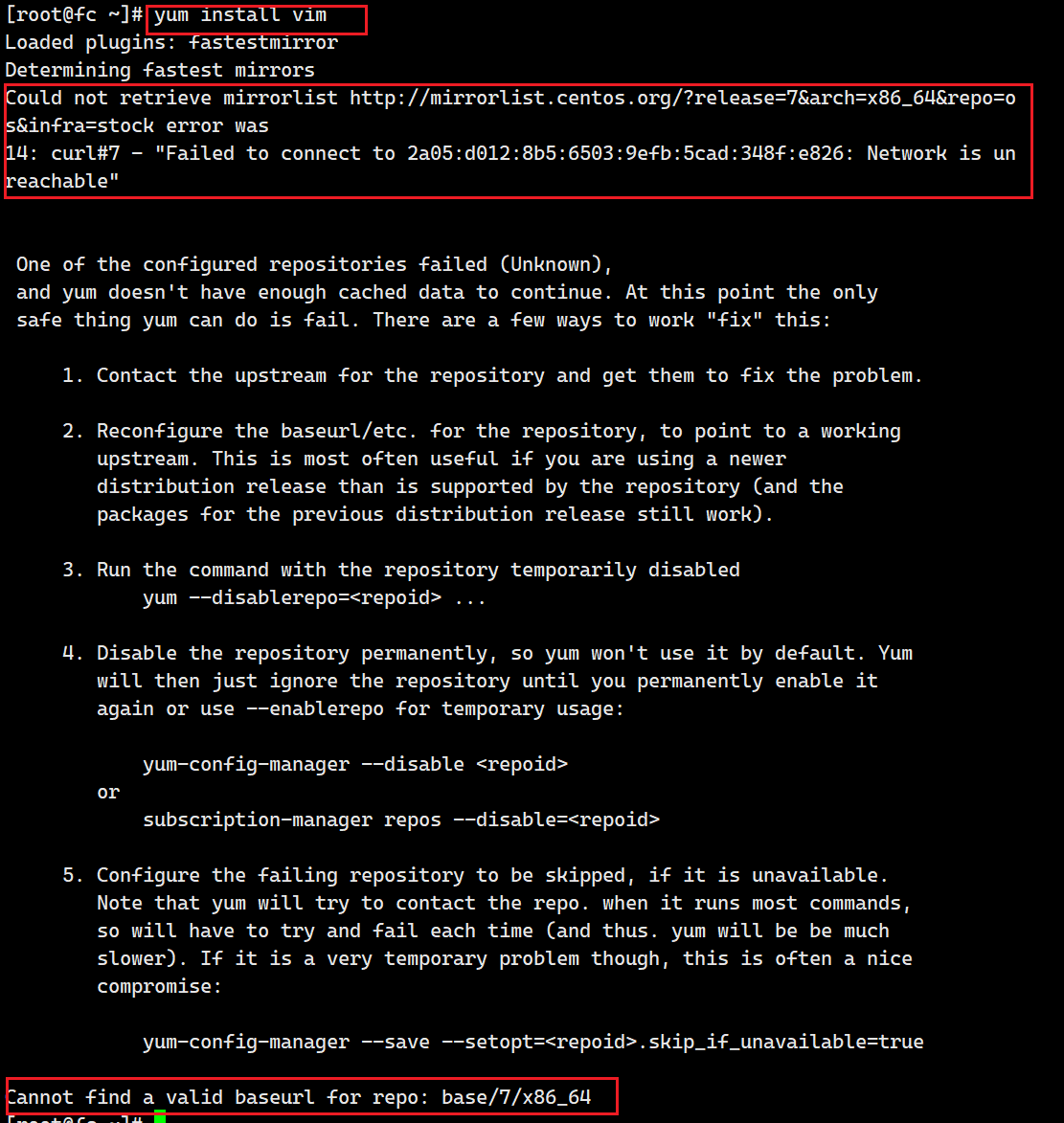
2.原因
- 服务器没法访问镜像的网络,所以我们需要配置正确的镜像源;
3.解决
3.1进入文件目录
cd /etc/yum.repos.d
3.2编辑CentOS-Base.repo 文件
vim /etc/yum.repos.d/CentOS-Base.repo
- 全部替换
[base]
name=CentOS-$releasever - Base
baseurl=https://mirrors.aliyun.com/centos/$releasever/os/$basearch/
gpgcheck=1
gpgkey=https://mirrors.aliyun.com/centos/RPM-GPG-KEY-CentOS-7

[updates]
name=CentOS-$releasever - Updates
baseurl=https://mirrors.aliyun.com/centos/$releasever/updates/$basearch/
gpgcheck=1
gpgkey=https://mirrors.aliyun.com/centos/RPM-GPG-KEY-CentOS-7

[extras]
name=CentOS-$releasever - Extras
baseurl=https://mirrors.aliyun.com/centos/$releasever/extras/$basearch/
gpgcheck=1
gpgkey=https://mirrors.aliyun.com/centos/RPM-GPG-KEY-CentOS-7

[centosplus]
name=CentOS-$releasever - Plus
baseurl=https://mirrors.aliyun.com/centos/$releasever/centosplus/$basearch/
gpgcheck=1
enabled=0
gpgkey=https://mirrors.aliyun.com/centos/RPM-GPG-KEY-CentOS-7
3.3编辑 CentOS-SCLo-scl-rh.repo 文件
vim /etc/yum.repos.d/CentOS-SCLo-scl-rh.repo
- 替换对应内容
[centos-sclo-rh]
name=CentOS-$releasever - SCLo rh
baseurl=https://mirrors.aliyun.com/centos/$releasever/sclo/$basearch/rh/
gpgcheck=1
enabled=1
gpgkey=https://mirrors.aliyun.com/centos/RPM-GPG-KEY-CentOS-7
3.4编辑 CentOS-SCLo-scl.repo 文件
vim /etc/yum.repos.d/CentOS-SCLo-scl.repo
- 替换对应内容
[centos-sclo-sclo]
name=CentOS-$releasever - SCLo sclo
baseurl=https://mirrors.aliyun.com/centos/$releasever/sclo/$basearch/sclo/
gpgcheck=1
enabled=1
gpgkey=https://mirrors.aliyun.com/centos/RPM-GPG-KEY-CentOS-7
3.5清理缓存
yum clean all
3.6.重新加载缓存
yum makecache
GPG验证检查不通过
1.情况描述
yum -y install devtoolset-9-gcc devtoolset-9-gcc-c++ devtoolset-9-binutils
报错如下:
Public key for package-name is not installed
GPG check FAILED
2.原因
- yum源更新后需要导入 key值,否则就会报上面的错误,无法安装相关的包。
3解决
- 办法
- 加上【
--nogpgcheck】 - 去掉gpg检查
- 加上【
yum -y install devtoolset-9-gcc devtoolset-9-gcc-c++ devtoolset-9-binutils --nogpgcheck

有“AI”的1024 = 2048,欢迎大家加入2048 AI社区
更多推荐
 5
5 0
0- 0


 已为社区贡献2条内容

所有评论(0)