[ComfyUI]Flux TTP分块高清放大技术,效果炸裂
今天学习的时候发现一个基于Tile的高清放大技术,效果不输之前的Controlnet Upscaler,必须帮大家测试一波。
0****1
介绍
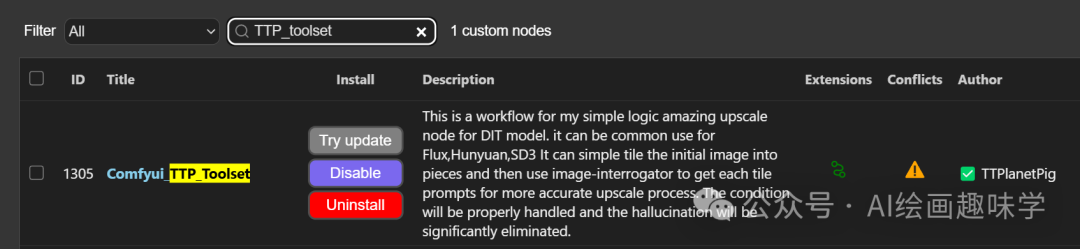
以前介绍过Flux的高清放大Controlent Upscaler,今天介绍另外一个利用Tile分块放大的插件Comfyui_TTP_Toolset,效果也是顶呱呱。
简单的说就是该插件利用了Tile技术,根据需求把图片先切割成小块,然后每一个重新采样,最后再合并,大家知道Tile是可以很大程度上保持原图构图的,只是做了高清放大处理,最终的效果确实很给力。

02
安装使用
2.1 插件安装
插件项目地址:
https://github.com/TTPlanetPig/Comfyui_TTP_Toolset
管理器搜索Comfyui_TTP_Toolset就可以安装了

03
工作流介绍
先来看完整工作流,是一个标准的图生图工作流,只是我们多了一个使用TTP分块采样再合并的步骤。
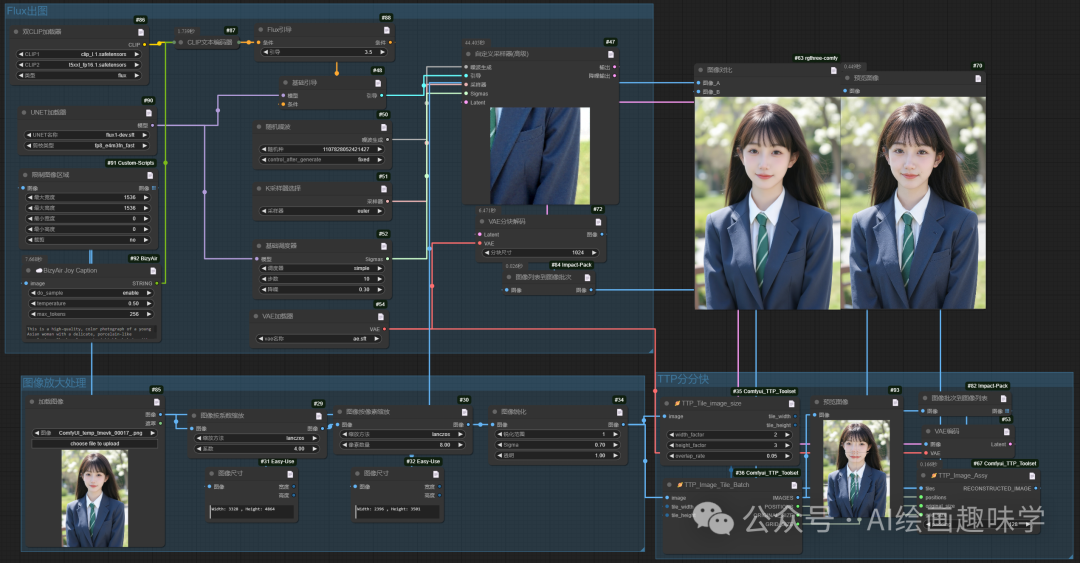
先说一下流程:
1:图片先放大处理,比如按模型放大、像素放大等
2:通过大模型反推获取文本
3:利用TTP插件把图片分块切割
4:然后接入Flux默认的图生图工作流
5:生成的块图最后合并
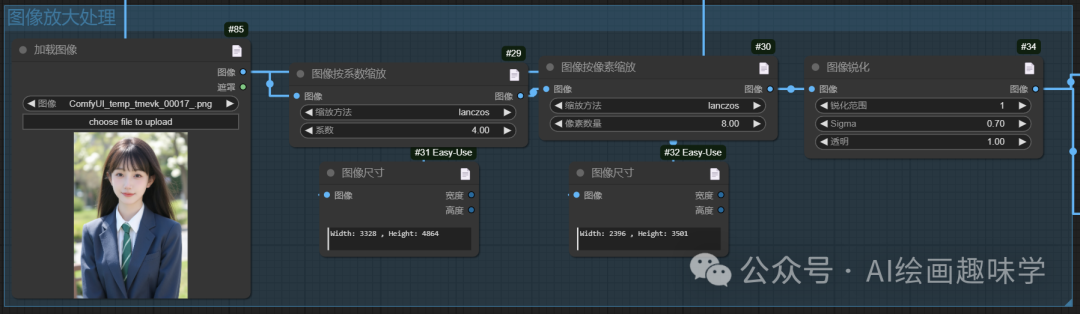
这步骤很简单,要放大多少倍看自己选择
图片反推提示词
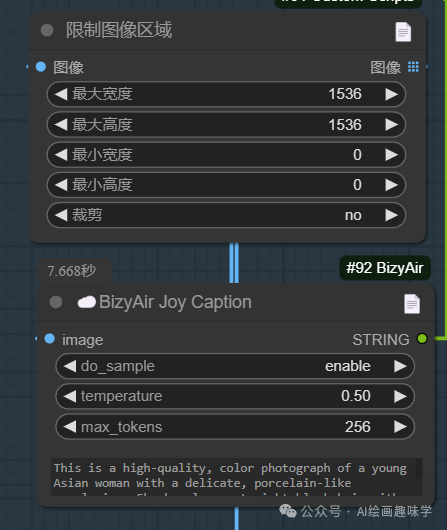
这一步我是利用了BizyAir里面的JoyCaption这个最强反推插件,你可以换成其他选项
TTP分块
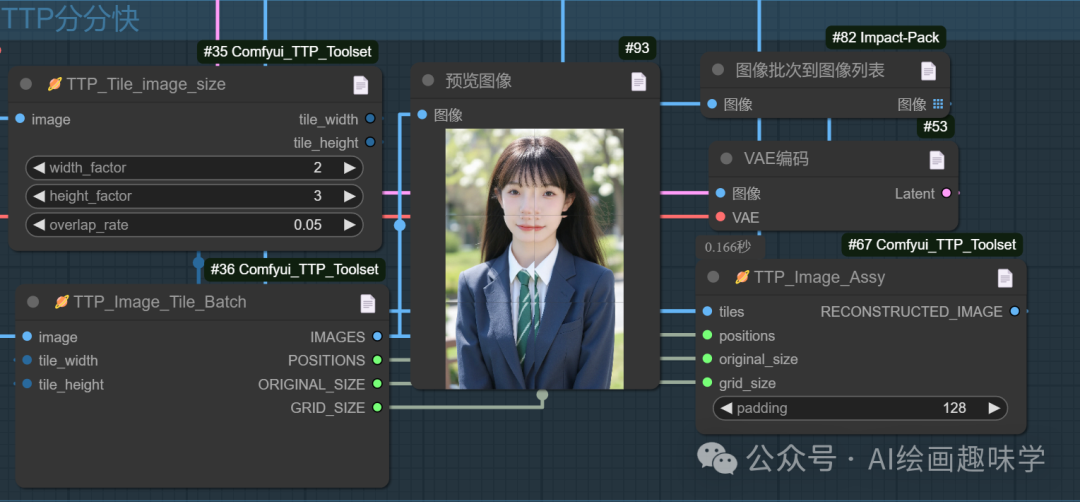
这里就用到3个TTP的节点
TTP_Time_image_size:设置分块数量,这里是水平2块,竖直3块一共6块
TTP_Image_Tile_Batch:这里就切割好了图片,以及这些图片的位置信息之类的,这时候就可以接入到Flux去跑图了
TTP_Image_Assy:这个节点用来把Flux重新采样生成的块图合并成一张图,也就是最终的效果图
Flux图生图流程
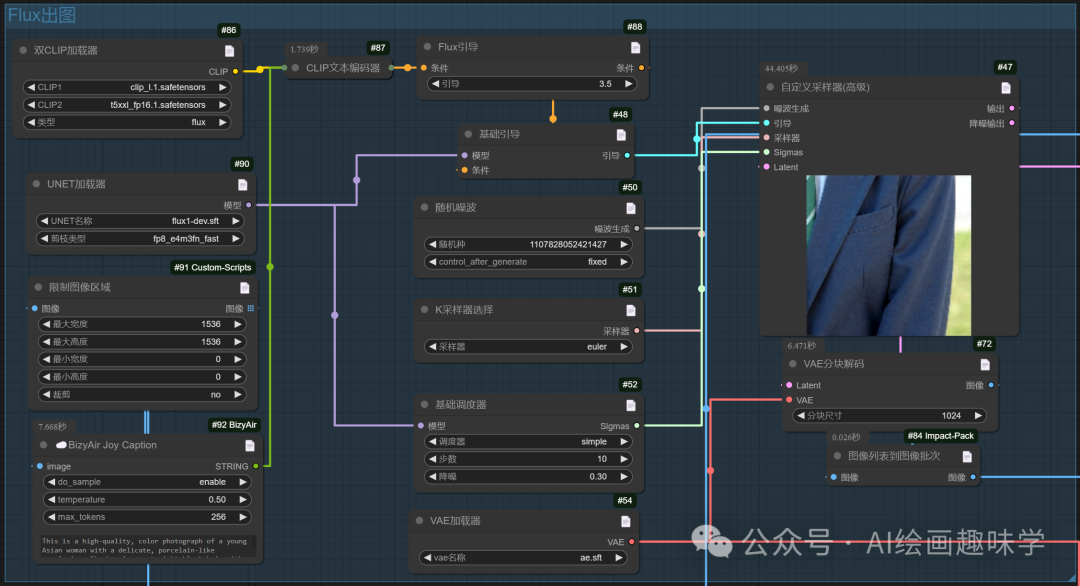
这个就很基础了,常规图生图,注意的是我们这里降噪设置的很低0.3,这样采样的时候变化才不会变化很大。
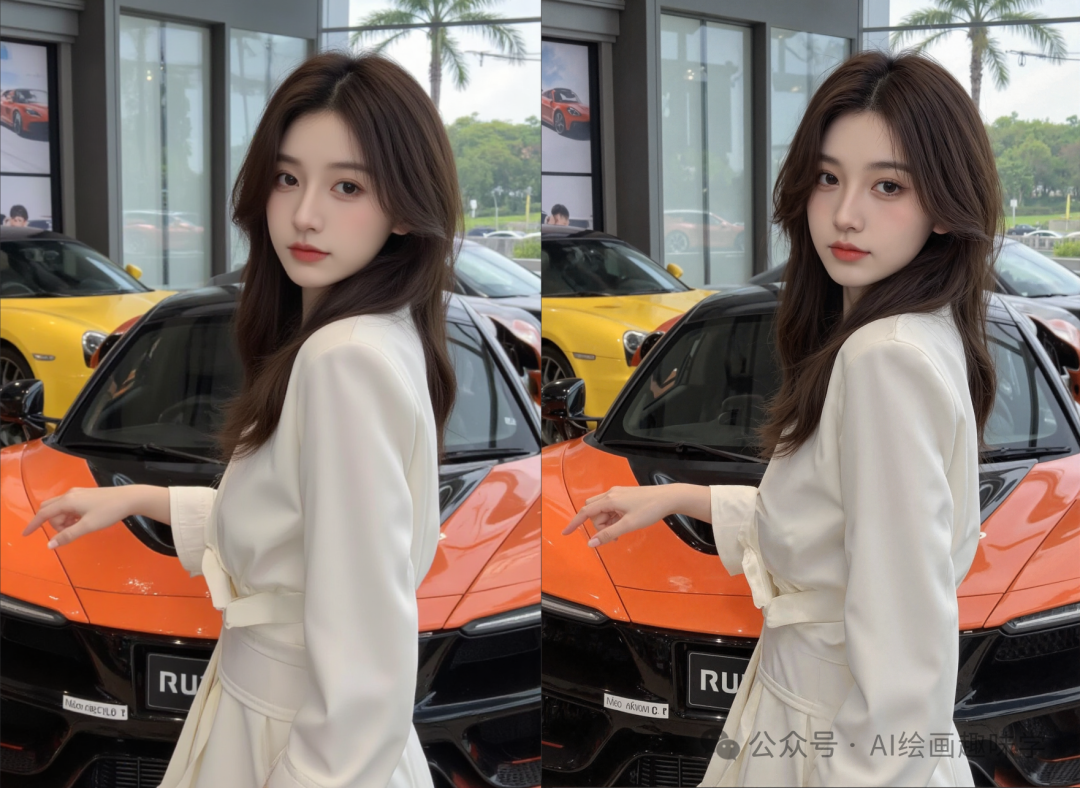
下面跑几张图看看对比看看。
动车女孩
pl, close-up, of an Asian woman seated in a train. The photograph features a young, East Asian woman with long, straight, dark brown hair and fair skin. She has a slender yet curvy physique with notably large breasts. She wears a tight-fitting, white, short-sleeved crop top that reveals her midriff, highlighting her ample cleavage. Her attire also includes light blue denim shorts. Her expression is neutral, with slightly parted lips and a subtle, almost wistful gaze towards the left, out of frame. The interior of the train is modern and sleek, with blue upholstered seats and large windows offering a view of an overcast day with distant bridges and railway tracks visible through the glass. The lighting is soft, diffused by the train's windows, creating a serene ambiance.

车模
This is a high-resolution portrait of a modern style, featuring a young woman., In this dynamic display scene, a model stands in front of a beautifully designed high-end sports car with a posture that is both elegant and powerful, perfectly complementing the vehicle she is showcasing. The sports car catches everyone's eye with its streamlined design and dazzling body colors, while the model adds life to the moment with her charm and confidence. The car model wears a simple and fashionable dress that shows her professional image without losing her feminine beauty. Her clothing echoes the colors and designs of the sports car, creating a harmonious yet engaging visual effect. Her hair, gently combed and falling over her shoulders, set off against her delicate makeup, showing her elegance and sophistication. Her eyes are firm and confident, as if telling the story behind the sports car and the speed and passion it represents. She leaned gently in front of the car, one hand touching the front, the other hand drooping. This pose not only shows her familiarity and closeness to the car, but also her professionalism and pursuit of perfect presentation.
甜妹
aiyouxiketang,a young woman with long,wavy hair and a pink bow sits with her chin resting on her hands,smiling at the cameraa young woman with long brown hair and a pink bow,smiling with her hands on her face,

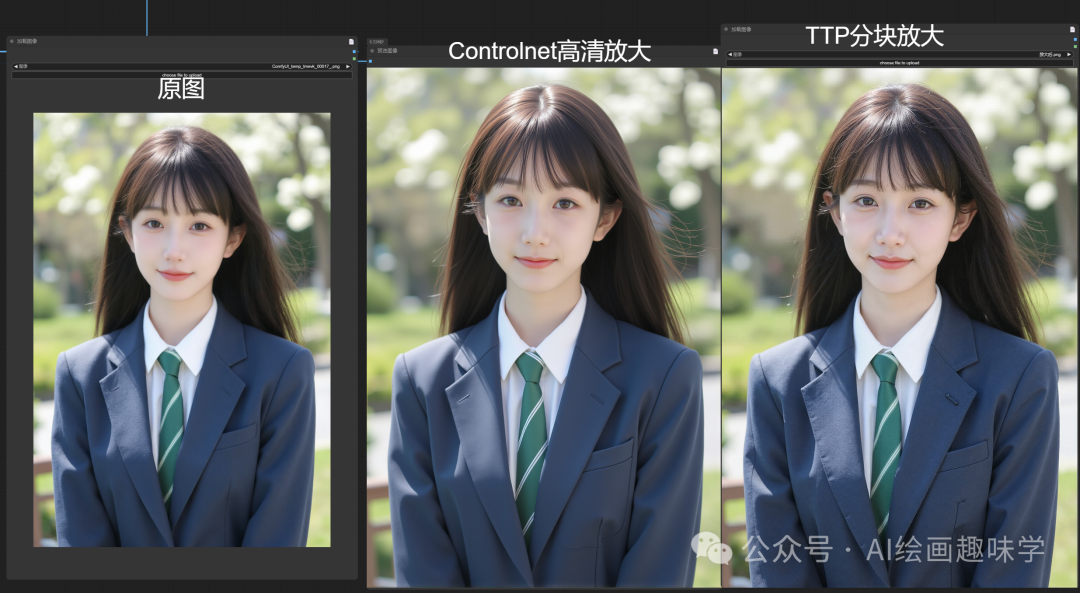
学生妹
A beautiful high school girl,she is wearing a blue suit and white shirt and green tie,she has black hair and a smiling face,half-body shot,the background is outdoors in the spring,with sunshine. The photography style is super realistic,with super details and super light effects.,

最后,我用TTP和之前的Controlent高清放大做了次对比,大家看看哪种效果更理想呢

04
总结
以上就是TTP这个插件的介绍了,效果好用,值得下载使用。
技术的迭代是飞快的,要关注最新的消息才不会掉队。
这里直接将该软件分享出来给大家吧~
1.stable diffusion安装包
随着技术的迭代,目前 Stable Diffusion 已经能够生成非常艺术化的图片了,完全有赶超人类的架势,已经有不少工作被这类服务替代,比如制作一个 logo 图片,画一张虚拟老婆照片,画质堪比相机。
最新 Stable Diffusion 除了有win多个版本,就算说底端的显卡也能玩了哦!此外还带来了Mac版本,仅支持macOS 12.3或更高版本。

2.stable diffusion视频合集
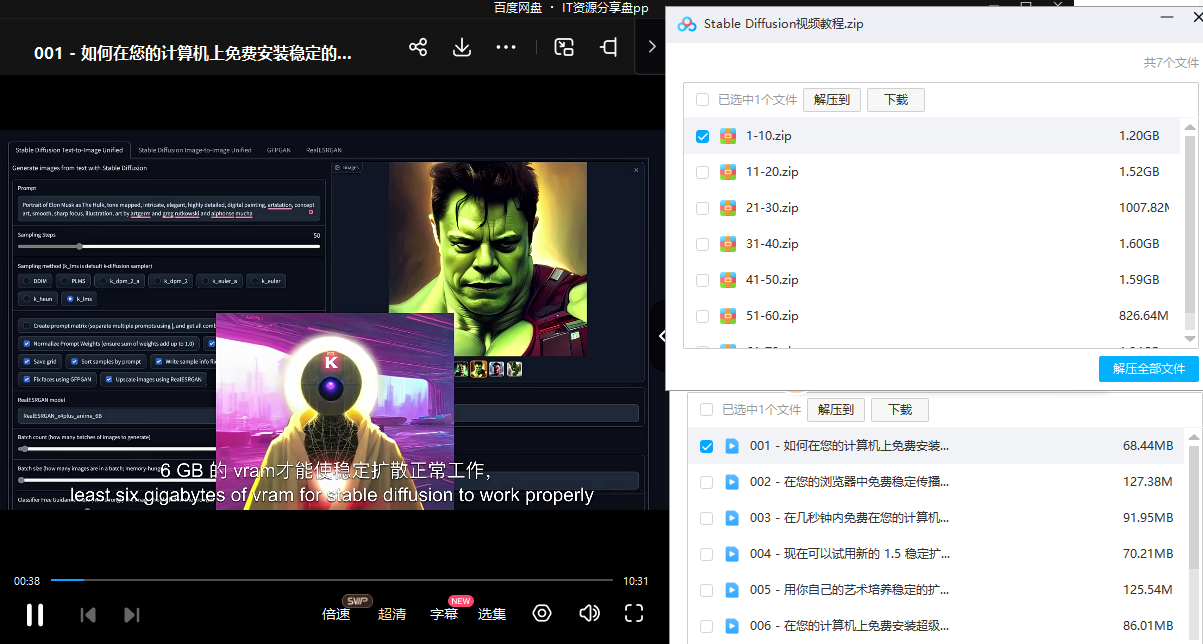
我们在学习的时候,往往书籍源码难以理解,阅读困难,这时候视频教程教程是就很适合了,生动形象加上案例实战,一步步带你入坑stable diffusion,科学有趣才能更方便的学习下去。
3.stable diffusion模型下载
stable diffusion往往一开始使用时图片等无法达到理想的生成效果,这时则需要通过使用大量训练数据,调整模型的超参数(如学习率、训练轮数、模型大小等),可以使得模型更好地适应数据集,并生成更加真实、准确、高质量的图像。

4.stable diffusion提示词
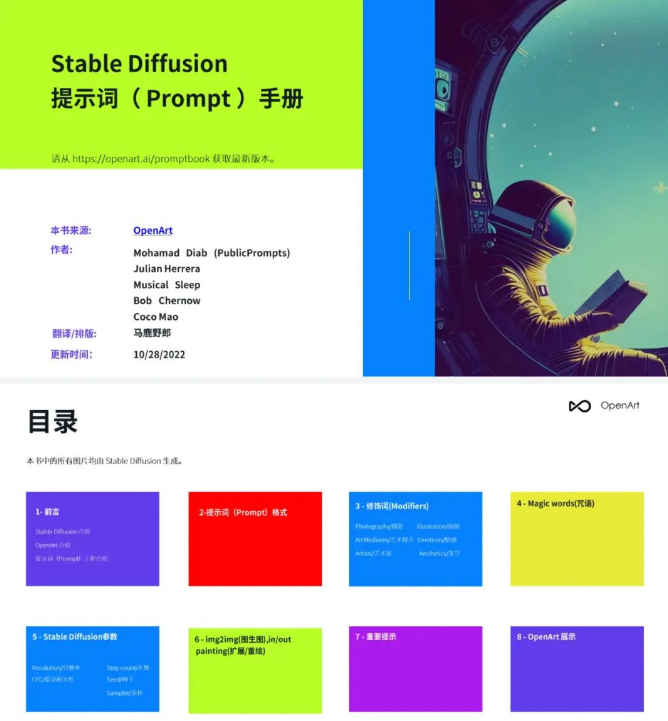
提示词是构建由文本到图像模型解释和理解的单词的过程。可以把它理解为你告诉 AI 模型要画什么而需要说的语言,整个SD学习过程中都离不开这本提示词手册。
5.SD从0到落地实战演练
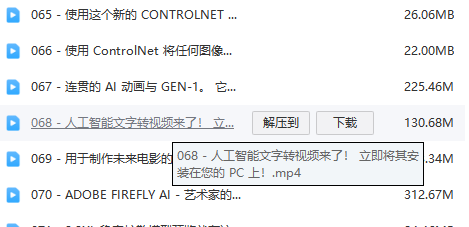
如果你能在15天内完成所有的任务,那你堪称天才。然而,如果你能完成 60-70% 的内容,你就已经开始具备成为一名SD大神的正确特征了。
这份完整版的stable diffusion资料我已经打包好,需要的点击下方插件,即可前往免费领取!


有“AI”的1024 = 2048,欢迎大家加入2048 AI社区
更多推荐


 8
8 0
0- 0


 已为社区贡献168条内容

所有评论(0)