Matlab保存图像过程中遇到的问题和一些解决办法
·
Warning相关
-
用imshow保存图像时,常常会弹出
Image is too big to fit on screen; displaying at 50%的警告,这是图像大小超过imshow函数的设置的窗口大小了,如果只是想去除warning,则直接运行以下代码即可warningState = warning('off','Images:initSize:adjustingMag'); figure imshow(img) warning(warningState);先关闭警告,看完图片后再还原警告的设置。
观看原图相关
-
可以通过imtool函数查看图像,比如若I是图像的矩阵,则直接运行以下代码即可
I = imread('test.tif');
imtool(I)
显示的窗口上面可以设置图像查看的比例
-
也可以通过添加新建一个带滚动条的窗口,显示图像,具体的代码如下:
fbor = imread('test.tif');
hFig = figure( 'Toolbar' , 'none'  );
hIm = imshow( fbor );
hSP = imscrollpanel(hFig , hIm);
保存图像相关
-
在上面的添加滚动条显示图像时,如果直接用saveas或者print等保存图像,则只会保存当前窗口显示出来的图像部分,即滚动条所在位置的图像,需要通过以下方式获取图像
I = getimage(gcf);
imwrite(I,'outImg.bmp');
得到的I是完整的图像。
-
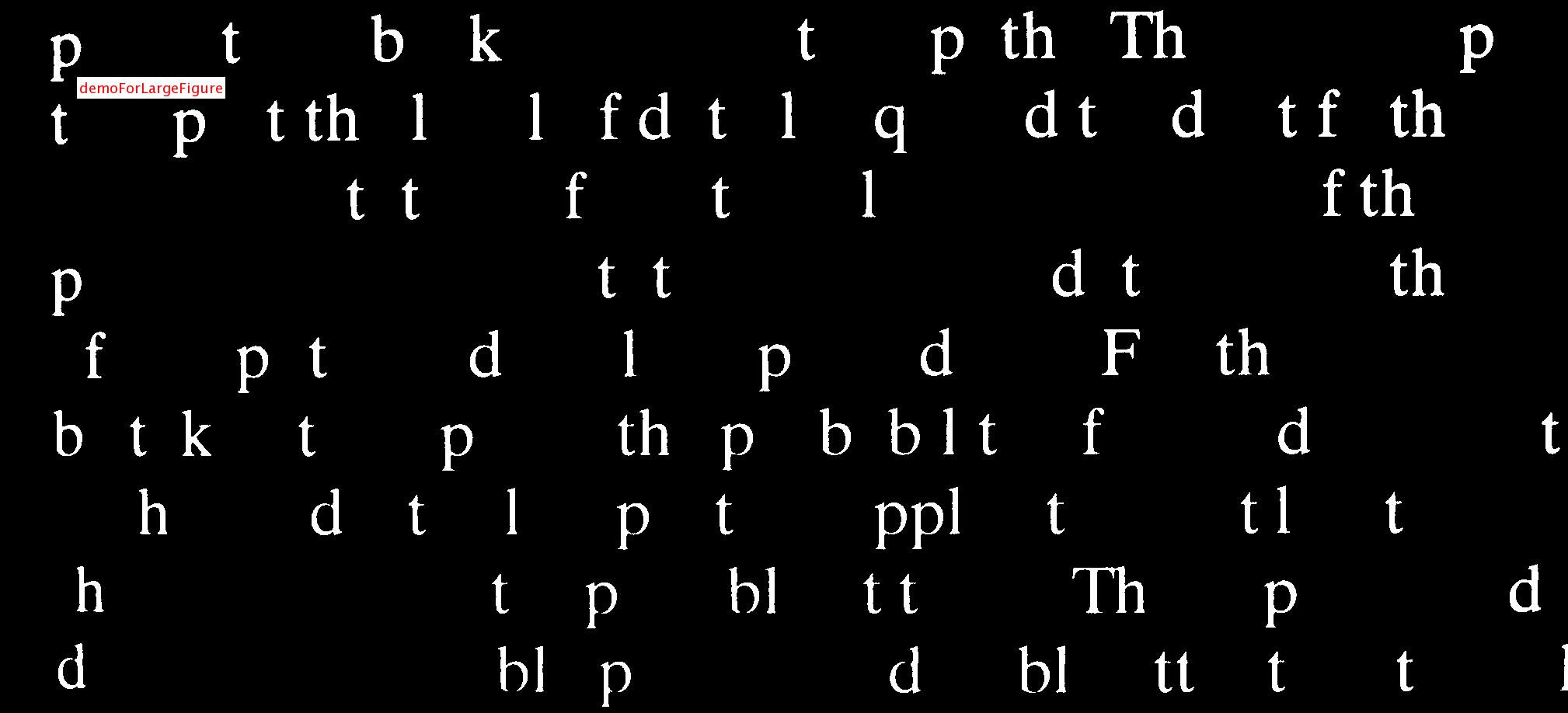
如果要在图像上添加文字,则无法在imtool产生的图像上添加文字,只能使用上面说的添加滚动条的方式显示图像,然后用以下代码添加文字:
text(100,100,'demoForLargeFigure','color','white','edgecolor','red'); -
如果要保存添加了文字的图像,又不改变图像的大小,则需要用
insertText函数
,如下I = double(I); %转成实数型,若原来I是logical型,会报错 rgb = insertText(I , [100 , 100 ] ,'demoForLargeFigure',... 'FontSize' , 18 ,... 'TextColor' , 'red' ,... 'BoxColor' , 'white' ,... 'BoxOpacity' , 1);这种方式将灰度图转成了rgb图。
- 保存图像的时候直接imwrite即可
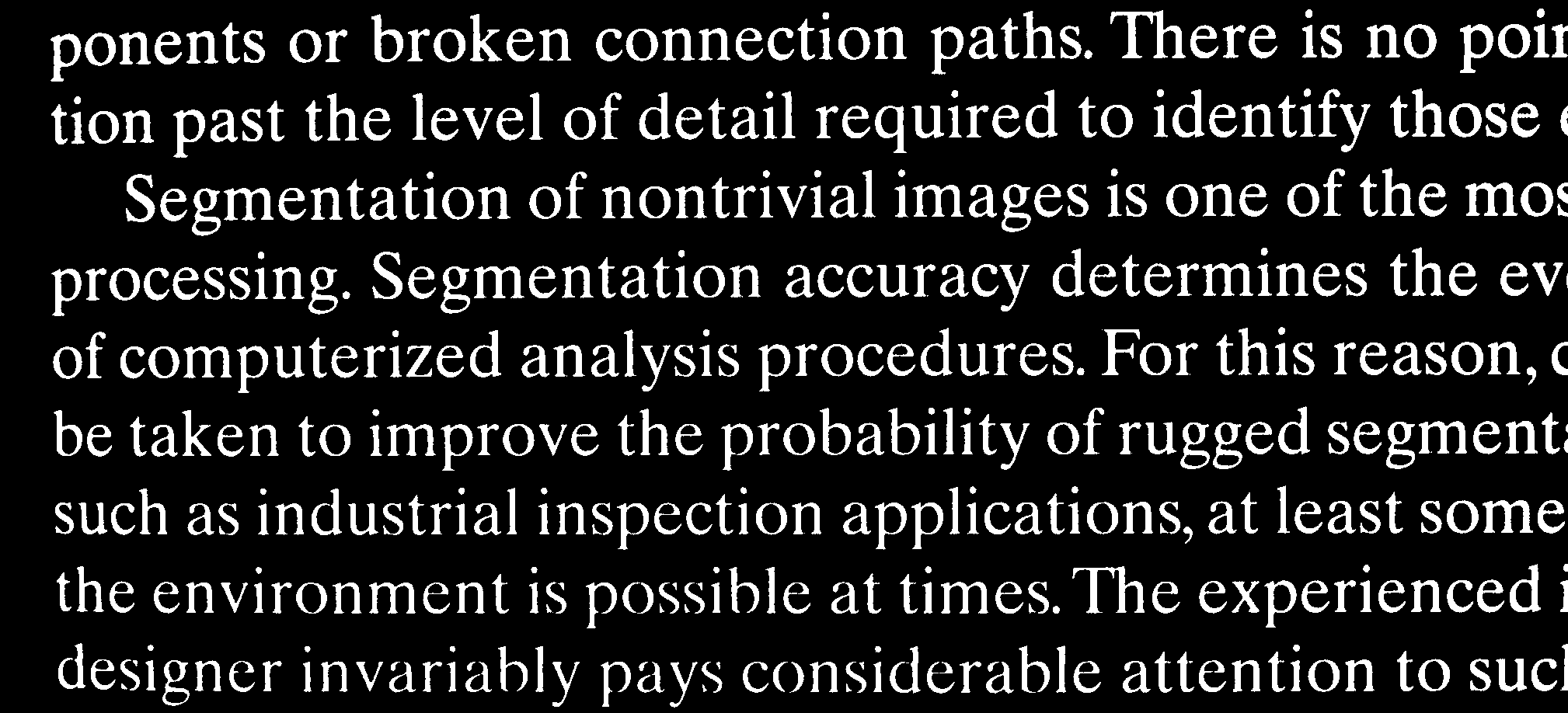
下面是一些示例代码,演示了形态学的重构
clc,clear,close all

f = imread('Fig0922(a)(book-text).tif');
fe = imopen(f , ones(51,1));
fobr = imreconstruct( fe , f );
% 以下隐藏了菜单若要显示菜单可以运行set(hFig,'MenuBar','figure')
hFig = figure( 'Toolbar' , 'none'  );
hIm = imshow( fobr );
hSP = imscrollpanel(hFig , hIm);

I = getimage(gcf);
imwrite(I,'outImg.bmp');
% 如果直接用以下的代码,只能得到当前显示出来的图像,而且还有滚动条
% saveas(gcf , 'outImg.bmp')

%添加文字
I = double(I);
rgb = insertText(I , [100 , 100 ] ,'demoForLargeFigure',...
                                   'FontSize' , 18 ,...
                                   'TextColor' , 'red' ,...
                                   'BoxColor' , 'white' ,...
                                   'BoxOpacity' , 1);
imwrite(rgb , 'insertText.jpg');
% 如果用以下的代码,保存图像时会丢失text数据,利用saveas时则不能保存原图
% t = text(100,100,'demoForLargeFigure','color','white','edgecolor','red');
处理过程中的相关图像如下
一些有用的链接
http://stackoverflow.com/questions/8586294/matlab-image-too-big-to-fit-on-screen

有“AI”的1024 = 2048,欢迎大家加入2048 AI社区
更多推荐

 4
4 0
0- 0


 已为社区贡献6条内容

所有评论(0)