有效增加YOLO-V5格式数据集小目标数量占比的方法
一种简单有效增加YOLO-V5数据集中小目标占比的方法
在做YOLOv5目标检测小目标优化时,数据集中小目标占比太小会影响我们最终的结果评估,因此,扩充这部分小目标的数目很有必要,一般来说可以选择使用一些现成的图像增强工具,本文要实现的较为简单,因此自己用opencv写了一个小工具,可以显著的提升数据集的质量。
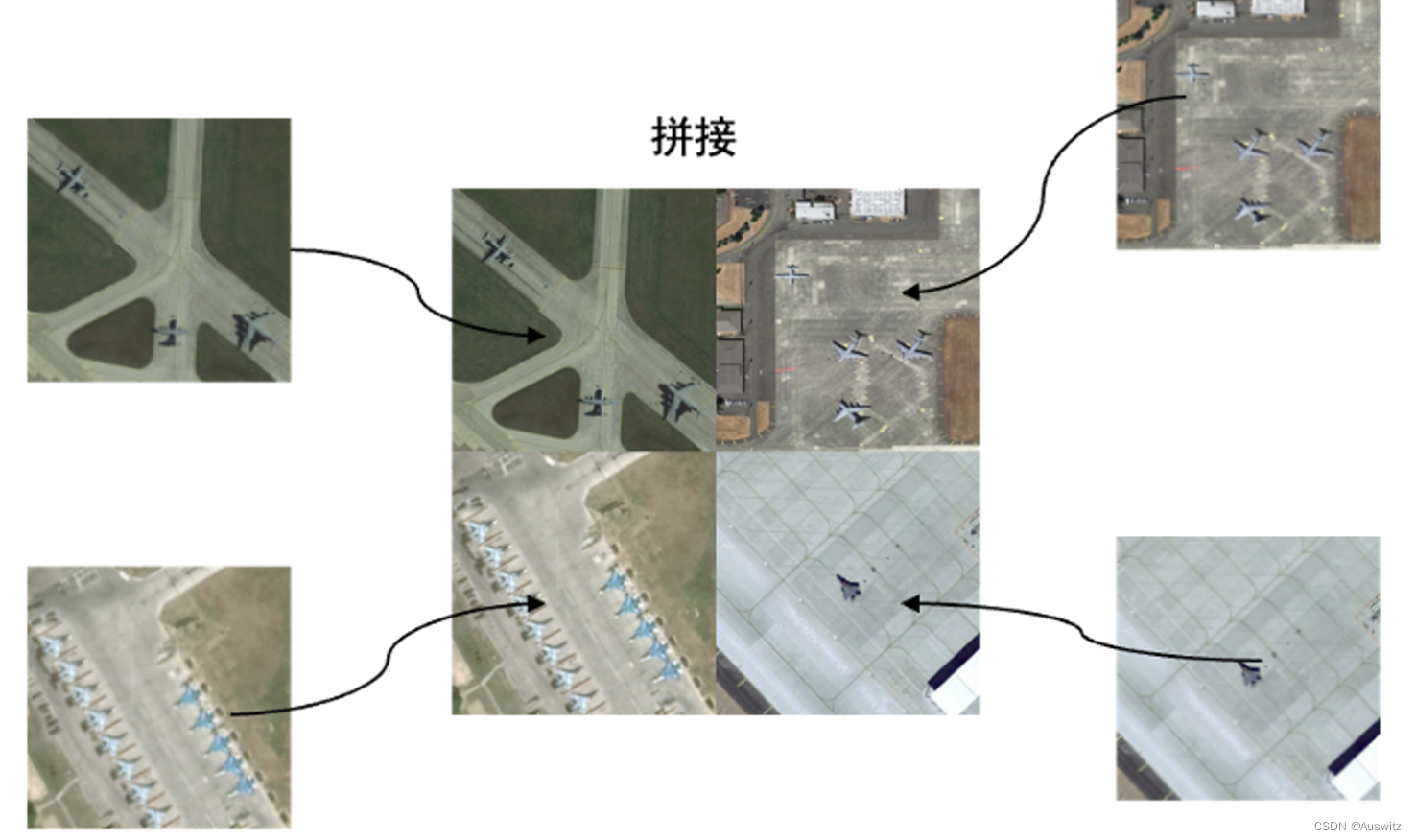
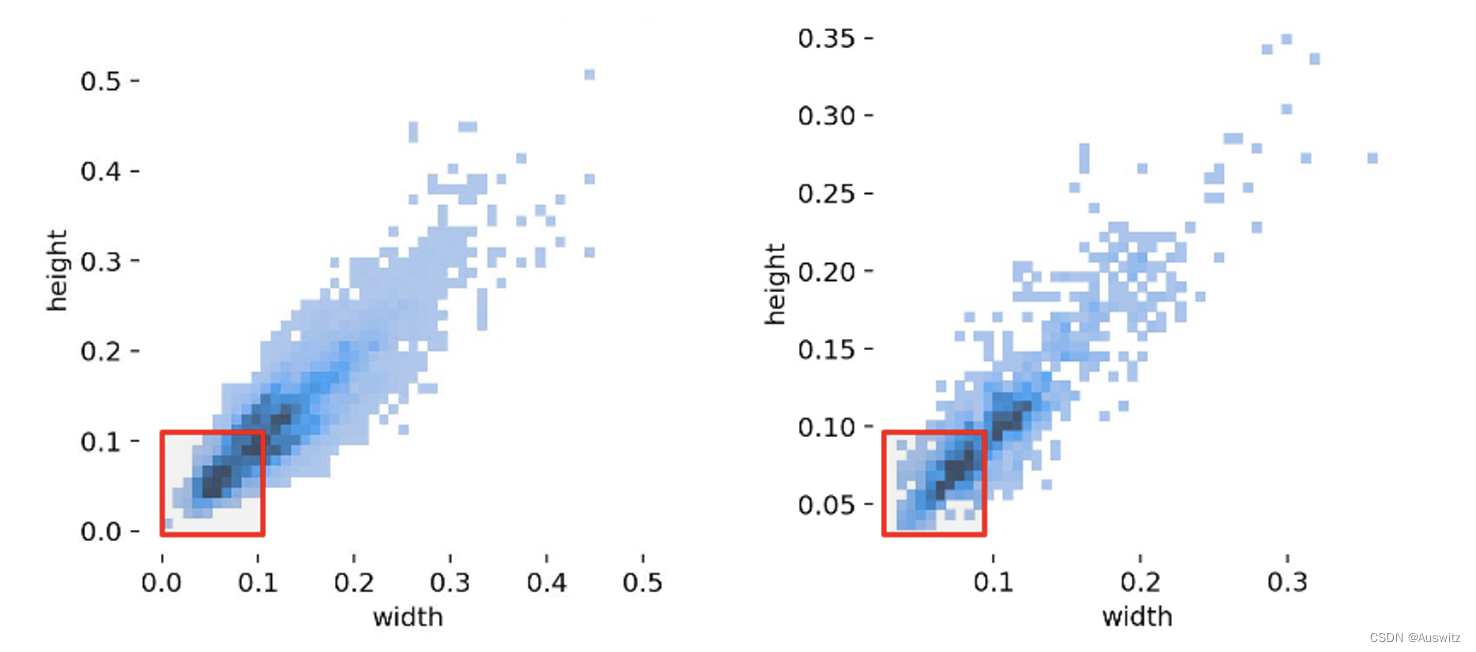
本文介绍了一种数据集扩充的方法:将四张图片合并在一张,同时保持原大小不变。这种方法可以增大数据集中的小目标数量占比,提高模型性能。在我所使用的数据集中,对小目标占比的扩充如下图,可以明显看出小目标占比增加很多。
实现过程
我们使用yolo标签格式,对数据集进行扩充。具体来说,我们将四张图片合并在一张,同时保持原大小不变。我们还需要将每张图片的标签信息进行组合。
在代码实现中,我们首先读取四张图像。接着,我们读取每张图像的标签信息,并将其更新。更新后的标签信息对应合并后的图片。然后,我们将四张图片合并在一起,并缩放到原始大小。最后,我们将合并后的图片和对应的标签信息保存到新的文件夹中。文件夹关系如下。
main函数是本文函数
data文件夹是原图像文件夹
data_update文件夹是生成后的文件夹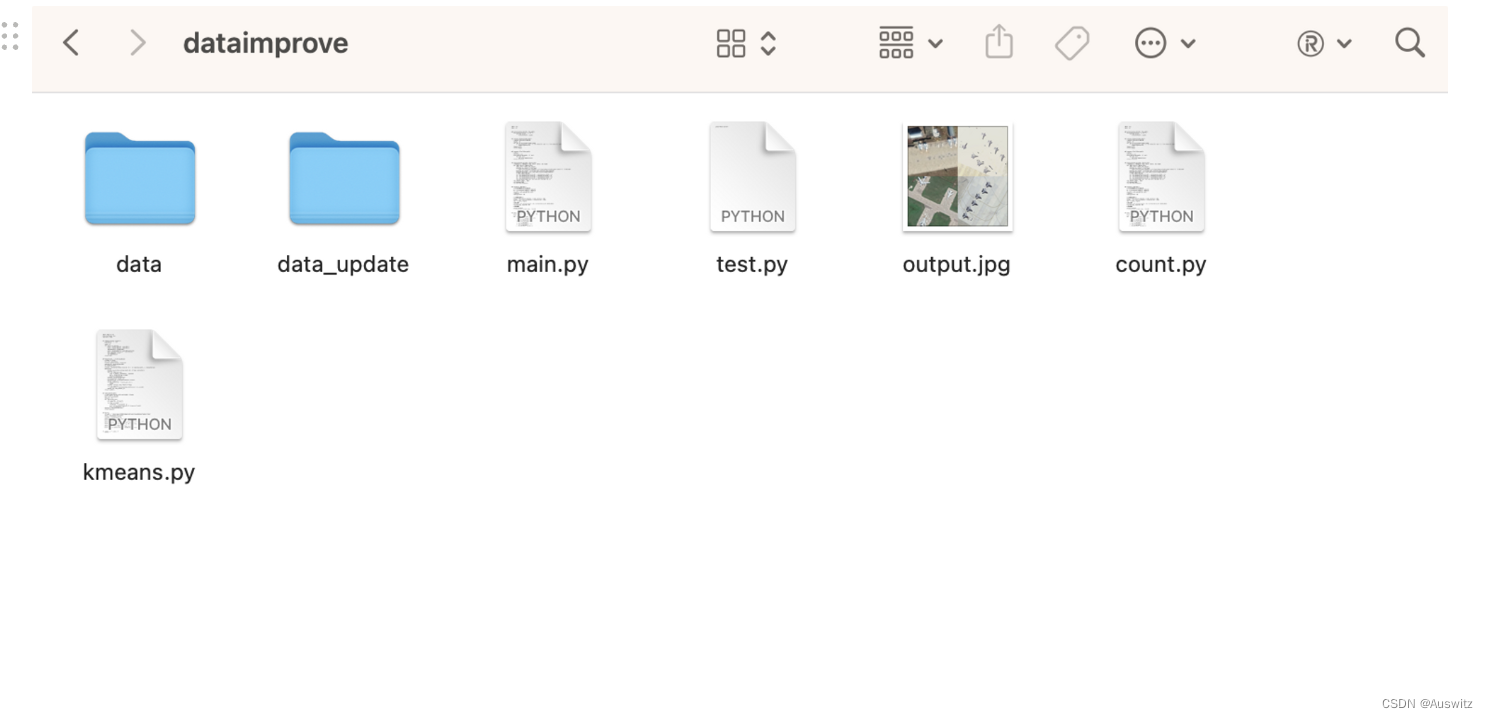
两个data文件夹中,都是images和lables文件夹。
以下是实现过程的代码:
import cv2
import os

def write_list_to_txt(lst, file_path):
    with open(file_path, 'w') as f:
        for item in lst:
            f.write("%s\n" % item)

def traverse_folder(folder_path):
    # 遍历这个文件夹中的文件返回名称
    images = []
    for file in os.listdir(folder_path):
        if file.endswith('.jpg') or file.endswith('.png') or file.endswith('.jpeg') or file.endswith('.txt'):
            images.append(file)
    images.sort()
    return images

def traverse_file(folder_path):
    # 读txt
    txt_files = []
    with open(folder_path, 'r') as f:
        for line in f:
            txt_files.append(line)
    return txt_files

def draw_bounding_box(img1, lables_info):
    # 画框在图片上,参数是图片,[标签,框中心x,框中心y,框长,框宽]
    for label_info in lables_info:
        label_info = label_info.split()
        bounding_box_center = (int(float(
            label_info[1])*img1.shape[0]), int(float(label_info[2])*img1.shape[1]))  # 框中心坐标
        bounding_box_length = int(float(label_info[3])*img1.shape[0])
        bounding_box_width = int(float(label_info[4])*img1.shape[0])
        # 计算左上角和右下角的坐标
        x1 = int(bounding_box_center[0] - bounding_box_length / 2)
        y1 = int(bounding_box_center[1] - bounding_box_width / 2)
        x2 = int(bounding_box_center[0] + bounding_box_length / 2)
        y2 = int(bounding_box_center[1] + bounding_box_width / 2)
        cv2.rectangle(img1, (x1, y1), (x2, y2), (0, 255, 0), 2)
    cv2.imshow('image', img1)
    cv2.waitKey(2000)
    cv2.destroyAllWindows()

def contact_4_img(imgs):
    # 将四张图像按照水平方向拼接起来
    h1 = cv2.hconcat([imgs[0], imgs[1]])
    h2 = cv2.hconcat([imgs[2], imgs[3]])
    result1 = cv2.vconcat([h1, h2])
    # 缩放比例
    scale_percent = 50

    # 计算缩放后的大小
    width = int(result1.shape[1] * scale_percent / 100)
    height = int(result1.shape[0] * scale_percent / 100)
    dim = (width, height)
    # 缩小图像
    resized = cv2.resize(result1, dim, interpolation=cv2.INTER_AREA)
    # print(img1.shape[0]) 800
    # 保存图像
    return resized
    # cv2.imwrite('output.jpg', resized)

def update_lables(lables_info, tag):
    # tag 1 2 3 4 分别对应左上,左下,右上,右下
    resl = []
    for lable_info in lables_info:
        lable_info = lable_info.split()
        x = float(lable_info[1])/2
        y = float(lable_info[2])/2
        if (tag == 2 or tag == 4):
            x = x+400/800
        if (tag == 3 or tag == 4):
            y = y+400/800
        w = float(lable_info[3])/2
        h = float(lable_info[4])/2
        resl.append(lable_info[0]+' '+str(x)+' '+str(y)+' '+str(w)+' '+str(h))
    return resl

# 读取四张图像
img_path = 'data/images/'
label_path = 'data/lables/'
img_path_update = 'data_update/images/'
label_path_update = 'data_update/lables/'

imgs_name = traverse_folder(img_path)
txts_name = traverse_folder(label_path)
i = 0
current = 4000
for i in range(0, 1000, 4):
    imgs = []
    # print(i)
    txts = []
    for j in range(4):
        imgs.append(cv2.imread(img_path+imgs_name[i+j]))
        txts += update_lables(traverse_file(label_path+txts_name[i+j]), j+1)
    img = contact_4_img(imgs=imgs)
    cv2.imwrite(img_path_update+str(current)+'.jpg', img=img)
    # draw_bounding_box(img1=img, lables_info=txts)
    # 保存txts
    write_list_to_txt(txts,label_path_update+str(current)+'.txt')
    current += 1
    if i >= len(imgs_name)-4:
        break
结论
数据集扩充是提高模型性能的有效方法之一。在本文中,我们介绍了一种数据集扩充的方法:将四张图片合并在一张,同时保持原大小不变。这种方法可以增大数据集中的小目标数量占比,提高模型性能。我们通过Python代码实现了这种方法,可以应用于实际的目标检测任务中。
相关YOLO数据集处理方法还可以看我下面的文章:
数据集XML标签转YOLO标签
YOLO数据集统计标签框尺寸分布的算法
YOLO数据集kmeans聚类出anchor的算法

有“AI”的1024 = 2048,欢迎大家加入2048 AI社区
更多推荐


 2
2 0
0- 0


 已为社区贡献1条内容

所有评论(0)