【Bug解决】OSError: image file is truncated (7 bytes not processed)
·
1. 报错内容
PyTorch 代码,使用 MS COCO 数据集训练时报错:
OSError: image file is truncated (7 bytes not processed)
报错内容:图像损坏,无法读取,具体就是括号里提示的,7 bytes 无法读取。
报错原因:将一张正常的 .jpg 格式图片用二进制打开,遵循的格式规则是图片开头为 ff d8,图片结尾为 ff d9,如果图片数据遭到损坏,通常是尾部的 ff d9 不见了。
2. 报错解决
思路一:补全损坏数据
最好是能将损坏的数据修复,针对 MS COCO 的训练数据,COCO_train2014_000000167126.jpg 这张图片已经损坏了,在https://msvocds.blob.core.windows.net/images/262993_z.jpg 可以下载到正常的图片,替换掉损坏图片即可。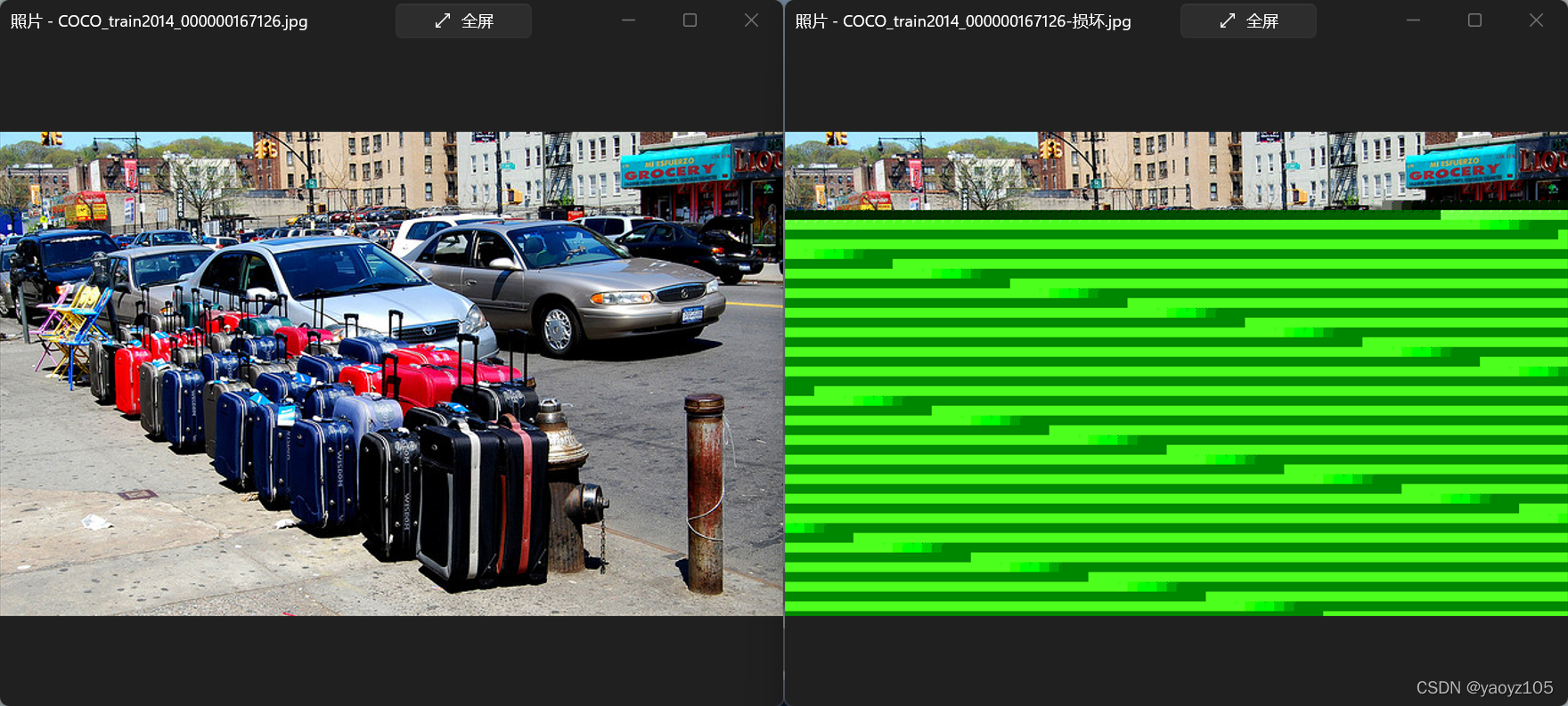
如果是其他数据集,找不到正常的替换图片,同时缺损的数据占比多、抛弃数据比较可惜、损坏的部分对使用数据不造成太大影响,可以考虑补全数据,即在图片尾部补上 ff d9。
from PIL import Image
from io import BytesIO
import matplotlib.pyplot as plt

img='test.jpg'
with open(img, 'rb') as f:
    f = f.read()
f = f + B'\xff' + B'\xd9'
im = Image.open(BytesIO(f))
if im.mode != "RGB":
    im = im.convert('RGB')
imr = im.resize((256, 256), resample=Image.BILINEAR)
imr.show()
思路二:抛弃损坏数据
直接将损坏数据跳过,下面的两句代码运行结果是:当遇到截断图片数据时,PIL 会直接 break 跳出函数,不报错。
from PIL import ImageFile
ImageFile.LOAD_TRUNCATED_IMAGES = True
3. 损坏图片检查
通过下面的代码检查一下整个数据集,发现 COCO_val2014_000000320612.jpg 也有问题,虽然能正常打开,但是看它的二进制代码不是按照上述的规则,而是 x89PNG 开头的,这应该是原本的 .png 图片直接修改后缀导致的,可以把后缀改回 .png,再利用专业的 .png 转 .jpg 工具转换图片,然后整整齐齐。
from distutils.log import error
import os
from PIL import Image

def is_valid_image(path):
    '''
    check .jpg image
    '''
    try:
        isValid = True
        fileObj = open(path, 'rb')  # open image with binary format
        buf = fileObj.read()
        if not buf.startswith(b'\xff\xd8'):  # start with '\xff\xd8'
            isValid = False
        elif buf[6:10] in (b'JFIF', b'Exif'):
            if not buf.rstrip(b'\0\r\n').endswith(b'\xff\xd9'):  # end with '\xff\xd9'
                isValid = False
        else:
            try:
                Image.open(fileObj).verify()
            except Exception as e:
                isValid = False
    except Exception as e:
        print('Can\'t open file: {}'.format(path))
        return

    if not isValid:
        print('{} is damaged.'.format(path))
    return

if __name__=='__main__':
    dataPath = 'datasets/coco/trainval2014'
    imgList = os.listdir(dataPath)
    for img in imgList:
        path = os.path.join(dataPath, img)
        is_valid_image(path)

有“AI”的1024 = 2048,欢迎大家加入2048 AI社区
更多推荐

 7
7 0
0- 0


 已为社区贡献18条内容


所有评论(0)