vllm ImportError: libcudart.so.12: cannot open shared object file: No such file or directory
r!r。
·
代码
from vllm import LLM, SamplingParams
prompts = [
    "Hello, my name is",
    "The president of the United States is",
    "The capital of France is",
    "The future of AI is",
]
sampling_params = SamplingParams(temperature=0.8, top_p=0.95)
llm = LLM(model="facebook/opt-125m")
outputs = llm.generate(prompts, sampling_params)

for output in outputs:
    prompt = output.prompt
    generated_text = output.outputs[0].text
    print(f"Prompt: {prompt!r}, Generated text: {generated_text!r}")
报错
import vllm._C # noqa
ImportError: libcudart.so.12: cannot open shared object file: No such file or directory
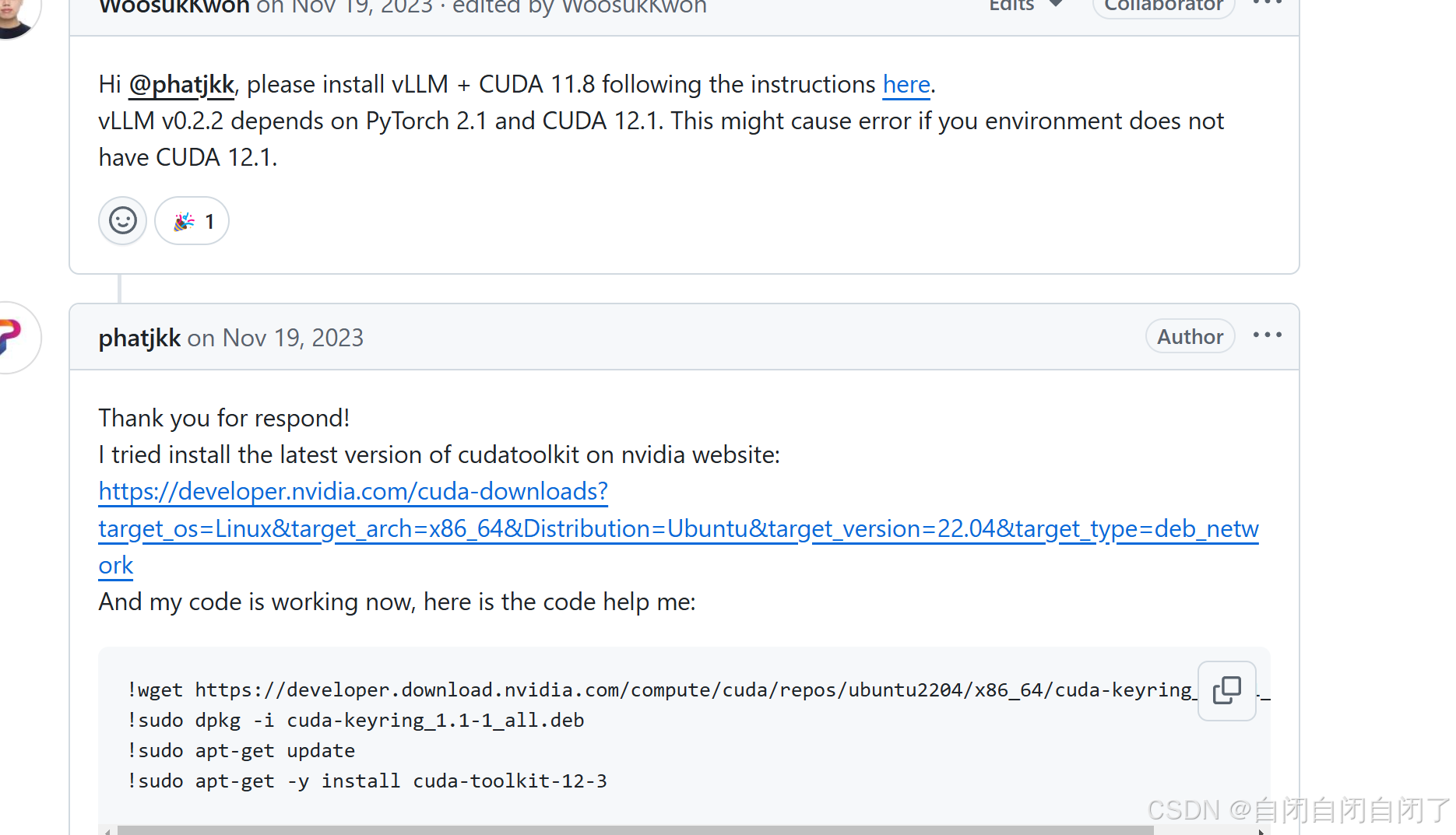
网上说是cuda版本问题,因此打算升为12.4
conda create -n vllm python=3.10
conda activate vllm
conda install pytorch==2.5.1 torchvision==0.20.1 torchaudio==2.5.1 pytorch-cuda=12.4 -c pytorch -c nvidia
conda install -c conda-forge gxx=11.2.0
conda install -c conda-forge gcc=11.2.0
pip install vllm==0.7.3
成功运行!!

有“AI”的1024 = 2048,欢迎大家加入2048 AI社区
更多推荐



 7
7 0
0- 0


 已为社区贡献8条内容

所有评论(0)