OPENMV的形状和颜色组合识别
使用openmv,通过阈值颜色和形状来去真假宝藏。调试过程发现颜色的阈值比较重要,因为不准的话,它会把一些颜色相近的物体也识别了。识别的精度有待提高,可以使用YOLOV5来识别,奈何本人没精力来弄这个。
·
使用openmv,通过阈值颜色和形状来去真假宝藏。调试过程发现颜色的阈值比较重要,因为不准的话,它会把一些颜色相近的物体也识别了。识别的精度有待提高,可以使用YOLOV5来精确识别,奈何本人没精力来弄这个。

打开机器视觉的阈值调节器
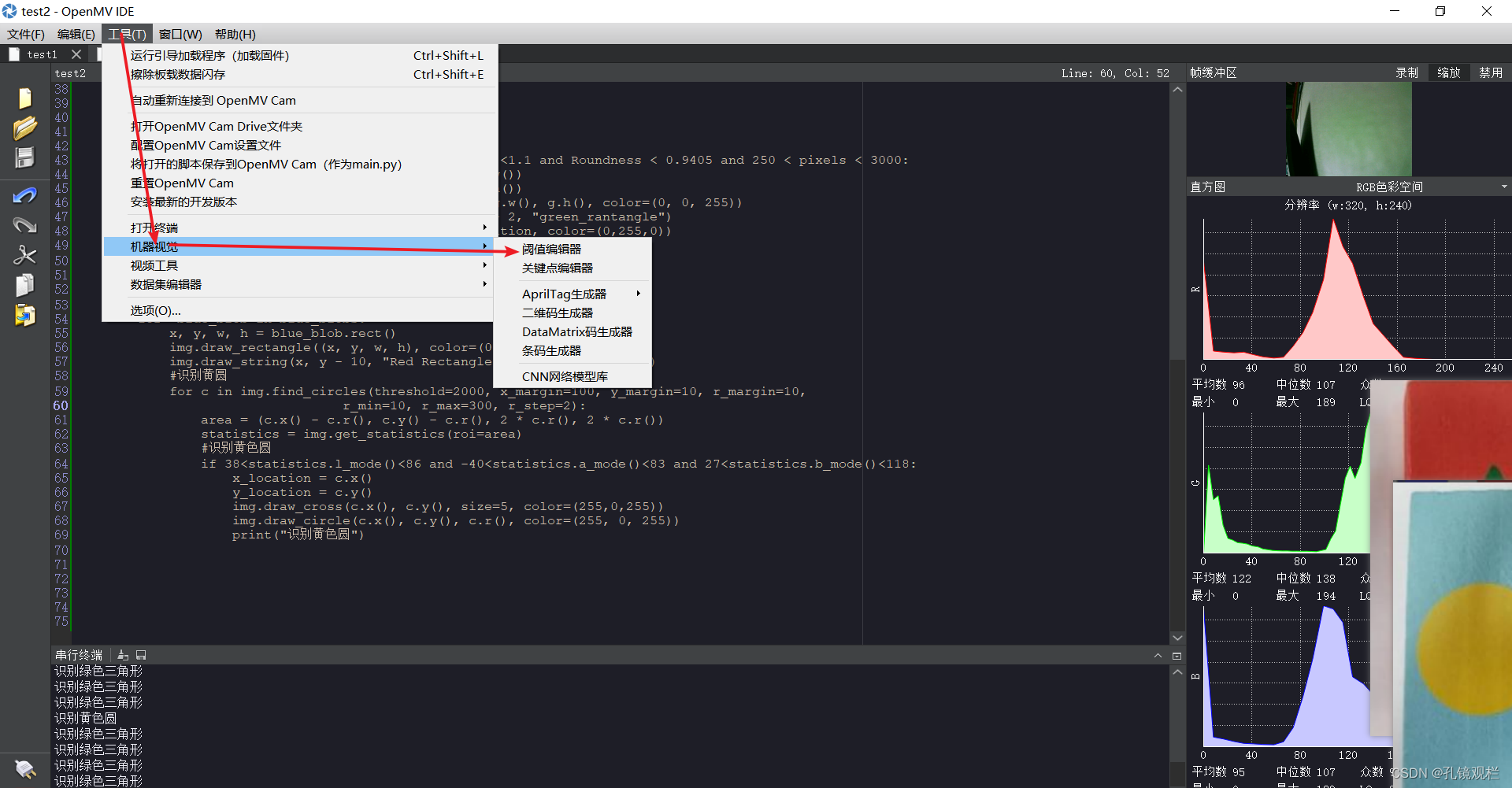
使用方法: 阈值调节主要是把你想要的颜色调为白色,其它颜色为黑色。将调节好的六个参数复制至代码那里。
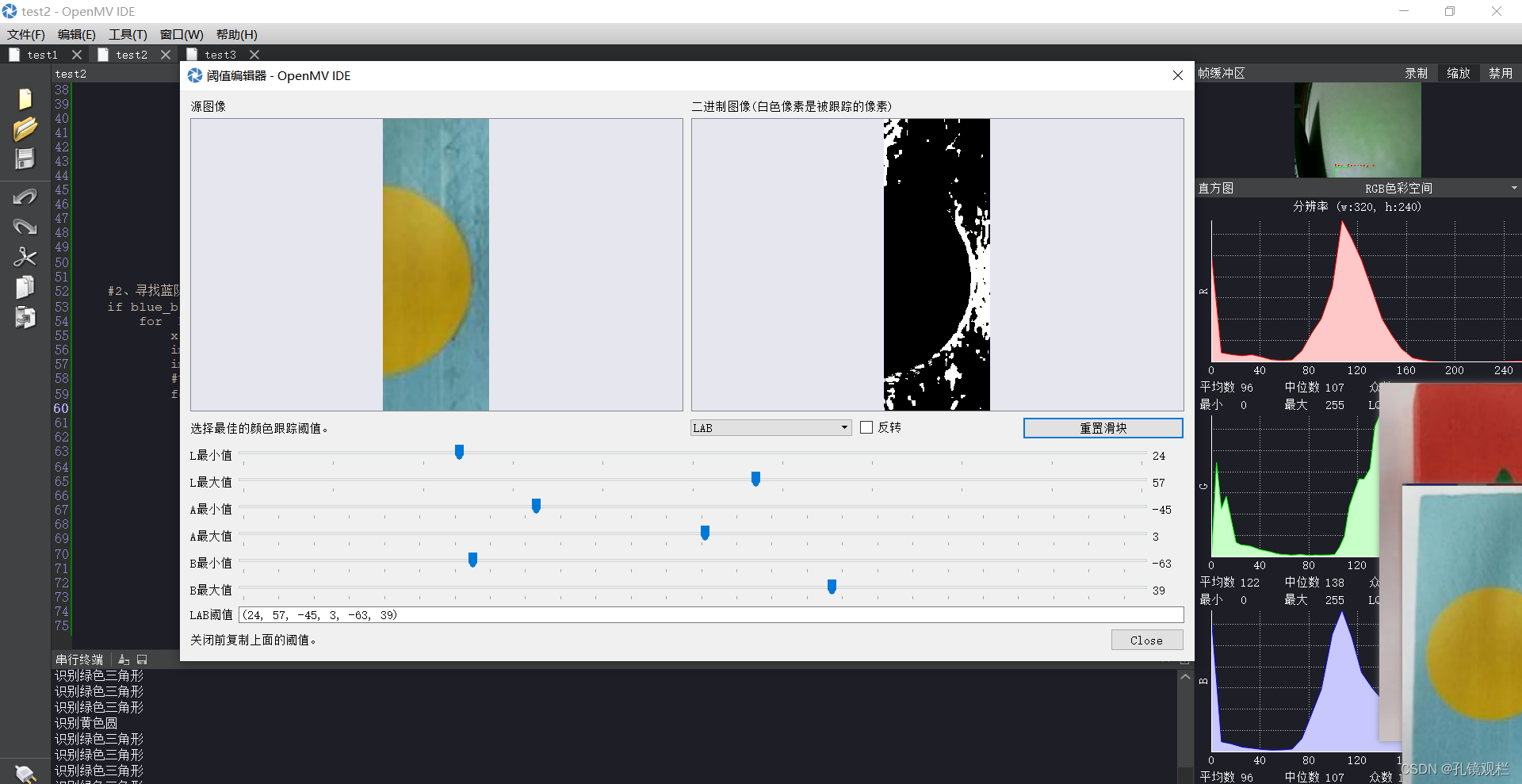
共六个参数,从上到下按顺序,L、A、B的最小值不超过其最大值,但也看情况。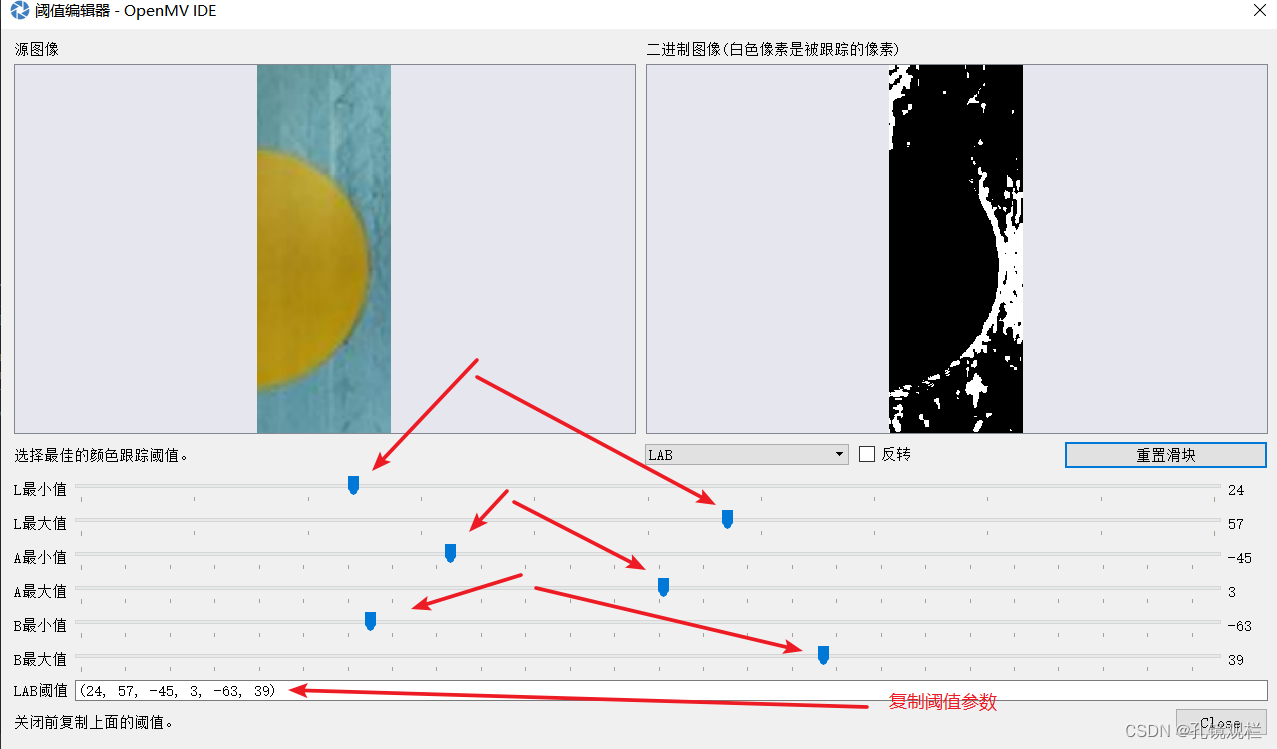
阈值没调好的效果。
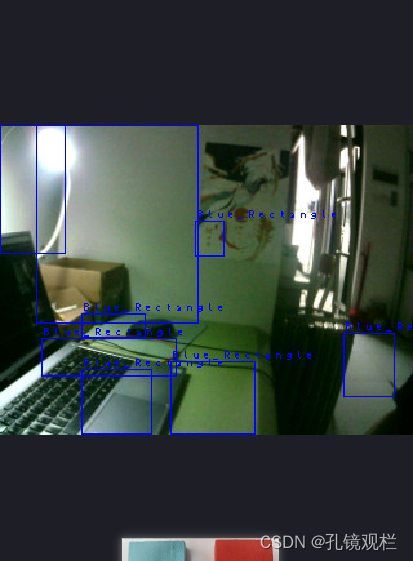
(openmv拍宿舍,是谁放假了还在学校参加比赛 ^@^ ,大冤种就是我)

附一段杂的代码,仅供参考:
import sensor, image, time

sensor.reset()                      # Reset and initialize the sensor.
sensor.set_pixformat(sensor.RGB565) # Set pixel format to RGB565 (or GRAYSCALE)
sensor.set_framesize(sensor.QQVGA)   # Set frame size to QVGA (320x240)
sensor.skip_frames(time = 2000)     # Wait for settings take effect.
sensor.set_auto_gain(False)  # 关闭自动增益
sensor.set_auto_whitebal(False)  # 关闭自动白平衡
clock = time.clock()

fs_cnt = 0

x_list = []
y_list = []
len_list = []
area_list = []
color_list = []

x_location = 0
y_location = 0

shape = 0     # 0没检测到1圆形2长方形3三角形
color = 0     # 0没检测到1圆形2长方形3三角形

sidelen = 0   # 单位cm
area = 0

xt = 0

red_threshold = [(27,54,-35,59,3,68)]      #红色阈值
blue_threshold = [(37, 74, -80, 6, -100, -5)]   #浅蓝色阈值
yellow_threshold = [(38, 86, -40, 83, 27, 118)] #黄色阈值
green_threshold  = [(15, 52, -88, -12, -122, 44)]  #绿色阈值


while True:
    clock.tick()
    fs_cnt = fs_cnt + 1
    img = sensor.snapshot().lens_corr(1.8)
    #img.bilateral(1)

    #矩形识别
    for d in img.find_rects(threshold=10000):
        area = (d[0], d[1], d[2], d[3])
        statistics1 = img.get_statistics(roi=area)  # 像素颜色统计
        xq = 0
        xq = d[2] / d[3]
        coners = d.corners()
        sb = ((abs(coners[0][0] - coners[1][0]))**2 + (abs(coners[0][1]-coners[1][1])**2))**0.5
        #识别红色矩形(3, 59, -82, 108, -122, 44)
        if 3<statistics1.l_mode()<59 and -82<statistics1.a_mode()<108 and -122<statistics1.b_mode()<44 and 0.8<xq<1.2:
            #color = 1
            x_location = int(d[0] + d[2] / 2)
            y_location = int(d[1] + d[3] / 2)

            img.draw_rectangle(d.rect(), color=(0, 255, 0))
            img.draw_cross(x_location, y_location, color=(0,255,0)) #绿色标识
            print("识别红色矩形")

        #识别三角形
        for g in img.find_blobs(green_threshold):
            Solidty = g.solidity()
            Roundness = g.roundness()
            pixels = g.pixels()
           # abs(width - height) <= 10:
            xt = g.w()/g.h()
            if  0.1<= Solidty <=0.815 and 0.9< xt <1.1 and Roundness < 0.9405 and 250 < pixels < 3000:
                x_location = int(g.x() + 0.5 * g.w())
                y_location = int(g.y() + 0.5 * g.h())
                img.draw_rectangle(g.x(), g.y(), g.w(), g.h(), color=(255, 0, 0))
                img.draw_string(g.x() + 2, g.y() + 2, "green_rantangle")
                #img.draw_cross(x_location, y_location, color=(0,255,0))
                print("识别绿色三角形")


     #识别蓝色矩形(35, 73, -49, -9, -34, 62)
     #if 35<statistics1.l_mode()<73 and -49<statistics1.a_mode()<-9 and -34<statistics1.b_mode()<62 and 0.8<xq<1.2:
     #       x_location = int(d[0] + d[2] / 2)
      #      y_location = int(d[1] + d[3] / 2)
      #      img.draw_rectangle(d.rect(), color=(255, 255, 0))
      #      img.draw_cross(x_location, y_location, color=(255,255,0))  #黄色标识
      #      print("识别蓝色矩形")

    #识别圆形
    for c in img.find_circles(threshold=2000, x_margin=100, y_margin=10, r_margin=10,
                          r_min=10, r_max=200, r_step=2):
        area = (c.x() - c.r(), c.y() - c.r(), 2 * c.r(), 2 * c.r())
        statistics = img.get_statistics(roi=area)
        #识别黄色圆
        if 38<statistics.l_mode()<86 and -40<statistics.a_mode()<83 and 27<statistics.b_mode()<118:
            x_location = c.x()
            y_location = c.y()
            img.draw_cross(c.x(), c.y(), size=5, color=(255,0,255))
            img.draw_circle(c.x(), c.y(), c.r(), color=(255, 0, 255))
            print("识别黄色圆")

有“AI”的1024 = 2048,欢迎大家加入2048 AI社区
更多推荐
 9
9 0
0- 0


 已为社区贡献4条内容

所有评论(0)