CST2024启动警告问题
·
CST2024下载完成后,第二次打开时出现以下warning
CST Update Manager reported the following error:
License details are required to check for updates. please specify .
license command line option.
Please manually start CST Update Manager to fix the problem and to
be able to receive the latest updates.
Additional information can be found in the logfile (Patches\log.txt).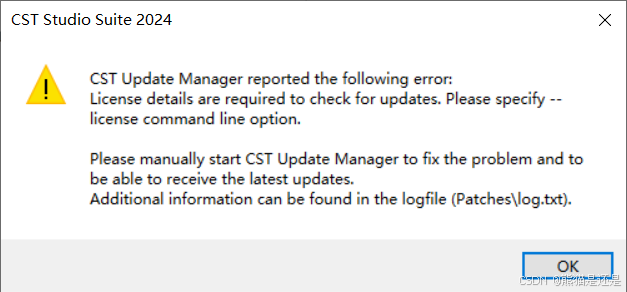
通过以下步骤解决:
直接Windows搜索框搜索 CST Update Manager 2024(根据自己版本具体确定)
通过File-->Options-->Update mode-->No Automatic Updates
点击OK确定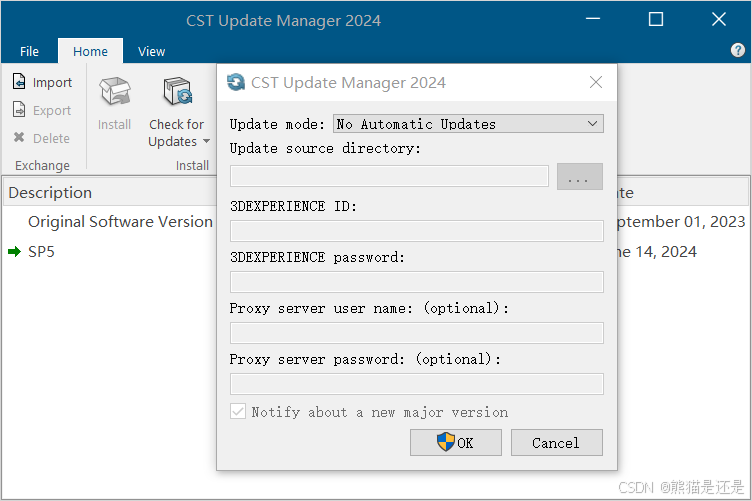
接着出现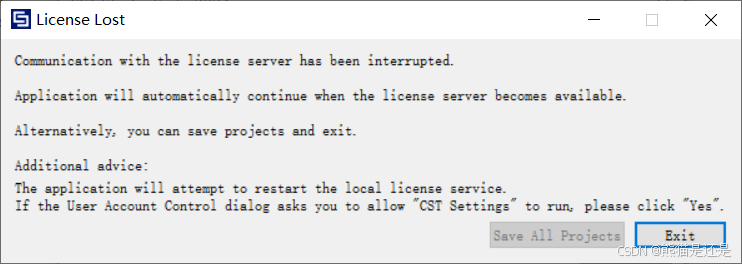
点击Exit退出即可
之后打开CST时,会出现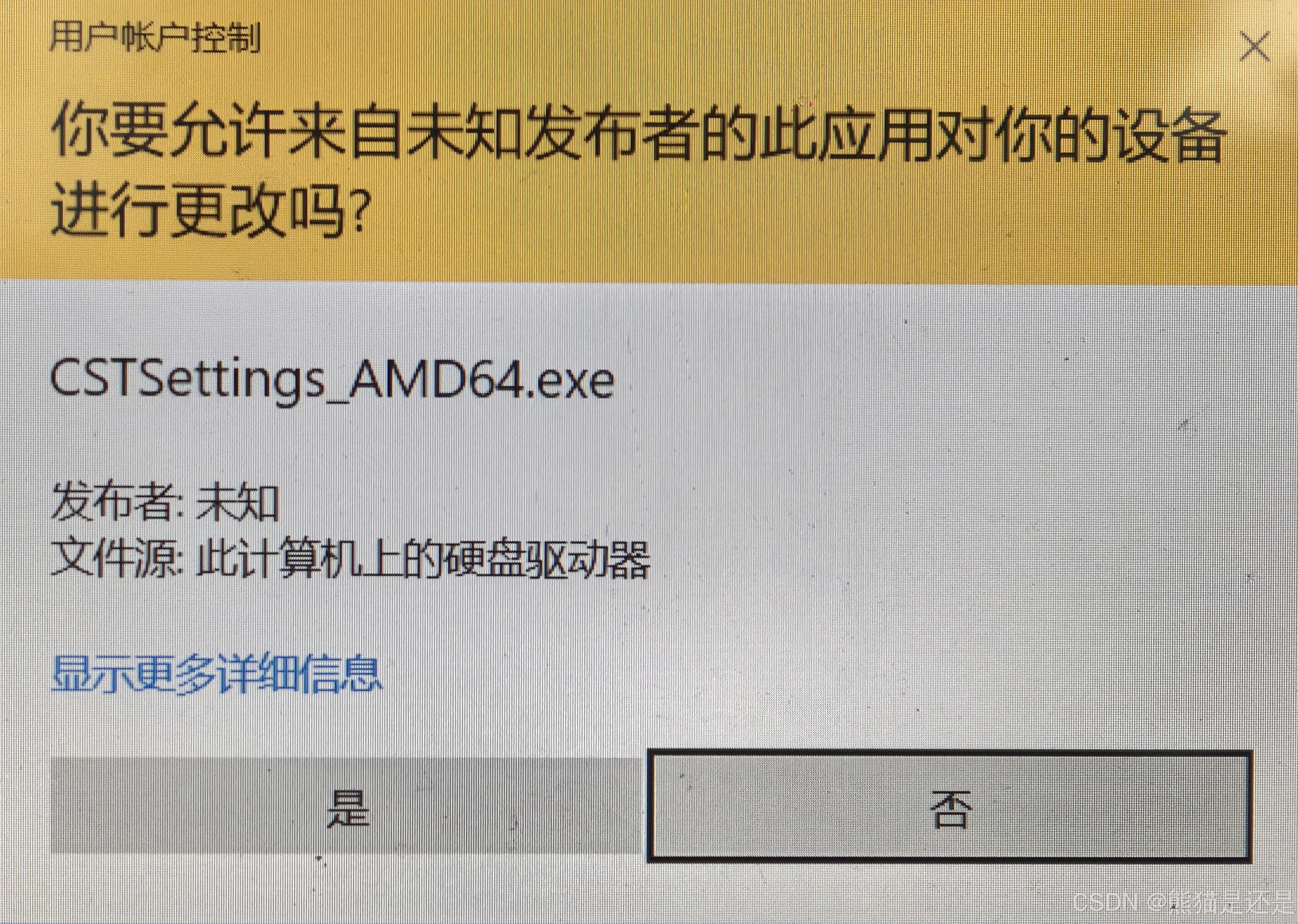
点击确定即可正常使用
参考链接:今天打开CST21后发现update manager报错【cst吧】_百度贴吧

有“AI”的1024 = 2048,欢迎大家加入2048 AI社区
更多推荐

 10
10 0
0- 0


 已为社区贡献2条内容

所有评论(0)