【服务器】SSH提示私钥:UNPROTECTED PRIVATE KEY FILE!
【服务器】SSH提示私钥:UNPROTECTED PRIVATE KEY FILE!
·
使用ssh命令时:
ssh xxxx@xx.xx.xx.xx -p 17022 -i id_rsa
可能会出现提示WARNING: UNPROTECTED PRIVATE KEY FILE!:
@@@@@@@@@@@@@@@@@@@@@@@@@@@@@@@@@@@@@@@@@@@@@@@@@@@@@@@@@@@
@         WARNING: UNPROTECTED PRIVATE KEY FILE!          @
@@@@@@@@@@@@@@@@@@@@@@@@@@@@@@@@@@@@@@@@@@@@@@@@@@@@@@@@@@@
Permissions for 'xxxxxx' are too open.
It is required that your private key files are NOT accessible by others.
This private key will be ignored.
Load key "xxxxxx": bad permissions
xxxx@xx.xx.xx.xx: Permission denied (publickey).
解决办法:
Linux下:chmod 700 filename改变文件权限
Windows下:
打开文件【属性】【安全】【高级】,修改文件所有者为当前用户,并【禁用继承】,删除其他主体权限:
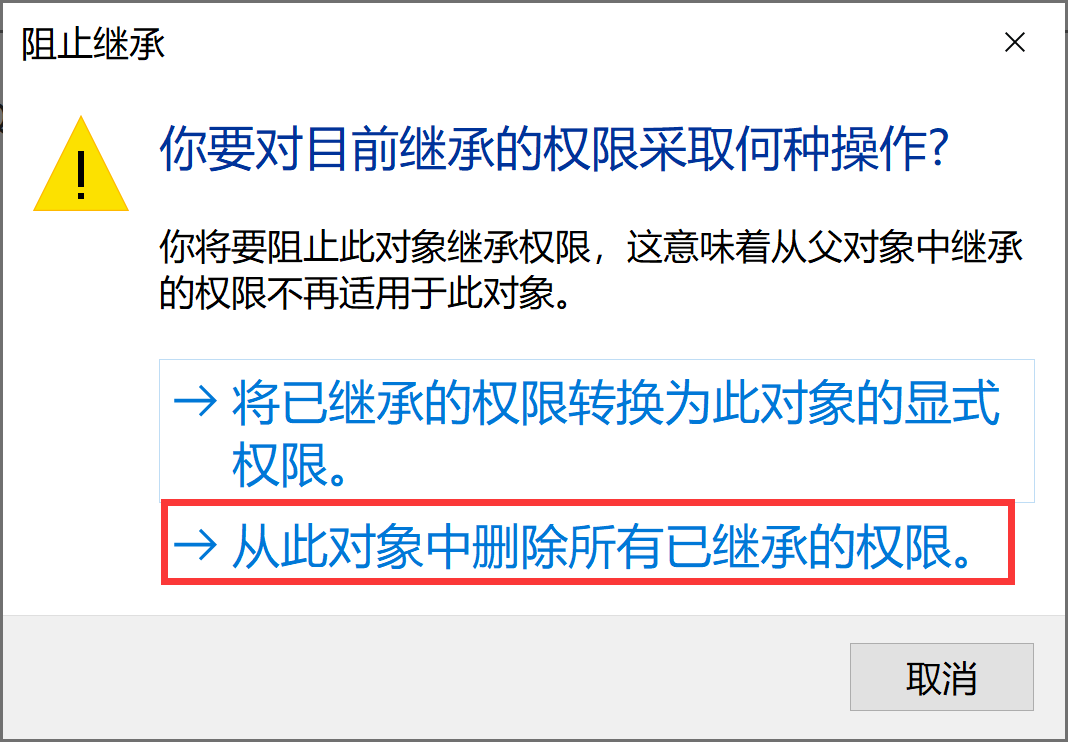
删除后: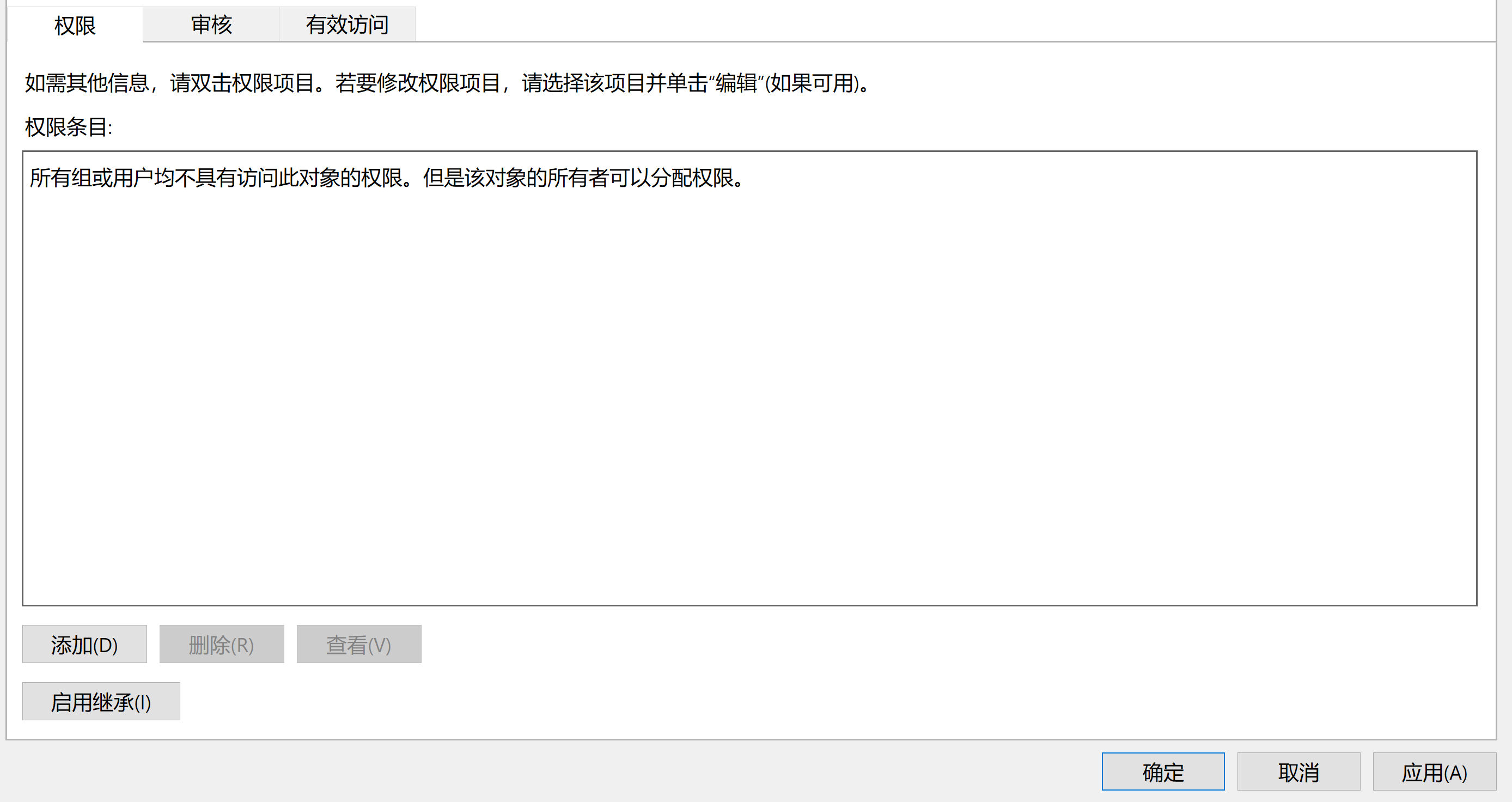
参考:
https://www.perfcode.com/p/ssh-warning-unprotected-private-key-file.html

有“AI”的1024 = 2048,欢迎大家加入2048 AI社区
更多推荐

 4
4 0
0- 0


 已为社区贡献16条内容

所有评论(0)