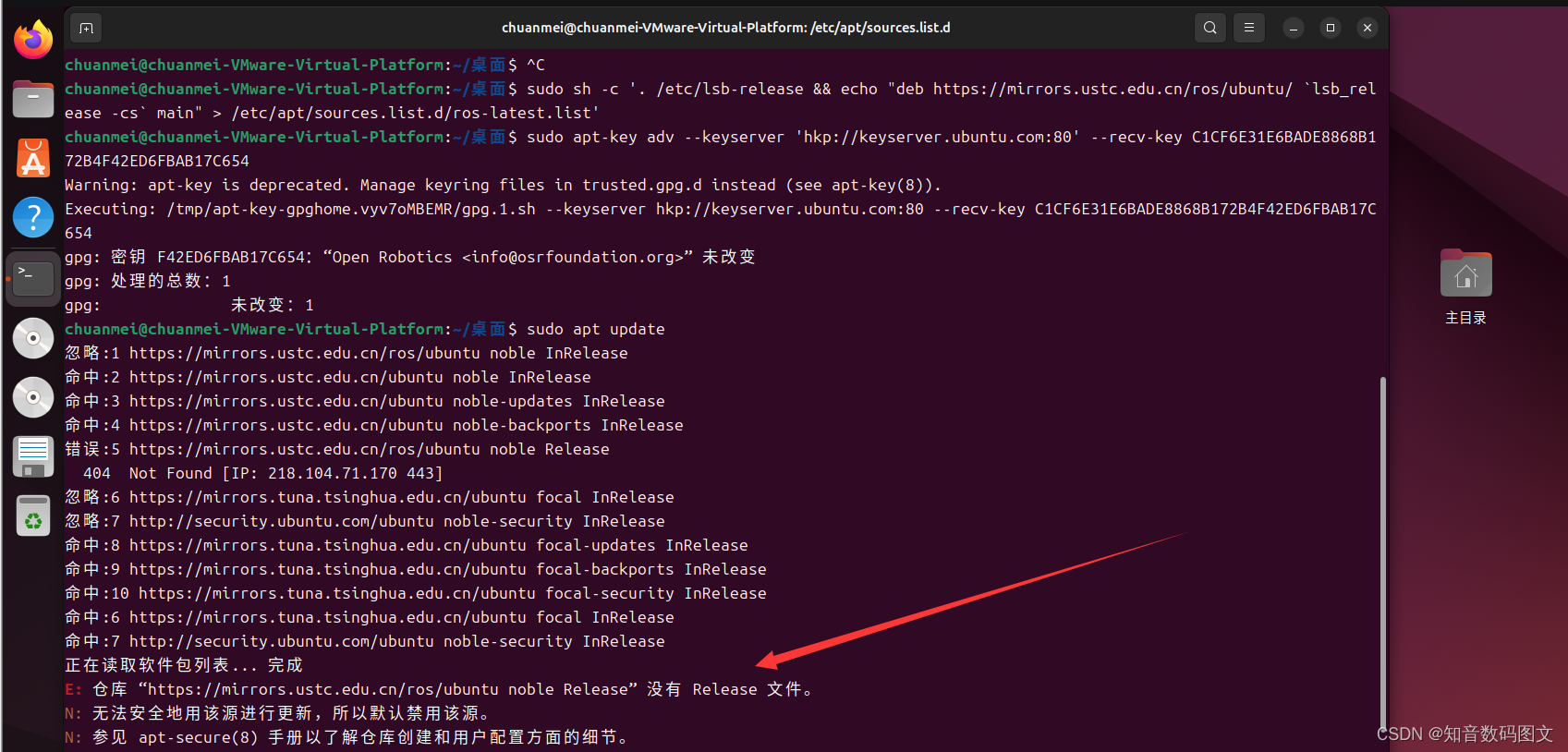
E: 仓库 “https://mirrors.ustc.edu.cn/ros/ubuntu noble Release” 没有 Release 文件
E: 仓库 “https://mirrors.ustc.edu.cn/ros/ubuntu noble Release” 没有 Release 文件。sources.list 这个文件,它的存放目录是 /etc/apt/sources.list,是一个普通可编辑的文本文件。目录下的 *.list 文件为在单独文件中写入源的地址提供了一种方式,通常用来安装第三方的软件,N: 参见 apt-secur
E: 仓库 “https://mirrors.ustc.edu.cn/ros/ubuntu noble Release” 没有 Release 文件。
N: 无法安全地用该源进行更新,所以默认禁用该源。
N: 参见 apt-secure(8) 手册以了解仓库创建和用户配置方面的细节。
解决办法
sources.list 这个文件,它的存放目录是 /etc/apt/sources.list,是一个普通可编辑的文本文件
/etc/apt/sources.list.d/.list 目录下的 *.list 文件为在单独文件中写入源的地址提供了一种方式,通常用来安装第三方的软件,
ros源
sudo sh -c '. /etc/lsb-release && echo "deb http://mirrors.ustc.edu.cn/ros/ubuntu/ $DISTRIB_CODENAME main" > /etc/apt/sources.list.d/ros-latest.list'密钥
sudo apt-key adv --keyserver 'hkp://keyserver.ubuntu.com:80' --recv-key C1CF6E31E6BADE8868B172B4F42ED6FBAB17C654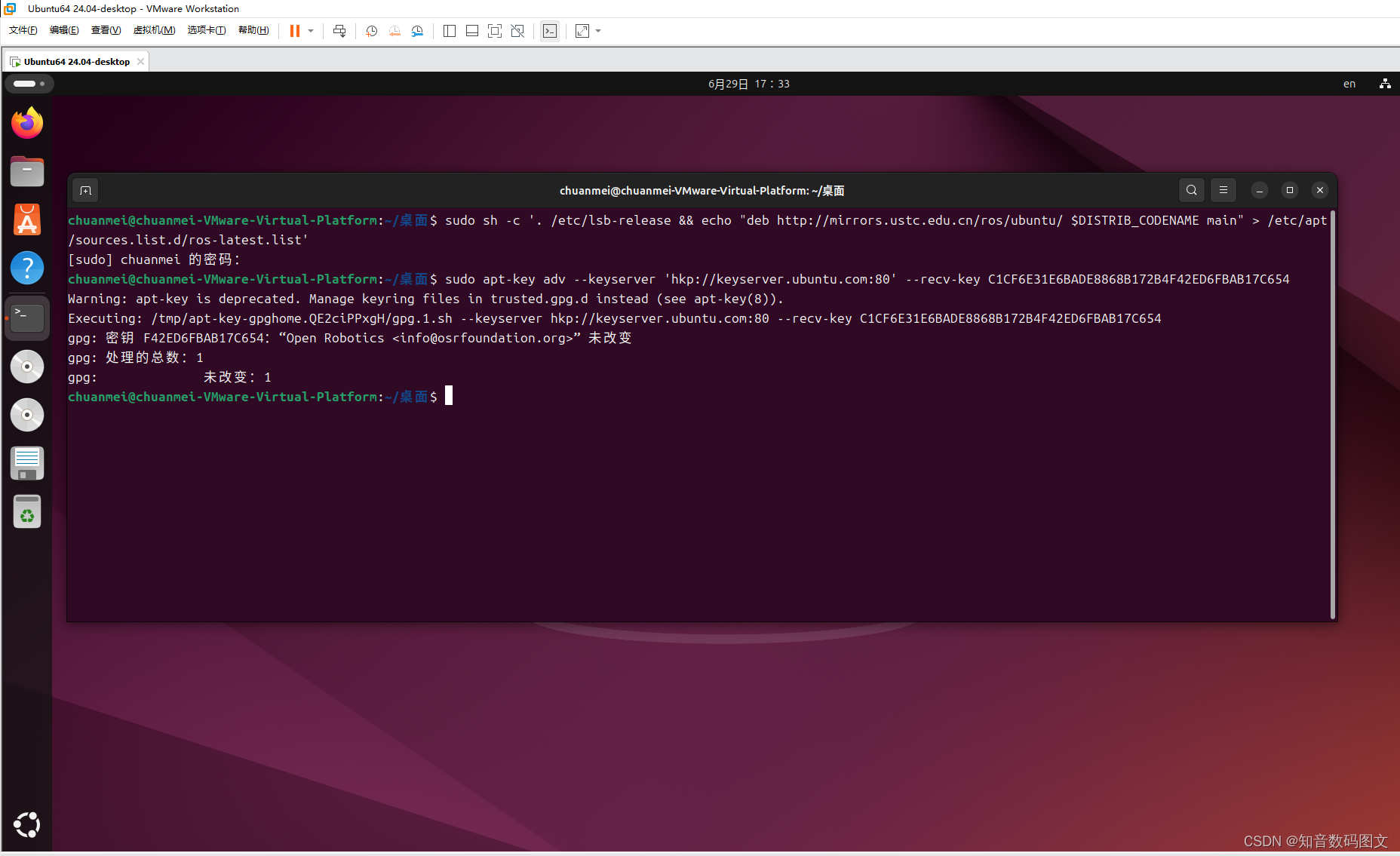
所以找到相应文件更改源
cd /etc/apt/sources.list.d

sudo gedit ros-latest.list
原地址
deb http://mirrors.ustc.edu.cn/ros/ubuntu/ noble main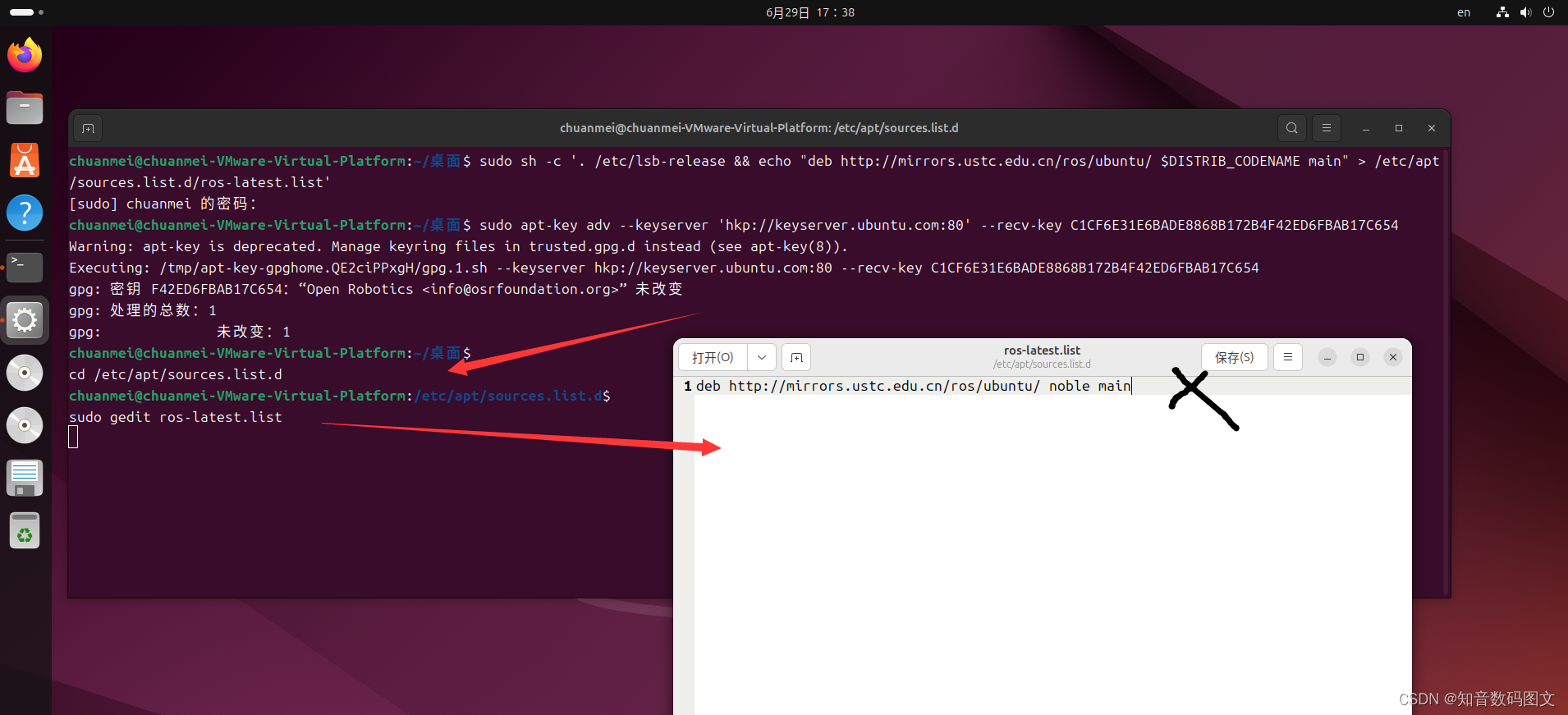
进行更换保存
deb http://mirrors.nju.edu.cn/ros/ubuntu/ $(lsb_release -sc) main"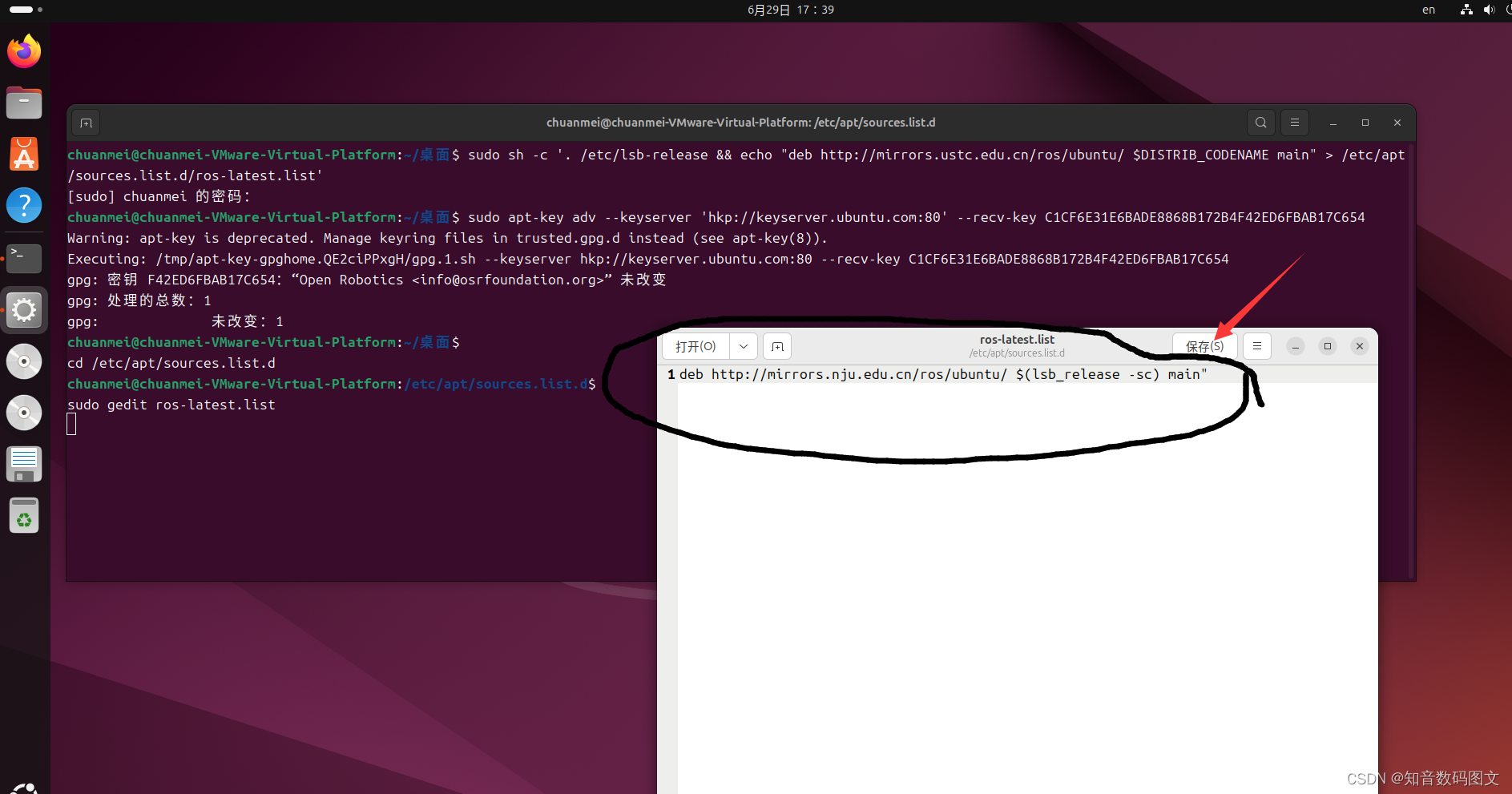
报错解决
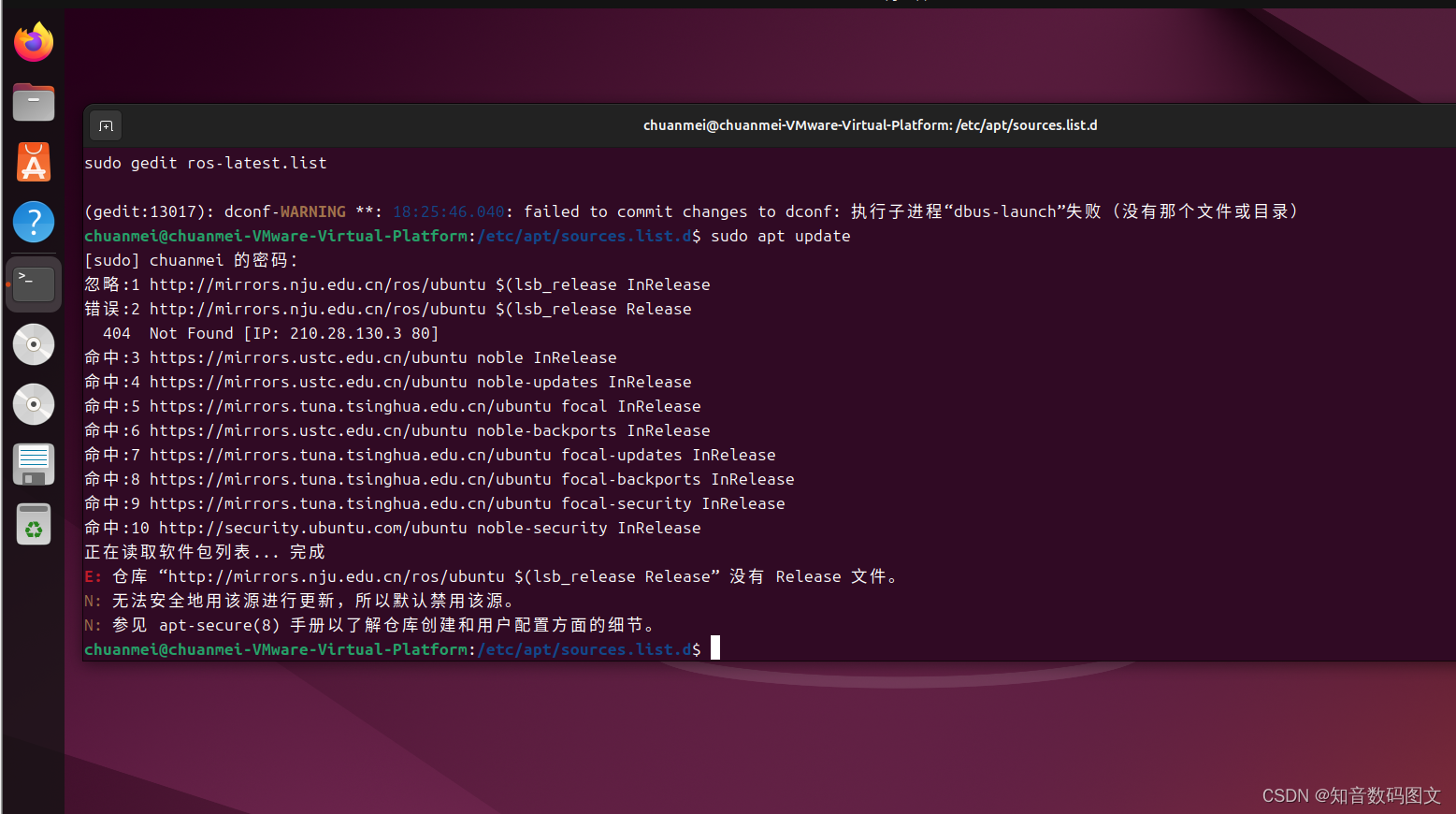
//////////////////////////////////////////////////////////////////////////////////////////////////////////////////////////////////////////////////////////
偿试更换源
确定系统型号
lsb_release -a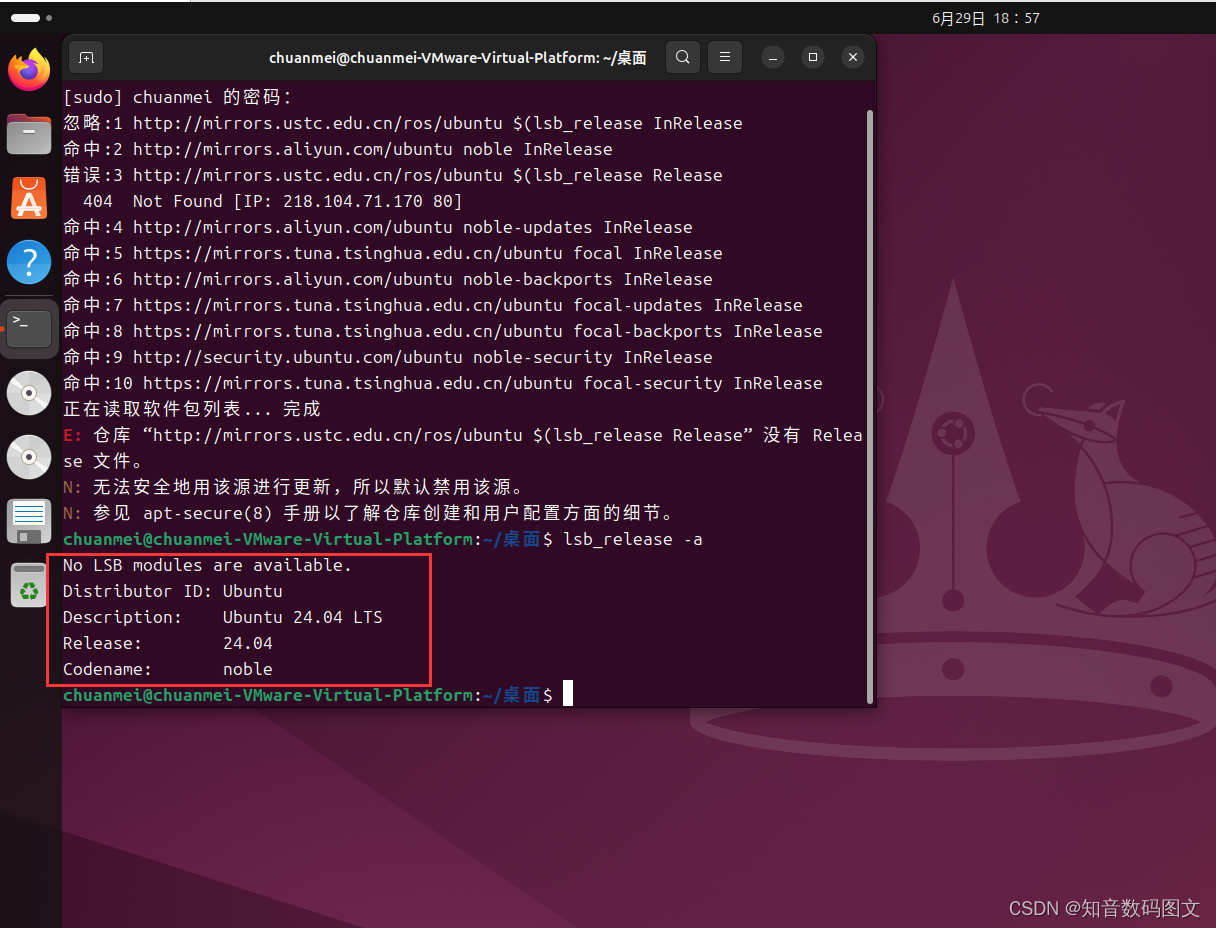
换源
LUG's repo file generator (ustc.edu.cn) https://mirrors.ustc.edu.cn/repogen/
deb https://mirrors.ustc.edu.cn/ubuntu/ noble main restricted universe multiverse
deb-src https://mirrors.ustc.edu.cn/ubuntu/ noble main restricted universe multiverse

deb https://mirrors.ustc.edu.cn/ubuntu/ noble-security main restricted universe multiverse
deb-src https://mirrors.ustc.edu.cn/ubuntu/ noble-security main restricted universe multiverse

deb https://mirrors.ustc.edu.cn/ubuntu/ noble-updates main restricted universe multiverse
deb-src https://mirrors.ustc.edu.cn/ubuntu/ noble-updates main restricted universe multiverse

deb https://mirrors.ustc.edu.cn/ubuntu/ noble-backports main restricted universe multiverse
deb-src https://mirrors.ustc.edu.cn/ubuntu/ noble-backports main restricted universe multiverse

## Not recommended
# deb https://mirrors.ustc.edu.cn/ubuntu/ noble-proposed main restricted universe multiverse
# deb-src https://mirrors.ustc.edu.cn/ubuntu/ noble-proposed main restricted universe multiverse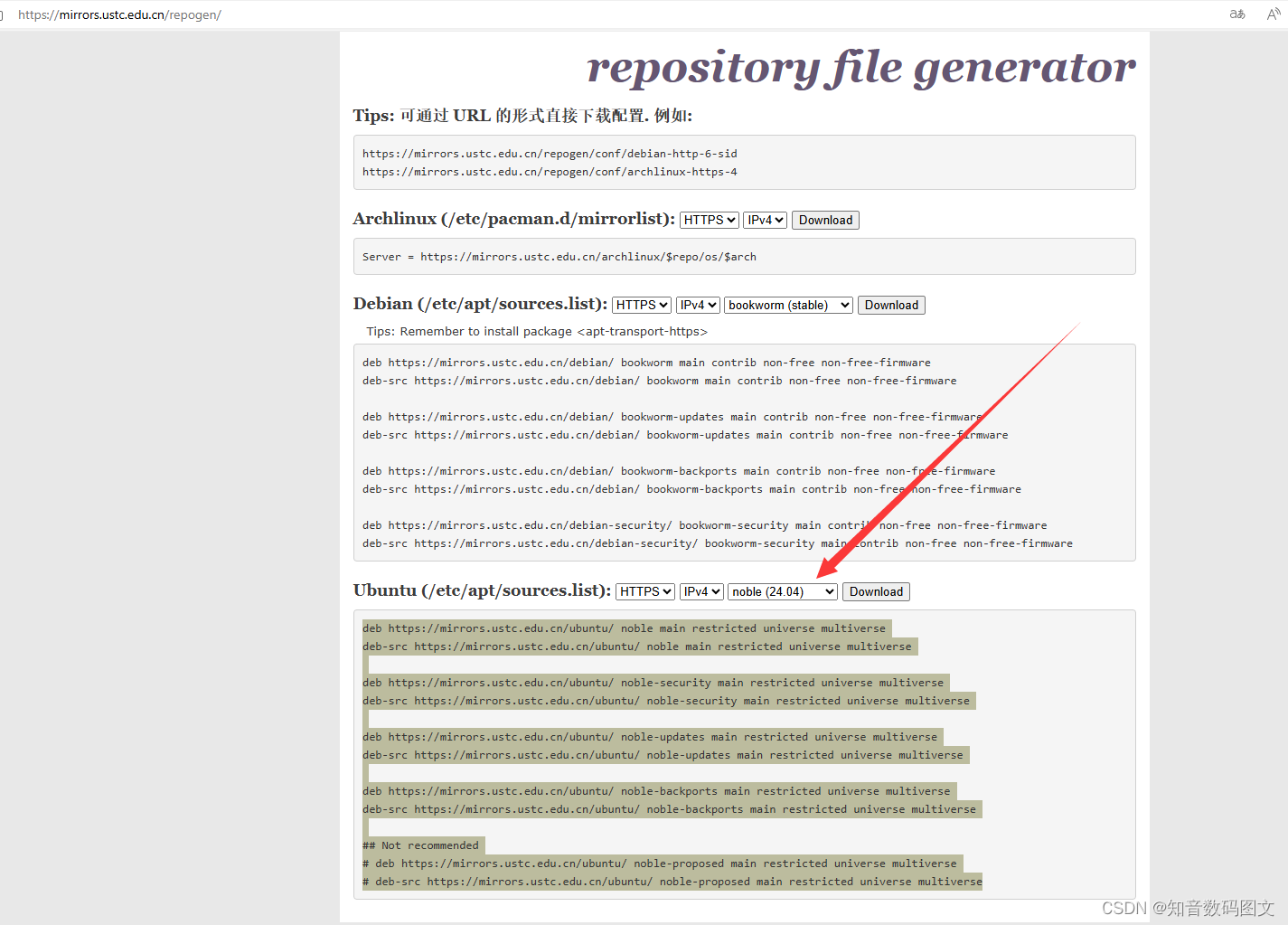
sudo gedit /etc/apt/sources.listros 的源
在/etc/apt/sources.list.d/ros-latest.list中
cd /etc/apt/sources.list.dsudo gedit ros-latest.list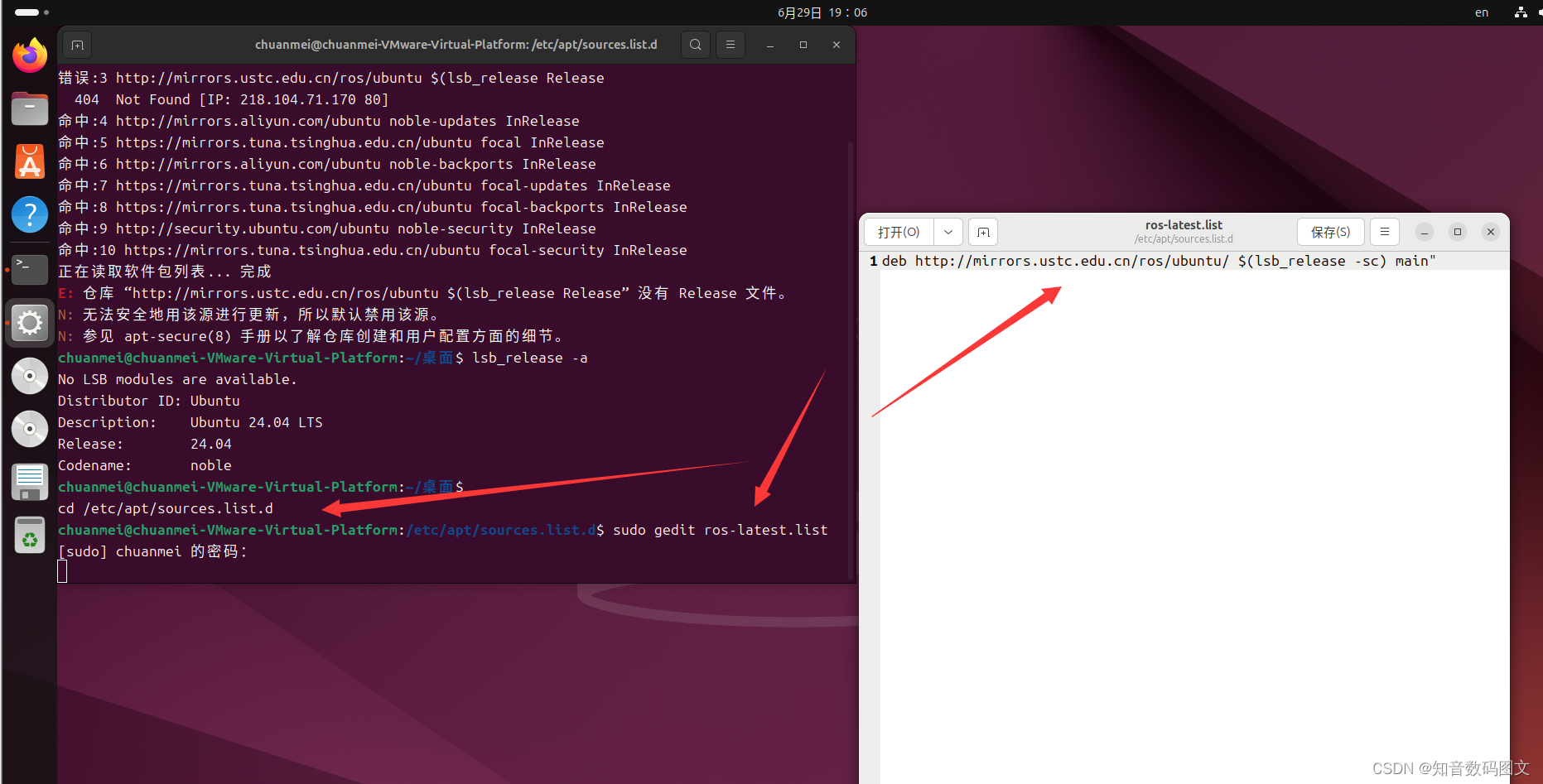
原
deb http://mirrors.ustc.edu.cn/ros/ubuntu/ $(lsb_release -sc) main"修改后
deb https://mirrors.ustc.edu.cn/ros/ubuntu/ noble main 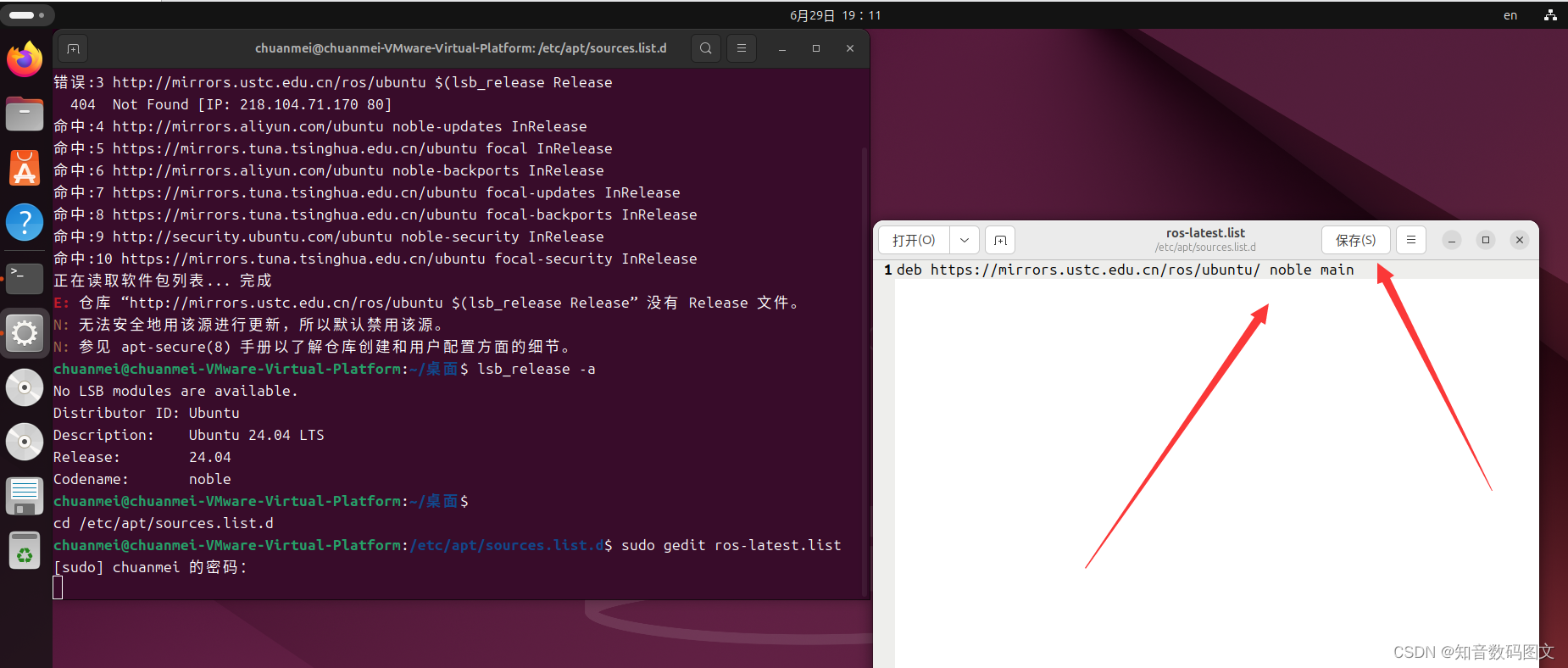
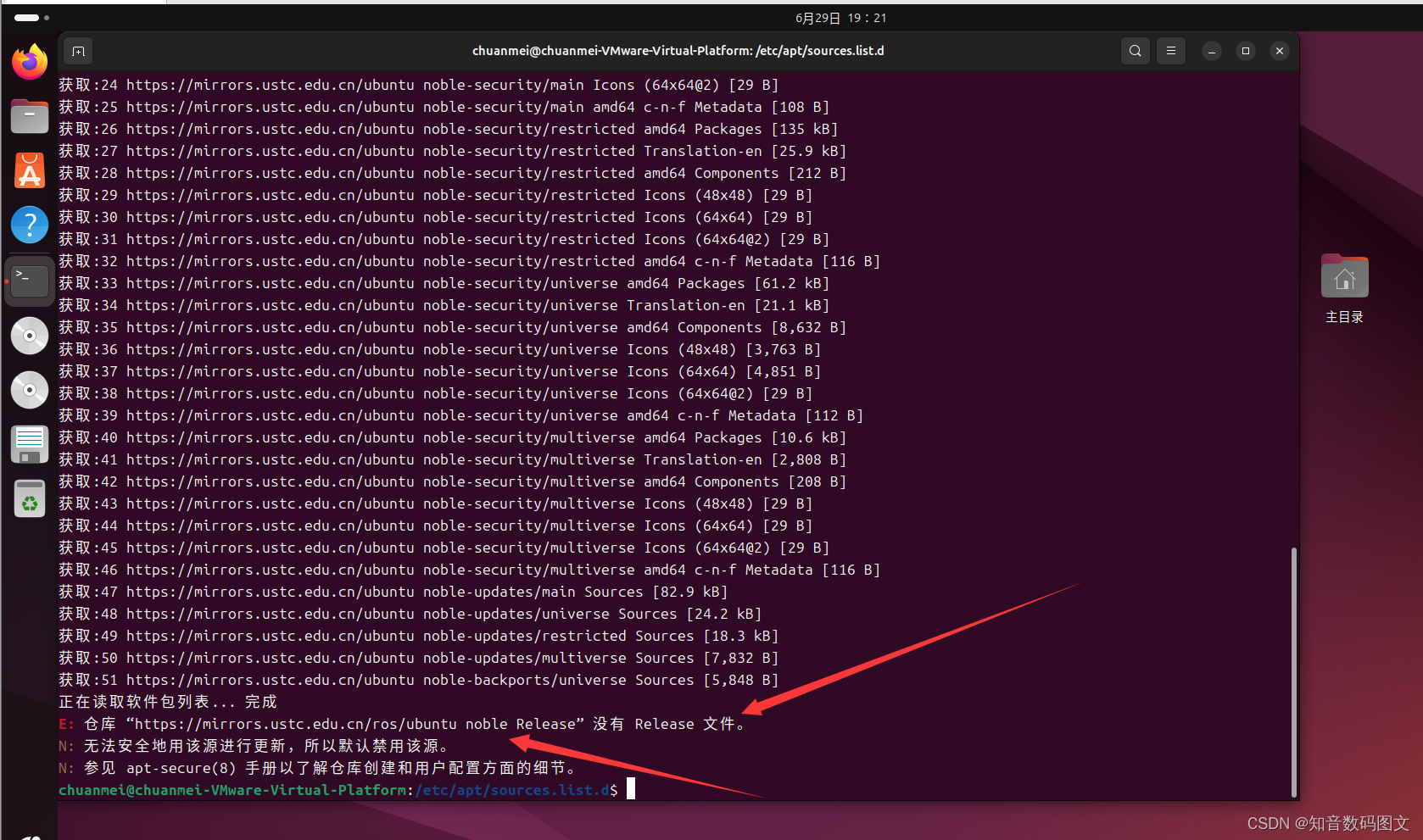
更换清华的源解决
sudo sh -c '. /etc/lsb-release && echo "deb http://mirrors.tuna.tsinghua.edu.cn/ros/ubuntu/ `lsb_release -cs` main" > /etc/apt/sources.list.d/ros-latest.list'
有“AI”的1024 = 2048,欢迎大家加入2048 AI社区
更多推荐
 11
11 0
0- 0


 已为社区贡献12条内容

所有评论(0)