全志T113-S3 Tina-linux --1. 开发环境搭建
T113-S3 Tina Linux学习笔记
·
1. 硬件环境
1.1 开发板
- 型号:100ASK_T113-PRO Base V1.1(韦东山)
- 配置:
CPU:T113-S3,RAM:128MB,ROM:128MB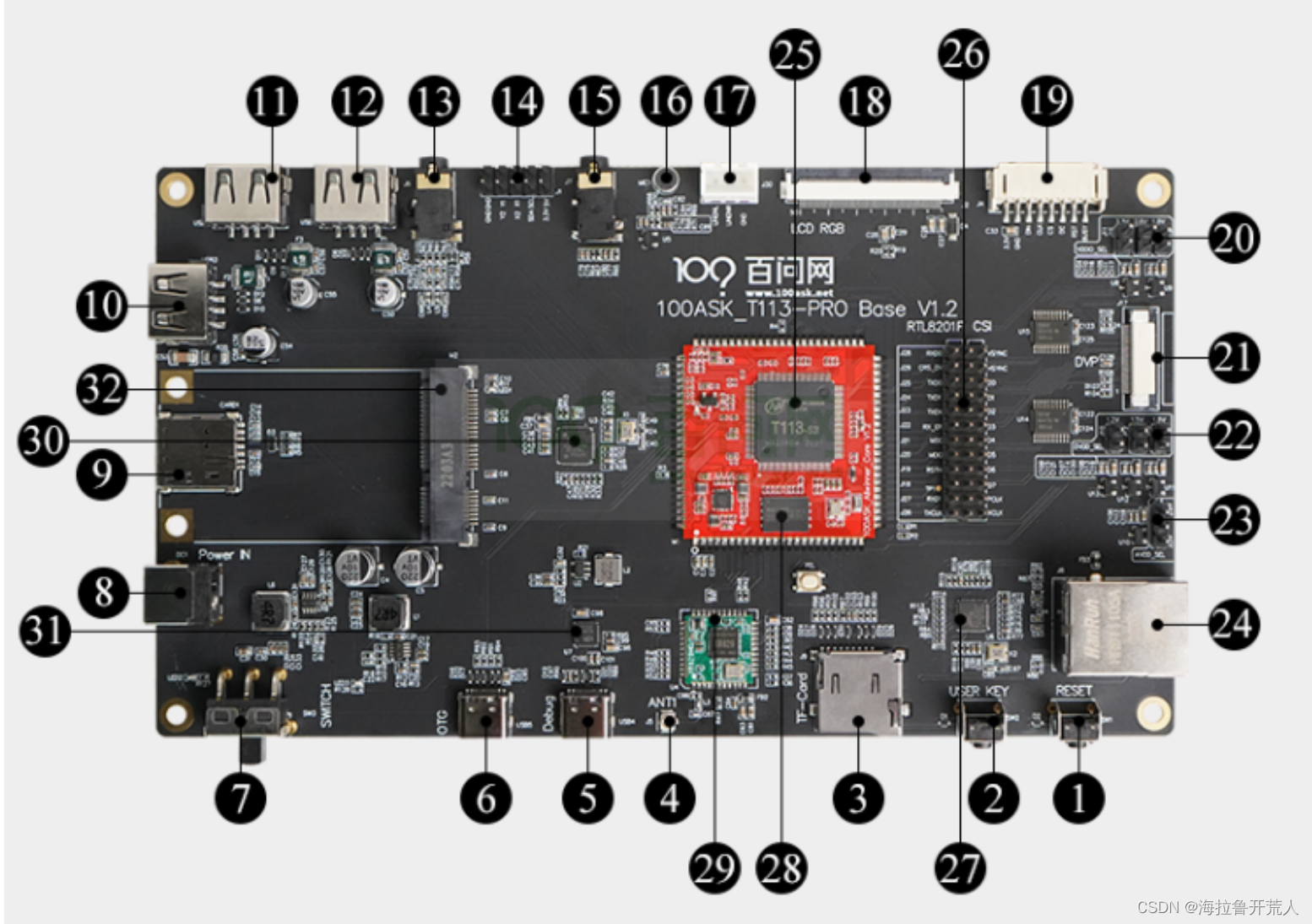
- T113-S3配置
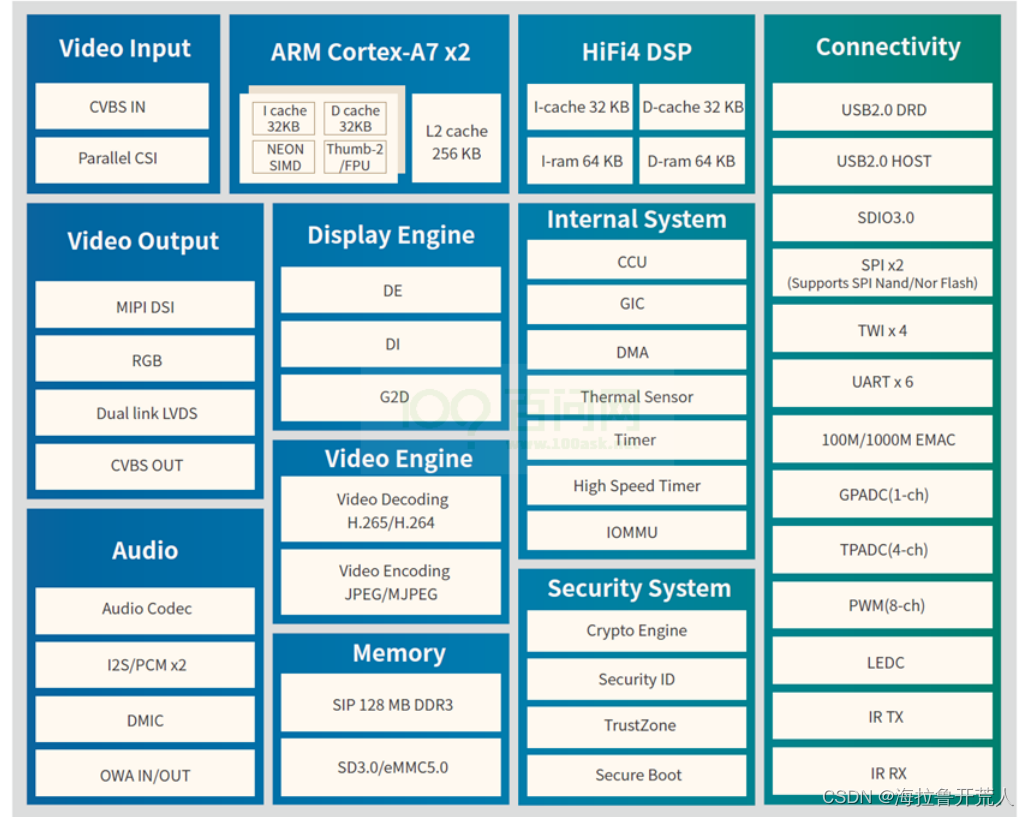
1.2 上手使用
1.2.1 串口shell
- 串口shell配置:
115200,8,1,no,no - user:
root
1.2.2 ADBshell
- ADB软件包:
https://gitlab.com/dongshanpi/tools/-/raw/main/ADB.7z - 解压后将文件包路径添加到系统环境变量
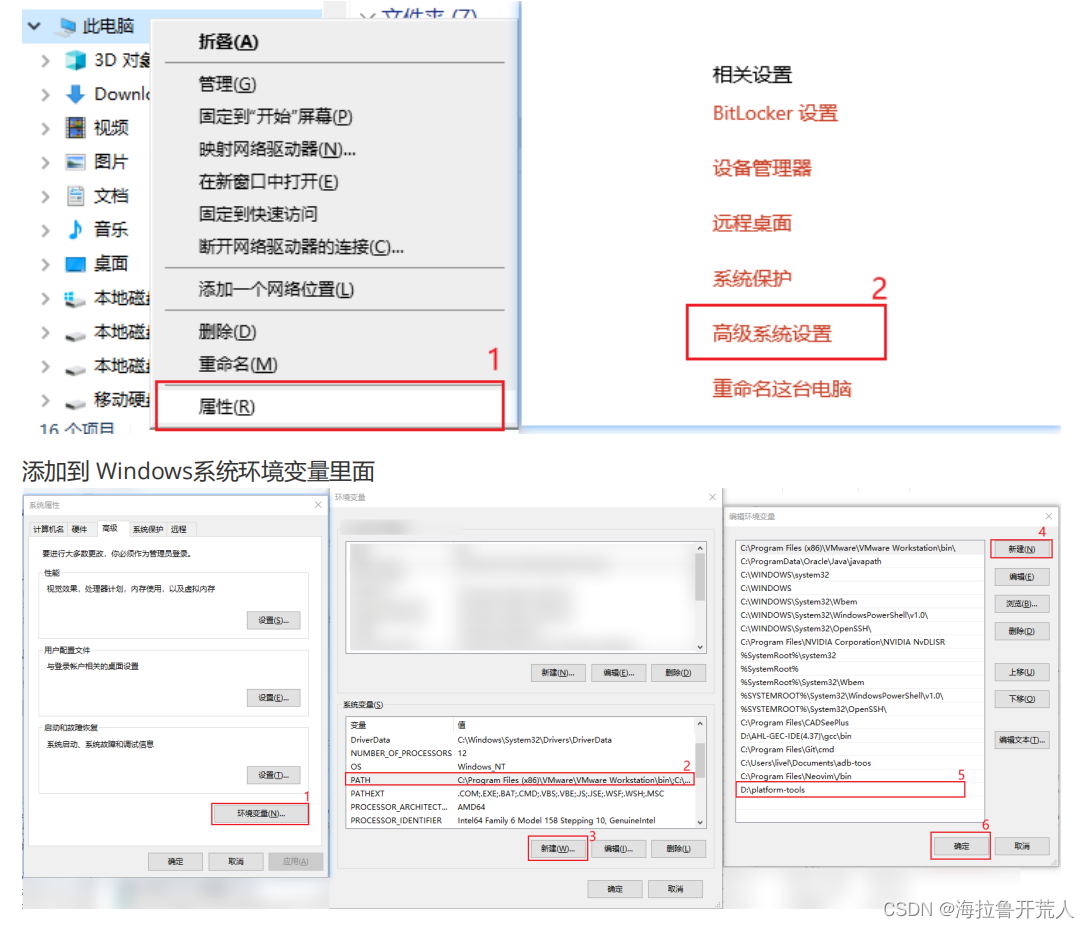
- 在cmd中使用adb shell登录开发板
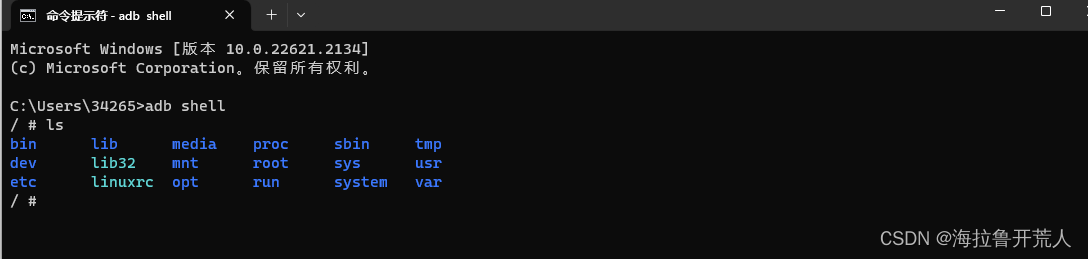
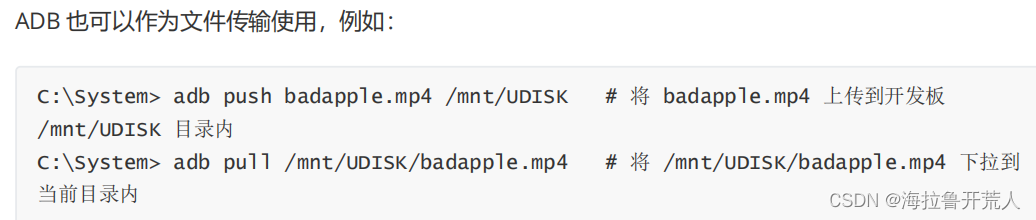
- adb传输文件
1.3 更新系统
1.3.1 PhoneixSuit在线升级
- 进FEL模式
按住FEL按键,或者短接FLASH的CS,MISO,MOSI引脚到GND,然后reset (没有FEL按键的板子可以将Flash的1脚与GND间串一个按键当FEL键) - 安装全志驱动:已上传至文章置顶资源
- 使用PhoneixSuie软件更新系统镜像(已上传至文章置顶资源)
1.3.2 SD卡升级
- 软件:
SDCardFormatter5.0.1Setup.exe,PhoenixCard-V2.8,tina_t113-100ask_uart3.img - 过程:略
2. 软件环境
2.1 虚拟机环境
-
系统版本:
Ubuntu 18.04 -
工具软件安装
sudo apt-get install -y sed make binutils build-essential gcc g++ bash patch gzip bzip2 perl tar cpio unzip rsync file bc wget python cvs git mercurial rsync subversion android-tools-mkbootimg vim libssl-dev android-tools-fastboot -
获取Tina-Linux SDK
https://pan.baidu.com/s/13uKlqDXImmMl9cgKc41tZg?pwd=qcw7
复制到ubuntu。使用cat tina-d1-h.tar.bz2.* | tar -jxv指令解压 -
配置SDK
sudo apt-get install build-essential subversion git libncurses5-dev zlib1g-dev gawk flex quilt libssl-dev xsltproc libxml-parser-perl mercurial bzr ecj cvs unzip lib32z1 lib32z1-dev lib32stdc++6 libstdc++6 libc6:i386 libstdc++6:i386 lib32ncurses5 lib32z1 -y -
获取100ask_t113板级扩展补丁
$: git clone https://gitee.com/weidongshan/100ASK_T113-Pro_TinaSDK.git
$: cd 100ASK_T113-Pro_TinaSDK
$: git submodule update --init
$: cp ./* -rfvd ./../tina-d1-h/

$: cd ./../tina-d1-h/
$: source build/envsetup.sh			//设置环境变量
$: lunch							//选择开发板4
$: make -j24 V=s					//编译
$: pack								//打包生成的文件成镜像
- 将以上指令封装成脚本文件如下:
user_build.sh
#!/bin/bash

if [ "$1" == "make" ];
then
	source build/envsetup.sh
	lunch 4
	make -j32 V=s
	pack
elif [ "$1" == "clean" ];
then
 	make clean
elif [ "$1" == "copy" ];
then
	sudo cp /home/turing/T113/tina-d1-h/out/t113-100ask/tina_t113-100ask_uart3.img  /mnt/hgfs/FileStore/tina_t113-100ask_uart3_$(date "+%Y%m%d_%H%M%S").img
	ls /mnt/hgfs/FileStore/
elif [ "$1" == "install" ];
then
	sudo apt-get install -y vim openssh-server git net-tools
	sudo apt-get install -y sed make binutils build-essential gcc g++ bash patch gzip bzip2 perl tar cpio unzip rsync file bc wget python cvs git mercurial rsync subversion android-tools-mkbootimg vim libssl-dev android-tools-fastboot
	sudo apt-get install build-essential subversion git libncurses5-dev zlib1g-dev gawk flex quilt libssl-dev xsltproc libxml-parser-perl mercurial bzr ecj cvs unzip lib32z1 lib32z1-dev lib32stdc++6 libstdc++6 libc6:i386 libstdc++6:i386 lib32ncurses5 lib32z1 -y
fi
使用方法如下:
1. 将脚本拷贝到tina-d1-h文件夹下
2. 根据需要执行指令
- 安装环境依赖:./user_build.sh install
- 编译: ./user_build.sh make
- 清除:./user_build.sh clean
- 拷贝:./user_build.sh copy  拷贝路径根据自己需要在脚本内修改
2.2 开发板系统
- 系统版本:
Tina-linux - linux内核版本:


有“AI”的1024 = 2048,欢迎大家加入2048 AI社区
更多推荐


 0
0 0
0- 0


 已为社区贡献4条内容

所有评论(0)