(免费)搭建一个免费的个人博客(网站)
hexo server:(这个命令启动Hexo本地服务器,您可以通过浏览器访问http://localhost:4000来查看您的博客。首先安装 cnpm:npm install -g cnpm --registry=https://registry.npmmirror.com然后使用 cnpm 代替 npm 进行安装:cnpm install hexo-cli -g方法二:npm config
title: 阿洛学长的博客搭建笔记
免费的搭建一个免费的个人博客(网站)
零基础,手把手,不需要任何代码基础(看不懂代码也没事)
一.网址:
Hexo官网:
https://hexo.io/zh-cn/index.html
Gitee官网:
(Gitee Pages 暂停提供服务)
https://gitee.com/
Git 官网:
https://git-scm.com/
Node.js官网:推荐18
https://nodejs.org/zh-cn/
github官网:
https://github.com/
Butterfly官网:
[Butterfly 文檔(一) 快速開始 | Butterfly](https://butterfly.js.org/posts/21cfbf15/)
百度网盘资料:
通过百度网盘分享的文件:搭建博客资料链接:https://pan.baidu.com/s/14pLuBgcTT-_8o0fiT5Hl9w 提取码:boke
如果访问node和git官网卡顿,可以点击下方链接下载。蓝奏云:https://xiaoyuboi.lanzoum.com/b0c5k65ih (在线下载)制作视频不易,如果对你有帮助。记得一键三连加关注呀~我是阿洛学长,下期再见~
二.实现步骤:
第一步:下载git
第二步:下载node.js
node -v(检查版本号,若是版本号显示则成功)
第三步:下载hexo
* npm install hexo-cli -g
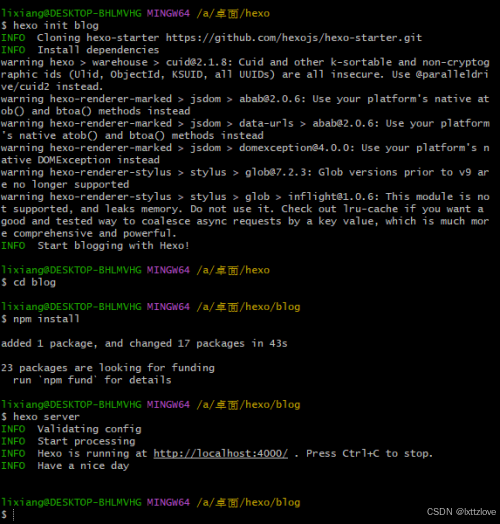
* hexo init blog
* cd blog
* npm install
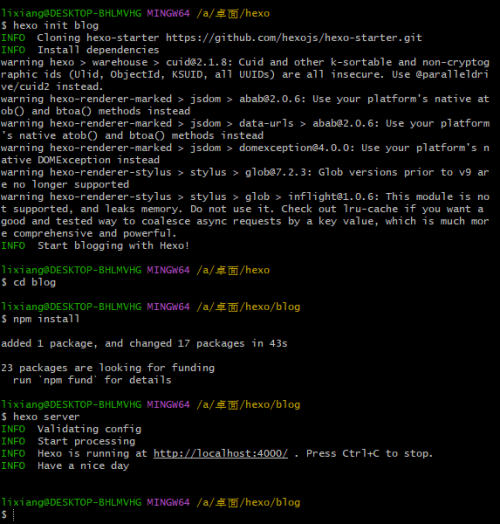
* hexo server (hexo s)(1)步骤的解释:npm install hexo-cli -g:(这个命令使用npm(Node.js的包管理器)全局安装Hexo命令行工具。-g标志表示全局安装,这样您就可以在任何地方使用hexo命令。)hexo init blog:(这个命令初始化一个新的Hexo博客文件夹。blog是您想要创建的文件夹的名称,您可以根据需要更改它。)cd blog:(这个命令将当前工作目录更改为您刚刚创建的blog文件夹。)npm install:(这个命令在blog文件夹中安装Hexo博客所需的依赖项。)hexo server:(这个命令启动Hexo本地服务器,您可以通过浏览器访问http://localhost:4000来查看您的博客。)解决下载慢的问题:
* 方法一:淘宝提供了一个 npm 的镜像,可以大大加快安装速度。首先安装 cnpm:npm install -g cnpm --registry=https://registry.npmmirror.com然后使用 cnpm 代替 npm 进行安装:cnpm install hexo-cli -g方法二:npm config set registry https://registry.npm.taobao.org(切换镜像)
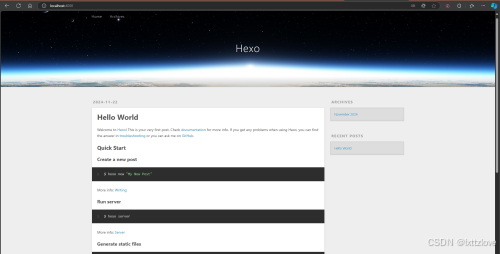
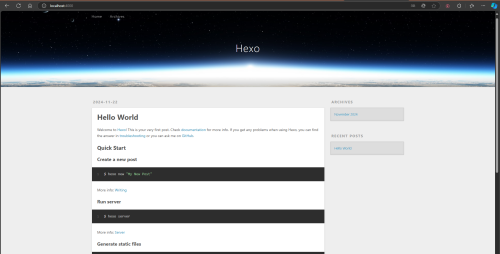
(2)运行显示(http://localhost:4000)
主题推荐:
[D-Sketon/hexo-theme-reimu: 一款博丽灵梦风格的Hexo主题 | A Hakurei Reimu style Hexo theme. 💘Touhou💘](https://github.com/D-Sketon/hexo-theme-reimu)
[theme-particlex/hexo-theme-particlex: A concise Hexo theme, based on Particle.](https://github.com/theme-particlex/hexo-theme-particlex)
基本命令: hexo cl hexo g hexo s hexo d
命令的解释:
1. `hexo cl`:这个命令用于清除Hexo的缓存文件。缓存文件是在生成静态文件时创建的,清除缓存可以解决一些生成过程中的问题。
2. `hexo g`:这个命令是`hexo generate`的简写,用于生成静态文件。Hexo会将您的Markdown文件转换为HTML文件,并将它们放在`public`文件夹中。
3. `hexo s`:这个命令是`hexo server`的简写,用于启动Hexo本地服务器。启动服务器后,您可以通过浏览器访问`http://localhost:4000`来查看您的博客。
4. `hexo d`:这个命令是`hexo deploy`的简写,用于部署您的Hexo博客到远程服务器。通常,这会将您的静态文件上传到GitHub Pages、GitLab Pages或其他支持的服务
第四步:下载主题
hexo的主题
[Themes | Hexo](https://hexo.io/themes/)
https://github.com/D-Sketon/hexo-theme-reimu
阿洛学长同款:
[theme-particlex/hexo-theme-particlex: A concise Hexo theme, based on Particle.](https://github.com/theme-particlex/hexo-theme-particlex)
主题优化:(看给的文档即可)
Extensions
Plugins: https://hexo.io/plugins/
Themes: https://hexo.io/themes/
theme: landscape
第五步:使用github部署网站
(1)登录注册
(2)创建仓库
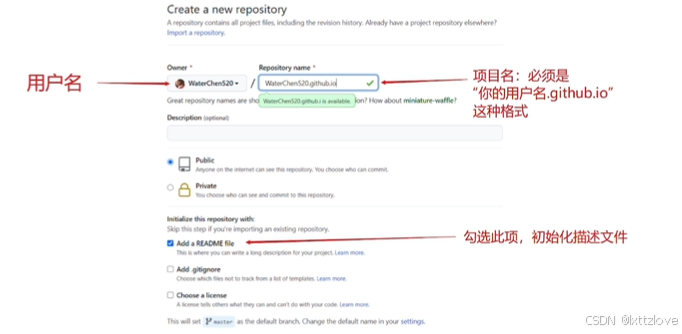
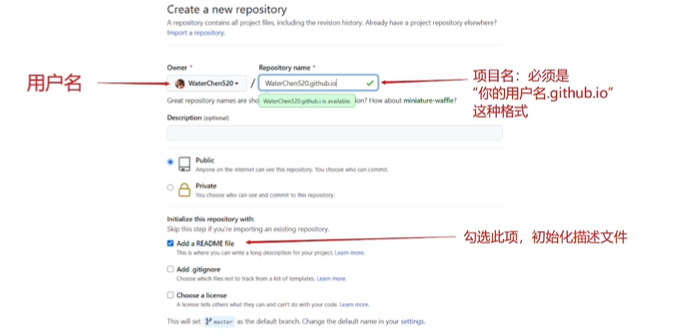
(3)获取SSH密钥
(4)创建密钥:
ssh-keygen -t rsa -C "3XXXXXXXXXXX@qq.com"
(5)获取密钥:
cat ~/.ssh/id_rsa.pub
(密钥样式)
ssh-rsa AAAAB3NzaC1yc2EAAAADAQABAAABgQDTZJPBngwsPeJ8/Kagh'f'gdhfgD9LEWIYYf+jKSDsiM2eLesROa4llQbhfghh'f'g'hmWhfghh'f'g/bbX54vcqVwVdlopJUu4ZP4azn/qQWRRTHJXXKj0GGM/AlQjshfgh'f'g'hOsyKq22bL4wjI8ZJvT7AGDzC/Nrn6cDhc+hy5z1HPVMVDX9i0sG18MmKtOCJ8dCagIjIWEWCyN7e+HuciTXZUHO+k6LhfxK6YUmw3U6hWcRH+30mgHydr9mL/QdiXa/N4OUva7Xmh9l6hfgh'f'g'h9DC/u+Xu2Sghftghfh'f'g'hKRljwj8nZf4FCdA0UQJE4Ynf6SYYLJBKLotbeWWvPhfgh'f'g2TdMeSlCHyex9FGhvkbm94/vQv0xYSD2WMg'h'f't'g'h'fmIfPWSJ5xWZ7NIBAR+9cFiq7VDrXhavs5v5nY9iwiPd+Fy6Z65QfezEmz9flU+kuA94v03TIKZC+Zf9hlZhfghh'f'g'hWj+g4/fJ4Nc4biC2nY8TD+H0HnkXPCJgtOiLxaSgi08LFmwJyzt9/zCadO/IEtRol7RVvTx6NPn9LVy0xPy7ZvQIRIxx4B75fohI9WM= 32fg454545458@qq.com
(6)配置密钥,上传项目 ssh hexo d
(7)配置密钥
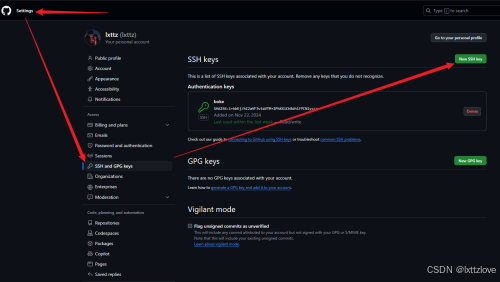
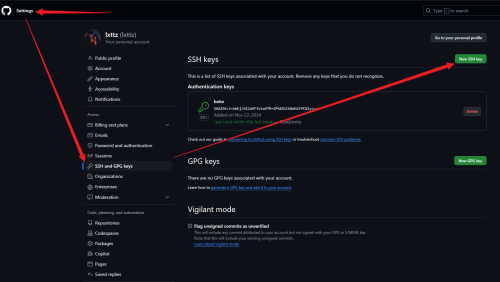
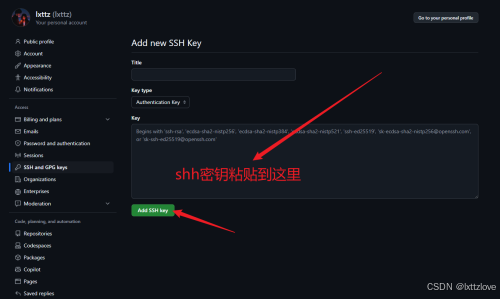
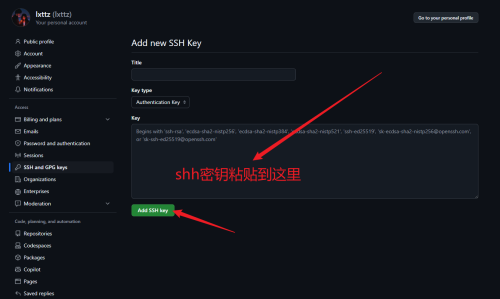
(8)配置config文件
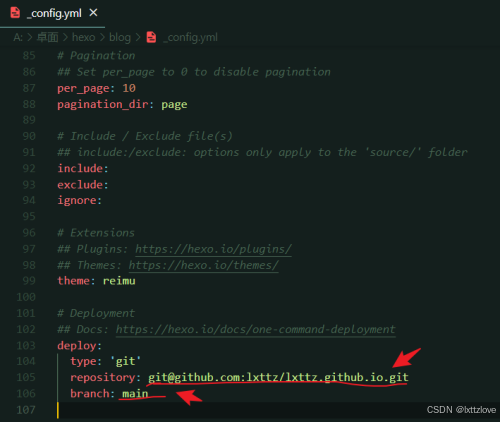
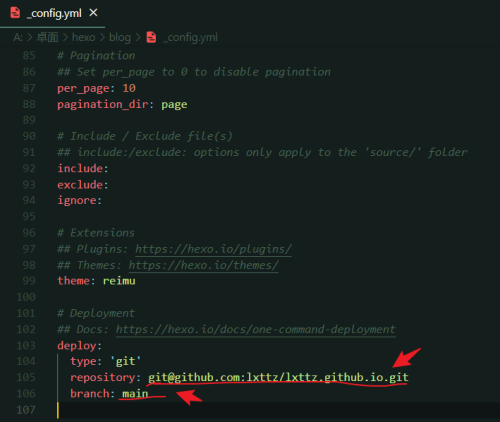
修改的代码部分
deploy:
type: 'git'
repository: git@gitee.com:aluolove/boke.git(ssh的地址)
branch:main (分支)
npm install hexo-deployer-git --save
hexo d(上传博客文件)
第六步:运行打开博客
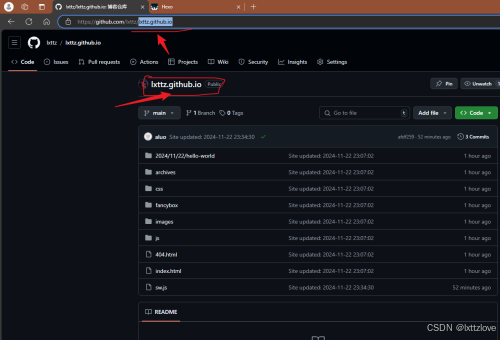
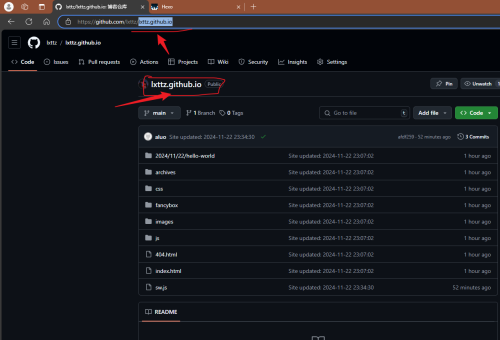
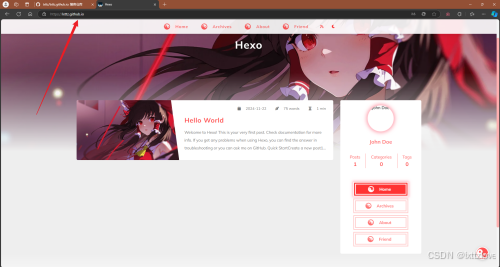
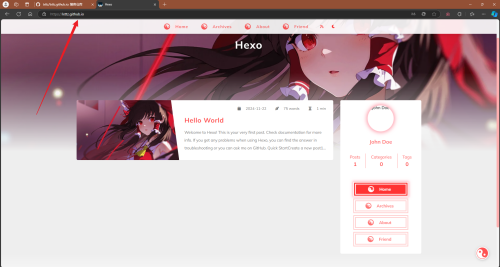
第七步:更新网页
hexo g
hexo s
hexo d
[Hexo](https://lxttz.github.io/)
### 666废路(gitee)不要在gitee上搭建
登录注册
实名认证


创建仓库
配置仓库
创建密钥:ssh-keygen -t rsa -C "XXXXXXXXXX@qq.com"
获取密钥:cat ~/.ssh/id_rsa.pub

有“AI”的1024 = 2048,欢迎大家加入2048 AI社区
更多推荐


 42
42 0
0- 0


 已为社区贡献3条内容

所有评论(0)