VScode——修改默认终端为自己想要的
老版本VScode和新版本一样,新版本VScode使用之前的方法会提示:此项已弃用,配置默认 shell 的新推荐方法是在 #terminal.integrated.profiles.windows# 中创建一个终端配置文件,并将其配置文件名称设置为 #terminal.integrated.defaultProfile.windows# 中的默认值。此操作当前将优先于新的配置文件设置,但将来会发
·
老版本VScode和新版本一样,新版本VScode使用之前的方法会提示:
此项已弃用,配置默认 shell 的新推荐方法是在 #terminal.integrated.profiles.windows# 中创建一个终端配置文件,并将其配置文件名称设置为 #terminal.integrated.defaultProfile.windows# 中的默认值。此操作当前将优先于新的配置文件设置,但将来会发生更改。
设置过程>>>>>>>>>>
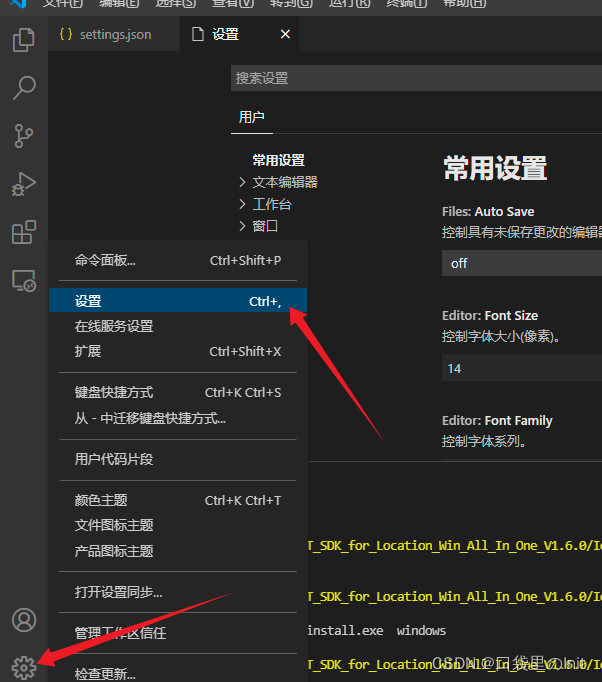
打开设置:
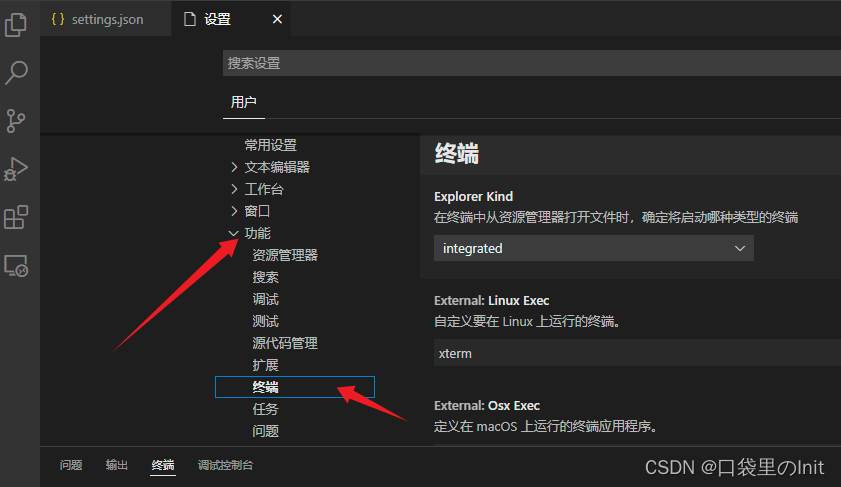
选择功能、终端:
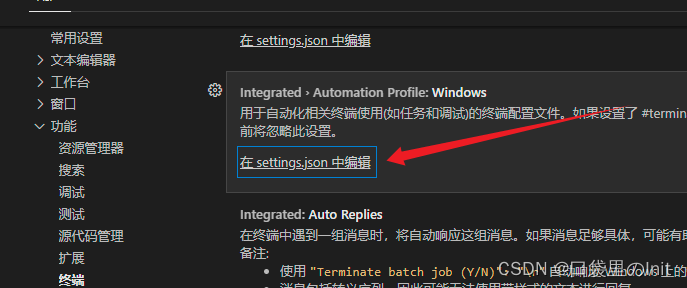
编辑json文件:
 填入代码(设置为默认CMD):
    "terminal.integrated.profiles.windows": {
        "my-cmd": {
          "path": "C:\\Windows\\System32\\cmd.exe",
          "args": []
        }
      },
      "terminal.integrated.defaultProfile.windows": "my-cmd"
一下为个人其他终端的设置:
    "terminal.integrated.profiles.windows": {
        "Airiha": {
          "path": "C:\\msys64\\msys2_shell.cmd",
          "args": [
        "-defterm",
        "-mingw64",
        "-no-start",
        "-here"
          ]
        }
      },
    "terminal.integrated.defaultProfile.windows": "Airiha",
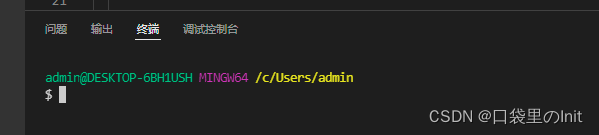
结果:

有“AI”的1024 = 2048,欢迎大家加入2048 AI社区
更多推荐


 7
7 0
0- 0


 已为社区贡献24条内容

所有评论(0)