windows下wsl2如何固定IP
·
一、配置 WSL 2 静态 IP
-
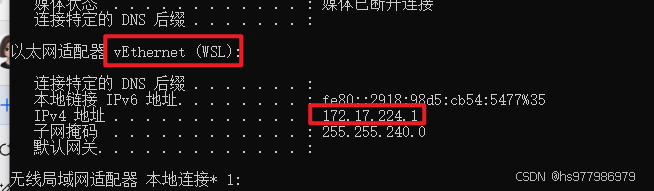
1、windows主机查看vEthernet(WSL)的ip地址
-
2、进入 WSL 2 终端,编辑网络配置文件(以 Ubuntu 为例):
sudo vim /etc/netplan/00-installer-config.yaml
添加如下信息:
network:
  version: 2
  renderer: networkd
  ethernets:
    eth0:
      dhcp4: no
      addresses: [172.17.224.100/24] #这里的ip地址需要和主机中vEthernet(WSL)的ip地址同一网段
      gateway4: 172.17.224.1
      nameservers:
        addresses: [8.8.8.8, 8.8.4.4]
- 3、设置完成后测试
先生效设置:
sudo netplan apply
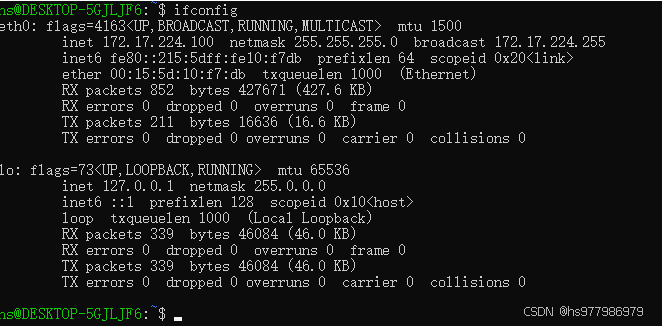
查看ip:
ifconfig

有“AI”的1024 = 2048,欢迎大家加入2048 AI社区
更多推荐

 3
3 0
0- 0


 已为社区贡献5条内容

所有评论(0)