解决apt-get错误:The repository ‘http://mirrors.aliyun.com/ubuntu xenial InRelease‘ is not signed.
·
问题描述
在更换apt-get国内镜像源后运行sudo apt-get update报错:
W: GPG error: https://mirrors.tuna.tsinghua.edu.cn/ubuntu bionic-updates InRelease: The following signatures couldn’t be verified because the public key is not available: NO_PUBKEY 3B4FE6ACC0B21F32
E: The repository ‘https://mirrors.tuna.tsinghua.edu.cn/ubuntu bionic-updates InRelease’ is not signed.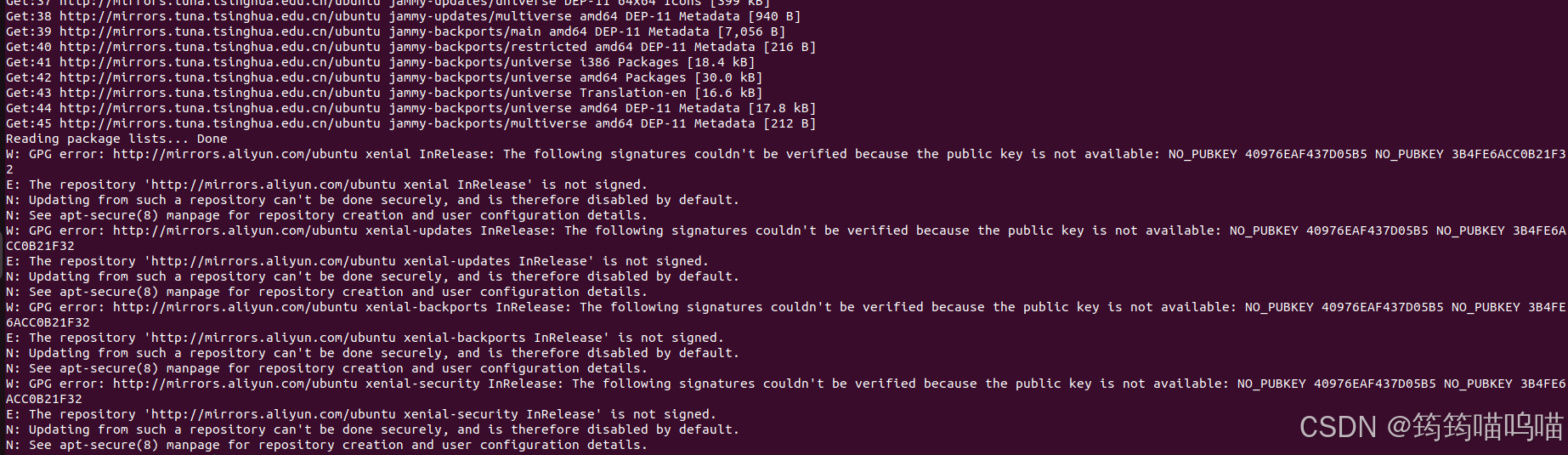
问题原因
一般是因为公钥缺少,apt无法验证软件包的签名。
解决方案
sudo apt-key adv --keyserver keyserver.ubuntu.com --recv-keys 3B4FE6ACC0B21F32
–recv-keys 后面的公钥为报错中NO_PUBKEY 后面的公钥
然后再运行sudo apt-get update 就没有报错了

有“AI”的1024 = 2048,欢迎大家加入2048 AI社区
更多推荐
 10
10 0
0- 0


 已为社区贡献1条内容

所有评论(0)