由于代理配置错误导致依赖失败
·
1.Android Studio提示:
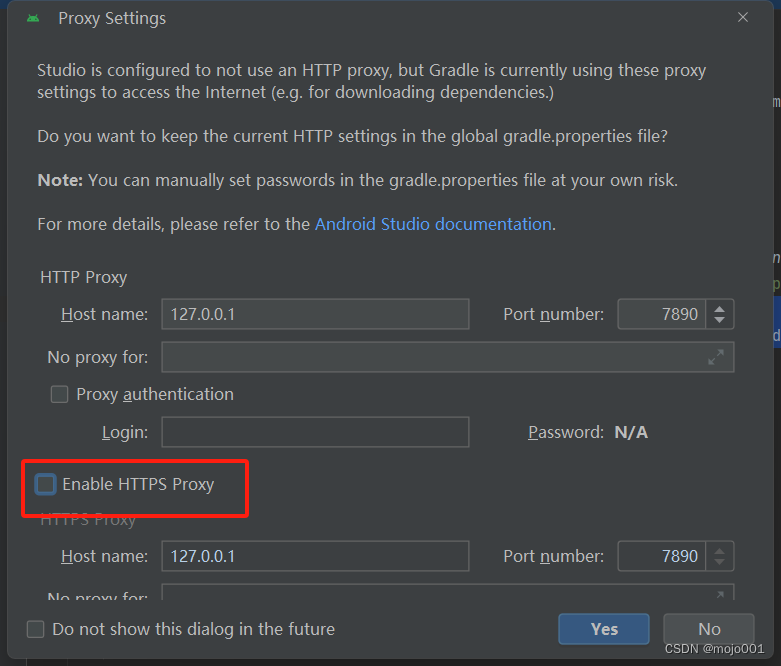
Studio is configured to not use an HTTP proxy, but Gradle is currently using these proxy settings to access the Internet (e.g. for downloading dependencies.)
2.原因是:Android Studio配置为无代理模式,setting->
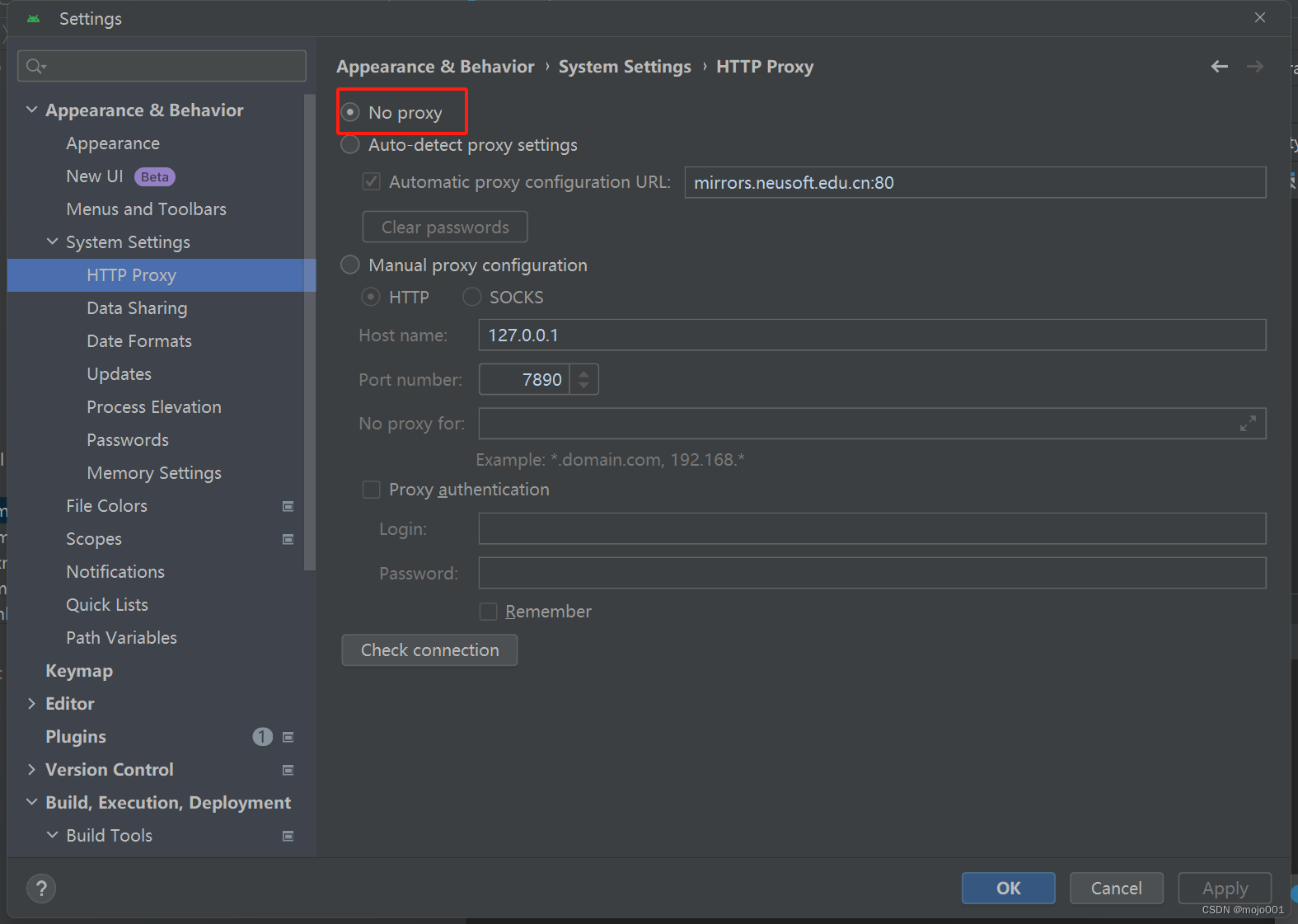
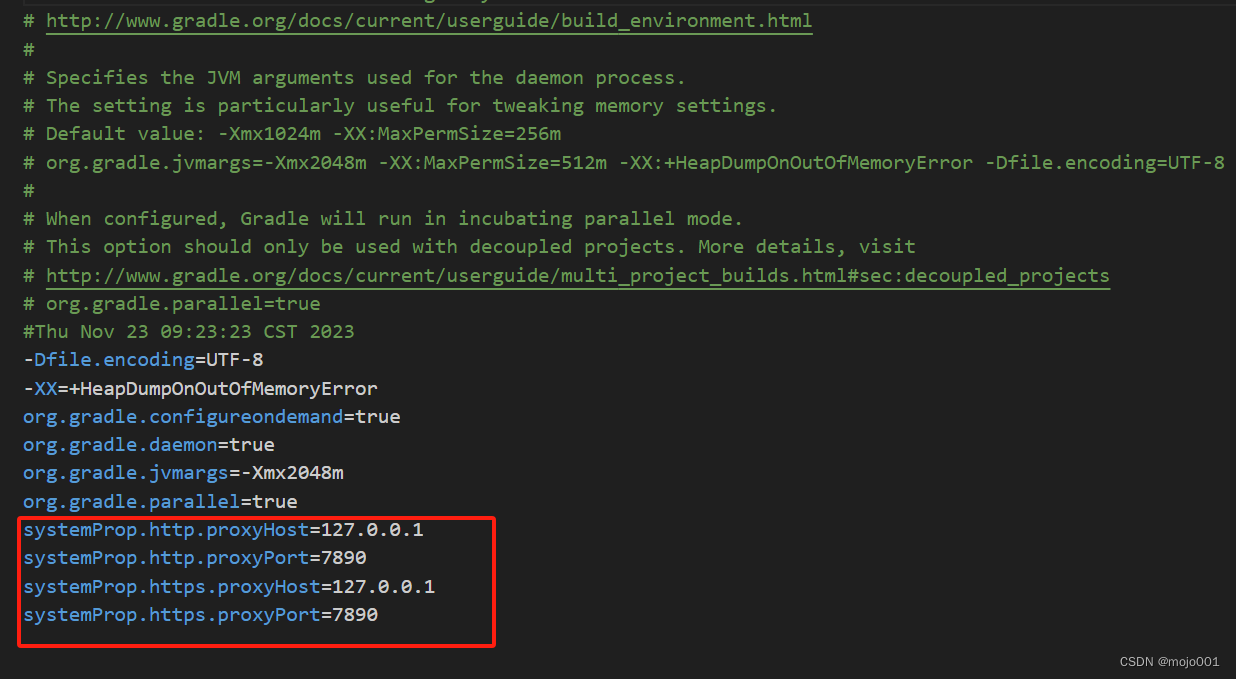
但是gradle配置了代理,默认在C:\Users\****\.gradle文件夹下的gradle.properties文件,如下
3.解决
把gradle.properties文件中红框的几项配置内容删除,同时如果有下图中的弹窗,取消勾选红色框中的项

有“AI”的1024 = 2048,欢迎大家加入2048 AI社区
更多推荐

 9
9 0
0- 0


 已为社区贡献1条内容

所有评论(0)