在ubuntu用命令安装和卸载qt4、qt5(亲测有效)
安装命令如下:第一个是sudo apt-get update第二个是sudo apt-get install qt5-default qtcreator
·
ubuntu安装qt4的命令(亲测有效):
sudo add-apt-repository ppa:rock-core/qt4
sudo apt update
sudo apt install libqt4-declarative
sudo apt install qt4*
成功安装qt4,见下图: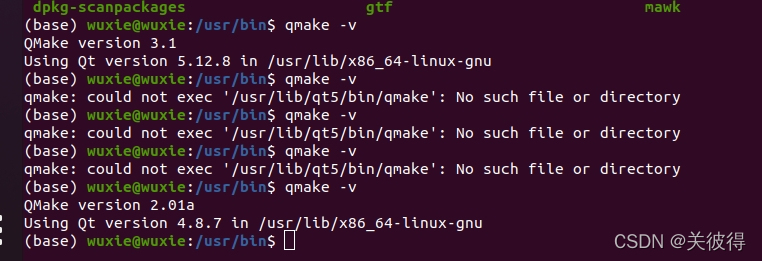
安装qt5的命令:
第一个是
sudo apt-get update
第二个是
sudo apt-get install qt5-default qtcreator
卸载qtcreator:
sudo apt-get remove qtcreator
完全卸载qt5:
sudo apt-get remove qt5*
完全卸载qt4:
sudo apt-get remove qt4*
查看qt安装的版本号:
qmake -v
查看命令行自动qt 安装的路径:
qmake
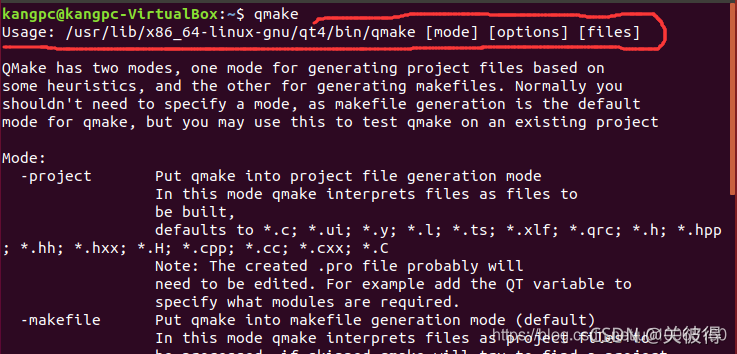
图中画红线的位置为根目录下qt安装的位置。
附:

有“AI”的1024 = 2048,欢迎大家加入2048 AI社区
更多推荐


 11
11 0
0- 0


 已为社区贡献1条内容

所有评论(0)