VMware Horizon Client 安装失败的解决办法
·
VMware Horizon Client 安装失败的解决办法
前言
工作中遇到安装VMware Horizon Client 软件失败,记录问题解决方法。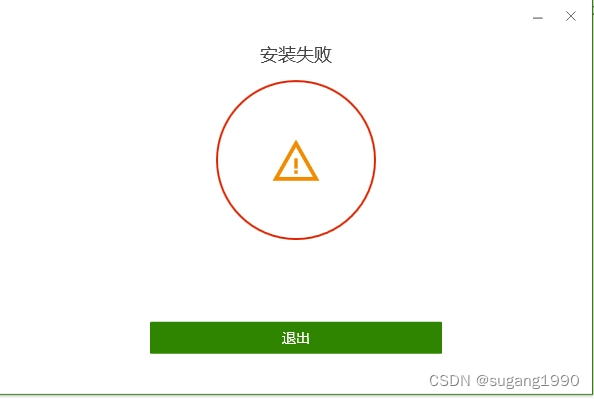
一、下载VMware Horizon Client软件
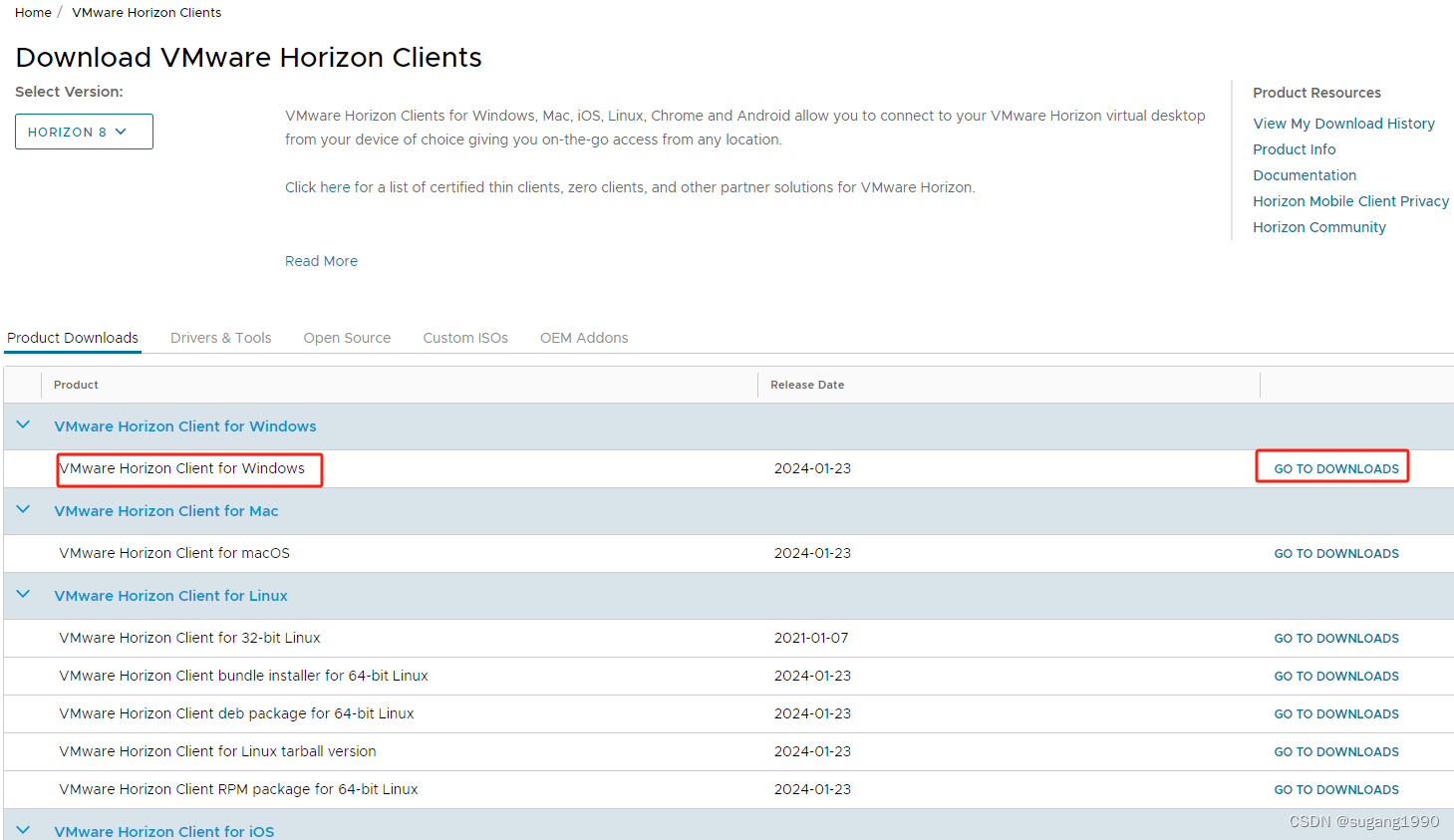
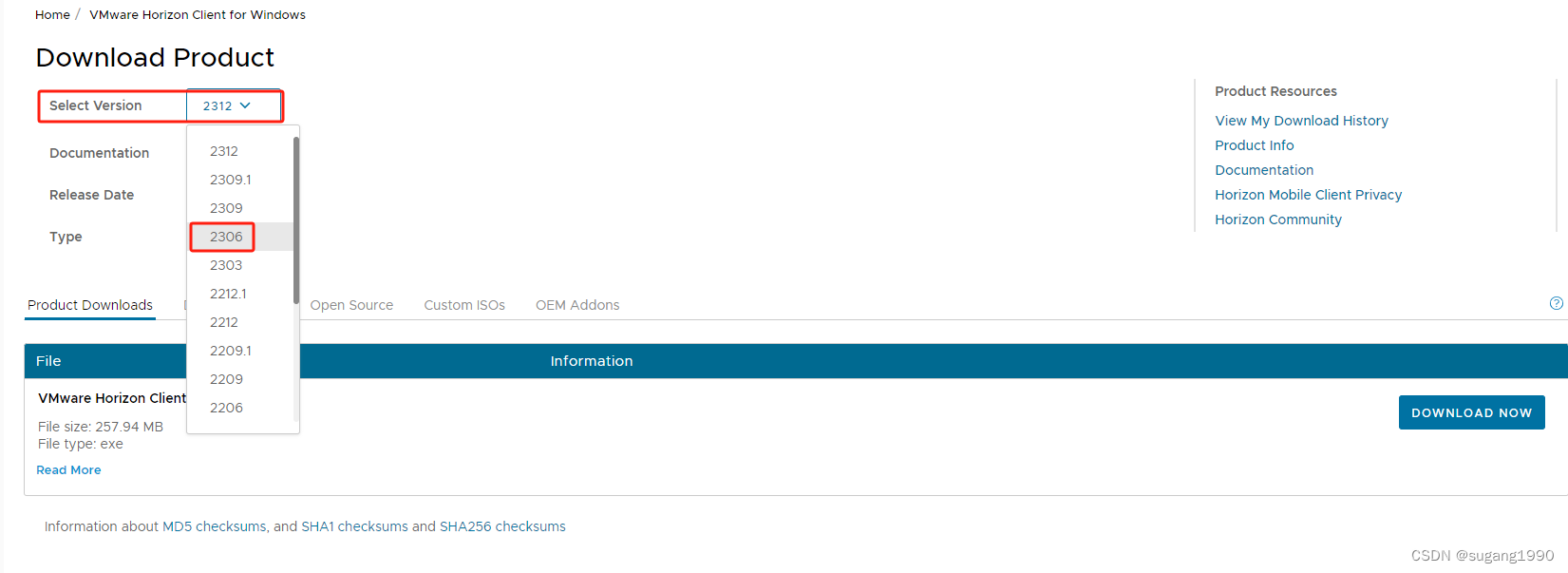
在这个页面选择需要的软件版本,软件版本选择2306
https://customerconnect.vmware.com/downloads/info/slug/desktop_end_user_computing/vmware_horizon_clients/horizon_8
二、失败原因
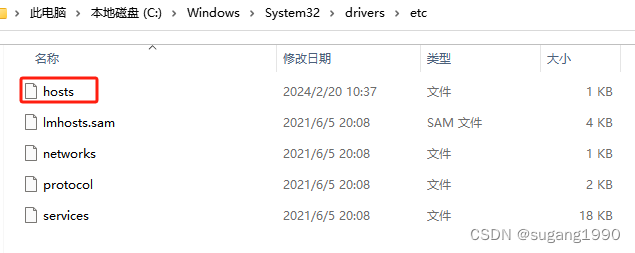
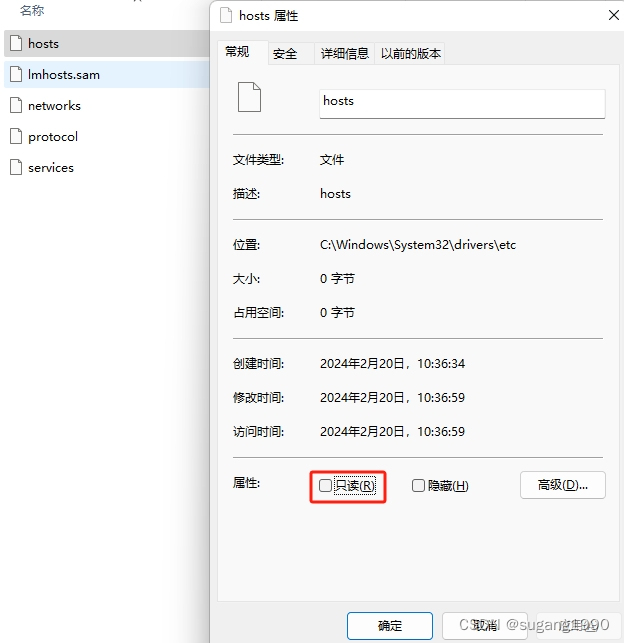
C:\Windows\System32\drivers\etc 目录下缺少hosts文件,或者文件属性为只读,我是属于缺少hosts文件。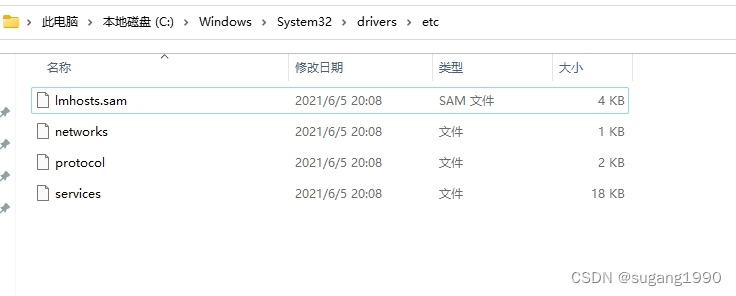
三、解决方法
1.创建hosts空文件,文件属性只读不选
2.再次重新安装VMware Horizon Client

总结
参考了网上安装失败原因:
https://blog.csdn.net/qq_33103223/article/details/119181622

有“AI”的1024 = 2048,欢迎大家加入2048 AI社区
更多推荐



 18
18 0
0- 0


 已为社区贡献2条内容

所有评论(0)