VS Code 搭建 C/C++ 编译环境(clang)
下载安装步骤
1. 下载 LLVM, 安装,比如我的安装在 E: 盘;
2. 下载 MinGW-w64,解压(无需安装);
3. 解压 MinGW-w64 后,将 **\mingw64\ 下的文件拷贝到 LLVM 下(文件夹存在重名,合并即可,无冲突);
我的环境
1. Win10, VS Code;
2. LLVM-clang(9.0.0),Target: x86_64-pc-windows-msvc,Thread model: posix
3. MinGW-w64(8.1.0),Target: x86_64-w64-mingw32, Thread model: win32
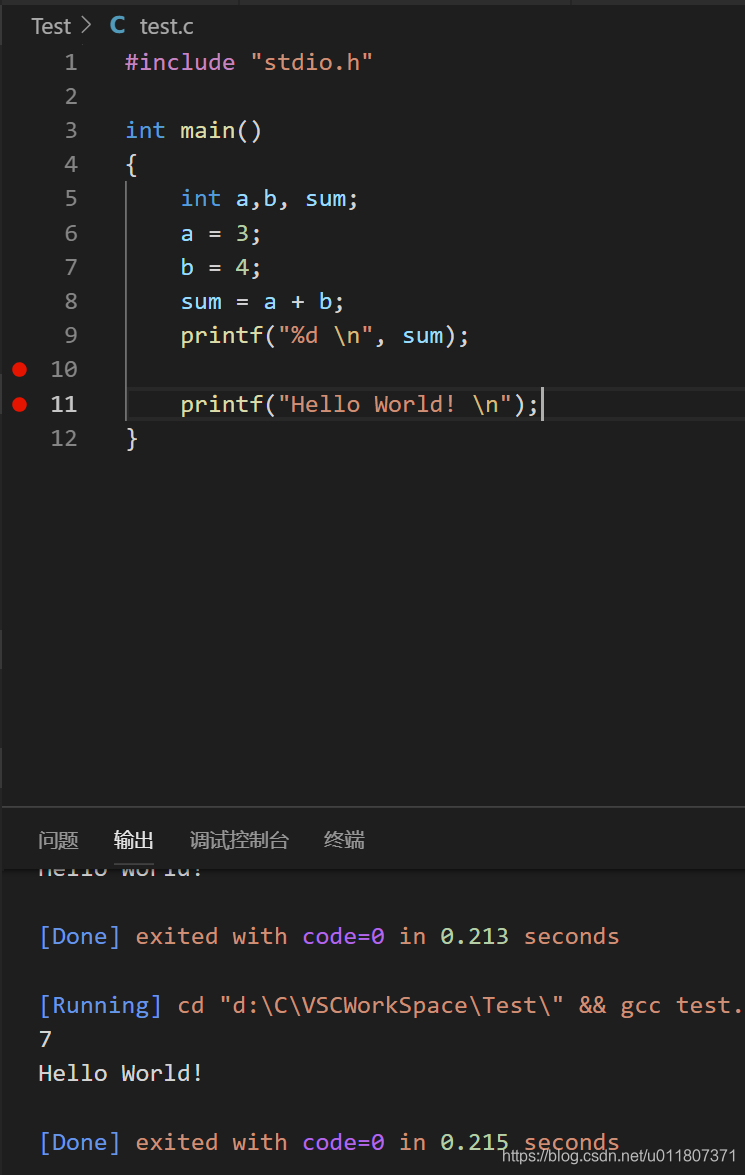
我的几个配置文件信息
settings.json
{
    // 将设置放入此文件中以覆盖默认值和用户设置。

    "files.defaultLanguage": "c", // ctrl+N新建文件后默认的语言
    "editor.formatOnType": true,
    "editor.snippetSuggestions": "top",
    "C_Cpp.clang_format_sortIncludes": true,
    "C_Cpp.errorSquiggles": "Disabled",
    "C_Cpp.autocomplete": "Disabled",
    "clang.cflags": [ // C
        "--target= x86_64-w64-mingw",
        "-std=c11",
        "-Wall"
    ],
    "clang.cxxflags": [ // C++
        "--target= x86_64-w64-mingw",
        "-std=c++17",
        "-Wall"
    ],
    "window.zoomLevel": 1,
}
launch.json
// https://github.com/Microsoft/vscode-cpptools/blob/master/launch.md
{
    "version": "0.2.0",
    "configurations": [
        {
            "name": "(gdb) Launch", // 配置名称,将会在启动配置的下拉菜单中显示
            "type": "cppdbg",       // 配置类型,这里只能为cppdbg
            "request": "launch",    // 请求配置类型,可以为launch(启动)或attach(附加)
            //"program": "${fileDirname}/${fileBasenameNoExtension}.o",   // 将要进行调试的程序的路径
            "program": "${fileDirname}/${fileBasenameNoExtension}.exe",
            "args": [],             // 程序调试时传递给程序的命令行参数,一般设为空即可
            "stopAtEntry": true,   // 设为true时程序将暂停在程序入口处,我一般设置为true
            "cwd": "${workspaceFolder}", // 调试程序时的工作目录
            "environment": [],
            //"externalConsole": true,    // 调试时是否显示控制台窗口,一般设置为true显示控制台
            "internalConsoleOptions": "neverOpen", // 如果不设为neverOpen,调试时会跳到“调试控制台”选项卡,你应该不需要对gdb手动输命令吧?
            "MIMode": "gdb",        // 指定连接的调试器,可以为gdb或lldb。但目前lldb在windows下没有预编译好的版本。
            "windows": {
                "program": "${fileDirname}/${fileBasenameNoExtension}.exe",
                "miDebuggerPath": "E:/LLVM/bin/gdb.exe" // 调试器路径,Windows下后缀不能省略
            },
            "setupCommands": [
                {
                    "description": "Enable pretty-printing for gdb",
                    "text": "-enable-pretty-printing",
                    "ignoreFailures": true
                }
            ],
            "preLaunchTask": "Build" // 调试会话开始前执行的任务,一般为编译程序。与tasks.json的label相对应
        }
    ]
}
tasks.json
// https://code.visualstudio.com/docs/editor/tasks
{
    "version": "2.0.0",
    "tasks": [
        {
            "label": "Build", // 任务名称, 与launch.json的preLaunchTask相对应
            // 如果使用Clang编写C语言, 把command的值改成clang。
            "command": "clang",      // 编译c语言
            // 如果使用MinGW, 编译C用gcc, 编译c++用g++, 并把-target和-fcolor那两条删去
            //"command": "clang++", // 编译C++
            "args": [
                "${file}",
                "-o", // 指定输出文件名, 不加该参数则默认输出a.exe, Linux下默认a.out
                "${fileDirname}/${fileBasenameNoExtension}.exe",
                "-g", // 生成和调试有关的信息
                "-Wall", // 开启额外警告
                "-static-libgcc", // 静态链接
                "-fcolor-diagnostics", // 彩色的错误信息?但貌似clang默认开启而gcc不接受此参数
                "--target=x86_64-w64-mingw", // clang的默认target为msvc, 不加这一条就会找不到头文件;Linux下去掉这一条
                "-std=c11" // C语言最新标准为c11, 或根据自己的需要进行修改
            ], // 编译命令参数
            "windows": {
                "args": [
                    "${file}",
                    "-o", // 指定输出文件名, 不加该参数则默认输出a.exe, Linux下默认a.out
                    "${fileDirname}/${fileBasenameNoExtension}.exe",
                    "-g", // 生成和调试有关的信息
                    "-Wall", // 开启额外警告
                    "-static-libgcc", // 静态链接
                    "-fcolor-diagnostics", // 彩色的错误信息?但貌似clang默认开启而gcc不接受此参数
                    "--target=x86_64-w64-mingw", // clang的默认target为msvc, 不加这一条就会找不到头文件;Linux下去掉这一条
                    "-std=c11" // C语言最新标准为c11, 或根据自己的需要进行修改
                ]
            },
            "presentation": {
                "echo": false,
                "reveal": "always", // 在“终端”中显示编译信息的策略, 可以为always, silent, never。具体参见VSC的文档
                "focus": true,     // 设为true后可以使执行task时焦点聚集在终端, 但对编译c和c++来说, 设为true没有意义
                "panel": "shared" // 不同的文件的编译信息共享一个终端面板
            },
            "problemMatcher": {
                "owner": "cpp",
                "fileLocation": "absolute",
                "pattern": {
                    "regexp": "^(.*):(\\d+):(\\d+):\\s+(error):\\s+(.*)$",
                    "file": 1,
                    "line": 2,
                    "column": 3,
                    "severity": 4,
                    "message": 5
                }
            }
        },
        {
            "label": "Run",
            "type": "shell",
            "dependsOn": "Build",
            "command": "${fileDirname}/${fileBasenameNoExtension}.o",
            "windows": {
                "command": "${fileDirname}/${fileBasenameNoExtension}.exe"
            },
            "args": [],
            "presentation": {
                "reveal": "always",
                "focus": true
            },
            "problemMatcher": [],
            "group": {
                "kind": "test",
                "isDefault": true
            }
        }
    ]
}
c_cpp_proterties.json
{
    "configurations": [
        {
            "name": "MinGW",
            "includePath": [
                "${workspaceFolder}",
                "E:/LLVM/lib/gcc/x86_64-w64-mingw32/**",
                "E:/LLVM/include",
                "E:/LLVM/x86_64-w64-mingw32/include"
            ],
            "browse": {
                "path": [
                    "${workspaceFolder}",
                    "E:/LLVM/x86_64-w64-mingw32/include",
                    "E:/LLVM/lib/gcc/x86_64-w64-mingw32/8.1.0/**",
                    "F:/LLVM/include/**"
                ],
                "limitSymbolsToIncludedHeaders": true,
                "databaseFilename": ""
            },
            "defines": [
                "_DEBUG",
                "UNICODE",
                "_UNICODE"
            ],
            "compilerPath": "E:/LLVM/bin/gcc.exe",
            "cStandard": "c11",
            "cppStandard": "c++17",
            "intelliSenseMode": "clang-x64"
        }
    ],
    "version": 4
}
本文参考资料:
vscode C/C++编译运行环境搭建(使用clang,推荐)
VSCode搭建C++/C调试编译环境(使用DevC++)(推荐)
windows下使用vscode编写运行以及调试C/C++(推荐)
【VSCode】Windows下VSCode编译调试c/c++
Visual Studio Code (vscode) 配置C、C++环境/编译并运行
相关问题解决:
VScode编译C++,头文件显示not found的解决方法
VSCODE调试代码时.exe文件不存在
How to use clang with mingw-w64 headers on windows
背景知识
VS code 中的各种变量 ${file},${fileBasename}
VSCode launch.json中的各种替换变量的意思 ${workspaceFolder} ${file} ${fileBasename} ${fileDirname}等
给vscode的运行任务tasks.json添加快捷键绑定功能
VScode编译C++,头文件显示not found的解决方法
为什么使用clang 不使用 gcc
使用gcc的相关配置:
launch.json
{
    // Use IntelliSense to learn about possible attributes.
    // Hover to view descriptions of existing attributes.
    // For more information, visit: https://go.microsoft.com/fwlink/?linkid=830387
    "version": "0.2.0",
    "configurations": [

        {
            "name": "(gdb) Launch",
            "type": "cppdbg",
            "request": "launch",
            "targetArchitecture": "x64",   // 生成目标架构,一般为x86或x64,
            "program": "${fileDirname}/${fileBasenameNoExtension}.exe", // 将要进行调试的程序的路径
            "args": [],
            "stopAtEntry": false,
            "cwd": "${workspaceFolder}",
            "environment": [],
            "externalConsole": true,
            "MIMode": "gdb",
            "miDebuggerPath": "E:/Dev-CPP/MinGW64/bin/gdb.exe", // miDebugger的路径,注意这里要与MinGw的路径对应
            "setupCommands": [
                {
                    "description": "Enable pretty-printing for gdb",
                    "text": "-enable-pretty-printing",
                    "ignoreFailures": true
                }
            ],
           "preLaunchTask": "gcc.exe build" // 调试会话开始前执行的任务,一般为编译程序,一般为编译程序,c++为g++, c为gcc。与tasks.json的label相对应
        }
    ]
}
task.json
{
    // See https://go.microsoft.com/fwlink/?LinkId=733558
    // for the documentation about the tasks.json format
    "version": "2.0.0",
    "tasks": [
        {
            "type": "shell",
            "label": "gcc.exe build",
            "command": "E:\\Dev-Cpp\\MinGW64\\bin\\gcc.exe",
            "args": [
                "-g",
                "${file}",
                "-o",
                "${fileDirname}\\${fileBasenameNoExtension}.exe"
            ],
            "options": {
                "cwd": "E:\\Dev-Cpp\\MinGW64\\bin"
            },
            "problemMatcher": [
                "$gcc"
            ],
            "group": "build"
        }
    ]
}
有“AI”的1024 = 2048,欢迎大家加入2048 AI社区
更多推荐
 12
12 0
0- 0


 已为社区贡献3条内容

所有评论(0)