基于Arduino 用Esp8266烧录Html文件,实现手机电脑访问内置网页控制设备开和关!(二)
基于Arduino 用Esp8266烧录Html文件,实现手机电脑访问内置网页控制设备开和关!(二)
在上一篇的基础上优化控制方式,界面美化和分布式控制。html 可以直接在arduino中上传到esp8266,。也可以用HBuilder打包成APP,手机端安装访问,两者区别不大,app端访问无延迟。
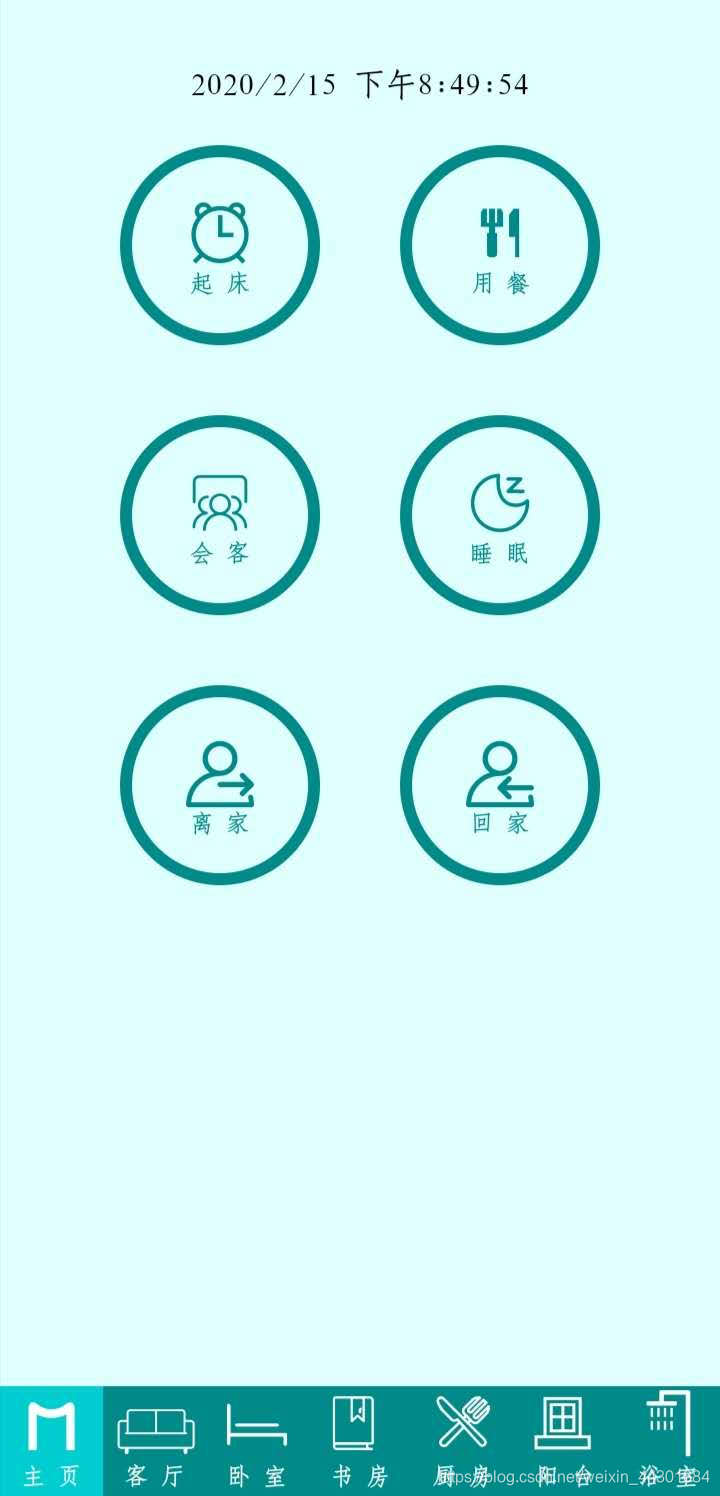
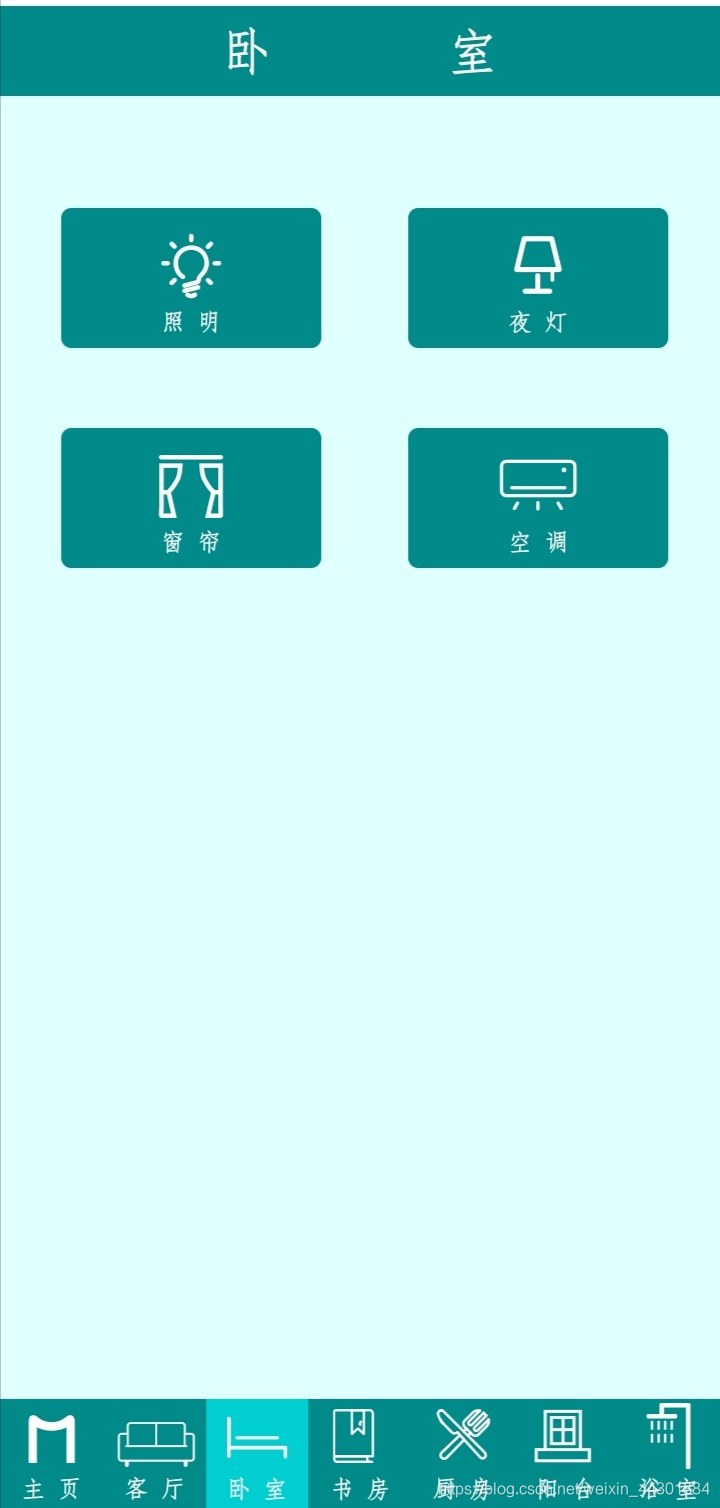
一,Esp8266控制方式的优化!
这里参考:基于Arduino 用Esp8266烧录Html文件,实现手机电脑访问内置网页控制设备开和关!(一)
第一篇文章控制IO端口的开和关分别两个不同的按钮,通过href=‘./pin?light0=1’和href=’./pin?light0=0’实现。
介绍通过一个按钮控制IO端口的开关,html 代码部分还是href=‘./pin?light0=0’。在C语言部分加入判断语句,读取IO端口的状态。代码如下:
 void pin(){
  int val2 = digitalRead(2);  // 读取端口的状态
            if (server.arg("light1")=="1"){
                if (val2 == LOW) {digitalWrite(2, HIGH); Serial.println("2-1"); server.send(200, "text/html", html);}
                            else {digitalWrite(2, LOW);  Serial.println("2-0"); server.send(200, "text/html", html);}
             }
  int val4 = digitalRead(4);  // 读取端口的状态
            if (server.arg("light2")=="2"){
                if (val4 == LOW) {digitalWrite(4, HIGH); Serial.println("4-1"); server.send(200, "text/html", html);}
                            else {digitalWrite(4, LOW);  Serial.println("4-0"); server.send(200, "text/html", html);}
             }
       }
二,控制界面美化 font-class 引用!
使用步骤如下:
第一步:引入项目下面生成的 fontclass 代码:
<link rel="stylesheet" href="./iconfont.css">
第二步:挑选相应图标并获取类名,应用于页面:
<span class="iconfont icon-xxx"></span>
" iconfont" 是你项目下的 font-family。可以通过编辑项目查看,默认是 “iconfont”。
三,设置静态ip
IPAddress local_IP(192, 168, 31, 204); // 192.168.31一定要与路由器ip地址相同
IPAddress gateway(192, 168, 31, 1);    // 同上
IPAddress subnet(255, 255, 255, 0);
void setup(){
  WiFi.config(local_IP, gateway, subnet);
  WiFi.mode(WIFI_STA); //设置静态IP
}
四,修改esp8266 hostname
#include <ESP8266WiFi.h>
String hostname(); bool hostname(char* aHostname);bool hostname(const char* aHostname); bool hostname(String aHostname);

void setup() {
Serial.begin(115200);
WiFi.begin();
Serial.printf("\n Default hostname: %s  ", WiFi.hostname().c_str());  //Default hostname: ESP_XXXXXX to New hostname
WiFi.hostname("MX-02");
Serial.printf("  New hostname: %s\n", WiFi.hostname().c_str());
}
void loop(){ }
五,Esp8266控制的另一种办法!
常见的Esp8266 ,可用端口只有9个,但是实际情况,家用物联网上需要的端口远不止这些,如图。
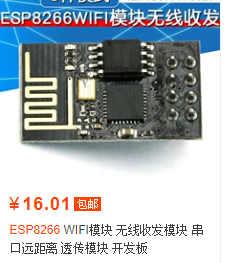
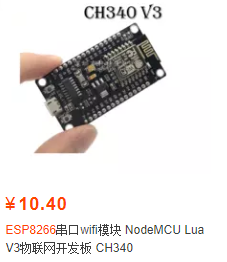
先打印和记录每个模块 ipaddress,设置一个Esp8266模块为主控制,IP Address : 192.168.x.1。副控制模块192.168.x.2,192.168.x.3,192.168.x.4,.。。。。192.168.x.n。在写入的主控制模块的HTML按钮代码中,pin?light1=0为关,pin?light1=1为开修改为192.168.x.2/pin?light1=0为关,192.168.x.2/pin?light1=1为开。其他的以此类推。 用手机访问192.168.x.1 来控制。其他模块。
优点:可以大批量的集中控制,显示温湿度,。
缺点:如果一个副控制模块端口有变化,主控制也需要相应修改。稍微有些麻烦。
后记:
不只是开关信号,还可以添加温度湿度模块,控制伺服电机。
安全问题:
家用物联网,不建议将数据上传到服务器,直接用路由器WIFI控制还是要稳妥一些, 虽然上传服务器,理论上,在任何地方可以用移动网络控制家居设备开关,但是不实用。
附上html部分代码:
<!DOCTYPE html>
<html lang='en'>
<head>
<meta charset='UTF-8'>
<meta name='viewport' content='width=device-width, initial-scale=1.0, minimum-scale=0.5, maximum-scale=2.0, user-scalable=yes' />
<meta http-equiv='X-UA-Compatible' content='ie=edge'>
<title>MeiShang Smarthome Control System</title>
<link rel="stylesheet" href="http://at.alicdn.com/t/font_1640699_nk29qyrqhco.css">
<style>
/* --------------------------选项卡代码------------------------- */
.tabs {
width: 360px;
margin: 0px auto; /* 选项卡背景 */
background-color: LightCyan;
border: 0px solid #FFF;
box-sizing: border-box;
}
.tabs nav {
height: 55px;
text-align: center;
line-height: 30px;
overflow: hidden;
background-color: DarkCyan; /* 选项卡 */
display: flex;
margin: -0.5px auto;
}
nav a {
display: block; /* 选项卡 */
width: 51.4px;
border-right: 0px solid #fff;
font-size:12px;
color: #FFFFFF;
text-decoration: none;
}
nav a:last-child { border-right: none;}
nav a.active {background-color: DarkTurquoise ;}
.cont {overflow: hidden;display: none;}
.cont ol {line-height: 20px;}
/* -------------------------按钮控制代码---------------------------------------------------------------- */
h2,h1{line-height:1%;}
body {
width: 360px;
margin: 0;
padding: 0;
background: LightCyan;
}
.button {
width: 130px;
height: 70px;
text-align: center;
color: #FFF;
border-radius: 1px;
margin: 40px -4.5px 0px 0;
position: relative;
overflow: hidden;
border: 0px solid #FFF;
background: darkcyan;
font-size: 12px;
outline:none;
border-radius: 5px 5px 5px 5px;
}
.top1 {
width: 360px;
height: 45px;
color: white;
border: 0px ;
background: darkcyan;
font-size: 25px;
left: -40px; position: relative;
top: -16px;
}
.button1 {
width: 100px;
height: 100px;
text-align: center;
font-weight: 100;
color: darkcyan;
margin: 0 40px 35px 0;
position: relative;
border: 6px solid darkcyan;
background: LightCyan;
font-size: 12px;
border-radius: 50%;
outline:none;
}
.button2 {
text-align: center;
color: darkcyan;
margin: 0 auto;
float: right;
border: 0px solid darkcyan;
background: LightCyan;
font-size: 20px;
outline:none;
}
</style>
</head>
<body>
<div class='tabs'>
<section class='cont' id='Page1' style='display:block'>
<ol><br />
<center><span style='left: -20px; position: relative;' id='time1'> Time Loading ......</span><script>setInterval('time1.innerHTML=new Date().toLocaleString()',1000);</script></center>
<center ></br> <!-- 总控 0 -->
<a href='./pin?light0=1'><button type='button' class='button1'><div class="m x-icon-test" style="font-size: 35px;" ></div>起 床</button></a>
<a href='./pin?light0=2'><button type='button' class='button1'><div class="m x-chifan" style="font-size: 35px;" ></div>用 餐</button></a>
<a href='./pin?light0=3'><button type='button' class='button1'><div class="m x-huiyi" style="font-size: 35px;" ></div>会 客</button></a>
<a href='./pin?light0=4'><button type='button' class='button1'><div class="m x-shuimian" style="font-size: 35px;" ></div>睡 眠</button></a>
<a href='./pin?light0=5'><button type='button' class='button1'><div class="m x-yuangongchelianglika" style="font-size: 35px;" ></div>离 家</button></a>
<a href='./pin?light0=6'><button type='button' class='button1'><div class="m x-yuangongcheliangjinr" style="font-size: 35px;" ></div>回 家</button></a>
</br>
</center>
</ol>
</section>
<section class='cont' id='Page2' > <!-- 客厅1 -->
<ol>
<button class='top1'>客 厅</button></a><br />
<center style='left: -20px; position: relative;'>
<a href='./pin?light1=1'><button type='button' class='button '><div class="m x-deng2" style="font-size:40px;" ></div>客 厅</button></a>
<a href='./pin?light1=2'><button type='button' class='button '><div class="m x-deng" style="font-size:40px;"></div>餐 厅</button></a>
</br>
<a href='./pin?light1=3'><button type='button' class='button '><div class="m x-chuanglian" style="font-size:40px;" ></div>窗 帘</button></a>
<a href='./pin?light1=4'><button type='button' class='button '><div class="m x-kongtiao" style="font-size:40px;" ></div>空 调</button></a>
</br>
</center>
</ol>
</section>
<section class='cont' id='Page3'> <!-- 卧室2 -->
<ol>
<button class='top1'>卧 室</button></a>
<center style='left: -20px; position: relative;'>
<a href='./pin?light2=1'><button type='button' class='button '><div class="m x-deng2" style="font-size:40px;"></div>照 明</button></a>
<a href='./pin?light2=2'><button type='button' class='button '><div class="m x-deng1" style="font-size:40px;"></div>夜 灯</button></a>
</br>
<a href='./pin?light2=3'><button type='button' class='button '><div class="m x-chuanglian" style="font-size:40px;"></div>窗 帘</button></a>
<a href='./pin?light2=4'><button type='button' class='button '><div class="m x-kongtiao" style="font-size:40px;"></div>空 调</button></a>
</br>
</center>
</ol>
</section>
<section class='cont' id='Page4'> <!-- 书房3 -->
<ol>
<button class='top1'>书 房</button></a>
<center style='left: -20px; position: relative;'>
<a href='./pin?light3=1'><button type='button' class='button '><div class="m x-deng2" style="font-size:40px;"></div>照 明</button></a>
<a href='./pin?light3=2'><button type='button' class='button '><div class="m x-deng1" style="font-size:40px;"></div>夜 灯</button></a>
</br>
<a href='./pin?light3=3'><button type='button' class='button '><div class="m x-chuanglian" style="font-size:40px;"></div>窗 帘</button></a>
<a href='./pin?light3=4'><button type='button' class='button '><div class="m x-kongtiao" style="font-size:40px;"></div>空 调</button></a>
</br>
</center>
</ol>
</section>
<section class='cont' id='Page5'> <!-- 厨房4 -->
<ol>
<button class='top1'>厨 房</button></a>
<center style='left: -20px; position: relative;'>
<a href='./pin?light4=1'><button type='button' class='button '><div class="m x-deng2" style="font-size:40px;"></div>照 明</button></a>
<a href='./pin?light4=2'><button type='button' class='button '><div class="m x-tubiao-youyanji" style="font-size:40px;"></div>油烟机</button></a>
</br>
<a href='./pin?light4=3'><button type='button' class='button '><div class="m x-reshuiqi" style="font-size:40px;"></div>热水器</button></a>
<a href='./pin?light4=4'><button type='button' class='button '><div class="m x-dianfanbao" style="font-size:40px;"></div>电饭煲</button></a>
</br>
</center>
</ol>
</section>
<section class='cont' id='Page6'> <!-- 阳台5 -->
<ol>
<button class='top1'>阳 台</button></a>
<center style='left: -20px; position: relative;'>
<a href='./pin?light5=1'><button type='button' class='button '><div class="m x-deng2" style="font-size:40px;"></div>照 明</button></a>
<a href='./pin?light5=2'><button type='button' class='button '><div class="m x-xiyiji" style="font-size:40px;"></div>洗衣机</button></a>
</br>
</center>
</ol>
</section>
<section class='cont' id='Page7'> <!-- 浴室6 -->
<ol>
<button class='top1'>浴 室</button></a>
<center style='left: -20px; position: relative;'>
<a href='./pin?light6=1'><button type='button' class='button '><div class="m x-deng2" style="font-size:40px;"></div>照 明</button></a>
<a href='./pin?light6=2'><button type='button' class='button '><div class="m x-huandengpao" style="font-size:40px;"></div>镜前灯</button></a>
</br>
<a href='./pin?light6=3'><button type='button' class='button '><div class="m x-hekriconshebeiyuba" style="font-size:40px;"></div>取 暖</button></a>
<a href='./pin?light6=4'><button type='button' class='button '><div class="m x-fengshan" style="font-size:40px;"></div>换 气</button></a>
</br>
</center>
</ol>
</section>
<!-- ------------------------------底部选项卡---------------->
<nav style='bottom:1px; position:absolute;'>
<a href='javascript:;' data-cont='Page1' class='active'><div class="m x-M" style="font-size:35px;"></div><span >主 页</span></a>
<a href='javascript:;' data-cont='Page2'><div class="m x-keting1" style="font-size:35px;"></div><span >客 厅</span></a>
<a href='javascript:;' data-cont='Page3'><div class="m x-woshi" style="font-size:35px;"></div><span >卧 室</span></a>
<a href='javascript:;' data-cont='Page4'><div class="m x-dushu" style="font-size:35px;"></div><span >书 房</span></a>
<a href='javascript:;' data-cont='Page5'><div class="m x-canju" style="font-size:35px;"></div><span >厨 房</span></a>
<a href='javascript:;' data-cont='Page6'><div class="m x-yangtai1" style="font-size:35px;"></div><span >阳 台</span></a>
<a href='javascript:;' data-cont='Page7'><div class="m x-yushi" style="font-size:35px;"></div><span >浴 室</span></a>
</nav>
</div>
<!-- ------------------------------开启自动打开总控---------------->
<script>
var aArr=document.querySelectorAll('a');
for(var i=0;i<aArr.length;i++){
aArr[i].onclick=function(){
var active=document.querySelector('.active');
active.classList.remove('active');
this.classList.add('active');
var name=this.getAttribute('data-cont');
var section=document.getElementById(name);
var cont = document.getElementsByClassName('cont');
for(var i=0;i<cont.length;i++){
cont[i].style.display='none';
}
section.style.display='block';
}
}
</script>
</body>
</html>
1,新增第一次AP配网,创建热点,输入密码保存,可以自定义局域网IP。
2,GPIO5=LOW+重启,密码清除,GPIO2灯闪烁3下。
3,WiFi配置保存后,GPIO2灯闪烁3下,表示可以访问静态IP地址。
4,增加静态IP在配网中自定义
// 第一次AP配网,创建热点,输入密码保存,可以自定义局域网IP。
//GPIO5=LOW+重启,密码清除,GPIO2灯闪烁3下。
//WiFi配置保存后,GPIO2灯闪烁3下,表示可以访问静态IP地址。
//增加静态IP在配网中自定义
#include <ESP8266WiFi.h>
#include <ESP8266WebServer.h>
#include <EEPROM.h>
// 默认静态 IP 地址和网络信息
IPAddress staticIP(192, 168, 1, 201);
IPAddress gateway(192, 168, 1, 1);
IPAddress subnet(255, 255, 255, 0);
IPAddress dns(8, 8, 8, 8);
// Web服务器对象
ESP8266WebServer server(80); //以下 String html = " "; 是网页部分
String html = " <!DOCTYPE html><html lang='en'><head><meta charset='UTF-8'><meta name='viewport' content='width=device-width, initial-scale=1.0, minimum-scale=0.5, maximum-scale=2.0, user-scalable=yes' /><meta http-equiv='X-UA-Compatible' content='ie=edge'><title>MeiShang Smarthome Control System</title><link rel='stylesheet' href='http://at.alicdn.com/t/font_1640699_nk29qyrqhco.css'><style> .tabs {width: 360px;margin: 0px auto; background-color: LightCyan;border: 0px solid #FFF;box-sizing: border-box;}.tabs nav {height: 55px;text-align: center;line-height: 30px;overflow: hidden;background-color: DarkCyan;display: flex;margin: -0.5px auto; }nav a {display: block; width: 51.4px;border-right: 0px solid #fff;font-size:12px;color: #FFFFFF;text-decoration: none;}nav a:last-child { border-right: none;}nav a.active {background-color: DarkTurquoise ;}.cont {overflow: hidden;display: none;}.cont ol {line-height: 20px;}h2,h1{line-height:1%;}body { width: 360px; margin: 0;padding: 0; background: LightCyan;}.button { width: 130px; height: 70px; text-align: center; color: #FFF; border-radius: 1px; margin: 40px -4.5px 0px 0; position: relative; overflow: hidden; border: 0px solid #FFF; background: darkcyan; font-size: 12px; outline:none; border-radius: 5px 5px 5px 5px;}.top1 { width: 360px; height: 45px; color: white; border: 0px ; background: darkcyan; font-size: 25px; left: -40px; position: relative; top: -16px;}.button1 { width: 100px; height: 100px; text-align: center; font-weight: 100; color: darkcyan; margin: 0 40px 35px 0; position: relative; border: 6px solid darkcyan; background: LightCyan; font-size: 12px; border-radius: 50%; outline:none; }</style></head><body><div class='tabs'><section class='cont' id='Page1' style='display:block'><ol><br /><center><span style='left: -20px; position: relative;' id='time1'> Time Loading ......</span><script>setInterval('time1.innerHTML=new Date().toLocaleString()',1000);</script></center><center ></br><a href='./m?x0=1'><button type='button' class='button1'><div class='m x-icon-test' style='font-size: 35px;' ></div>起 床</button></a><a href='./m?x0=2'><button type='button' class='button1'><div class='m x-chifan' style='font-size: 35px;' ></div>用 餐</button></a><a href='./m?x0=3'><button type='button' class='button1'><div class='m x-huiyi' style='font-size: 35px;' ></div>会 客</button></a><a href='./m?x0=4'><button type='button' class='button1'><div class='m x-shuimian' style='font-size: 35px;' ></div>睡 眠</button></a><a href='./m?x0=5'><button type='button' class='button1'><div class='m x-yuangongchelianglika' style='font-size: 35px;' ></div>离 家</button></a><a href='./m?x0=6'><button type='button' class='button1'><div class='m x-yuangongcheliangjinr' style='font-size: 35px;' ></div>回 家</button></a></br></center></ol></section><section class='cont' id='Page2' ><ol><button class='top1'>客 厅</button></a><br /><center style='left: -20px; position: relative;'> <a href='./m?x1=1'><button type='button' class='button '><div class='m x-deng2' style='font-size:40px;' ></div>客 厅</button></a> <a href='./m?x1=2'><button type='button' class='button '><div class='m x-deng' style='font-size:40px;'></div>餐 厅</button></a></br> <a href='./m?x1=3'><button type='button' class='button '><div class='m x-chuanglian' style='font-size:40px;' ></div>窗 帘</button></a> <a href='./m?x1=4'><button type='button' class='button '><div class='m x-kongtiao' style='font-size:40px;' ></div>空 调</button></a></br> </center></ol></section><section class='cont' id='Page3'><ol><button class='top1'>卧 室</button></a><center style='left: -20px; position: relative;'><a href='./m?x2=1'><button type='button' class='button '><div class='m x-deng2' style='font-size:40px;'></div>照 明</button></a> <a href='./m?x2=2'><button type='button' class='button '><div class='m x-deng1' style='font-size:40px;'></div>夜 灯</button></a></br> <a href='./m?x2=3'><button type='button' class='button '><div class='m x-chuanglian' style='font-size:40px;'></div>窗 帘</button></a> <a href='./m?x2=4'><button type='button' class='button '><div class='m x-kongtiao' style='font-size:40px;'></div>空 调</button></a></br> </center></ol></section><section class='cont' id='Page4'><ol><button class='top1'>书 房</button></a><center style='left: -20px; position: relative;'> <a href='./m?x3=1'><button type='button' class='button '><div class='m x-deng2' style='font-size:40px;'></div>照 明</button></a> <a href='./m?x3=2'><button type='button' class='button '><div class='m x-deng1' style='font-size:40px;'></div>夜 灯</button></a></br> <a href='./m?x3=3'><button type='button' class='button '><div class='m x-chuanglian' style='font-size:40px;'></div>窗 帘</button></a> <a href='./m?x3=4'><button type='button' class='button '><div class='m x-kongtiao' style='font-size:40px;'></div>空 调</button></a></br> </center></ol></section><section class='cont' id='Page5'><ol><button class='top1'>厨 房</button></a><center style='left: -20px; position: relative;'><a href='./m?x4=1'><button type='button' class='button '><div class='m x-deng2' style='font-size:40px;'></div>照 明</button></a> <a href='./m?x4=2'><button type='button' class='button '><div class='m x-tubiao-youyanji' style='font-size:40px;'></div>油烟机</button></a></br> <a href='./m?x4=3'><button type='button' class='button '><div class='m x-reshuiqi' style='font-size:40px;'></div>热水器</button></a> <a href='./m?x4=4'><button type='button' class='button '><div class='m x-dianfanbao' style='font-size:40px;'></div>电饭煲</button></a></br> </center></ol></section><section class='cont' id='Page6'><ol><button class='top1'>阳 台</button></a><center style='left: -20px; position: relative;'> <a href='./m?x5=1'><button type='button' class='button '><div class='m x-deng2' style='font-size:40px;'></div>照 明</button></a> <a href='./m?x5=2'><button type='button' class='button '><div class='m x-xiyiji' style='font-size:40px;'></div>洗衣机</button></a></br></center></ol></section><section class='cont' id='Page7'><ol><button class='top1'>浴 室</button></a><center style='left: -20px; position: relative;'> <a href='./m?x6=1'><button type='button' class='button '><div class='m x-deng2' style='font-size:40px;'></div>照 明</button></a> <a href='./m?x6=2'><button type='button' class='button '><div class='m x-huandengpao' style='font-size:40px;'></div>镜前灯</button></a></br> <a href='./m?x6=3'><button type='button' class='button '><div class='m x-hekriconshebeiyuba' style='font-size:40px;'></div>取 暖</button></a> <a href='./m?x6=4'><button type='button' class='button '><div class='m x-fengshan' style='font-size:40px;'></div>换 气</button></a></br> </center></ol> </section><nav style='bottom:1px; position:absolute;'><a href='javascript:;' data-cont='Page1' class='active'><div class='m x-M' style='font-size:35px;'></div><span >主 页</span></a><a href='javascript:;' data-cont='Page2'><div class='m x-keting1' style='font-size:35px;'></div><span >客 厅</span></a><a href='javascript:;' data-cont='Page3'><div class='m x-woshi' style='font-size:35px;'></div><span >卧 室</span></a><a href='javascript:;' data-cont='Page4'><div class='m x-dushu' style='font-size:35px;'></div><span >书 房</span></a><a href='javascript:;' data-cont='Page5'><div class='m x-canju' style='font-size:35px;'></div><span >厨 房</span></a><a href='javascript:;' data-cont='Page6'><div class='m x-yangtai1' style='font-size:35px;'></div><span >阳 台</span></a><a href='javascript:;' data-cont='Page7'><div class='m x-yushi' style='font-size:35px;'></div><span >浴 室</span></a></nav></div><script>var aArr=document.querySelectorAll('a');for(var i=0;i<aArr.length;i++){aArr[i].onclick=function(){ var active=document.querySelector('.active'); active.classList.remove('active'); this.classList.add('active'); var name=this.getAttribute('data-cont'); var section=document.getElementById(name); var cont = document.getElementsByClassName('cont'); for(var i=0;i<cont.length;i++){cont[i].style.display='none'; } section.style.display='block';}}</script></body></html>";
void m(){ //-- ("/m", HTTP_GET, m);----"x1")=="1" 房间号==设备号 http:ip/m?x1=1
int val2 = digitalRead(2); // 读取端口的状态
if (server.arg("x1")=="1"){
if (val2 == LOW) {digitalWrite(2, HIGH); Serial.println("2-1"); server.send(200, "text/html", html);}
else {digitalWrite(2, LOW ); Serial.println("2-0"); server.send(200, "text/html", html);}
}
int val4 = digitalRead(4);
if (server.arg("x1")=="2"){
if (val4 == LOW) {digitalWrite(4, HIGH); Serial.println("4-1"); server.send(200, "text/html", html);}
else {digitalWrite(4, LOW); Serial.println("4-0"); server.send(200, "text/html", html);}
}
}
void handleRoot(){ server.send(200, "text/html", html);}
// 定义EEPROM地址
const int EEPROM_SIZE = 512;
const int SSID_ADDR = 0;
const int PASS_ADDR = 32;
const int IP_ADDR = 96; // 新增IP地址存储地址
const int GATEWAY_ADDR = 128; // 新增网关地址存储地址
// 定义GPIO引脚
const int CLEAR_PIN = 5; // GPIO5 D1 - 清除EEPROM
// 标志位,表示是否已配置WiFi
bool wifiConfigured = false;
// 存储WiFi凭据和IP配置
String storedSSID = "";
String storedPassword = "";
String storedStaticIP = "";
String storedGateway = "";
void setup() {
//定义端口号16,4,5,2,14,12,13,15,0 一,Esp8266继电器常开,接NO, HIGH; 常闭,接NC, LOW;
int val2 ; pinMode(2, OUTPUT); digitalWrite(2, HIGH);
int val4 ; pinMode(4, OUTPUT); digitalWrite(4, HIGH);
Serial.begin(115200);
delay(1000);
pinMode(CLEAR_PIN, INPUT_PULLUP);
// 检查是否需要清除EEPROM
if (digitalRead(CLEAR_PIN) == LOW) {
Serial.println("检测到清除信号,清除EEPROM...");
clearEEPROM();
delay(1000);
}
// 初始化EEPROM
EEPROM.begin(EEPROM_SIZE);
// 从EEPROM读取保存的配置
readConfig();
// 检查是否有保存的WiFi配置
if (storedSSID.length() > 0) {
Serial.println("找到保存的WiFi配置,尝试连接...");
Serial.println("SSID: " + storedSSID);
Serial.println("Password: " + storedPassword);
// 如果有保存的IP配置,则使用保存的配置
if (storedStaticIP.length() > 0 && storedGateway.length() > 0) {
Serial.println("使用保存的静态IP配置");
Serial.println("静态IP: " + storedStaticIP);
Serial.println("网关: " + storedGateway);
// 解析IP地址
if (!parseIPAddress(storedStaticIP, staticIP) || !parseIPAddress(storedGateway, gateway)) {
Serial.println("IP地址解析失败,使用默认配置");
// 如果解析失败,使用默认配置
staticIP = IPAddress(192, 168, 1, 201);
gateway = IPAddress(192, 168, 1, 1);
}
}
// 配置网络
WiFi.config(staticIP, gateway, subnet, dns);
// 尝试连接WiFi
WiFi.begin(storedSSID.c_str(), storedPassword.c_str());
// 等待连接,最多10秒
int attempts = 0;
while (WiFi.status() != WL_CONNECTED && attempts < 20) {
delay(500);
Serial.print(".");
attempts++;
}
if (WiFi.status() == WL_CONNECTED) {
wifiConfigured = true;
Serial.println("\nWiFi连接成功!");
Serial.print("IP地址: ");
Serial.println(WiFi.localIP());
server.on("/", handleRoot);
server.on("/m", HTTP_GET, m);
} else {
Serial.println("\nWiFi连接失败,启动配置模式");
wifiConfigured = false;
}
} else {
Serial.println("未找到保存的WiFi配置,启动配置模式");
wifiConfigured = false;
}
// 如果没有配置WiFi,启动AP模式
if (!wifiConfigured) {
setupAPMode();
}
// 设置Web服务器路由
setupWebServer();
// 启动Web服务器
server.begin();
Serial.println("HTTP server started");
digitalWrite(2, LOW);delay(500);digitalWrite(2, HIGH);delay(500);
digitalWrite(2, LOW);delay(500);digitalWrite(2, HIGH);delay(500);
digitalWrite(2, LOW);delay(500);digitalWrite(2, HIGH);delay(500);
}
void loop() {
server.handleClient();
}
// 从EEPROM读取配置
void readConfig() {
// 读取SSID
storedSSID = "";
for (int i = SSID_ADDR; i < SSID_ADDR + 32; i++) {
char c = EEPROM.read(i);
if (c != 0 && c != 255) {
storedSSID += c;
} else {
break;
}
}
// 读取密码
storedPassword = "";
for (int i = PASS_ADDR; i < PASS_ADDR + 64; i++) {
char c = EEPROM.read(i);
if (c != 0 && c != 255) {
storedPassword += c;
} else {
break;
}
}
// 读取静态IP
storedStaticIP = "";
for (int i = IP_ADDR; i < IP_ADDR + 32; i++) {
char c = EEPROM.read(i);
if (c != 0 && c != 255) {
storedStaticIP += c;
} else {
break;
}
}
// 读取网关
storedGateway = "";
for (int i = GATEWAY_ADDR; i < GATEWAY_ADDR + 32; i++) {
char c = EEPROM.read(i);
if (c != 0 && c != 255) {
storedGateway += c;
} else {
break;
}
}
}
// 清除EEPROM
void clearEEPROM() {
EEPROM.begin(EEPROM_SIZE);
for (int i = 0; i < EEPROM_SIZE; i++) {
EEPROM.write(i, 0);
}
EEPROM.commit();
Serial.println("EEPROM已清除");
digitalWrite(2, LOW);delay(500);digitalWrite(2, HIGH);delay(500);
digitalWrite(2, LOW);delay(500);digitalWrite(2, HIGH);delay(500);
digitalWrite(2, LOW);delay(500);digitalWrite(2, HIGH);delay(500);
}
// 保存配置到EEPROM
void saveConfig(String ssid, String password, String staticIP, String gatewayIP) {
// 清空之前的配置
for (int i = SSID_ADDR; i < SSID_ADDR + 32; i++) {
EEPROM.write(i, 0);
}
for (int i = PASS_ADDR; i < PASS_ADDR + 64; i++) {
EEPROM.write(i, 0);
}
for (int i = IP_ADDR; i < IP_ADDR + 32; i++) {
EEPROM.write(i, 0);
}
for (int i = GATEWAY_ADDR; i < GATEWAY_ADDR + 32; i++) {
EEPROM.write(i, 0);
}
// 写入新的SSID
for (int i = 0; i < ssid.length() && i < 31; i++) {
EEPROM.write(SSID_ADDR + i, ssid[i]);
}
// 写入新的密码
for (int i = 0; i < password.length() && i < 63; i++) {
EEPROM.write(PASS_ADDR + i, password[i]);
}
// 写入静态IP
for (int i = 0; i < staticIP.length() && i < 31; i++) {
EEPROM.write(IP_ADDR + i, staticIP[i]);
}
// 写入网关
for (int i = 0; i < gatewayIP.length() && i < 31; i++) {
EEPROM.write(GATEWAY_ADDR + i, gatewayIP[i]);
}
EEPROM.commit();
Serial.println("配置已保存到EEPROM");
}
// IP地址解析函数
bool parseIPAddress(String ipString, IPAddress &ip) {
int parts[4];
int partIndex = 0;
String currentPart = "";
for (int i = 0; i < ipString.length(); i++) {
if (ipString[i] == '.') {
if (partIndex < 4) {
parts[partIndex] = currentPart.toInt();
partIndex++;
currentPart = "";
}
} else if (isdigit(ipString[i])) {
currentPart += ipString[i];
} else {
return false; // 无效字符
}
}
if (partIndex == 3 && currentPart.length() > 0) {
parts[3] = currentPart.toInt();
ip = IPAddress(parts[0], parts[1], parts[2], parts[3]);
return true;
}
return false;
}
// 设置AP模式
void setupAPMode() {
WiFi.mode(WIFI_AP);
WiFi.softAP("ESP8266-WiFi开关密码配置", "");
Serial.println("AP模式已启动");
Serial.print("AP IP地址: ");
Serial.println(WiFi.softAPIP());
}
// 设置Web服务器路由
void setupWebServer() {
// 主页面
server.on("/", HTTP_GET, []() {
String html = "<html><head><meta charset='UTF-8'><title>ESP8266-WiFi开关配置页面</title>";
html += "<style>body{font-family:Arial,sans-serif;margin:40px;background:#f0f0f0;}";
html += ".container{background:white;padding:30px;border-radius:10px;max-width:90%;margin:0 auto;}";
html += "input[type=text],input[type=password]{width:100%;padding:10px;margin:10px 0;border:1px solid #ddd;border-radius:5px;}";
html += "input[type=submit]{background:#4CAF50;color:white;padding:12px;border:none;border-radius:5px;cursor:pointer;width:100%;}";
html += "label{display:block;margin-top:15px;font-weight:bold;}";
html += "</style></head><body>";
html += "<div class='container'>";
html += "<h2>ESP8266-WiFi开关配置页面</h2>";
html += "<form action='/save' method='POST'>";
html += "WiFi名称: <input type='text' name='ssid' placeholder='输入WiFi名称' value='" + storedSSID + "'><br>";
html += "WiFi密码: <input type='password' name='password' placeholder='输入WiFi密码' value='" + storedPassword + "'><br>";
html += "<label>网络配置(可选):</label>";
html += "静态IP(建议从201开始累加): <input type='text' name='staticip' placeholder='192.168.1.201' value='" + storedStaticIP + "'><br>";
html += "网关地址: <input type='text' name='gateway' placeholder='192.168.1.1' value='" + storedGateway + "'><br>";
html += "<input type='submit' value='保存并重启ESP8266-WiFi开关'>";
html += "</form>";
html += "</div></body></html>";
server.send(200, "text/html", html);
});
// 保存配置的路由
server.on("/save", HTTP_POST, []() {
String ssid = server.arg("ssid");
String password = server.arg("password");
String staticip = server.arg("staticip");
String gateway = server.arg("gateway");
// 如果未输入IP,使用默认值
if (staticip.length() == 0) {
staticip = "192.168.1.201";
}
if (gateway.length() == 0) {
gateway = "192.168.1.1";
}
if (ssid.length() > 0) {
saveConfig(ssid, password, staticip, gateway);
String html = "<html><head><meta charset='UTF-8'><title>ESP8266-WiFi开关配置已保存</title>";
html += "<style>body{font-family:Arial,sans-serif;margin:40px;background:#f0f0f0;}";
html += ".container{background:white;padding:30px;border-radius:10px;max-width:90%;margin:0 auto;text-align:center;}";
html += "</style></head><body>";
html += "<div class='container'>";
html += "<h2>ESP8266-WiFi开关配置已保存</h2>";
html += "<p>设备将在3秒后重启并尝试连接WiFi...</p>";
html += "<p>GPIO2闪烁3下表示可以访问控制端地址: http://" + staticip + "</p>";
html += "</div></body></html>";
server.send(200, "text/html", html);
delay(3000);
ESP.restart();
} else {
server.send(400, "text/plain", "错误: WiFi名称不能为空");
}
});
// 状态页面
server.on("/status", HTTP_GET, []() {
String status = "WiFi状态: ";
status += wifiConfigured ? "已连接" : "未连接";
status += "\n";
if (wifiConfigured) {
status += "SSID: " + storedSSID + "\n";
status += "IP地址: " + WiFi.localIP().toString() + "\n";
} else {
status += "AP IP地址: " + WiFi.softAPIP().toString() + "\n";
}
status += "配置的静态IP: " + storedStaticIP + "\n";
status += "配置的网关: " + storedGateway + "\n";
server.send(200, "text/plain", status);
});
}

有“AI”的1024 = 2048,欢迎大家加入2048 AI社区
更多推荐
 6
6 0
0- 0


 已为社区贡献3条内容

所有评论(0)