02——svg绘制基本图形,了解常用的属性
多个坐标点的位置集合,傻瓜式写坐标就行,以此类推。重要的是,在svg坐标系中,x轴正方向。这个定义就很简单了,数学上两个点的坐标。然后一起学习下各个图形的属性用法。:与多线段类似,区别是。连起来,形成封闭图形。
·
一、基本图形标签、通用属性
- 有6种基本的图形
<!-- 矩形 -->
<rect> </rect>
<!-- 圆形-->
<circle> </circle>
<!-- 椭圆形-->
<ellipse> </ellipse>
<!-- 直线(数学上的线段) -->
<line> </line>
<!-- 多线段 -->
<polyline> </polyline>
<!-- 多边形) -->
<polygon> </polygon>
- 还有一些通用的属性,比如
fill(填充)、stroke(边框)、transform(变换)
( transform就是 css3 中的用法 )

然后一起学习下各个图形的属性用法
二、矩形(rect)
重要的是,在svg坐标系中,x轴正方向 向右 ,y轴正方向 向下
- x:距离坐标系的
横向坐标值(坐标系的概念后面会提到) - y:距离坐标系的
纵向坐标值 - width:矩形
宽度 - height:矩形
高度 - rx:
横向的圆角值 - ry:
纵向的圆角值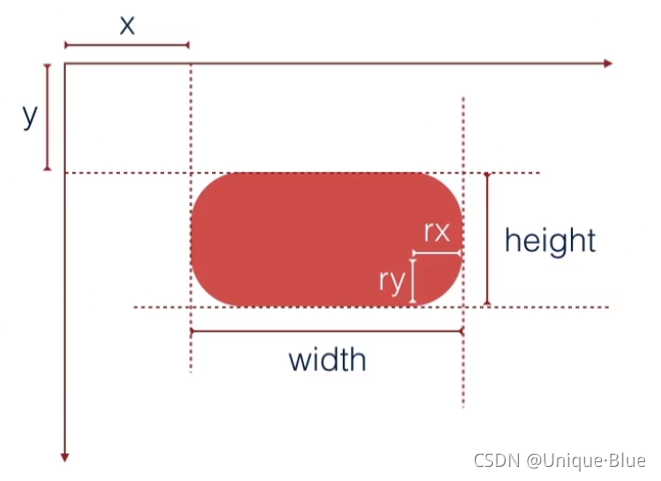
上例子:
<svg xmlns="http://www.w3.org/2000/svg" version="1.1">
  <rect width="300" height="100"
  style="fill:rgb(0,0,255); stroke-width:1; stroke:rgb(0,0,0)"/>
</svg>

三、圆形(circle)
- cx:
圆心距离坐标系的横向坐标值 - cy:
圆心距离坐标系的纵向坐标值 - r:
半径
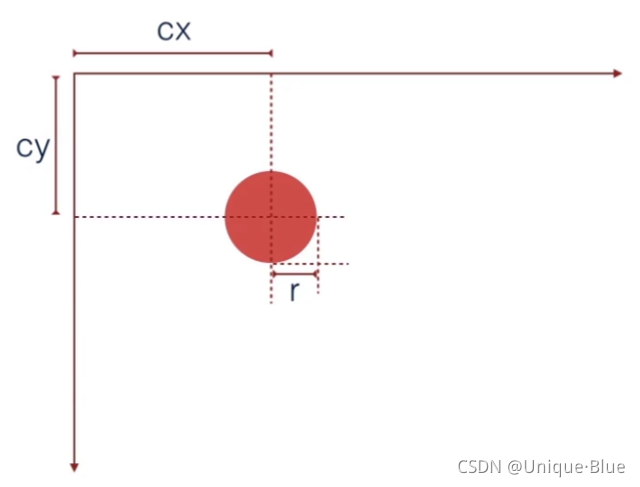
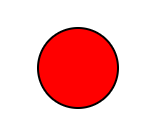
上例子:
<svg xmlns="http://www.w3.org/2000/svg" version="1.1">
  <circle cx="100" cy="50" r="40" stroke="black"
  stroke-width="2" fill="red"/>
</svg>
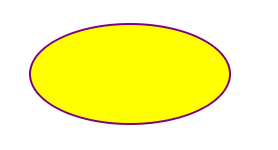
四、椭圆(ellipse)
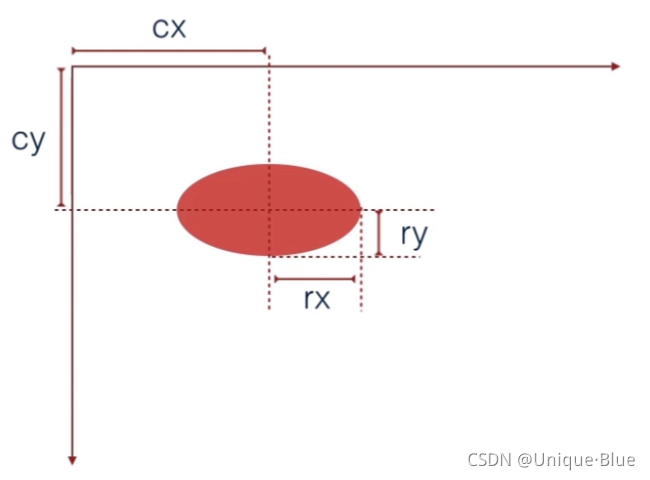
- cx:
圆心距离坐标系的横向坐标值 - cy:
圆心距离坐标系的纵向坐标值 - rx:
水平半径 - ry:
垂直半径
上例子:
<svg xmlns="http://www.w3.org/2000/svg" version="1.1">
    <ellipse cx="150" cy="80" rx="100" ry="50" style="fill:yellow;stroke:purple;stroke-width:2"/>
</svg>
五、直线(line)
这个定义就很简单了,数学上两个点的坐标
- x1:
第一个点距离坐标系的横向坐标值 - y1:
第一个点距离坐标系的纵向坐标值 - x2:
第二个点距离坐标系的横向坐标值 - y2:
第二个点距离坐标系的纵向坐标值
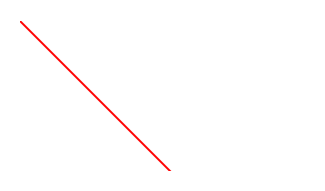
上例子:
<svg xmlns="http://www.w3.org/2000/svg" version="1.1">
  <line x1="0" y1="0" x2="200" y2="200"
  style="stroke:rgb(255,0,0);stroke-width:2"/>
</svg>
六、多线段(polyline)
points :多个坐标点的位置集合,傻瓜式写坐标就行,以此类推
- x1:
第一个点距离坐标系的横向坐标值 - y1:
第一个点距离坐标系的纵向坐标值 - x2:
第二个点距离坐标系的横向坐标值 - y2:
第二个点距离坐标系的纵向坐标值
… … …

上例子:
<svg xmlns="http://www.w3.org/2000/svg" version="1.1">
  <polyline points="0,40 40,40 40,80 80,80 80,120 120,120 120,160" style="fill:white;stroke:red;stroke-width:4" />
</svg>

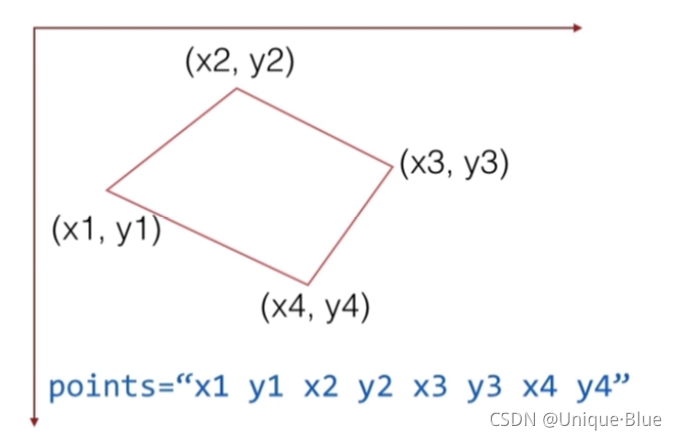
七、多边形(polygon)
points :与多线段类似,区别是 最后一个点 会和 第一个点 连起来,形成封闭图形
- x1:
第一个点距离坐标系的横向坐标值 - y1:
第一个点距离坐标系的纵向坐标值 - x2:
第二个点距离坐标系的横向坐标值 - y2:
第二个点距离坐标系的纵向坐标值
… … …
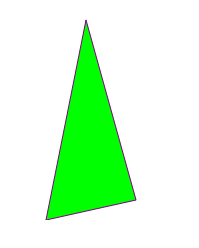
上例子:
<svg height="210" width="500">
  <polygon points="200,10 250,190 160,210" style="fill:lime;stroke:purple;stroke-width:1"/>
</svg>
以上就是基础图形的绘制,嗯,学会基本画图了~

有“AI”的1024 = 2048,欢迎大家加入2048 AI社区
更多推荐



 1
1 0
0- 0


 已为社区贡献1条内容

所有评论(0)