navicat mysql表结构导出excel并复制到word
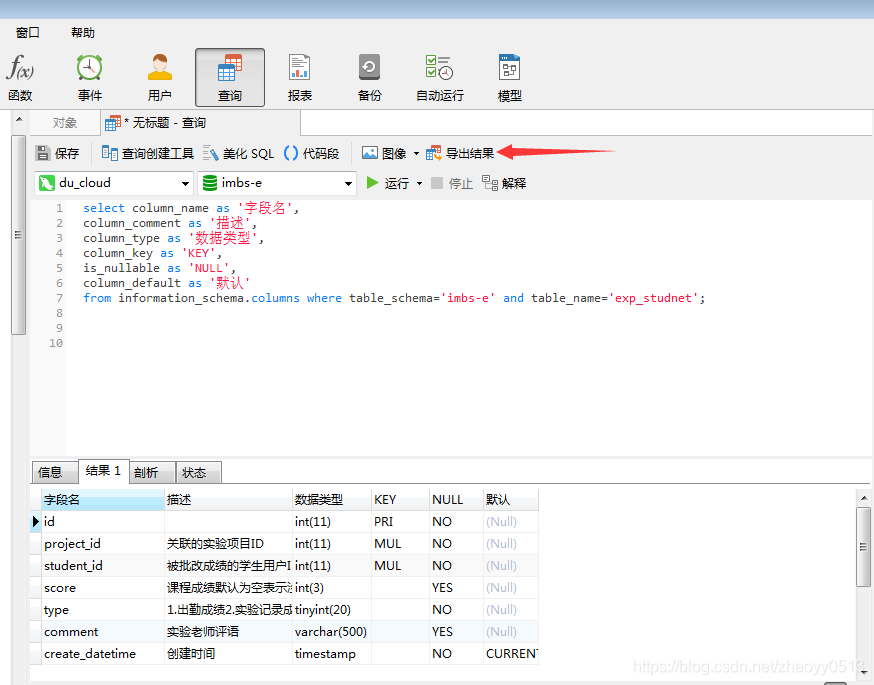
1.首先将我们所需要的表结构输出出来select column_name as '字段名',column_comment as '描述',column_type as '数据类型',column_key as 'KEY',is_nullable as 'NULL',column_default as '默认'from information_schema.columns wher...
·
1.首先将我们所需要的表结构输出出来
select column_name as '字段名',
column_comment as '描述',
column_type as '数据类型',
column_key as 'KEY',
is_nullable as 'NULL',
column_default as '默认'
from information_schema.columns where table_schema='数据库名' and table_name='表名';
2.得到结果后,点击导出结果(这里用到的是navicat premium版)
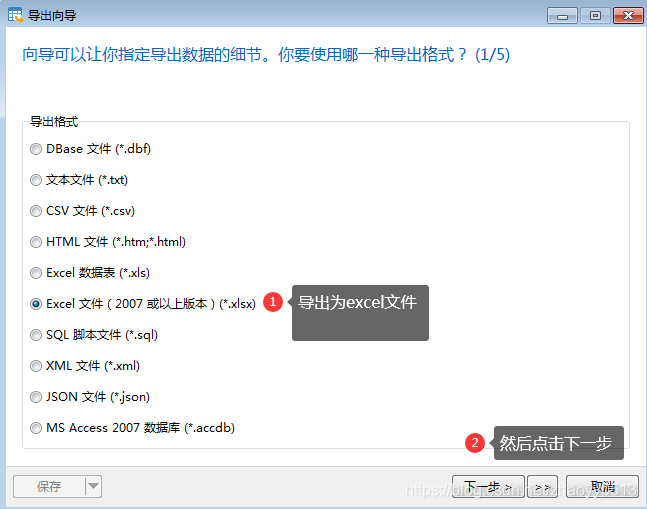
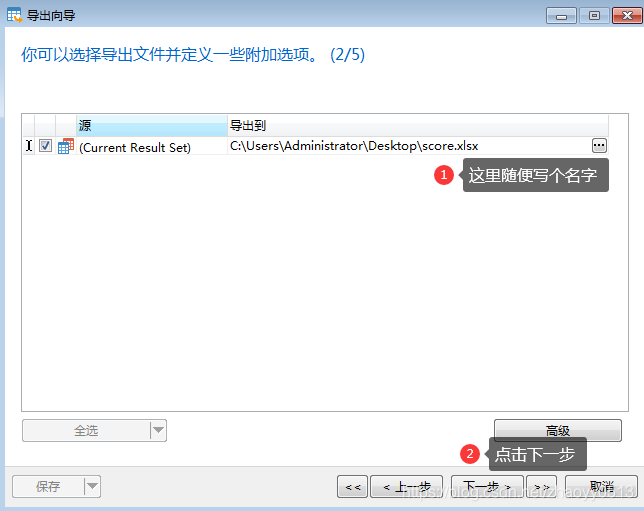
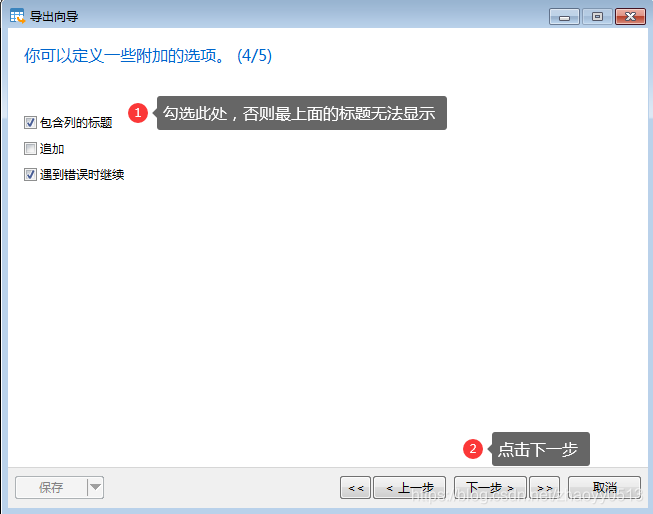
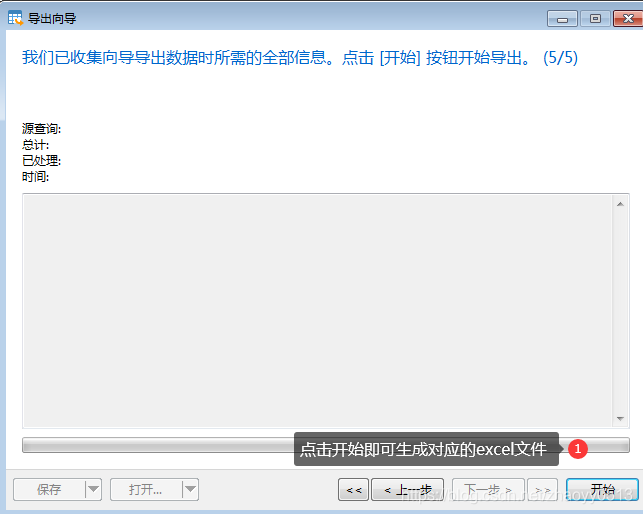
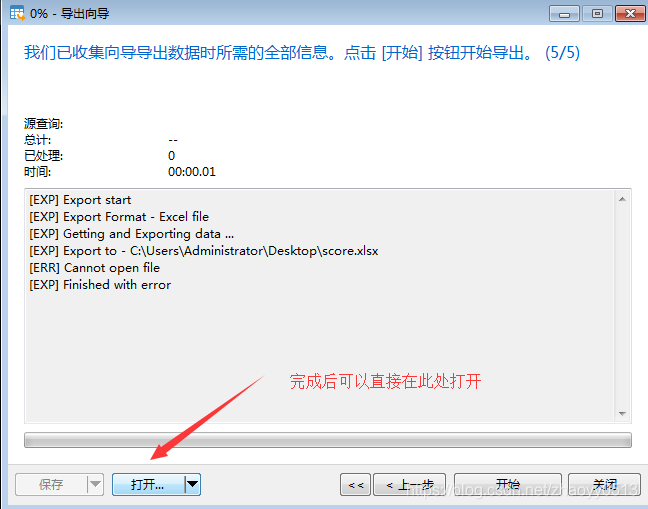
打开excel后,对样式,格式等进行修改
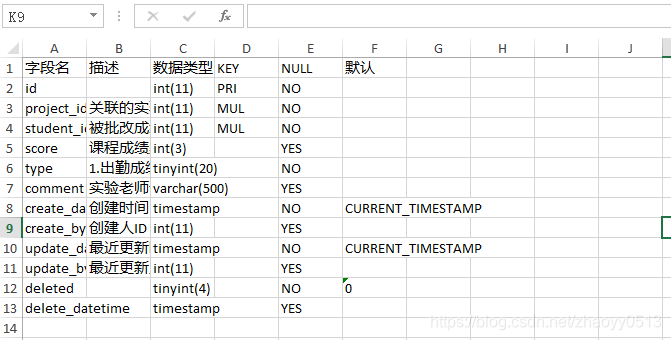
鼠标左键选中有数据的任意位置 然后ctrl+a 全选我们选中的区域然后设置表格样式
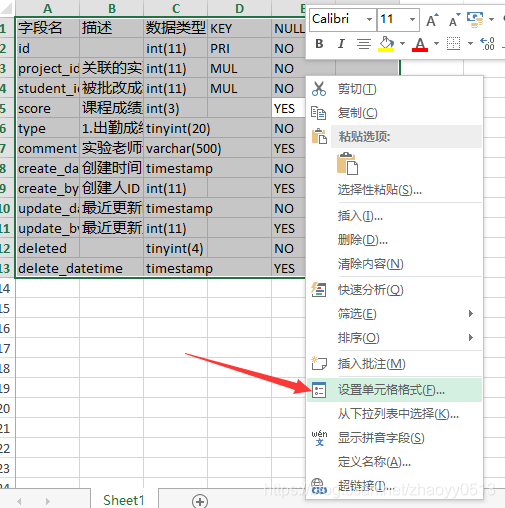
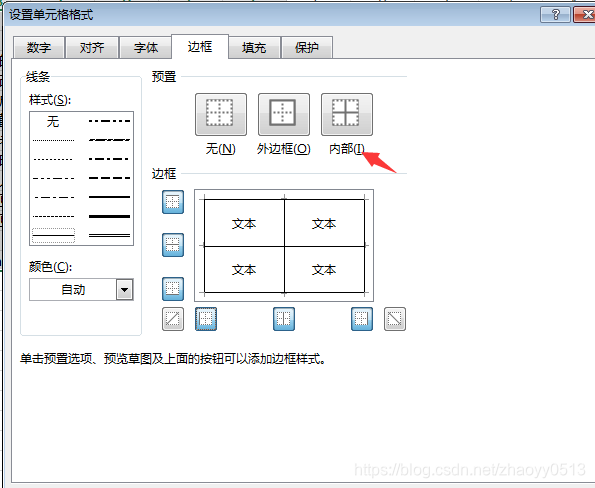
调整好样式后
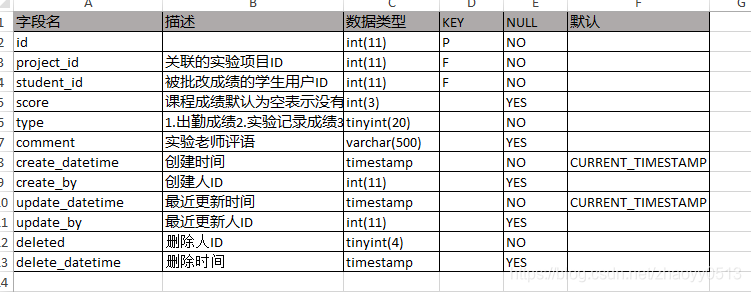
然后继续鼠标左键点击有数据的任意位置,然后ctrl+a选中所选区域然后ctrl+c进行复制
然后回到word,将需要粘贴的数据选择第三种样式进行粘贴
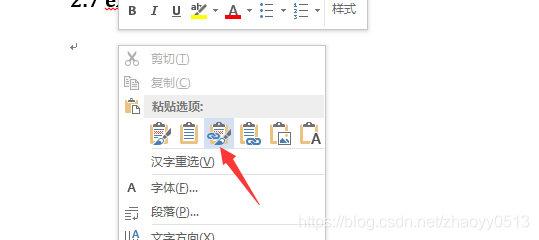
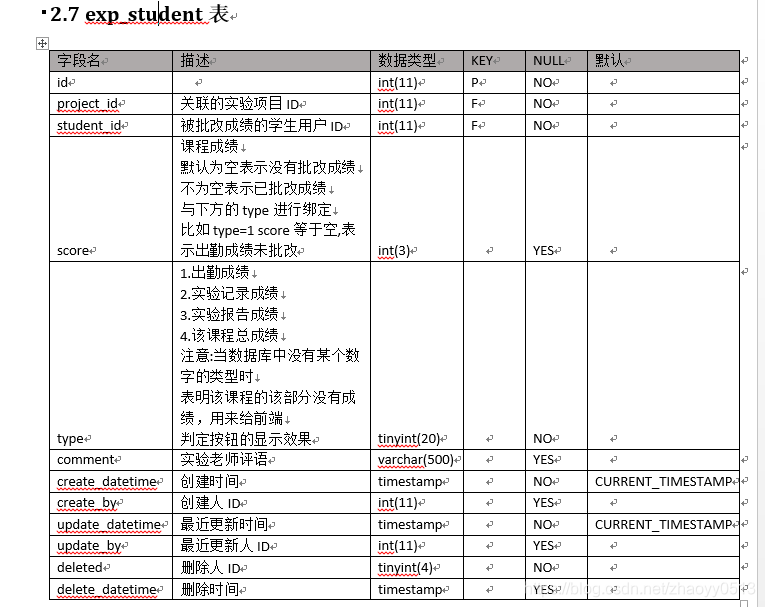
至此,通过navicat获取mysql数据库表结构并导出excel并显示在word上结束!

有“AI”的1024 = 2048,欢迎大家加入2048 AI社区
更多推荐


 13
13 0
0- 0


 已为社区贡献2条内容

所有评论(0)