SpringBoot项目访问任意接口都跳转到login登录页面
·
以下是我搜集到的三个解决方案,推荐第三种
有一段时间没用了SpringBoot,再次使用后发现SpringBoot项目启动后访问跟目录竟然跳转到login页面,而我本人未编写任何界面。
编写接口发现还是跳转到这个页面,之后查找资料,是导入的jar包中有一个登陆拦截器,这是看到Borvein的文章(https://blog.csdn.net/qq_36079461/article/details/96759099)有所了解
解决方案1:
<dependency>
  <groupId>org.springframework.boot</groupId>
  <artifactId>spring-boot-starter-security</artifactId>
</dependency>
去掉以上依赖就可以
之后重新创建了一个SpringBoot项目并且没有勾选Security 其中的选项后就没这个问题了
之后查阅whyalwaysmea的文章后https://blog.csdn.net/u013435893/article/details/79596628
大致能理解加入了安全认证机制所以会跳转到登录页面
解决方案2:
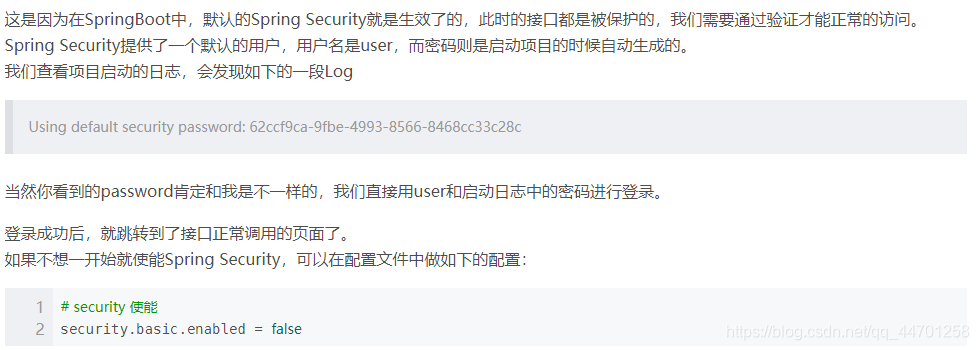
spring boot1.5配置security关闭http基本验证,只需要在application.properites中配置
security.basic.enabled=false即可,
但是spring boot 2.0+之后这样配置就不能生效了。
参考了 yinzhenghao1的文章https://blog.csdn.net/qq_42703181/article/details/86361078
解决方案3:
@Configuration
@EnableWebSecurity
public class SecurityConfig extends WebSecurityConfigurerAdapter {

    @Override
    protected void configure(HttpSecurity http) throws Exception {
        //super.configure(http);
        //配置不需要登陆验证
        http.authorizeRequests().anyRequest().permitAll().and().logout().permitAll();
    }

}

有“AI”的1024 = 2048,欢迎大家加入2048 AI社区
更多推荐

 24
24 0
0- 0


 已为社区贡献1条内容

所有评论(0)