QOpenGLWidget实现图片显示、缩放、旋转、平移
·
前一段时间为了适应原来应用程序迁移到4K屏下性能不足的问题, 开始研究opengl。 我用的是qt做开发的,期间在网上搜索QOpengGLWidget显示图片并且进行缩放、旋转、平移的资料, 老实说没有准确搜到, 好不容易有一篇还是要付费的。在阅读了N个网页,甚至付费下载了N个资源后, 终于自己实现了这些功能, 决定分享出来以便于后来者。 废话不多说, 以下是主要代码:
#ifndef OPENGLWIDGET_H
#define OPENGLWIDGET_H
#include <QOpenGLWidget>
#include <QOpenGLShaderProgram>
#include <QOpenGLTexture>
#include <QOpenGLFunctions>
class OpenGLWidget : public QOpenGLWidget, protected QOpenGLFunctions
{
Q_OBJECT
public:
OpenGLWidget(QWidget *parent = 0);
void wheelEvent(QWheelEvent* e);
void mousePressEvent(QMouseEvent* e);
void mouseMoveEvent(QMouseEvent* e);
void mouseReleaseEvent(QMouseEvent* e);
public slots:
void initializeGL() Q_DECL_OVERRIDE;
void resizeGL(int w, int h) Q_DECL_OVERRIDE;
void paintGL() Q_DECL_OVERRIDE;
void setImage(const QImage &image);
void initTextures();
void initShaders();
void rotate();
private:
QVector<QVector3D> vertices;
QVector<QVector2D> texCoords;
QOpenGLShaderProgram program;
QOpenGLTexture *texture;
QMatrix4x4 projection;
float ratio = 1.0;
bool m_down = false;
QPoint m_pt;
float m_xoff;
float m_yoff;
float m_angle = 0.0f;
};
#endif // OPENGLWIDGET_H
#include "openglwidget.h"
#include <QWheelEvent>
OpenGLWidget::OpenGLWidget(QWidget *parent) : QOpenGLWidget(parent)
{
}
void OpenGLWidget::initTextures()
{
QImage image(":/images/scene.jpg");
// 加载 Avengers.jpg 图片
texture = new QOpenGLTexture(image);
texture->setMinificationFilter(QOpenGLTexture::LinearMipMapLinear);
texture->setMagnificationFilter(QOpenGLTexture::Linear);
//重复使用纹理坐标
//纹理坐标(1.1, 1.2)与(0.1, 0.2)相同
texture->setWrapMode(QOpenGLTexture::Repeat);
//分配储存空间
texture->allocateStorage();
}
void OpenGLWidget::initShaders()
{
//纹理坐标
texCoords.append(QVector2D(0, 1)); //左上
texCoords.append(QVector2D(1, 1)); //右上
texCoords.append(QVector2D(0, 0)); //左下
texCoords.append(QVector2D(1, 0)); //右下
//顶点坐标
vertices.append(QVector3D(-1, -1, 1));//左下
vertices.append(QVector3D(1, -1, 1)); //右下
vertices.append(QVector3D(-1, 1, 1)); //左上
vertices.append(QVector3D(1, 1, 1)); //右上
QOpenGLShader *vshader = new QOpenGLShader(QOpenGLShader::Vertex, this);
const char *vsrc =
"attribute vec2 vertex;\n"
"attribute vec2 texCoord;\n"
"varying vec2 texc;\n"
"uniform mat4 transform;\n"
"void main(void)\n"
"{\n"
" gl_Position = transform*vec4(vertex, 0.0, 1.0);\n"
" texc = texCoord;\n"
"}\n";
vshader->compileSourceCode(vsrc);//编译顶点着色器代码
QOpenGLShader *fshader = new QOpenGLShader(QOpenGLShader::Fragment, this);
const char *fsrc =
"uniform sampler2D texture;\n"
"varying vec2 texc;\n"
"void main(void)\n"
"{\n"
" gl_FragColor = texture2D(texture,texc);\n"
"}\n";
fshader->compileSourceCode(fsrc); //编译纹理着色器代码
program.addShader(vshader);//添加顶点着色器
program.addShader(fshader);//添加纹理碎片着色器
program.bindAttributeLocation("vertex", 0);//绑定顶点属性位置
program.bindAttributeLocation("texCoord", 1);//绑定纹理属性位置
// 链接着色器管道
if (!program.link())
close();
// 绑定着色器管道
if (!program.bind())
close();
}
void OpenGLWidget::initializeGL()
{
initializeOpenGLFunctions(); //初始化OPenGL功能函数
glClearColor(0.2f, 0.3f, 0.3f, 1.0f); //设置背景为黑色
glEnable(GL_TEXTURE_2D); //设置纹理2D功能可用
initTextures(); //初始化纹理设置
initShaders(); //初始化shaders
}
void OpenGLWidget::resizeGL(int w, int h)
{
glViewport(0, 0, w, h);
}
void OpenGLWidget::paintGL()
{
glClear(GL_COLOR_BUFFER_BIT | GL_DEPTH_BUFFER_BIT); //清除屏幕缓存和深度缓冲
glClearColor(0.2f, 0.3f, 0.3f, 1.0f);
program.enableAttributeArray(0);
program.enableAttributeArray(1);
program.setAttributeArray(0, vertices.constData());
program.setAttributeArray(1, texCoords.constData());
program.setUniformValue("texture", 0); //将当前上下文中位置的统一变量设置为value
if(texture->isCreated())
{
texture->bind(); //绑定纹理
}
QMatrix4x4 matrix;
matrix.setToIdentity();
matrix.translate(m_xoff, m_yoff,0.0);
matrix.rotate(m_angle,0,0,1);
matrix.scale(ratio);
program.setUniformValue("transform", matrix);
glDrawArrays(GL_TRIANGLE_STRIP, 0, 4);//绘制纹理
}
void OpenGLWidget::setImage(const QImage &image)
{
if(NULL != texture)
{
texture->release();
texture->destroy();
texture->create();
texture->setData(image); //设置纹理图像
//设置纹理细节
texture->setLevelofDetailBias(-1);//值越小,图像越清晰
update();
}
}
void OpenGLWidget::wheelEvent(QWheelEvent* e)
{
if(e->delta() > 0)
{
ratio *= 1.2;
}
else
{
ratio /= 1.2;
}
update();
}
void OpenGLWidget::mousePressEvent(QMouseEvent* e) {
m_pt = e->pos();
m_down = true;
}
void OpenGLWidget::mouseMoveEvent(QMouseEvent *e) {
if(m_down)
{
float x = (m_pt.x() - e->x())*2.0/width();
float y = (m_pt.y() - e->y())*2.0/height();
m_xoff -= x;
m_yoff += y;
m_pt = e->pos();
}
update();
}
void OpenGLWidget::mouseReleaseEvent(QMouseEvent* e)
{
m_down = false;
}
void OpenGLWidget::rotate()
{
m_angle += 90.0;
update();
}
效果截图如下:
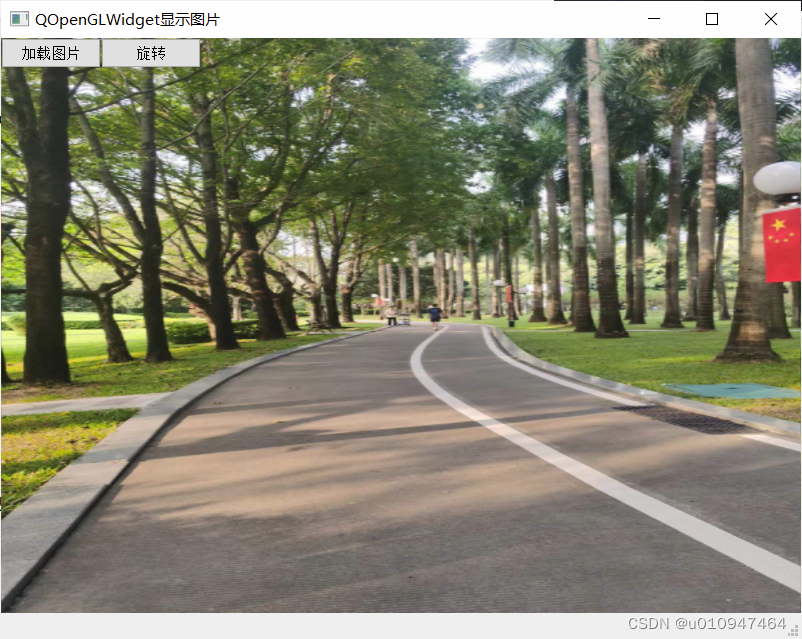
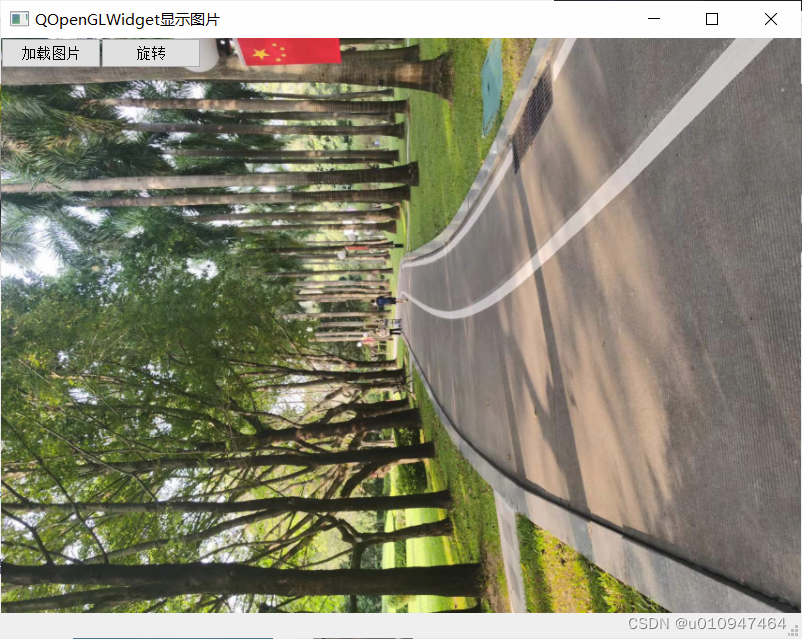
代码参见资源:

有“AI”的1024 = 2048,欢迎大家加入2048 AI社区
更多推荐

 24
24 0
0- 0


 已为社区贡献1条内容

所有评论(0)