【MongoDB】万字长文,命令与代码一一对应SpringBoot整合MongoDB之MongoTemplate
目录
一、导入依赖与配置信息
首先我们需要在项目中导入所需要的依赖,有两种方式:在项目创建之初选择对应的依赖
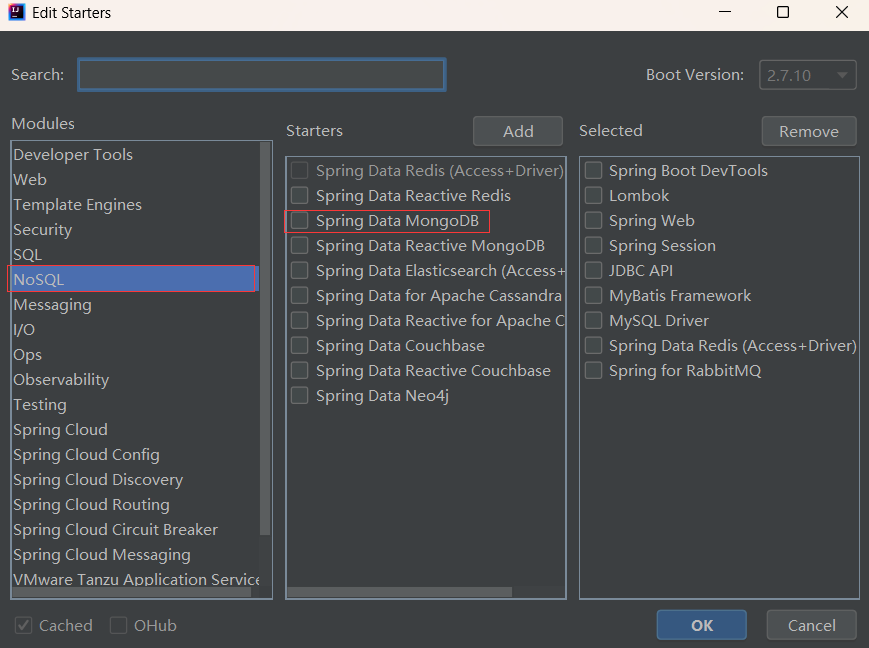
如果项目已经创建则在pom.xml文件中加入以下依赖
        <dependency>
			<groupId>org.springframework.boot</groupId>
			<artifactId>spring-boot-starter-data-mongodb</artifactId>
		</dependency>
在依赖导入后,我们需要在项目的配置文件中配置相对应的信息
spring:
  data:
    mongodb:
      host: IP
      port: 27017
      database: 数据库
二、导入测试数据创建实体类
在MongoDB中导入数据
db.comment.insertMany([{_id:"1",nickname:"zs",content:"这是一本好书",userId:1,createTime:"2021-01-01T00:00:00",like:1,parentId:0},{_id:"2",nickname:"ls",content:"可是一本好书",userId:2,createTime:"2021-01-01T12:00:00",like:11,parentId:0},{_id:"3",nickname:"ls",content:"不是一本好书",userId:2,createTime:"2021-01-11T12:00:00",like:111,parentId:0}])创建对应的实体类
package com.example.demo.pojo.mongodbVo;

import lombok.Data;
import org.springframework.data.annotation.Id;
import org.springframework.data.mongodb.core.index.Indexed;
import org.springframework.data.mongodb.core.mapping.Document;

import java.io.Serializable;
import java.time.LocalDateTime;

@Data
@Document(collection = "comment")
public class Comment implements Serializable {
    @Id
    private String id;
    private String nickname;
    private String content;
    @Indexed
    private Integer userId;
    private LocalDateTime createTime;
    private Integer like;
    private Integer parentId;
}
三、插入数据
1、Insert默认集合插入
命令:db.comment.insert({_id:"4",nickname:"ww",content:"这位是谁啊",userId:3,createTime:……})
这种方式插入数据会插入到实体类上Document注解对应的集合中
@SpringBootTest
class CommentServiceTest {
    @Autowired
    private MongoTemplate mongoTemplate;

    @Test
    void testInsert() {
        Comment comment = new Comment("4","ww","这位是谁啊",3, LocalDateTime.now(),1,0);
        mongoTemplate.insert(comment);
    }
}
2、Insert指定集合插入
命令:db.comment.insert({})
@SpringBootTest
class CommentServiceTest {
    @Autowired
    private MongoTemplate mongoTemplate;

    @Test
    void testInsert() {
        // 1. 构建数据
        Comment comment = new Comment("5","ww","这位是老师",3, LocalDateTime.now(),1,0);
        // 2. 存储数据库
        mongoTemplate.insert(comment,"comment");
    }
}
3、Insert批量插入数据
命令:db.comment.insert([{},{}])
使用insert进行批量插入时必须指定集合名
@SpringBootTest
class CommentServiceTest {
    @Autowired
    private MongoTemplate mongoTemplate;

    @Test
    void testInsert() {
        // 1. 构建数据
        Comment comment1 = new Comment("4","ww","这位是老师啊",3, LocalDateTime.now(),1,0);
        Comment comment2 = new Comment("6","ww","这位是啊",3, LocalDateTime.now(),1,0);
        List<Comment> list = new ArrayList<>();
        list.add(comment1);
        list.add(comment2);

        // 2. 存储数据库
        mongoTemplate.insert(list,"comment");
    }
}
4、save默认集合插入
命令:db.comment.save({})
使用save进行插入时会根据id进行判断,如果要插入数据中的id在数据库存在,则会将旧的数据覆盖,如果不存在则插入数据
@SpringBootTest
class CommentServiceTest {
    @Autowired
    private MongoTemplate mongoTemplate;

    @Test
    void testInsert() {
        // 1. 构建数据
        Comment comment = new Comment("4","ww","这位是老师啊12",3, LocalDateTime.now(),1,0);


        // 2. 存储数据库
        mongoTemplate.save(comment);
    }
}
5、save指定集合插入
命令:db.comment.save({})
@SpringBootTest
class CommentServiceTest {
    @Autowired
    private MongoTemplate mongoTemplate;

    @Test
    void testInsert() {
        // 1. 构建数据
        Comment comment = new Comment("4","ww","这位是老师啊12",3, LocalDateTime.now(),1,0);


        // 2. 存储数据库
        mongoTemplate.save(comment,"comment");
    }
}
6、insert与save的区别
在MongoTemplate中,save()和insert()方法有以下区别:
- save()方法:save()方法用于插入新文档或更新现有文档。如果要保存的文档没有id字段,将插入一个新文档。如果文档具有id字段,MongoDB将尝试使用匹配的id值更新文档。如果找不到具有匹配id的文档,则插入一个新文档。
- insert()方法:insert()方法用于向集合中插入新文档。如果要插入的文档已经具有id字段,并且集合中已经存在具有相同id值的文档,则会抛出异常。这确保插入的文档具有唯一的_id值。
总结:save()方法用于插入和更新操作,而insert()方法专门用于插入新文档,并确保_id字段的唯一性。
四、修改数据
1、修改符合条件的第一条数据
命令:db.comment.update({},{})
@SpringBootTest
class CommentServiceTest {
    @Autowired
    private MongoTemplate mongoTemplate;

    @Test
    void testInsert() {
        // 1. 构建更新的数据
        Comment comment = new Comment("4","ww","这位是老师啊12",3, LocalDateTime.now(),1,0);

        // 2. 构建更新的条件
        Query query = new Query(Criteria.where("id").is(comment.getId()));

        // 3. 构建更新值
        Update update = new Update().set("content",comment.getContent()).set("createTime",comment.getCreateTime());

        // 4. 更新第一条满足条件的数据
        UpdateResult updateResult = mongoTemplate.updateFirst(query, update, Comment.class);

        // 5. 判断是否更新
        System.out.println(update);
    }
}
2、全部修改
命令:db.comment.update({},{},{multi:true})
@SpringBootTest
class CommentServiceTest {
    @Autowired
    private MongoTemplate mongoTemplate;

    @Test
    void testInsert() {
        // 1. 构建更新的数据
        Comment comment = new Comment("4","ww","修改全部数据",3, LocalDateTime.now(),1,0);

        // 2. 构建更新的条件
        Query query = new Query(Criteria.where("nickname").is(comment.getNickname()));

        // 3. 构建更新值
        Update update = new Update().set("content",comment.getContent()).set("createTime",comment.getCreateTime());

        // 4. 更新第一条满足条件的数据
        UpdateResult updateResult = mongoTemplate.updateMulti(query, update, Comment.class);

        // 5. 判断是否更新
        System.out.println(update);
    }
}
五、删除数据
1、删除满足条件的所有文档
命令:db.comment.remove({})
@SpringBootTest
class CommentServiceTest {
    @Autowired
    private MongoTemplate mongoTemplate;

    @Test
    void testInsert() {
        // 1. 构建筛选条件
        Query query = new Query(Criteria.where("userId").is(2));

        // 2. 执行删除操作
        DeleteResult remove = mongoTemplate.remove(query, Comment.class);
    }
}
2、删除集合里所有文档
命令:db.comment.remove({})
@SpringBootTest
class CommentServiceTest {
    @Autowired
    private MongoTemplate mongoTemplate;

    @Test
    void testInsert() {
        // 1. 执行删除操作
        DeleteResult remove = mongoTemplate.remove(new Query(), Comment.class);
    }
}
3、删除满足条件的单个文档并返回
命令:db.comment.remove({})
@SpringBootTest
class CommentServiceTest {
    @Autowired
    private MongoTemplate mongoTemplate;

    @Test
    void testInsert() {
        // 1. 构建删除条件
        Query query = new Query(Criteria.where("userId").is(1));

        // 2. 删除数据接收返回的文档
        Comment andRemove = mongoTemplate.findAndRemove(query, Comment.class);

        // 3. 打印删除的文档
        System.out.println(andRemove);
    }
}
4、删除满足条件的所有文档并返回
命令:db.comment.remove({})
@SpringBootTest
class CommentServiceTest {
    @Autowired
    private MongoTemplate mongoTemplate;

    @Test
    void testInsert() {
        // 1. 删除所有满足条件并返回
        List<Comment> comments = mongoTemplate.findAllAndRemove(new Query(Criteria.where("userId").is(3)), Comment.class);

        // 2. 打印删除
        System.out.println(comments);
    }
}
六、查找数据
1、查询全部文档
命令:db.comment.find()
@SpringBootTest
class CommentServiceTest {
    @Autowired
    private MongoTemplate mongoTemplate;

    @Test
    void testInsert() {
        // 1. 查询全部文档
        List<Comment> comments = mongoTemplate.findAll(Comment.class);
        // 2. 打印结果
        System.out.println(comments);
    }
}
2、查询指定id的文档
命令:db.comment.find({_id:"id"})
@SpringBootTest
class CommentServiceTest {
    @Autowired
    private MongoTemplate mongoTemplate;

    @Test
    void testInsert() {
        // 1. 查询文档
        Comment comment = mongoTemplate.findById("1", Comment.class);
        // 2. 打印结果
        System.out.println(comment);
    }
}
3、查询满足条件的一条文档
命令:db.comment.findOne({})
@SpringBootTest
class CommentServiceTest {
    @Autowired
    private MongoTemplate mongoTemplate;

    @Test
    void testInsert() {
        // 1. 查询文档
        Comment comment = mongoTemplate.findOne(new Query(Criteria.where("nickname").is("ww")),Comment.class);
        // 2. 打印结果
        System.out.println(comment);
    }
}
4、查询满足条件的所有文档
命令:db.comment.find({})
@SpringBootTest
class CommentServiceTest {
    @Autowired
    private MongoTemplate mongoTemplate;

    @Test
    void testInsert() {
        // 1. 查询文档
        List<Comment> comments = mongoTemplate.find(new Query(Criteria.where("nickname").is("ww")),Comment.class);
        // 2. 打印结果
        System.out.println(comments);
    }
}
5、And查询
命令:db.comment.find({$and:[{},{}]})
@SpringBootTest
public class PersonServiceTest {

    @Autowired
    private MongoTemplate mongoTemplate;

    @Test
    public void findByAndCondition() {
        // 1.创建将要and的条件
        Criteria criteriaNickName = Criteria.where("nickame").is("ww");
        Criteria criteriaLike = Criteria.where("like").is(1);
        // 2.将上面条件进行and关联
        Criteria criteria = new Criteria().andOperator(criteriaNickName, criteriaLike);
        // 3.条件对象添加到其中
        Query query = new Query(criteria);
        List<Comment> result = mongoTemplate.find(query, Comment.class);
        System.out.println("查询结果:" + result.toString());
    }
}
6、Or查询
命令:db.comment.find({$or:[{},{}]})
下面代码简写,具体可参照上述and写法,效果一致
@SpringBootTest
class CommentServiceTest {
    @Autowired
    private MongoTemplate mongoTemplate;

    @Test
    void testInsert() {
        // 1. 查询文档
        List<Comment> comments = mongoTemplate.find(new Query(
                new Criteria().orOperator(
                        Criteria.where("nickname").is("ww"),
                        Criteria.where("like").is(10)
                )
        ), Comment.class);
        // 2. 打印结果
        System.out.println(comments);
    }
}
7、In查询
命令:db.comment.find({count:{$in:[11,12]}})
@SpringBootTest
class CommentServiceTest {
    @Autowired
    private MongoTemplate mongoTemplate;

    @Test
    void testInsert() {
        // 1. 查询文档
        List<Integer> ins = Arrays.asList(1,0,2);
        List<Comment> comments = mongoTemplate.find(new Query(Criteria.where("like").in(ins)), Comment.class);

        // 2. 打印结果
        System.out.println(comments);
    }
}
8、比较查询
命令:db.comment.find({ "like": { $gt: 0, $lt: 5 } })
@SpringBootTest
class CommentServiceTest {
    @Autowired
    private MongoTemplate mongoTemplate;

    @Test
    void testInsert() {
        // 1. 查询文档
        Query query = new Query(Criteria.where("like").gt(0).lt(5));   // 查询大于0小于5
        List<Comment> comments = mongoTemplate.find(query, Comment.class);

        // 2. 打印结果
        System.out.println(comments);
    }
}
9、正则查询
命令:db.collectionName.find({ "nickname": { $regex: '^w' } })
@SpringBootTest
class CommentServiceTest {
    @Autowired
    private MongoTemplate mongoTemplate;

    @Test
    void testInsert() {
        // 1. 查询文档
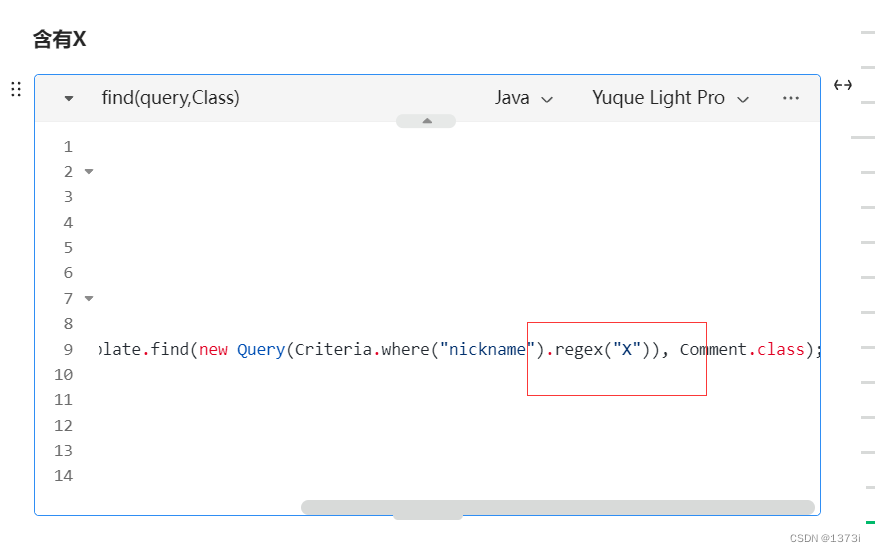
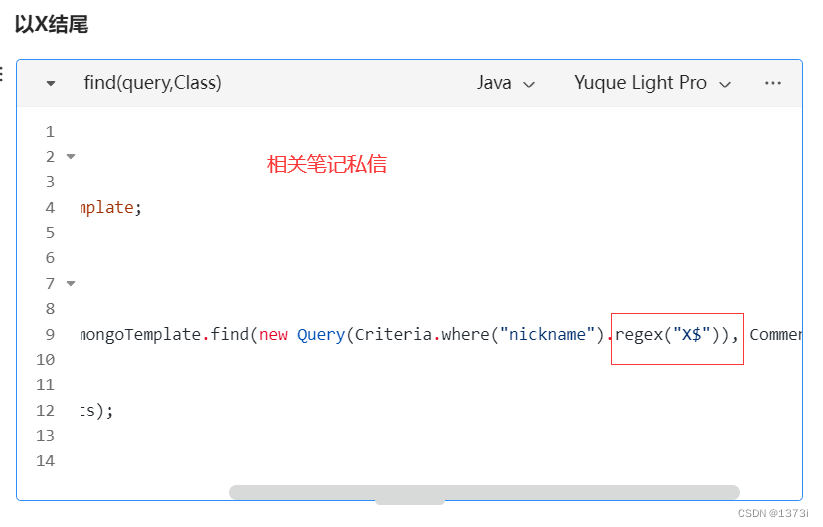
        List<Comment> comments = mongoTemplate.find(new Query(Criteria.where("nickname").regex("^w")), Comment.class);  // 查询nickname中w开头的数据

        // 2. 打印结果
        System.out.println(comments);
    }
}
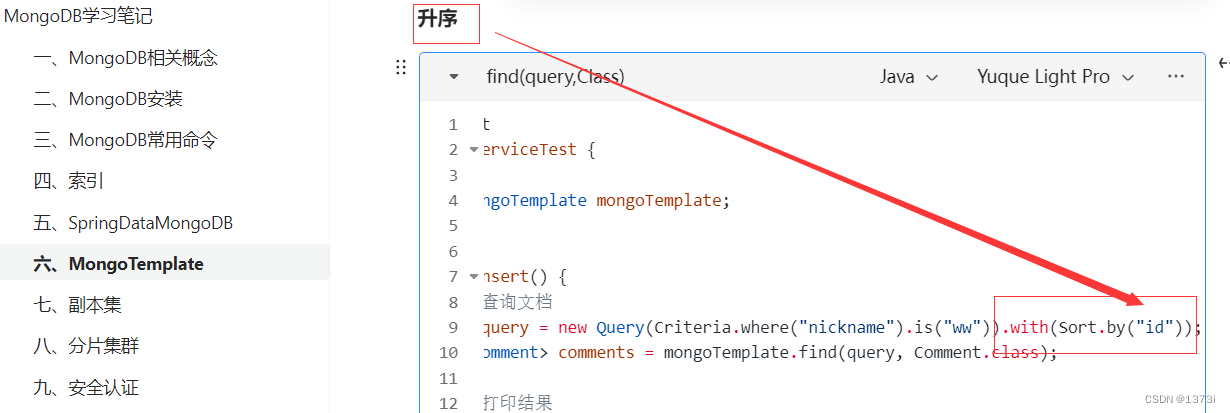
10、排序查询
命令:db.collectionName.find({ "nickname": "ww" }).sort({ "like": 1 })
@SpringBootTest
class CommentServiceTest {
    @Autowired
    private MongoTemplate mongoTemplate;

    @Test
    void testInsert() {
        // 1. 查询文档
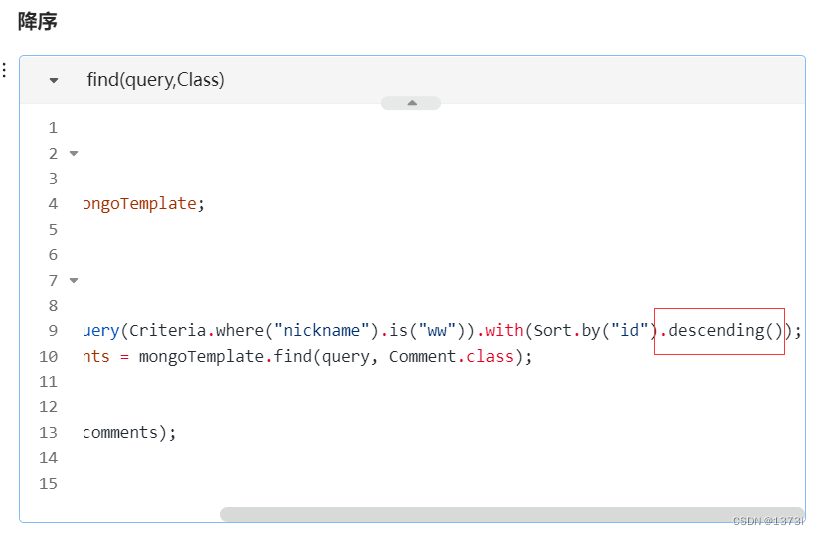
        Query query = new Query(Criteria.where("nickname").is("ww")).with(Sort.by("id").descending());
        List<Comment> comments = mongoTemplate.find(query, Comment.class);

        // 2. 打印结果
        System.out.println(comments);
    }
}
11、分页查询
命令:db.comment.find({}).skip(2).limit(2)
@SpringBootTest
class CommentServiceTest {
    @Autowired
    private MongoTemplate mongoTemplate;

    @Test
    void testInsert() {
        // 1. 查询文档
        Query query = new Query(Criteria.where("nickname").is("ww")).skip(2).limit(2);
        List<Comment> comments = mongoTemplate.find(query, Comment.class);

        // 2. 打印结果
        System.out.println(comments);
    }
}
12、统计查询
命令:db.comment.count({})
@SpringBootTest
class CommentServiceTest {
    @Autowired
    private MongoTemplate mongoTemplate;

    @Test
    void testInsert() {
        // 1. 查询文档
        Query query = new Query(Criteria.where("nickname").is("ww"));
        long count = mongoTemplate.count(query, Comment.class);

        // 2. 打印结果
        System.out.println(count);
    }
}
有“AI”的1024 = 2048,欢迎大家加入2048 AI社区
 3
3 0
0- 0


 已为社区贡献4条内容

所有评论(0)