IEEE Trans Latex 模板问题及解决记录
IEEE Trans Latex 模板问题及解决记录:1 Latex 子图像标题字体太大、不是新罗马字体.2.引用参考文献、图表、章节等颜色修改。3.subfloat 子图像引用带括号 4. Latex 写英文换行时,不该拆分的单词却拆分。 5.参考文献单词大写变小写 6.公式太长导致右编号下移,缩小公式编号也缩小
文章目录
1. IEEE Trans 模板下载
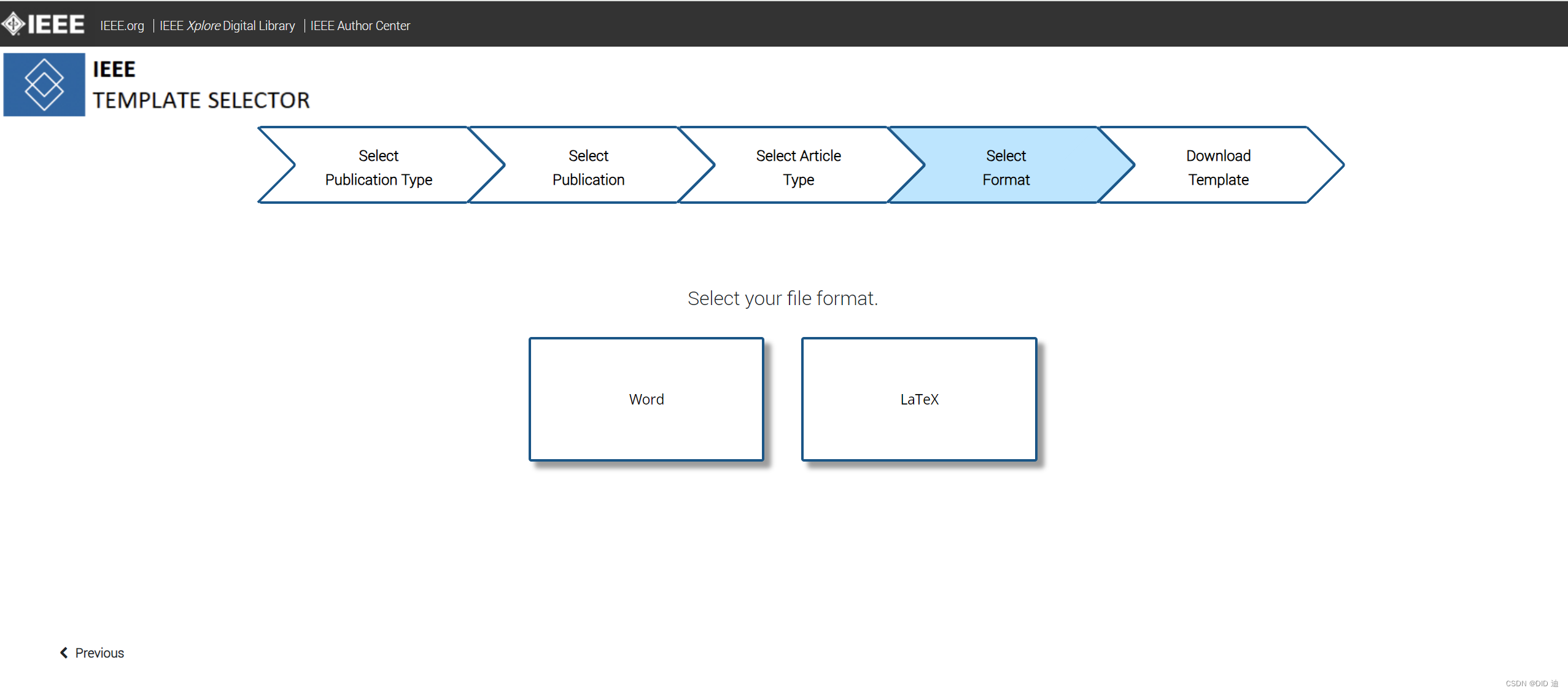
- 到官网上选择自己要投的期刊,选择Word or Latex 模板进行下载。模板网址:https://template-selector.ieee.org/
2. Latex 子图像标题字体太大、不是新罗马字体
-
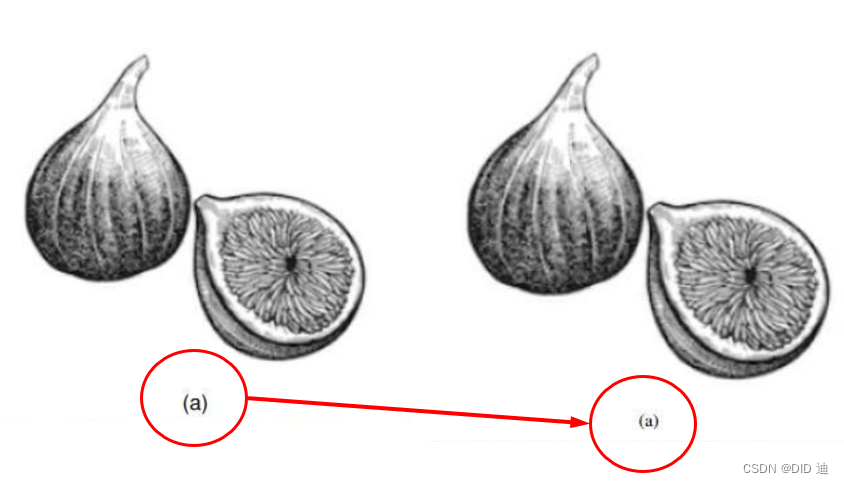
修改开头的控制命令为
\usepackage[caption=false,font=footnotesize,labelfont=rm,textfont=rm]{subfig} -
font=footnotesize,表示修改大小为footnotesize,可选择的有:
\tiny, \scriptsize, \footnotesize, \small, \normalsize, \large, \Large, \LARGE, \huge, \Huge,依次从小到大。 -
labelfont=rm,textfont=rm,表示修改字体为罗马字体。
3. 引用参考文献、图表、章节等颜色修改
-
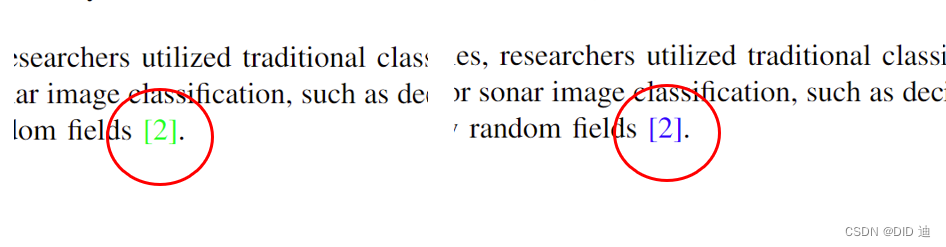
IEEE常用的引用配色有两种,一种参考文献是亮绿色,图标为红色;另一种都是蓝色。个人觉得全蓝色的看着更舒适。
-
在开头添加控制命令
% citecolor为引用颜色 第一种为 green
% linkcolor为图表引用颜色 第一种为 red
\usepackage[colorlinks,
            linkcolor=blue,
            anchorcolor=blue,
            citecolor=blue]{hyperref}
% 修改参考文献两端[]颜色 第一种为 green
\renewcommand{\citeleft}{\textcolor{blue}{[}}
\renewcommand{\citeright}{\textcolor{blue}{]}}
4. subfloat 子图像引用带括号
-
最新的IEEE Trans模板插入图像使用的是
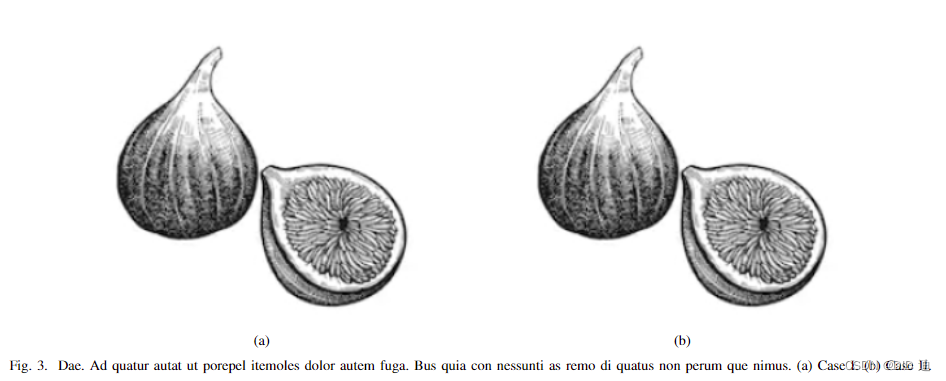
Subfig,以前的是subfigure,这两个不一样,推荐使用Subfig中的\subfloat指令插入图像。\begin{figure*}[!t] \centering % subfloat [] 方括号中是子图像的标题,如果有在此添加, 没有即只显示(a)(b)(c)... \subfloat[]{ \includegraphics[width=2.5in]{fig1} % 子图像路径大小设置 \label{fig_first_case} % 子图像引用名称 } \hfil \subfloat[]{ \includegraphics[width=2.5in]{fig1}% \label{fig_second_case} } \caption{Dae. Ad quatur autat ut porepel itemoles dolor autem fuga. Bus quia con nessunti as remo di quatus non perum que nimus. (a) Case I. (b) Case II.} \label{fig_sim} % 主图像引用名称 \end{figure*}
-
在文章中引用时,可以使用
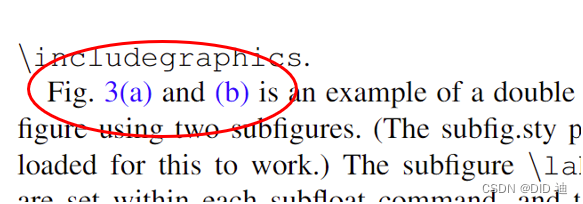
Subref指令引用子图像,此时子图像引用是带括号的,和大部分论文格式一致。Fig. \ref{fig_sim}\subref{fig_first_case} and \subref{fig_second_case} is an example of a double....
5. Latex 写英文换行时,不该拆分的单词却拆分
-
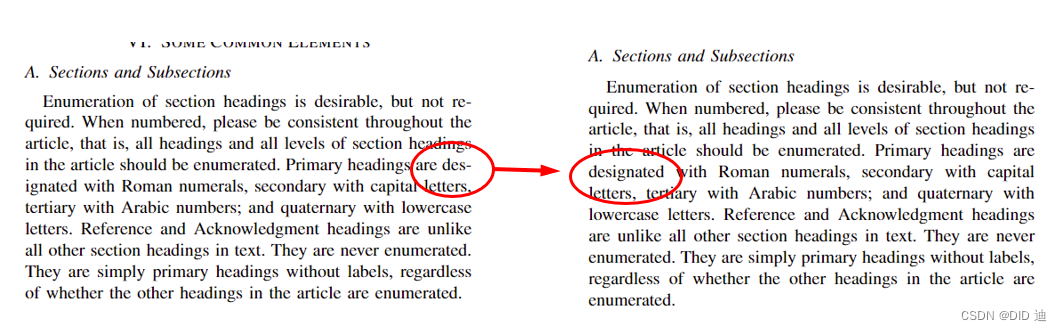
在写英文段落换行时,Latex容易过多的拆分单词,此时可以在前面设置如下指令
\hyphenation{op-tical net-works semi-conduc-tor IEEE-Xplore} % 自定义单词拆分 \hyphenpenalty=5000 \tolerance=1000 % 拆分容忍度, 不想拆分的话就设的大一点(10000) -
hyphenation是很重要的,特别是当行尾的单词很长的时候,如果不作断字,把单词都放在当前行就显得挤,新起一行就显得松。
6. 参考文献单词大写变小写
-
在用Latex添加bib参考文献时,有些专业单词英文应为大写,但编译之后变成小写,解决方法:将要保持原大小的内容置于
{}内。@article{Timothy1998MSTAR, title = {Standard {SAR ATR} evaluation experiments using the {MSTAR} public release data set}, author = {Timothy D. Ross and Steven W. Worrell and Vincent J. Velten and John C. Mossing and Michael Lee Bryant}, journal = {Proc. SPIE}, volume = {3370}, pages = {566--573}, year = {1998}, }

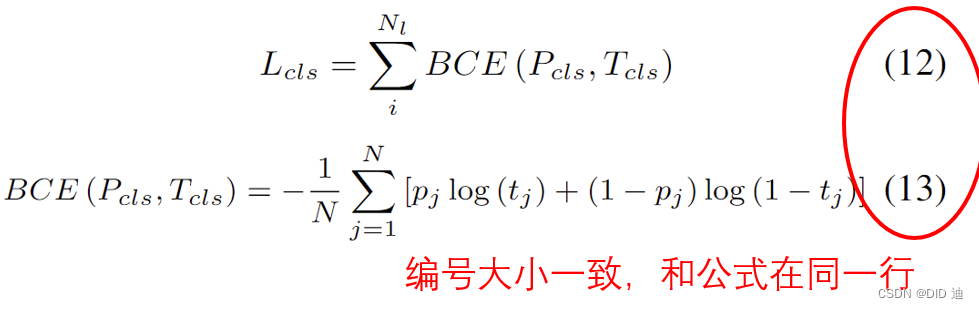
7. 公式太长导致右编号下移,缩小公式编号也缩小
-
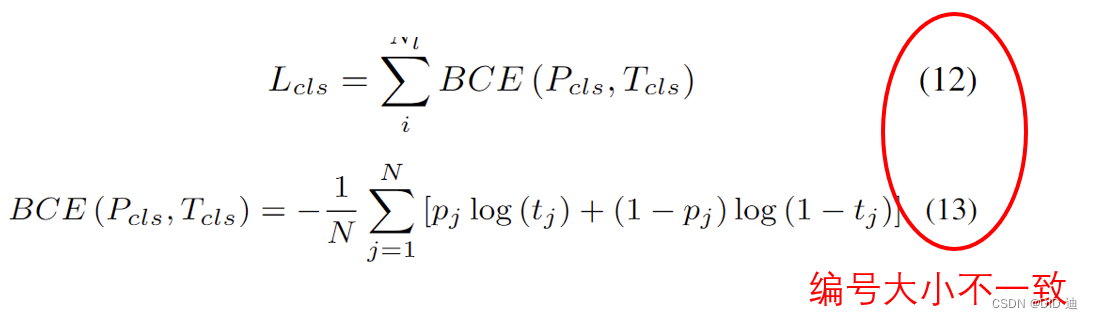
当公式太长时,右编号会下移,首先想到的是缩小公式,可以在公式外围加上字体大小。
\begin{small}
	\begin{equation}
		\ldots你的公式
	\end{equation}
\end{small}
%=====================
七号   tiny
六号   scriptsize
小五号  footnotesize
五号   small
小四号  normalsize
四号   large
三号   Large
二号   LARGE
一号   huge
小初号  Huge
-
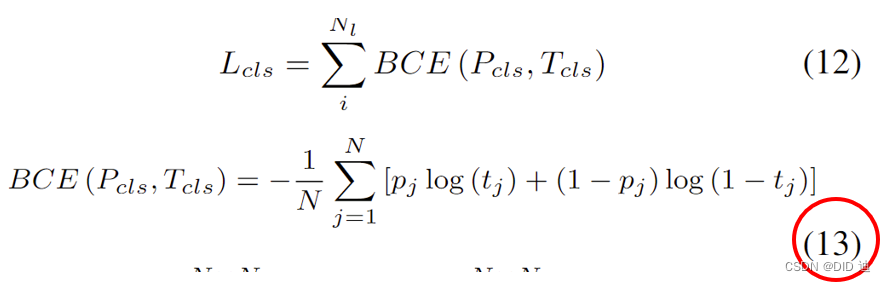
上面方法公式和编号虽然在同一行了,但公式缩小的同时,右编号也跟着缩小,解决:可以将下面代码复制到Latex文件最开始区域。
\makeatletter
\renewcommand{\maketag@@@}[1]{\hbox{\m@th\normalsize\normalfont#1}}%
\makeatother
-
可以发现,该方法右编号不会跟着公式一起缩小,但他还是跑到了下一行,为了彻底解决这个问题,经查阅资料,采用仅缩小公式的方法:
\begin{equation}
		\resizebox{0.9\hsize}{!}{$\begin{aligned}
		%公式内容
		\end{aligned}$}
\end{equation}
参考链接
[1] https://blog.csdn.net/qq_43153628/article/details/126050272 (Latex 子图像标题太大、不是新罗马字体的问题)
[2] https://www.cnblogs.com/yymn/p/14730372.html (subfig问题)
[3] https://blog.csdn.net/shahongzhou/article/details/25103991 (单词换行拆分问题)
[4] https://blog.csdn.net/qq_43874317/article/details/132801177 (参考文献大写变小写)
[5] https://blog.csdn.net/Floris_lovelace/article/details/119991881 (公式缩小,编号不缩小)
[6] https://blog.csdn.net/weixin_43658047/article/details/107758820 (公式不换行)

有“AI”的1024 = 2048,欢迎大家加入2048 AI社区
更多推荐
 51
51 0
0- 0


 已为社区贡献10条内容

所有评论(0)